
 Web Development
 Data Science
 Python
 SQL
SQL JavaScript
 Artificial Intelligence
 IT & Software
 IT Certifications
 Hacking
 AWS
AWS Arduino
 DevOps
 3D Modeling
 Graphic Design
 Photoshop
 Drawing
 Digital Painting
 UX Design
 Business
 Data Analysis
 Communication Skills
 Project Management
 Leadership & Management
 Human Resources
 Digital Marketing
 Social Media Marketing
 Marketing
 SEO
SEO Google Analytics
 Branding
 Excel
Excel Office Productivity
 SAP
SAP PowerPoint
 Microsoft Access
 SharePoint
 Finance & Accounting
 Trading & Investing
 Accounting
 Bitcoin
 Personal Finance
 Video Editing & Animation
 Photography
 Adobe Premier Pro
 Adobe Lightroom
 Personal Development
 Productivity
 Career Development
 Life Coaching
 Health & Fitness
 Meditation & Mindfulness
 Yoga
Yoga Music
Music Music Production
 Guitar
 Piano
Piano Singing
 Language Learning
 Teaching & Academics
 Engineering
 Math
Math Lifestyle
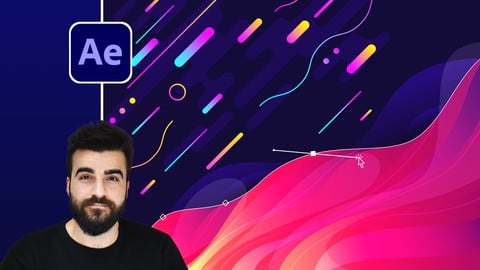
After Effects Motion Graphics Beast (Udemy.com)
Master Animation in Adobe After Effects
Created by: Alan Ayoubi
Last updated October 2023
 What you will learn
- From basics of After Effects
- To using After Effects as professional motion designer
- Students will master motion in After Effects
- Animation Principles
- Types of Keyframes
- Types of Graph editors
- Text Animation
- Shape Modifiers Animation
- Lettering Animation
- Morphing Animation
- You will learn how to make 4 real client projects
- You will learn how to make Modern Gradient Liquid Title Animation
- You will learn how to create callout professional Titles
- You will learn Advanced Motion tracking
- You will learn how to create up to date Infographics and charts
- You will add motion designer to your CV
How it compares
Against the other 118 rated Udemy courses in Adobe After Effects on CourseDuck:
- Rating4.4 out of 5higher than 29% of them
- Reviews3,111#6 of 119 by number of reviews
- Length9 hourslonger than 81% of them
- Last updatedOctober 2023more recently than 71% of them
 Course Description
NOTE: All Available Captions are Autogenerated!
This course is made for beginners and advance who want to up their game in animation and motion graphics in After Effects
By the end of this course, you can call yourself an animator and a good animator!
Let me tell you why
We will start the course by the basics of After Effects you will learn everything you need to know to start working with After Effects comfortably
Next, we will cover the principle of animation we will cover the most important one for motion graphics
You will learn about all types of keyframes with practice
You will learn about Graph Editors in Adobe After Effects
You will know how to animate with ease
You will learn about some of the best animation techniques to date.
You will learn everything text animation
you will learn everything about shape animation
You will learn how to do morphing animation
You will learn about the letter animation
You will learn how to make beautiful gradient liquid title animations
You will learn Modern data visualization
You will learn advanced motion tracking
With all of these, there will be practice projects,
Wait we are still not done at the end we are going to work on 4 real projects. You will learn step by step how to make each of them. Not only this you will have access to the project files and dive deep into them.
By the end of this course, you will have a bunch of animation project that you can add to your CV and start receiving jobs from Clients.
Download all the project files now, you will need it from the first lesson

 Udemy Discount
The discount is applied through our link. Open the course from here and Udemy's current promotional price is applied at checkout on most courses, no code to type.
Some courses are excluded from Udemy's promotions. If the price does not drop, clear your browser cookies and use the button again.
Instructor Details

- 4.4 Rating
 3,111 Reviews
Alan Ayoubi
For as long as I can recall, I've had this deep-rooted passion for graphic design and photography.
With no external guidance to consult, I took a winding path of “learning-by-doing” to find my way to the top and made the best of what I had.
Fast-forward to today, this perseverance has led me to found 92learns Academy – an educational platform where hundreds of graphic designers come together to upgrade their knowledge, sharpen their creative abilities, and become widely-recognized professionals.
Through cutting-edge courses built on years of research, proven experience, and unending dedication, I aspire to empower up-and-coming designers to make a successful living out of what they love – earning five-figure monthly incomes and beyond.
Let's get to work!
 More courses by Alan Ayoubi
Adobe Illustrator Mega Course - From Beginner to Advanced (2023)
4.4 (5,123 Reviews)
 Provider: Udemy
 Time: 18.3h
$119.99

Adobe Photoshop Mega Course-From Beginner to Super Designer (2023)
4.7 (2,112 Reviews)
- Provider: Udemy
- Time: 18.2h
$13.99
Adobe XD Mega Course - User Experience Design (2021)
4.7 (643 Reviews)
- Provider: Udemy
- Time: 8.7h
$69.99
More Adobe After Effects courses

Motion Design & Animation Principles in Adobe After Effects (2025)
4.8 (1,594 Reviews)
- Provider: Udemy
- Time: 5.8h
$99.99


Futuristic HUD Motion Graphics in After Effects (2018)
4.7 (664 Reviews)
- Provider: Udemy
- Time: 1.5h
$69.99

Course Design - How to Create Impressive Text Animations (2017)
4.7 (207 Reviews)
- Provider: Udemy
- Time: 2.7h
$74.99

After Effects Masterclass: The Ultimate Guide for Beginners (2020)
4.7 (198 Reviews)
- Provider: Udemy
- Time: 9h
$74.99

 Reviews

By Gabrielė Oržekauskaitė on 2/28/2025
A great course for beginners providing foundational knowledge and allows to use the software more efficiently with every project. It is a favorable choice considering the length and valuable content provided by the course. One thing to point out is that some of the projects have missing resources and will require some extra time to gather them. Overall, I am quite satisfied
By Rohit Rana on 2/16/2024
Thank you for making this amazing course. its very very useful for me and in my future. because i want to pursue my career as a motion graphic artist. By the way, by taking this class of yours, I'm wondering why i didn't do all this before? Thanks a lot
By Adriana Sadowska on 10/24/2023
This course is professional, perfectly structured and well thought. It covers all essential knowledge, to learn a lot of skills through fantastic tutorials with recourses provided! I highly recommend curses by this creator, it is money and time well spend.
By Hisoka on 10/19/2023
A nice and entertaining course, But it is incomplete as there are a lot of missing files in Resources and the Teacher does not Reply to the students’ questions in Q&A. I think the Teacher does not have a sufficient amount of information that he provides, As there are better and more comprehensive courses at the same price. In other words, I benefited from some techniques in this course, The Course cover 10% of the program, and most of the examples are unnecessarily repeated, Also, the most important point is that the Teacher does not explain the details, as I do not recommend this course to beginners because the Teacher does more things and shortcuts without mentioning them or noting them. That is, if you are a beginner in the program, it will be very difficult for him to follow the lessons with the professor.
By Travis on 5/30/2023
Doesn't have firm enough command of the English language or hasn't thought through how to most efficiently and clearly communicate content course material. I have to switch captions on and off to understand his instructions (off bc it covers over screen). Instructor also goes over course material too quickly. I recommend a longer course taught by a native English speaker.
By Edward Ciprian on 12/1/2022
This is a great course, touching on a variety of animation topics. The instructor explained everything step-by-step to help students follow along and understand the animations being presented. This course can be recommended to anyone who wants to gain a deeper understanding of how animations work, and want to bring their animation skills to the next level.
By Ivan Abednego on 9/12/2022
This is the second course i learned from Alan, I feel satisfied with this course, it was a great course to get started to work in after effects which gets you comfortable enough to use it. What is advertised on the teaser is exactly what you get. Although i won't say you will be a world class user but the knowledge this course gives you will give you a starting path and confidence to learn and tackle advanced project (by yourself). The only thing i can say this course is actually lacking is the 3d section, and expressions basic commands. Everything else is complete enough. I'm looking forward to my third learning journey with Alan on his photoshop course. He is reliable and knows his stuff very well.
By Matthew Peddecord on 5/19/2021
There is a ton of good information presented in the course. It is very different from other courses. This course is a 'follow along, do this, and learn' type. The others are 'here's how to do something and why', then you do some examples of them. It could have some more explanation about why you're doing something and why it's important. The instructor goes pretty fast at times. Had to back up and watch many things over, because I missed a step he did and I wasn't getting the same results. Not sure I would do this as a first course for After Effects. I think the only reason I was able to follow along as well as I did is because I took other courses first. I did enjoy the extra practice.
By Dilan Madusanka on 8/10/2020
This is an absolutely an amazing course.I have followed many courses,considering this course I can tell, all the topics are well organized,clear explanation and when you need support,it will be answered within 24 hours.And there is a facebook group to be more supportive. It will get you from the beginner to an advance level..I achieved lot of things following this course.I recommend this course who are hope to learn motion graphic at the very beginning. Thank you
By Sabás González on 8/6/2020
Excellent course to learn After Effects and start getting projects done to add to your portfolio! The instructor has some cool things to teach and each lesson is well taught! My only complaint is not even about what the instructor taught but about the way he did some things. While he definitely is a pro at this I think there were some things that could be achieved/done more precisely and quickly using more keyboard shortcuts as well as some AE tricks that could've been an interesting addition to the course teachings. But overall solid course! Absolutely recommended.
 Quality Score
No CourseDuck member has rated this course yet. Taken it? Give each part a thumbs up or down.
Overall Score : 88 / 100
- Video Duration:
 9h
9h - Price: $124.99
- Provider: Udemy
- Updated:
 October 2023
 - Level:
 All Levels
 - Language:
 English
 - Certificate:
 Yes
Yes
30-day money-back guarantee on most paid courses
Udemy Coupon Price Tracker
