
 JavaScript
 Web Development
 Python
 SQL
SQL Artificial Intelligence
 Machine Learning
 IT & Software
 AWS
AWS Hacking
 Arduino
 3D Modeling
 Photoshop
 Graphic Design
 UX Design
 Drawing
 Adobe After Effects
 Business
 Data Analysis
 Shopify
 Digital Marketing
 Social Media Marketing
 Marketing
 SEO
SEO Google Analytics
 Branding
 Excel
Excel Office Productivity
 Finance & Accounting
 Bitcoin
 Video Editing & Animation
 Photography
 Adobe Premier Pro
 Adobe Lightroom
 Personal Development
 Health & Fitness
 Music
Music Guitar
 Teaching & Academics
 Language Learning
 Engineering
 Lifestyle
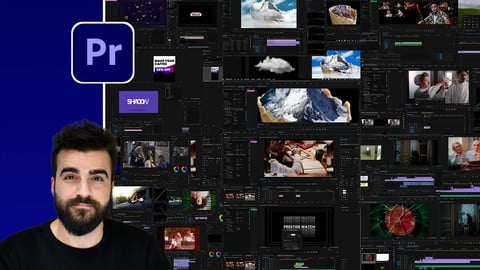
Adobe Premiere Pro CC Mega Course (Udemy.com)
Master Video Editing and Motion Graphics in Adobe Premiere Pro
Created by: Alan Ayoubi
Last updated March 2024
 What you will learn
- Professional Video Editing
- Motion Graphics in Adobe Premiere
- Basics of Adobe Premiere Pro
- Advanced Tips and Tricks in Adobe Premiere Pro
 Quality Score
No CourseDuck member has rated this course yet. Taken it? Give each part a thumbs up or down.
Overall Score : 90 / 100
 Course Description
Welcome to Adobe Premiere Mega courses. I am Alan and I will be your instructor in this course.
Like our other mega courses, this Premiere Pro course is designed for absolute beginners and for people who want to take their skills to another level in editing and Adobe Premiere.
This is not a course that will only show you how to do video cuts and put music under your videos, believe it or not by the end of this course you will be able to create artworks like this and animations like this and much more lets quickly go over what we have inside the course
First, we will start with the basics of editing. In this section, I'll show you all the tools, tips and tricks you need to edit a simple video. By the end of this section, you will be able to edit your own videos
After that, we will cover some more advanced tools and tips for video editing. Like video properties, masks, speed and slow motions, video stabilization and at the end will cover some of the issues you might face and how to solve them
In the audio section, we will cover everything you need to know about the audio in Adobe Premiere I will show you how to remove noise from the BG, how to use keyframes to control the audio, audio syncing and more
Then will cover some technical stuff, like HD vs 4k, video codecs, how to render with Adobe media encoder and much more.
At the end of the basic part, we will use all we have learned to create a beautiful ad video for a watchmaker
When you finish the basic part of the course you will have a full understanding of video editing in Adobe premiere and you will be able to edit your own videos. And you will be ready to move to the advanced part of the course
We will start with colour correction and colour grading, in this section, we will cover the details of the Lumetri colour in adobe premiere and how to use it properly. I will show you how to use Luts and make your Luts and presets. Then I will show how to achieve some of the most popular videos looks like Moody look, cinematic look, Super 8mm film effect, and teal and orange look
In the Keyframes and Animation Section, I am going to show you how to use keyframes and do animation inside adobe premiere. And together we are going to create some mind-blowing animations only using adobe premiere, we will make a logo animation, two title animations, and an Instagram story animation. In the end, I will show you how to use graphic templates and how to create your own templates and that you can sell online
In the video manipulation section, we are going to use adobe premiere to make some mind-blowing graphic arts, using videos and PNG. I will show you step by step how to create outstanding artwork.
In the transitions section, I will show you how to create some of the most used transitions inside adobe premiere, like zoom, swipe, glitch and mask transitions
After the transitions, we are going to create a video and we will use sound design and some transitions to make it stand out.
In the end, I will show you some of the more advanced stuff in adobe premiere like
Advanced time remapping, Mask Tracking, working with two cameras and working with Proxies.
If you are someone who wants to get a job in video editing or you are someone who wants to add this skill to your skill set, this course is for you.
Now let’s together start with the course. See you inside the class

 Udemy Discount
The discount is applied through our link. Open the course from here and Udemy's current promotional price is applied at checkout on most courses, no code to type.
Some courses are excluded from Udemy's promotions. If the price does not drop, clear your browser cookies and use the button again.
Instructor Details

- 4.5 Rating
 349 Reviews
Alan Ayoubi
For as long as I can recall, I've had this deep-rooted passion for graphic design and photography.
With no external guidance to consult, I took a winding path of “learning-by-doing” to find my way to the top and made the best of what I had.
Fast-forward to today, this perseverance has led me to found 92learns Academy – an educational platform where hundreds of graphic designers come together to upgrade their knowledge, sharpen their creative abilities, and become widely-recognized professionals.
Through cutting-edge courses built on years of research, proven experience, and unending dedication, I aspire to empower up-and-coming designers to make a successful living out of what they love – earning five-figure monthly incomes and beyond.
Let's get to work!
 More courses by Alan Ayoubi
Adobe Illustrator Mega Course - From Beginner to Advanced (2023)
4.4 (5,123 Reviews)
 Provider: Udemy
 Time: 18.3h
$119.99

Adobe Photoshop Mega Course-From Beginner to Super Designer (2023)
4.7 (2,112 Reviews)
- Provider: Udemy
- Time: 18.2h
$79.99
Adobe XD Mega Course - User Experience Design (2021)
4.7 (643 Reviews)
- Provider: Udemy
- Time: 8.7h
$69.99
More Adobe Premier Pro courses

The Complete Adobe Premiere Pro Video Editing Bootcamp (2025)
4.9 (7,316 Reviews)
- Provider: Udemy
- Time: 9.7h
$139.99

Video Editing complete course | Adobe Premiere Pro CC 2021 (2023)
4.8 (529 Reviews)
- Provider: Udemy
- Time: 14.4h
$22.99
Music Production in Logic Pro - The Complete Course! (2026)
4.7 (15,036 Reviews)
- Provider: Udemy
- Time: 53.1h
$149.99

Adobe Premiere Pro CC – Essentials Training Course (2025)
4.7 (11,647 Reviews)
- Provider: Udemy
- Time: 15.8h
$129.99

Adobe Premiere Pro CC – Advanced Training Course (2025)
4.7 (1,922 Reviews)
- Provider: Udemy
- Time: 16.3h
$94.99

Adobe Premiere Pro Video Editing Course Beginner to Pro (2024)
4.7 (686 Reviews)
- Provider: Udemy
- Time: 9.1h
$54.99
 Reviews

By Anonymized User on 2/1/2025
English communication is the main problem. Content Overall Good
By Tanya Johnson on 1/10/2024
Exactly the in-depth that I need. a lot of the functions I didn't even know you could do in Premier.
By Arvind kumar on 2/23/2023
Anyone can learn video editing easily, if follow this course step by step. Thanks for this course.
By oluwatosin egbeola on 12/10/2022
i have always being a fan of Ayoubi's tutorials. this here is another masterpiece. thank you for sharing your knowledge with me.
By Simon Petrus on 12/2/2022
Wonderful tutorial. Alan has also good design taste. You will not only learn how to use the tool, but also how create a good design. Keep making more tutorials like this, Alan!!
By Yopi p on 7/4/2022
Good course. Nice explanation from Alan Ayoubi. Good structure of the content of the course.
By Ruben José David Bastos Cabango on 7/3/2022
We learn few things in a slow rithim, as a result lessons are needlessly too long.
By Yudha pratama on 6/17/2022
Alan's explanation is really well. Section after section. He know his stuff well. Very good.
By Yousaf Sialvi on 12/31/2021
most expert adobe family user and I Love his way of delivering the lecture . just love from the depth of my heart.
By Mohamed saber on 9/16/2021
every moment a learned a lot of information from alan it`s amazing for beginners !!
- Video Duration:
 8.8h
8.8h - Price: $69.99 Track Price 11.99 Track Price
- Provider: Udemy
- Updated:
 March 2024
 - Level:
 All Levels
 - Language:
 English
 - Certificate:
 Yes
Yes
30-day money-back guarantee on most paid courses
Udemy Coupon Price Tracker
