
 JavaScript
 Web Development
 Python
 SQL
SQL Artificial Intelligence
 Machine Learning
 IT & Software
 AWS
AWS Hacking
 Arduino
 3D Modeling
 Photoshop
 Graphic Design
 UX Design
 Drawing
 Adobe After Effects
 Business
 Data Analysis
 Shopify
 Digital Marketing
 Social Media Marketing
 Marketing
 SEO
SEO Google Analytics
 Branding
 Excel
Excel Office Productivity
 Finance & Accounting
 Bitcoin
 Video Editing & Animation
 Photography
 Adobe Premier Pro
 Adobe Lightroom
 Personal Development
 Health & Fitness
 Music
Music Guitar
 Teaching & Academics
 Language Learning
 Engineering
 Lifestyle
Adobe Illustrator Mega Course - From Beginner to Advanced (Udemy.com)
Adobe Illustrator CC - Designed To Make You an Advanced Illustrator
Created by: Alan Ayoubi
Last updated October 2023
Our take
Based on the ratings of 5,123 students and a sample of their written reviews, the syllabus, the course as of October 2023. No course pays to be reviewed.
An 18-hour, 124-lecture Illustrator course split into two halves. The first half is a tool-by-tool walkthrough: objects, appearance, drawing, brushes, type, masking, most capped with a small artwork. The second half is the reason people buy it: data visualization from a spreadsheet, geometric grids, an isometric house and a futuristic city, repeat patterns, symmetrical mandalas, blend-tool 3D strokes, and drawing from photos. About 48,000 students have enrolled and it holds a 4.4 from over 5,000 reviews. It suits beginners who want to end up making real artwork, and working designers who want a fast refresher with some new tricks.
Reviewers say Alan Ayoubi explains clearly and keeps things organized, and one mentions the quality microphone. A student who studied graphic design in college said the first three sections alone taught plenty. The complaints cluster around age. The course was last updated in October 2023, and low-star reviews mention tools that no longer exist, Adobe Color Themes among them, plus a few empty resource files such as the futuristic city assets. Some students also felt the why gets skipped: steps are shown, reasons are not, and the homework mostly copies the instructor. Non-native English and the odd confused colour name come up too.
Compared with the Essentials and Advanced Training courses it sits beside, this one packs both halves into a single purchase, and the isometric and data viz sections give it a different flavor. One past professional noted it is not methodical, cover-everything-in-sequence training, so if you want a strict tool reference, look elsewhere. If you want to build a dozen finished pieces and can live with a few 2026 interface differences, this is a solid buy.
Pros
- Second half builds finished pieces: isometric house and city, spreadsheet-driven charts, patterns, mandalas
- Alan Ayoubi's explanations are clear and organized, and one reviewer praises the microphone quality
- Covers topics one reviewer called rare to learn, like data visualization and selling your artwork online
- Works as a quick refresher for past professionals as well as a first course
Cons
- Last updated October 2023; Adobe Color Themes and a few other tools shown no longer exist
- Some resource files are reported empty, including the futuristic city assets
- Steps are shown more than explained, and homework mostly copies the instructor
It's last updated on 2023, but it is still the best course ever for me. I really enjoy it and I learn so much
Marked All Levels; a true beginner can start here, while advanced users will mostly want the second half's projects.
 What you will learn
- Master Adobe Illustrator
- How to create a Project and Navigate In Adobe Illustrator
- Everything About Working With Object
- Everything About Appearance of The Objects
- Everything About Drawing In Illustrator
- Everything About Brushes
- Everything About Type Tools and Typography
- You Will Master Masking And Its Types
- Symmetrical Drawing
- Blend Tool For 3D Strokes And Hair Effect
- Data Visulazation
- Pattern Making
- Geometric Grids and Artworks
- Isometric Drawing
- Drawing From Images
- How To Sell Your Artworks And Skills Online
- Preparing Artwork For Animation And Animation In After Effects
Course content
19 sections · 124 lectures · 18 hours of video 3 articles
- 1Introduction 2 free previews5 lectures · 8 min
- 2First Time Opening Illustrator 1 free preview4 lectures · 12 min
- 3Working With Objects 1 free preview11 lectures · 1.5 hours
- 4Everything About Appearance 1 free preview9 lectures · 2.1 hours
- 5Everything About Drawing in Illustrator 1 free preview13 lectures · 2.9 hours
- 6Working With Brushes 1 free preview8 lectures · 1.5 hours
- 7Typography 1 free preview9 lectures · 1 hour
- 8Masking 1 free preview4 lectures · 12 min
- 9Few Advanced Techniques 1 free preview4 lectures · 37 min
- 10Data Visualisation 1 free preview5 lectures · 1.2 hours
- 11Pattern 1 free preview6 lectures · 40 min
- 12Geometric Grid & Artworks 1 free preview11 lectures · 1.9 hours
- 13Isometric - Isometric Home 1 free preview9 lectures · 1.4 hours
- 14Isometric Futuristic City10 lectures · 1.8 hours
- 15Drawing from Images 1 free preview5 lectures · 47 min
- 16Export 1 free preview3 lectures · 7 min
- 17Sell Your Artwork and Skills Online 1 free preview4 lectures · 5 min
- 18Bonus : Preparing Illustrator Project for Animation 1 free preview3 lectures · 16 min
- 19End1 lecture
Who it is for
The instructor says it suits
- Beginners and Advanced, who want to take their design and illustrator skills to a next level
What you need before you start
- Laptop
- Adobe Illustrator CC
- Knowledge on using Computer
 Quality Score
No CourseDuck member has rated this course yet. Taken it? Give each part a thumbs up or down.
Overall Score : 88 / 100
 Course Description
This Adobe Illustrator course is designed to take absolute beginners step by step into an advanced level in design and Illustration
The course consists of two-part the Basic part and Advanced part
- The basic part is just like a master class, in this part I will teach all the details you need to know to start using illustrate confidently. Basic does not mean you are not going to make interesting stuff, in this part, you will be creating a dozen of interesting artworks using what you have learnt
We will be covering:
How to create a project and navigate for the first time
Everything about working with an object, by the end we will create some artwork using what we have learnt
Everything about the appearance of the objects, by the end we will create some artwork using what we have learnt
Everything about drawing, by the end we will create some artwork using what we have learnt
Everything about brushes, by the end we will create some artwork using what we have learnt
Everything about type tools and typography, by the end we will create some artwork using what we have learnt
We will master masking and its types
And Thousands of other tips and tricks
- After you master adobe illustrator in the first part, you will be ready for more advanced stuff in illustrator, and we will start with the most interesting one which is:
Data visualization, in this section I will show you how to create clean & modern charts. I will show you how to connect a spreadsheet to adobe illustrator and then will show you how to turn boring charts to an exciting and eye-catching charts
Then we will have a Geometric section. In this section, I will show you how to create different types of grids and then how to use them to make beautiful abstract geometric artwork
Then a very fun section comes which is Isometric and 3d, in this part you will be learning basics of isometric and 3d and then together we will be creating and Isometric home and an Isometric futuristic city
In the pattern section, I will show you step by step on how to use your doodles and artwork to create beautiful patterns and make them ready for print.
Then in Blend and Symmetrical section, I will teach you how to set up your Illustrator project for symmetrical drawing, with this setup you will be able to create beautiful mandalas and other precise artwork.
Then I will teach you how to use blend mood to make eye-catching 3D liquid gradient lines. And then I will show you how to apply it to any path. This is a very fun section you should not miss it.
Drawing using photos, in this section I will teach you tips and tricks on how to draw from a photo, we will be creating two Artworks form Photos.
If you learn Adobe Illustrator to start your online business and start selling your artworks, we have a section for you, in this section, I will show you all the places that you can sell your artwork and the places that you can work as freelancer online.
And the last section will be a bonus, I will teach how to prepare your project for animation in Adobe After Effects, we will prepare a project and we will animate in After Effect. If you want to learn animation I have a course that covers everything about animation and After Effects make sure to check it.
If for any reason you did not like the course, you have 30 days money back Guarantee.
See you in the class

 Udemy Discount
The discount is applied through our link. Open the course from here and Udemy's current promotional price is applied at checkout on most courses, no code to type.
Some courses are excluded from Udemy's promotions. If the price does not drop, clear your browser cookies and use the button again.
Instructor Details

- 4.4 Rating
 5,123 Reviews
Alan Ayoubi
For as long as I can recall, I've had this deep-rooted passion for graphic design and photography.
With no external guidance to consult, I took a winding path of “learning-by-doing” to find my way to the top and made the best of what I had.
Fast-forward to today, this perseverance has led me to found 92learns Academy – an educational platform where hundreds of graphic designers come together to upgrade their knowledge, sharpen their creative abilities, and become widely-recognized professionals.
Through cutting-edge courses built on years of research, proven experience, and unending dedication, I aspire to empower up-and-coming designers to make a successful living out of what they love – earning five-figure monthly incomes and beyond.
Let's get to work!
 More courses by Alan Ayoubi

Adobe Photoshop Mega Course-From Beginner to Super Designer (2023)
4.7 (2,112 Reviews)
 Provider: Udemy
 Time: 18.2h
$79.99
Adobe XD Mega Course - User Experience Design (2021)
4.7 (643 Reviews)
- Provider: Udemy
- Time: 8.7h
$69.99
More Illustrator courses

Adobe Illustrator Advanced Vector Artwork (2020)
4.8 (1,988 Reviews)
- Provider: Udemy
- Time: 8.3h
$84.99

Adobe Illustrator - Beginner to Pro Level With New AI (2026)
4.8 (1,368 Reviews)
- Provider: Udemy
- Time: 13.7h
$89.99

How to create flat design icons in 15 minutes in Illustrator (2023)
4.8 (335 Reviews)
- Provider: Udemy
- Time: 5.4h
$124.99
Adobe Illustrator Text Effects Masterclass (2018)
4.8 (84 Reviews)
- Provider: Udemy
- Time: 3.3h
$54.99
 Reviews

By Scott Wallace on 12/27/2025
Yes, this was an excellent match. I was looking for a quick refresher as a past professional. It's not official and methodical Adobe certified type training, covering every aspect, in sequence, but definitely works as a fast re-familiarization tutorial or overview. Also, considering the alternative of paying through LinkedIn Learning, getting this content through Udemy as a public service — This is superb and I'm glad for it.
By Nikola Nikolov on 10/9/2025
Alan Ayoubi – a name I’ll remember for a long time! This man has created the best Adobe Illustrator course out there. Skip the other courses - this is the real deal. Alan’s course really takes you from beginner to advanced, avoiding the usual cliches and actually delivering on its promises. To get the most out of it, you really need to do the exercises and I’d even recommend creating your own projects alongside them. Thank you, Alan, for being one of the few people who make high-quality education accessible to regular people!
By Kumaravel Rajasekar on 4/10/2025
This course is excellent for beginners, but I believe the instructor could have delved deeper into certain topics. For instance, in Adobe Illustrator, you can perform calculations directly within the software. For example, if you want to rotate an object using the properties panel, you can input a value like 120 / 3 in the rotate option to achieve a 360-degree rotation. While the course covers many tools, I feel that some were only explored at a surface level. I took detailed notes throughout the course, which I found very helpful. Personally, I think this is one of the best courses for learning Illustrator. Before enrolling in this course, I started another popular course but didn't find it valuable even after completing two hours. However, having previously completed Alan Ayoubi's Photoshop Mega Course three years ago and having my own creative project, "Unreal New York," featured on his 92 Learning website, I trusted his teaching style and decided to purchase this course. It was the best decision I made, and I am thoroughly satisfied with the course. It is well worth the investment for anyone looking to learn Illustrator.
By Daryn Arystanbekov on 7/27/2024
I really enjoyed the course. I had been using Illustrator for a while, and it was extremely useful for me as I improved my skills. I learned a lot of new things and discovered some details which I had never noticed before. I can say that 60% of the course was very useful, and I think that's a lot. I believe that Section 14 could be shorter because it's somewhat repetitive, and Section 15 could be more scrutinized. Overall, I'm glad. Thanks, Alan!
By Katlin Parra on 9/9/2023
The instructor is very good at explaining things, but is lacking in the sense of updating this course. This course goes back to 2021 and was never updated (Adobe Color Themes was used in this course and was discontinued at around 2021 which is how I know this). Also, some of the resources given to you are empty -- the intended resources, like the futuristic city for example, making it a bit more difficult to follow along because of not being able to access the files. When you sell a product (like an online course) you have to update your online course with every update, otherwise it'll be hard to follow along or even follow the instructions from the old software that don't work with the current and updated one. Apart from that? Good course -- especially for beginners (:
By Stefan Jovanovic on 7/28/2023
Yes, because I've learned about the panels so much and I didn't even realised it how much there is possible... I started one week ago with illustrator and I just saw YouTube tutorials, but I didn't knew where to beginn. So I went through some YouTube videos but I didn't learned this. The YouTube Videos from the YouTubers are very good, but I guess the beginners need someone that they can orientate. Your course is so far very good. - Greetings from Europe, Austria.
By Suzan van Nieuwenhuizen on 6/23/2023
The beginning of the course was very helpful in discovering all the features of illustrator besides the pen tool which I have already used a lot when using Illustrator. In the end, the repetition of the isometric module was a bit disappointing. The drawing over images was very low in terms of design quality and only shows you how to work with the pen tool. This part was below my expectations. So this course will teach you the basics of AI in depth, but not at an advanced level
By Ivan Abednego on 8/13/2022
This course is outstanding, it WILL gives you knowledge to use illustrator proficiently. Although a disclaimer: this course WILL NOT teach you to just be able make good design or create amazing artwork. To make amazing artwork you need creativity, basic in art, inspiration and patience which if you are lacking these go take an art class or gather some inspiration yourself. About the knowledge offered you're not only given explanation of the tools but also useful tricks and tips that will enhance the way you use these tools in illustrator. The exercises given is very creative driven and well diverse enough as it helps you to see the possibilities and vast range of the tools abilities. Although the teacher is not native in English i assume, i did not find any difficulty to follow the steps, and as a person who sometimes make illustration in spare time, he done a great job showing the making process of the illustrations in a considerably short time. I really recommend this for intermediate users of illustrator, although i find that this course is suitable too for beginners. And yes once you have knowledge of illustrator its not hard to use, as the limit really is your creativity and certainly after you have a good standing knowledge of using illustrator you would be able to find workaround to make something when you are having trouble with making art by using the other tools available. I finished the lesson now and proud to say its very good concise and very helpful to help me master Illustrator. After i finish this course i definitely intend to check out his photoshop course. Alan is an outstanding and professional teacher and i have high expectations for his other lessons.
By Teoman Berkay Ağırbaş on 8/27/2021
I completed all of the course. Pros: -Sincere feeling, and engaging -Quality microphone, nice to listen to -Learning different aspects of Illustrator -Learning different art styles -Learning more than art styles (data visualization section, sell your artwork section, typography section) -Theoretical and practical learning at the same time -Some sections are detailed and unique, rare to learn -Opulent in information Cons: -Not all sections are in-depth -Level of English language is not highest, in addition occasions of confusing colour names, direction names -Occasions of time waste, some teachings and practices are more lengthy than it could be, in addition occasions of repetition -Occasions of confusement, lenghty ways of doing things, or not knowing what/why thing happened, or unclear, or rarely directly wrong -Feeling of boredom from teacher -Occasions of visual estimation and not measurement, even in isometrical section I write all my consensus for the improvement of everyone. Good luck.
By Dominika Krulišová on 5/21/2021
I definitely recommend this course for someone who wants to learn Ai. It is great. Before this, I knew nothing about working with this program. The artworks that we created during the course are just gorgeous. Yes, the tutor has an accent but it is not so bad, I heard so many worse. The only section I didn't like was the "drawing from images". This art just does not match with quality of the rest of the course and also I did not understand, why is this section almost on the end, if we used the pen tool on the beginning.
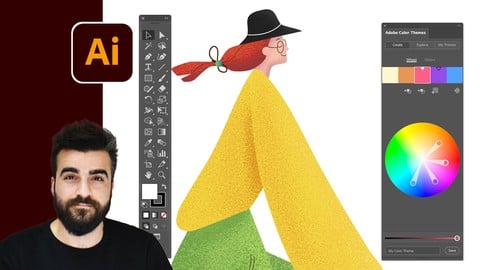
- Video Duration:
 18.3h
18.3h - Price: $119.99 Track Price 11.99 Track Price
- Provider: Udemy
- Updated:
 October 2023
 - Level:
 All Levels
 - Language:
 English
 - Certificate:
 Yes
Yes - Lectures:124 in 19 sections
- Students:48,400
- Subtitles:2 languages
30-day money-back guarantee on most paid courses
Udemy Coupon Price Tracker
