
 JavaScript
 Web Development
 Python
 SQL
SQL Artificial Intelligence
 Machine Learning
 IT & Software
 AWS
AWS Hacking
 Arduino
 3D Modeling
 Photoshop
 Graphic Design
 UX Design
 Drawing
 Adobe After Effects
 Business
 Data Analysis
 Shopify
 Digital Marketing
 Social Media Marketing
 Marketing
 SEO
SEO Google Analytics
 Branding
 Excel
Excel Office Productivity
 Finance & Accounting
 Bitcoin
 Video Editing & Animation
 Photography
 Adobe Premier Pro
 Adobe Lightroom
 Personal Development
 Health & Fitness
 Music
Music Guitar
 Teaching & Academics
 Language Learning
 Engineering
 Lifestyle
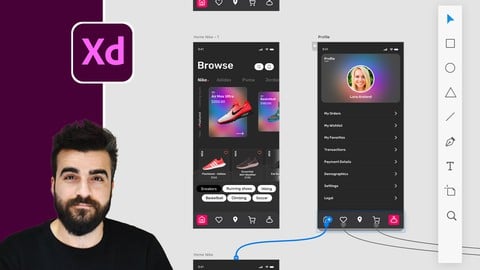
Adobe XD Mega Course - User Experience Design (Udemy.com)
UI Design, User Interface, User Experience design, UX design & Web Design
Created by: Alan Ayoubi
Last updated August 2021
 What you will learn
- Everything About Adobe XD and Ui Design
- Basics of XD Design Mode
- Basics of XD Prototype Mode
- Adobe XD Advanced Techniques
- How To Use XD Professionally
- How to Make professional Mobile App UI
- How to Make professional Website UI
 Quality Score
No CourseDuck member has rated this course yet. Taken it? Give each part a thumbs up or down.
Overall Score : 94 / 100
 Course Description
Hi everyone welcome to Adobe XD mega course.
Before I jump into the details of the course I want to quickly tell what adobe xd is used for.
Adobe XD is a simple easy to use application dedicated to UI UX design we can call it user interface or user? basically, we use adobe xd to design mobile apps and websites
Just like our other mega courses this course is designed to take you from absolute beginner to advanced level in UI design.
This course is divided into 4 main parts, basics of design mode, basics of prototype mode, advanced technique and finally working with real projects.
In the design mode basics. We will start with downloading Adobe XD and installing then we will open it for the first time.
I will show you how to work with artboards, shape tools line tools, I will teach you how to use text tools, how to use images easily and effectively. After that, we will cover alignment tools and boolean operations. Then I will show you how to work with components and assets inside XD. later, we will cover a very exciting feature in XD which is a repeat grid. After that, we will cover responsive resize I will show how to use it and how to get an advantage from it for your designs. The last thing we will cover some free Plugins, we will cover the most useful ones. When you finish this part you will have a complete understanding of Adobe XD design tools, you will be ready to use what you have learnt to create some professional design. Together we are going to design two screens of a finance app, we will use all that we learnt in the design mode basics part.
After we covered and practised everything about design mode we will move to the prototype model. We will start with the basics and then we will cover all of the tools and settings in the prototype mode. We will cover time transition, component states, scrolling groups, overly animation, drag animation, sound, voice and keyboard triggers and much more. At the end we will cover an exciting prototype feature which is auto animate, we are going to animate the design we made in the design part with auto animate.
After we covered both design and prototype mode we will cover some advanced techniques. Like 3D transform and animation, Glassmorphisms, input prototype, scroll number scroll colours.
At the end of the course, we are going to create two projects together, the first one is a website homepage for a financial company, we will create it from scratch, we will start with the brainstorming and written form then we will design and prototype it.
The second project will be an e-commerce app, we will start this one from the brainstorming to the design and then to prototyping.
After you finish this course you will have a full understanding of Ui design and Adobe XD. You will be ready to use Adobe XD effectively and professionally. You will be ready to start your carrier with UI design.

 Udemy Discount
The discount is applied through our link. Open the course from here and Udemy's current promotional price is applied at checkout on most courses, no code to type.
Some courses are excluded from Udemy's promotions. If the price does not drop, clear your browser cookies and use the button again.
Instructor Details

- 4.7 Rating
 643 Reviews
Alan Ayoubi
For as long as I can recall, I've had this deep-rooted passion for graphic design and photography.
With no external guidance to consult, I took a winding path of “learning-by-doing” to find my way to the top and made the best of what I had.
Fast-forward to today, this perseverance has led me to found 92learns Academy – an educational platform where hundreds of graphic designers come together to upgrade their knowledge, sharpen their creative abilities, and become widely-recognized professionals.
Through cutting-edge courses built on years of research, proven experience, and unending dedication, I aspire to empower up-and-coming designers to make a successful living out of what they love – earning five-figure monthly incomes and beyond.
Let's get to work!
 More courses by Alan Ayoubi
Adobe Illustrator Mega Course - From Beginner to Advanced (2023)
4.4 (5,123 Reviews)
 Provider: Udemy
 Time: 18.3h
$119.99


Adobe Photoshop Mega Course-From Beginner to Super Designer (2023)
4.7 (2,112 Reviews)
- Provider: Udemy
- Time: 18.2h
$79.99
More UX Design courses

Learn Figma: User Interface Design Essentials - UI/UX Design (2022)
4.8 (1,791 Reviews)
- Provider: Udemy
- Time: 10.2h
$199.99

iOS 12 & Swift 5 - App Design, UI/UX plus Development (2022)
4.8 (955 Reviews)
- Provider: Udemy
- Time: 80.5h
$94.99

Learn Figma - UI/UX Design Essential Training (2023)
4.7 (18,337 Reviews)
- Provider: Udemy
- Time: 3.7h
$119.99

How To Design for Accessibility: for UX Designers (WCAG 2.2) (2026)
4.7 (7,863 Reviews)
- Provider: Udemy
- Time: 8.9h
$109.99

Sketching for UX Designers - Boost UX work with pen & paper! (2023)
4.7 (4,217 Reviews)
- Provider: Udemy
- Time: 4.7h
$89.99

UX/UI Design Principles Compact (Theory + Figma Exercise) (2022)
4.7 (1,538 Reviews)
- Provider: Udemy
- Time: 2.1h
$64.99
 Reviews

By Muhammad Sheraz Hamid on 2/24/2025
his is my second course with Alan Ayoubi, having previously completed Adobe Illustrator Mega Course - From Beginner to Advanced (124 Lectures, 18.5 Hours). I was fortunate to take this course despite having no prior experience with Adobe XD, and I must say, Alan made everything incredibly simple to understand. The course, with its 8.5 hours of video content across 59 lectures, is well-structured and covers all the essential aspects of UI/UX design. The prototyping section was particularly amazing and extremely helpful. It was fascinating to see how the apps designed could be shared for testing, adding a real-world application to the learning process. One of the standout features of the course is the hands-on approach—students develop an e-commerce mobile app and a wallet X website design alongside the instructor. This practical experience is invaluable in polishing design skills and boosting confidence for the market. Overall, I highly recommend this course to anyone looking to learn Adobe XD from scratch or enhance their UX design skills. Alan Ayoubi’s teaching style is clear, engaging, and beginner-friendly, making complex concepts easy to understand.
By Zanel Erasmus on 1/15/2024
The lessons are easy to follow and fun to do. With the lesson, you can follow along and make the project your own by changing small details such as fonts, colours and shapes, but still get the same result for functionality.
By Desmet Hai Yen on 6/18/2023
Pros: - The teacher takes everything slowly and carefully so you can follow along easily. - Good for a complete beginner. - Great example of transition and effects on Adobe XD. Cons: - A bit lengthy and boring when the teacher fixes stuff that does not work or applies the same thing on different objects. I think these parts can be cut from the video. - The style of design is a bit repetitive in the 2 projects he shows. Anyway, the style is somehow outdated in 2023.
By Abdulmutalib Abdulmumuni on 4/14/2023
Very good course I started learning Adobe XD by myself and this course was exactly what I needed to get more good. And also, I love the instructors voice, haha
By Eric REYNAUD on 4/13/2023
Ce n'est que l'introduction, mais cela me paraît vraiment génial ! Le formateur adopte une bonne pédagogie et les projets semblent intéressants. J'attends la suite avec impatience. Eric.
By Rula Nabil on 10/27/2022
I loved this course, the instructor explained every step in detail. But the only thing is missing, is how to export work for a developer so they can start working.
By Ajakaye on 5/18/2022
well i have tried learning on my own before and this course told me why that is bad :) so far he has touched all necessary aspect i didnt understand and i am satisfied , it's a 4 star cause i am not done yet and there's something i still expect to learn before finishing the course
By Sylvia Weinheimer on 3/22/2022
Der Kurs ist genial! Ich würde ihn auf jeden Fall weiterempfehlen. Die Layouts sind super schön, der Kurs ist sehr gut strukturiert und es macht Spaß zuzuschauen und man lernt schnell. Danke.
By Kamal Mohamed on 6/16/2021
Clear instructions, useful information and highly recommendable course for those looking for XD perfect course... I have enjoyed it and learnt tons of xd skills from the instructor. Bravo Now that I finished half way, the instructor gets more interesting lesson after lesson, I have finished half of the course and can make beautiful designs with his guidances and wonderful animations... imagine when I finish the course ;--)
By Pragya gupta on 6/5/2021
i dont know how much I would be able to make it out from this but I am genuinely loving it though I never write any review even if its good but right now I can't resist to do so and yess a perfect start gives a right direction , so I would surely recommend everyone to go with this course.
- Video Duration:
 8.7h
8.7h - Price: $69.99 Track Price 11.99 Track Price
- Provider: Udemy
- Updated:
 August 2021
 - Level:
 All Levels
 - Language:
 English
 - Certificate:
 Yes
Yes
30-day money-back guarantee on most paid courses
Udemy Coupon Price Tracker
