
 Web Development
 Data Science
 Python
 SQL
SQL JavaScript
 Artificial Intelligence
 IT & Software
 IT Certifications
 Hacking
 AWS
AWS Arduino
 DevOps
 3D Modeling
 Graphic Design
 Photoshop
 Drawing
 Digital Painting
 UX Design
 Business
 Data Analysis
 Communication Skills
 Project Management
 Leadership & Management
 Human Resources
 Digital Marketing
 Social Media Marketing
 Marketing
 SEO
SEO Google Analytics
 Branding
 Excel
Excel Office Productivity
 SAP
SAP PowerPoint
 Microsoft Access
 SharePoint
 Finance & Accounting
 Trading & Investing
 Accounting
 Bitcoin
 Personal Finance
 Video Editing & Animation
 Photography
 Adobe Premier Pro
 Adobe Lightroom
 Personal Development
 Productivity
 Career Development
 Life Coaching
 Health & Fitness
 Meditation & Mindfulness
 Yoga
Yoga Music
Music Music Production
 Guitar
 Piano
Piano Singing
 Language Learning
 Teaching & Academics
 Engineering
 Math
Math Lifestyle
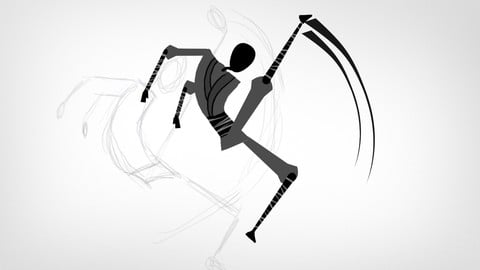
Animate a Ninja in CrazyTalk Animator 3 (Udemy.com)
Learn how to apply the Animankenstein Formula in the animation of a Ninja performing some kicks
Created by: 2D Animation 101 Courses
Last updated December 2021
 What you will learn
- You will learn how to animate any movement you want from watching references on YouTube and copying pose by pose
- Create smooth animations without years of experience
How it compares
Against the other 545 rated Udemy courses in 3D Modeling on CourseDuck:
- Rating4.6 out of 5higher than 56% of them
- Reviews38#527 of 546 by number of reviews
- Length2.9 hoursshorter than 75% of them
- Last updatedDecember 2021earlier than 58% of them
 Course Description
Hi Mark Diaz here for 2DAnimation101 dot com. In this tutorial I am going to explain to you how to animate anything you want using the Animankenstein Formula and any animation software you like. For this course I will be using CrazyTalk Animator 3.
The first thing you need to start animating is, get a reference. For my case, I will use this line test of some awesome martial art kicks.
Then, in CrazyTalk Animator 3, I import the character, already rigged and ready to be animated.
Then I open YouTube, to see the first pose...
And I position my character like that.
Then I count how many frames I need to move the play head so my animation has the exact same timing as the reference I am copying from.
Then I see the character in the anticipation for the first kick, and
I duplicate that pose in CrazyTalk, moving the bones of my character as needed.
Then I check the kick in my reference,
and duplicate that pose in crazy talk.
And so on. It is super simple, all you have to do is check each of the poses, measure the number of frames you need between poses, and duplicate those poses in any animation software you like.
You can even do this frame by frame, with pencil and paper, just like I did this pencil test copying the kicks from an anime character fighting with another character.
Easy enough, right?
All you need to do for each pose is:
- Check the reference
- Count the number of frames between each pose
- Pose your character exactly as in the reference
You will have the in-between frames created automatically for you thanks to the interpolation feature inside CrazyTalk Animator 3.
Great.
And then, you end up with an animation like this.
PLAY ANIMATION
If you already know how to use CrazyTalk Animator, then this tutorial is all you need to know to get it started and do this on your own, with any reference you want.
But if you are a total beginner, you can enroll to this crash course for FREE:
Animate a Ninja in CrazyTalk Animator 3
Inside you will find almost 3 hrs of video content in which I go in depth on each of the steps required to create this animation, step by step, super detailed.
So, if you are just starting in animation, and want to learn how to do this, step by step, then enroll for FREE right now. See you inside.

 Udemy Discount
The discount is applied through our link. Open the course from here and Udemy's current promotional price is applied at checkout on most courses, no code to type.
Some courses are excluded from Udemy's promotions. If the price does not drop, clear your browser cookies and use the button again.
Instructor Details
- 4.6 Rating
 38 Reviews
2D Animation 101 Courses
Mark L. Diaz has a background of 10 years in the film industry at Autumn Leave Films, and with over 30 short films produced to this date, we are a group of animators who love to share everything we know about animation, from pre-production, animation, to post production.
Our aim is to equip future animators with all the necessary techniques and tips to help them do better projects. Our courses will help beginners along with intermediate users.
We have helped more than 160,000+ students to discover techniques and all the knowledge they need to start animating their projects.
 More courses by 2D Animation 101 Courses

Cinematography for 2D Animation Essentials (2018)
4.6 (1,357 Reviews)
 Provider: Udemy
 Time: 36 mins
$15.99
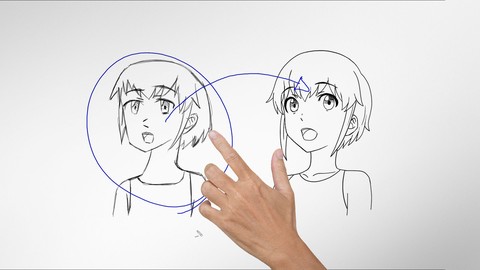
Improve Anime Drawings With Leonardo DaVinci Method (2018)
4.3 (1,217 Reviews)
- Provider: Udemy
- Time: 54 mins
Free

Adobe Illustrator Essentials for Character Design (2021)
4.6 (925 Reviews)
- Provider: Udemy
- Time: 2.1h
$11.99
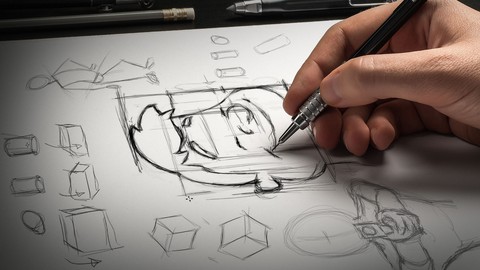

Character Design For Animation in Illustrator (2021)
4.6 (670 Reviews)
- Provider: Udemy
- Time: 2.2h
$54.99

2D Animation in Moho from Basic to Advanced (2018)
4.6 (625 Reviews)
- Provider: Udemy
- Time: 4h
$59.99
More 3D Modeling courses

3D Printing with " Ultimaker CURA Slicer- Start to finish" (2025)
4.9 (192 Reviews)
- Provider: Udemy
- Time: 1h
$34.99

Girl and the Dog Creation in Zbrush for Intermediate Level (2020)
4.9 (173 Reviews)
- Provider: Udemy
- Time: 48.8h
$59.99



Blender Character Creator for Video Games (2026)
4.8 (9,160 Reviews)
- Provider: Udemy
- Time: 34.3h
$159.99

Master SOLIDWORKS 3D CAD using real-world examples (2022)
4.8 (2,451 Reviews)
- Provider: Udemy
- Time: 18.9h
$69.99
 Reviews

By Kim Davis on 1/20/2021
A powerful course showing how to use a reference - any kind of video action sequence really and recreate a Cartoon Animation from it. I particularly like how Mark explains even basic things, like where certain tools are. I found I got easily lost with some of the Reallusion tutorials because they raced through this. Very detailed and thorough demonstrations of how to use references step by step including the camera, the work flow and problems that might come up. He leaves common mistakes in and then shows how to fix them. Occasionally perfectionist or pedantic, going over and over something I think is fine. Good stuff - I wouldn't think this course is aimed at beginners, they might be a little lost. Hard to say.
By Khaled Saif on 11/22/2019
This course is so amazing as a detailed live example on how to do custom animation! Yes, you can watch the general tutorials on CTA website, but when you come to practice you face so many issues that have no answer! In this course, you will master how to move the bones as you like and how to mimic a real life movements using the magical formula! Amazing course and a must buy for CTA users.
By Kasia S on 7/24/2019
A very nice and helpful teacher. A lot of useful, factual information :)) With a clear conscience I recommend the course to all those interested in 2D animations.
By Fukuhara Toshitaro on 6/5/2019
yes, great! I would like to see more lecture about... using G2+ character Japanimation style(Cell look) more shots (walk, kiss, talk, dance, heroine's makeover and battle etc...) face animation more long about 1min, many shots
By Mario Macari on 12/31/2018
Very well done. Learning how to use CrazyTalk Animator and rig characters.
By Victor Aramanda on 12/1/2018
kinda like a bob ross but for animation. he helps you understand that making it right means you probably got there by making adjustments until you like it. easy to follow / pause along the way with CTA-3 very practical, looking forward to finally getting my character into motion!
By Dr. Christian Thomas Jirik on 10/16/2018
An sich ist der Kurs gut, um sich einen Überblick zu verschaffen, wie man Figuren in CTA3 animiert und zum Leben erweckt. Jedoch wird hierbei leider eine Figur ohne Gesicht verwendet, was dazu führt, dass leider keinerlei Gesichtsanimation beschrieben wird. Ich habe zwar dadurch recht gut verstanden, wie die einzelnen Elemente einer Figur benannt und den richtigen CTA3-Kategorien zugeordnet werden, allerdings hätte ich als Dozent den Ansatz zur Erläuterung ganz anders gewählt und hätte zunächst mal generell den Aufbau einer Figur in CTA3 mit dessen Kategorien erklärt. Fazit: Kurz und bündig zum Verständnis, mit Luft nach oben.
By Fiona Vane on 7/2/2018
Even if you are not animating a ninja - this is one of the most helpful CTA3 courses out there. It teaches you how to rig characters and create your own motion vs the pre-made animation included with the software (something I think a lot of people don’t realize you can do with crazy talk animator.)
By Felix Kwok on 4/8/2018
The class is very basic and repetitive, The instructor can do a better job before hands, like preparing his instructional material beforehand. For example, I got really tired of him switching back and forward between the software and the browser for the animation reference. It Not an effective way of working. He should import the reference into the software as a BACKGROUND. This way, you can shorten the lesson by 50%, and it's also the professional way of using reference. I am a bit disappointed how he only teaches you One action sequence for the entire class, I would love he share more tricks and key points when animated in 2Ds. I hope he can redo- update this lessons with better-prepared references and more contents.
By William Laakkonen on 3/27/2018
Super Course! I learned a lot and Mark is always detailed, not leaving out a single step.
 Quality Score
No CourseDuck member has rated this course yet. Taken it? Give each part a thumbs up or down.
Overall Score : 92 / 100
- Video Duration:
 2.9h
2.9h - Price: $39.99
- Provider: Udemy
- Updated:
 December 2021
 - Level:
 Beginner
 - Language:
 English
 - Certificate:
 Yes
Yes
30-day money-back guarantee on most paid courses
Udemy Coupon Price Tracker
