
 Web Development
 Data Science
 Python
 SQL
SQL JavaScript
 Artificial Intelligence
 IT & Software
 IT Certifications
 Hacking
 AWS
AWS Arduino
 DevOps
 3D Modeling
 Graphic Design
 Photoshop
 Drawing
 Digital Painting
 UX Design
 Business
 Data Analysis
 Communication Skills
 Project Management
 Leadership & Management
 Human Resources
 Digital Marketing
 Social Media Marketing
 Marketing
 SEO
SEO Google Analytics
 Branding
 Excel
Excel Office Productivity
 SAP
SAP PowerPoint
 Microsoft Access
 SharePoint
 Finance & Accounting
 Trading & Investing
 Accounting
 Bitcoin
 Personal Finance
 Video Editing & Animation
 Photography
 Adobe Premier Pro
 Adobe Lightroom
 Personal Development
 Productivity
 Career Development
 Life Coaching
 Health & Fitness
 Meditation & Mindfulness
 Yoga
Yoga Music
Music Music Production
 Guitar
 Piano
Piano Singing
 Language Learning
 Teaching & Academics
 Engineering
 Math
Math Lifestyle
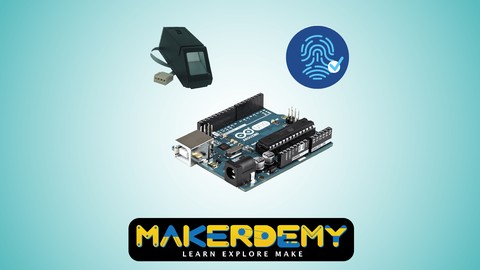
Arduino for Biometrics (Udemy.com)
Learn how to Transmission data between two Arduinos, Bio-metric Fingerprint, Touch sensor with these lot more projects.
Created by: Venkatesh Varadachari
Last updated April 2016
 What you will learn
- Fire detection system using Arduino and Flame sensor
- Measure moisture level via Analog output pins using Rain water sensor module with Arduino
- Arduino to Arduino Serial Communication
- Use 433Mhz RF Transmitter and Receiver modules with Arduino
- Digital TTP223B Arduino Capacitive Touch Sensor using Relay module
- Turn your Fingerprint Sensor into Biometric Toggle Switch using Windows software and Arduino
- Optical Fingerprint sensor will make adding fingerprint detection and verification
How it compares
Against the other 295 rated Udemy courses in Arduino on CourseDuck:
- Rating3.9 out of 5higher than 5% of them
- Reviews23#285 of 296 by number of reviews
- Length0.9 hoursshorter than 95% of them
- Last updatedApril 2016earlier than 97% of them
 Course Description
In this course, I show you how to get up and running on the Arduino platform so you can make your own projects to interact with the world. I will teach you step by step how to go about building this project. I will also share the code with you so that you can replicate the project yourself. I look forward to you joining this course. It provides the complete source code of the real time project. What are you waiting for? Enroll now.Who this course is for:
- People who want to try Arduino and learn about microcontrollers
- Makers who have an existing intermediate or better understanding of electronics
- Individuals wanting to learn more about Bio-metrics, Data Transmission between two Arduinos
- Engineering Students - Electronics, Electrical & Computer Science
- Electronic Geeks, Hobbiest & Art Students
- High School Science Students

 Udemy Discount
The discount is applied through our link. Open the course from here and Udemy's current promotional price is applied at checkout on most courses, no code to type.
Some courses are excluded from Udemy's promotions. If the price does not drop, clear your browser cookies and use the button again.
Instructor Details

- 3.9 Rating
 23 Reviews
Venkatesh Varadachari
Venkatesh Varadachari is the founder of MAKERDEMY, a pioneer maker education company head-quartered in Singapore.
Venkatesh believes that knowledge should be made available to people in all walks of life. Venkatesh also believes in the power of education to transform lives.
Venkatesh has an MBA from the prestigious Indian Institute of Management, Bangalore.
He also has a degree in Electrical Engineering from Madras University and a Masters in Financial Engineering from National University of Singapore. Kamesh DKR is passionate about working at the intersection of technology and education. He believes that learning should be fun, entertaining and contextual.
Kamesh has a Masters in Computer Applications from VIT, one of the top engineering schools in India.
Kamesh is a product engineer with ScratchNinja and is responsible for developing user friendly educational courses to teach cutting edge technological concepts to school students.
 More courses by Venkatesh Varadachari

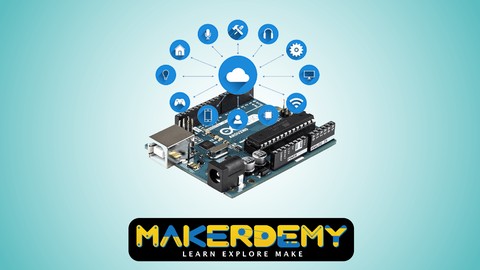
Introduction to Internet of Things(IoT) using Arduino (2021)
4.2 (909 Reviews)
 Provider: Udemy
 Time: 54 mins
$11.99

More Arduino courses


Learn to Build a Computer (PC) in 2026 - all types!
4.9 (245 Reviews)
- Provider: Udemy
- Time: 6.1h
$74.99

Raspberry Pi For Beginners - 2026 Complete Course
4.8 (3,105 Reviews)
- Provider: Udemy
- Time: 10.6h
$89.99

Ultimate Guide to Raspberry Pi : Tips, Tricks and Hacks (2023)
4.8 (2,363 Reviews)
- Provider: Udemy
- Time: 5.2h
$69.99

Mastering Microcontroller: STM32-LTDC, LCD-TFT, LVGL (MCU3) (2026)
4.8 (487 Reviews)
- Provider: Udemy
- Time: 8.1h
$79.99

Arduino Step by Step: Getting Started (2024)
4.7 (8,714 Reviews)
- Provider: Udemy
- Time: 21.4h
$159.99
 Reviews

By Uttam Dey
nice
By Philip Hall
Too basic doesn't really go into detail about what you need the practical applications this belongs more on a free youtube site than here. Honestly you'll get better of a free youtube site than this
By Jamesbrus2
The present is made in a logical manner and the steps are easy to follow-up; however, the audio level is very low on some modules. For me, that was a distraction.
By J. Edwin Hernandez
explicación detallada.
By Floyd Craig Wolverton
The audio volume was the only thing I did not find up to snuff. Everything else was great.
By Luca Di Tucci
Il corso è piacevole, anche se mi aspettavo qualcosa di più per il livello Esperto. C'è un diagramma non corretto nelle prime lezioni, poco importante ma viene mostrato 2 volte con i collegamenti al contrario.
La pronuncia dell'insegnante collegata ai sottotitoli automatici è qualcosa di esilarante.
By Alex Williams
thank you very much the course was great
 Quality Score
Overall Score : 78 / 100
- Video Duration:
 54 mins
 - Price: $34.99
- Provider: Udemy
- Updated:
 April 2016
 - Level:
 Expert
 - Language:
 English
 - Certificate:
 Yes
Yes
30-day money-back guarantee on most paid courses
Udemy Coupon Price Tracker
