
 Web Development
 Python
 SQL
SQL Data Science
 JavaScript
 Artificial Intelligence
 IT & Software
 IT Certifications
 Hacking
 Arduino
 AWS
AWS DevOps
 3D Modeling
 Graphic Design
 Photoshop
 Drawing
 Digital Painting
 UX Design
 Business
 Data Analysis
 Communication Skills
 Leadership & Management
 Project Management
 Human Resources
 Digital Marketing
 Social Media Marketing
 Marketing
 SEO
SEO Google Analytics
 Branding
 Excel
Excel Office Productivity
 SAP
SAP PowerPoint
 Microsoft Access
 SharePoint
 Finance & Accounting
 Trading & Investing
 Accounting
 Bitcoin
 Personal Finance
 Video Editing & Animation
 Photography
 Adobe Premier Pro
 Adobe Lightroom
 Personal Development
 Productivity
 Career Development
 Life Coaching
 Health & Fitness
 Meditation & Mindfulness
 Yoga
Yoga Music
Music Music Production
 Guitar
 Piano
Piano Singing
 Language Learning
 Teaching & Academics
 Engineering
 Math
Math Lifestyle
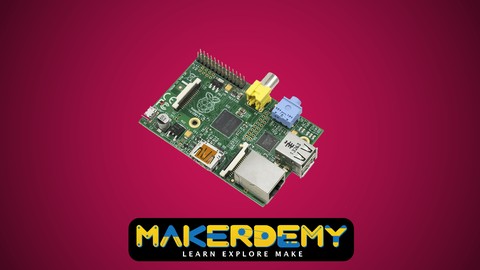
Introduction to Raspberry Pi (Udemy.com)
Learn how to create software and hardware projects using Raspberry Pi and Python.
Created by: Venkatesh Varadachari
Last updated December 2018
 What you will learn
- Wire up your Raspberry Pi to create a fully functional computer, running on Raspbian operating system
- Get up to speed with simple Linux commands and the Python programming language
- Write a Python program to create a simple number guessing game
- Write Python code to control the Raspberry Pi hardware
- Light up your Christmas tree with intricate light patterns by controlling the Raspberry Pi hardware
 Course Description
#1 Raspberry Pi course on Udemy, in terms of students (over 3,000)
#1 Raspberry Pi course on Udemy, in terms of reviews (over 80)
#1 Raspberry Pi course on udemy, in terms of 5 star reviews (over 40)
Bonus content added regularly. Latest update on 7-Nov-15. We will keep adding new content, so that our students have something to look forward to
All our students (Makerdemy brand) get VIP pricing ($8) for all our new courses. We have 10 courses under our brand and will be releasing a new course every 2 months.
___________________________________________________________________
This is an introductory course about the credit card sized computer Raspberry Pi. This course is ideal for those who are interested in exploring the possibilities of Raspberry Pi as a computer. The course does not assume any prior knowledge on computers or programming. However, a knowledge of Linux operating system and Python programming language would greatly help you in getting up to speed.
If you do not know Linux or Python, no need to worry. The course has sections that cover the basics of Linux and Python to get you started.
Small as it is, The Raspberry Pi packs quite a punch. The course will teach you to hook up the Pi with a key board and monitor so that you can use it as a low cost computer. You will also learn how to interact with the hardware of the Pi, something that you normally do not do with your home computer or laptop.
You will learn from 2 complete projects. The first one teaches you how to write a software program to make the most of your Raspberry Pi, using the Python language.
The second project involves learning how to control the Raspberry Pi hardware using a computer program written in Python. You will hook the Pi up with a Christmas tree light and will use your program to create various lighting patterns. Sounds exciting?
Jump in straight ahead!
The course provides complete code for both the above mentioned projects.
The entire course can be completed over a period of 2 hours, including the hardware assembly for the Christmas tree light project.
By the end of this course, you will learn how to boot and wire up a Raspberry Pi. You will also have learnt how to write your own python code to make the Raspberry Pi do some really cool things.

 Udemy Discount
The discount is applied through our link. Open the course from here and Udemy's current promotional price is applied at checkout on most courses, no code to type.
Some courses are excluded from Udemy's promotions. If the price does not drop, clear your browser cookies and use the button again.
Instructor Details

- 4.1 Rating
 754 Reviews
Venkatesh Varadachari
Venkatesh Varadachari is the founder of MAKERDEMY, a pioneer maker education company head-quartered in Singapore.
Venkatesh believes that knowledge should be made available to people in all walks of life. Venkatesh also believes in the power of education to transform lives.
Venkatesh has an MBA from the prestigious Indian Institute of Management, Bangalore.
He also has a degree in Electrical Engineering from Madras University and a Masters in Financial Engineering from National University of Singapore.
 More courses by Venkatesh Varadachari
Introduction to Internet of Things(IoT) using Arduino (2021)
4.2 (909 Reviews)
 Provider: Udemy
 Time: 54 mins
$11.99
More Arduino courses


Learn to Build a Computer (PC) in 2026 - all types!
4.9 (245 Reviews)
- Provider: Udemy
- Time: 6.1h
$74.99

Raspberry Pi For Beginners - 2026 Complete Course
4.8 (3,105 Reviews)
- Provider: Udemy
- Time: 10.6h
$89.99

Ultimate Guide to Raspberry Pi : Tips, Tricks and Hacks (2023)
4.8 (2,363 Reviews)
- Provider: Udemy
- Time: 5.2h
$69.99

Mastering Microcontroller: STM32-LTDC, LCD-TFT, LVGL (MCU3) (2026)
4.8 (487 Reviews)
- Provider: Udemy
- Time: 8.1h
$79.99

Arduino Step by Step: Getting Started (2024)
4.7 (8,714 Reviews)
- Provider: Udemy
- Time: 21.4h
$159.99
 Reviews

By Antonio Padilla Torres on 7/9/2020
Excellent content for complete beginners in the Raspberry. It covers multiple topics that are very useful for people aiming to create projects using the Raspberry. If you (as I) have experience programming, you might find it a bit slow. Excellent course, higly recommended.
By Zeev Kardonski on 11/15/2019
well it really covers all the basics with raspberry pi but i felt that this course could be better. it only covered the gpio on the raspberry will there are much more functionallities in the raspberry pi and olso much more things to learn in python
By Hector Baez on 5/27/2019
This was my first time working with Raspberry Pi. I found this to be helpful in setting up and learning how to use Raspberry Pi. The course was good and average. I recommend more examples with outputs and inputs and performing some more beginner level duties with the Raspberry Pi.
By Xavier Ciszek on 2/20/2019
My dad is a multimedia devoloper and I wish to be just like him so this course helped me a lot
By Ian Borlace on 5/11/2017
So far it's informative, and I've learnt the basics of how to set up a RPI. However, a general glossary of terms and commands would be useful, and how to use them correctly. For example, why when using the print("Hello") command can you use either single brackets (' ') or double brackets (" "). Also, on the Christmas Tree Light Project, why do some LEDs need a resistor and others don't, and how do you work out the value of the resistor needed? Other than that, the course has been well structured and easy to follow.
By Romeo Cassiani on 2/3/2016
Was the code/slides available to download so I'm not reliant on jumping between screens? Very frustrating. Having to watch code being typed out on screen, wastes time. Should show the complete code and just talk about it. I found some aspects in relation to python only made sense because I have a programming background and think someone with no experience would struggle. Also, and possibly a reflection of udemy?, but why do I have to log into a computer to do the "quizzes"? There is nothing in the apps that show I need to do a quiz But for $10, it was a good visual oversight of the raspberry pi. Hope the next course improves on this.
By Mitchell Carney on 11/9/2015
Helped me set up a new Raspberry Pi 2 from scratch and introduced me to Python, a programming language that I never knew I would like! More lessons keep being added beyond the original ones from when the course was created which is always a plus
By Carter Lancaster on 9/11/2015
This course helped break the fear barrier and got my hands on the Pi and into the code. The code in the light project was difficult to understand due to the numbering of pins. The numbers seemed random with out pattern. After viewing the end result I now understand.
By Alex Berrios on 8/19/2015
Didn't know what I was getting myself into but this course was a great introduction to the Raspberry Pi. I recommend this course to anyone who bought the Raspberry Pi and wanted to get up and running right away and briefly see the potential uses for your new versatile computer.
By Rick Sarringhaus on 7/30/2015
I feel confident I could recreate everything covered in this course. l learned a lot. I think the parts with the typing the code line by line could be sped up and that specific "whys" of some of the lines of code could be covered in more detail.
 Quality Score
No CourseDuck member has rated this course yet. Taken it? Give each part a thumbs up or down.
Overall Score : 82 / 100
- Video Duration:
 2.1h
2.1h - Price: Free
- Provider: Udemy
- Updated:
 December 2018
 - Level:
 Beginner
 - Language:
 English
 - Certificate:
 No
No
Udemy Coupon Price Tracker
