
 Web Development
 Python
 SQL
SQL Data Science
 JavaScript
 Artificial Intelligence
 IT & Software
 IT Certifications
 Hacking
 Arduino
 AWS
AWS DevOps
 3D Modeling
 Graphic Design
 Photoshop
 Drawing
 Digital Painting
 UX Design
 Business
 Data Analysis
 Communication Skills
 Leadership & Management
 Project Management
 Human Resources
 Digital Marketing
 Social Media Marketing
 Marketing
 SEO
SEO Google Analytics
 Branding
 Excel
Excel Office Productivity
 SAP
SAP PowerPoint
 Microsoft Access
 SharePoint
 Finance & Accounting
 Trading & Investing
 Accounting
 Bitcoin
 Personal Finance
 Video Editing & Animation
 Photography
 Adobe Premier Pro
 Adobe Lightroom
 Personal Development
 Productivity
 Career Development
 Life Coaching
 Health & Fitness
 Meditation & Mindfulness
 Yoga
Yoga Music
Music Music Production
 Guitar
 Piano
Piano Singing
 Language Learning
 Teaching & Academics
 Engineering
 Math
Math Lifestyle
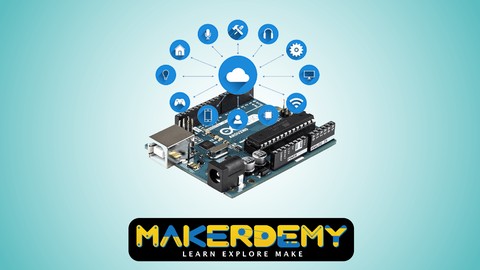
Introduction to Internet of Things(IoT) using Arduino (Udemy.com)
Learn how to implement the communication between smartphones and also to control various home appliances wirelessly.
Created by: Venkatesh Varadachari
Last updated July 2021
 What you will learn
- Receive data from Arduino over Bluetooth serial using HC-06 Bluetooth module.
- Send voice commands to Arduino.
- Implement the communication between smart phones and home appliances.
- Improve technology used in a home.
- Use Android Device to wirelessly control electrical outlets using relay switches in order to prevent wastage of electricity.
 Quality Score
Overall Score : 84 / 100
 Course Description
#1 IoT using Arduino course on Udemy, in terms of students (over 600)
#1 IoT using Arduino course on Udemy, in terms of reviews (8)
#1 IoT using Arduino course on udemy, in terms of 5 star reviews (8)
Bonus content added regularly. Latest update on 17-Nov-15. We will keep adding new content, so that our students have something to look forward to
All our students (Makerdemy brand) get VIP pricing ($8) for all our new courses. We have 10 courses under our brand and will be releasing a new course every 2 months.
____________________________________________________________________
This is an introductory course on Internet of Things (IoT). However, this is not an introductory course on Arduino. Arduino is one of the cost effective boards you can purchase & start programming with to interact with physical elements using logic & create results the way you want it. It can be used in your Engineering projects, Industrial Projects and Home Automation related projects.
This course is ideal for those who are interested in exploring the possibilities of Internet of Things using Arduino. The course lesson will explain “How to work on IoT using Arduino".
If you are a technology enthusiast and want to learn the cutting edge technology then this is the right course for you.
In this course you will learn how to implement the communication between smart phones and home appliances using Arduino to control the home appliances. This project is significant to reduce wastage of electricity, Improve technology used in a home, to provide convenience, security and increased quality of life and help you to use various wireless technologies.
You will learn how to use Android device to wirelessly control electrical outlets using relay switches in order to prevent wastage of electricity. How to configure your Bluetooth module to operate in the communication speed used in the Arduino.
Android app to help you control the pins of your Arduino Uno from your Android phone wirelessly.
App employs a simple Android user interface to
1) Control Arduino Uno's digital and PWM pins
2) Send text commands to Arduino
3) Receive data from Arduino over Bluetooth serial using the ever popular and really cheap HC-06 Bluetooth over serial module.
This project can be used to control various Home Appliances. And we can control device from a long distance, thus it gives ease of access. Faster operation and efficient. No need to carry separate remote or any other controlling unit.
In this project, a Relay and Bluetooth module is connected with Home appliances and is powered by Arduino which using Android app we can send commands to the Arduino to control the home appliances.
I will teach you step by step how to go about building this project. I will also share the code with you so that you can replicate the project yourself.
At the end of the course, you'll be fully familiarized with Arduino and ready to build your own home appliances. If you're interested in Arduino, or microcontrollers in general, and don't know where to Start - you've found the perfect course. I look forward to you joining this course. It provides the complete source code of the real time project. You will have a firm foundation on Internet of Things using Arduino. You can easily climb the stairs of IoT advance projects.
What are you waiting for? Enroll now!

 Udemy Discount
The discount is applied through our link. Open the course from here and Udemy's current promotional price is applied at checkout on most courses, no code to type.
Some courses are excluded from Udemy's promotions. If the price does not drop, clear your browser cookies and use the button again.
Instructor Details

- 4.2 Rating
 909 Reviews
Venkatesh Varadachari
Venkatesh Varadachari is the founder of MAKERDEMY, a pioneer maker education company head-quartered in Singapore.
Venkatesh believes that knowledge should be made available to people in all walks of life. Venkatesh also believes in the power of education to transform lives.
Venkatesh has an MBA from the prestigious Indian Institute of Management, Bangalore.
He also has a degree in Electrical Engineering from Madras University and a Masters in Financial Engineering from National University of Singapore.
 More courses by Venkatesh Varadachari


More Arduino courses


Learn to Build a Computer (PC) in 2026 - all types!
4.9 (245 Reviews)
 Provider: Udemy
 Time: 6.1h
$74.99

Raspberry Pi For Beginners - 2026 Complete Course
4.8 (3,105 Reviews)
- Provider: Udemy
- Time: 10.6h
$89.99

Ultimate Guide to Raspberry Pi : Tips, Tricks and Hacks (2023)
4.8 (2,363 Reviews)
- Provider: Udemy
- Time: 5.2h
$69.99

Mastering Microcontroller: STM32-LTDC, LCD-TFT, LVGL (MCU3) (2026)
4.8 (487 Reviews)
- Provider: Udemy
- Time: 8.1h
$79.99

Arduino Step by Step: Getting Started (2024)
4.7 (8,714 Reviews)
- Provider: Udemy
- Time: 21.4h
$159.99
 Reviews

By Mohamed Khames on 10/21/2020
good
By Md. Abdullah Al Mamun Khan on 9/26/2020
i learn about iot using arduino, very good lesson .
By Sophia Musa on 9/17/2020
the instructor is very clear.
By Devarpalli Durga Praveen Kumar on 9/10/2020
Volume is very low. Please increase it. My device volume is high when using YouTube, Mx player,etc.
By Kunal Bandooni on 9/2/2020
It is a perfect course.... Loved it, really!!
By Rana Samir Omar on 8/27/2020
it makes me understand all of the components that I will work with, not just how can I connect these things to each other.
By Vtmurthy on 8/23/2020
iT IS SIMPLE AND VERY MUCH USEFUL COURSE
By Bolledula Sukeerthana on 8/12/2020
was good
By Asif Khan on 8/7/2020
Overall it was good.
the explanation is understandable with neat circuit diagram.
By Suniket Pargaonkar on 8/5/2020
it is good for begineers
By Aman Sahu on 8/1/2020
nice small course
By Badugu Swetha on 7/27/2020
Nic with more examples is good
- Video Duration:
 54 mins
 - Price: See price on Udemy
- Provider: Udemy
- Updated:
 July 2021
 - Level:
 Beginner
 - Language:
 English
 - Certificate:
 Yes
Yes
30-day money-back guarantee on most paid courses
Udemy Coupon Price Tracker
