
 Web Development
 Data Science
 Python
 SQL
SQL JavaScript
 Artificial Intelligence
 IT & Software
 IT Certifications
 Hacking
 AWS
AWS Arduino
 DevOps
 3D Modeling
 Graphic Design
 Photoshop
 Drawing
 Digital Painting
 UX Design
 Business
 Data Analysis
 Communication Skills
 Project Management
 Leadership & Management
 Human Resources
 Digital Marketing
 Social Media Marketing
 Marketing
 SEO
SEO Google Analytics
 Branding
 Excel
Excel Office Productivity
 SAP
SAP PowerPoint
 Microsoft Access
 SharePoint
 Finance & Accounting
 Trading & Investing
 Accounting
 Bitcoin
 Personal Finance
 Video Editing & Animation
 Photography
 Adobe Premier Pro
 Adobe Lightroom
 Personal Development
 Productivity
 Career Development
 Life Coaching
 Health & Fitness
 Meditation & Mindfulness
 Yoga
Yoga Music
Music Music Production
 Guitar
 Piano
Piano Singing
 Language Learning
 Teaching & Academics
 Engineering
 Math
Math Lifestyle
Backgrounds and Assets for Animation in Photoshop (Udemy.com)
Learn to use Photoshop to produce the images and backgrounds for your animations with no drawing skills
Created by: 2D Animation 101 Courses
Last updated September 2018
 What you will learn
- Create backgrounds in Photoshop with no Drawing Skills
- Transform Images into a Drawing ready to be use as asset in your animation
- Add texture
- Trace image to create a background
How it compares
Against the other 188 rated Udemy courses in Photoshop on CourseDuck:
- Rating4.6 out of 5higher than 75% of them
- Reviews182#103 of 189 by number of reviews
- Length2.5 hoursshorter than 75% of them
- Last updatedSeptember 2018earlier than 72% of them
 Course Description
In this course you will learn how to use Photoshop to create backgrounds for your animations.
At the end of this course you will know all the techniques to be able to create backgrounds and visual assets to produce your animations, with a complete tutorial that puts together everything you learn in this course.
This course is aimed to beginners, so I will be explaining with as much detail as possible.
And if you already know how to use Photoshop, you can just jump to the Background Tutorial to just use everything you know to start creating what you need for your animations.
Inside you will learn:
- How to use the different drawing shapes.
- How to modify your drawing.
- How to work with layers.
- How to use the masking tools to create the effect of putting one drawing inside a shape.
- How to add texture
- How to import reference images to trace backgrounds
- And how to create a 3D Effect that helps you create interesting perspectives, using point distortion.
And then, after you know all the tools and techniques, we will put everything together to create a background.
So, if you want to learn how to create backgrounds using photoshop, enroll now.

 Udemy Discount
The discount is applied through our link. Open the course from here and Udemy's current promotional price is applied at checkout on most courses, no code to type.
Some courses are excluded from Udemy's promotions. If the price does not drop, clear your browser cookies and use the button again.
Instructor Details
- 4.6 Rating
 182 Reviews
2D Animation 101 Courses
Mark L. Diaz has a background of 10 years in the film industry at Autumn Leave Films, and with over 30 short films produced to this date, we are a group of animators who love to share everything we know about animation, from pre-production, animation, to post production.
Our aim is to equip future animators with all the necessary techniques and tips to help them do better projects. Our courses will help beginners along with intermediate users.
We have helped more than 160,000+ students to discover techniques and all the knowledge they need to start animating their projects.
 More courses by 2D Animation 101 Courses

Cinematography for 2D Animation Essentials (2018)
4.6 (1,357 Reviews)
 Provider: Udemy
 Time: 36 mins
$15.99
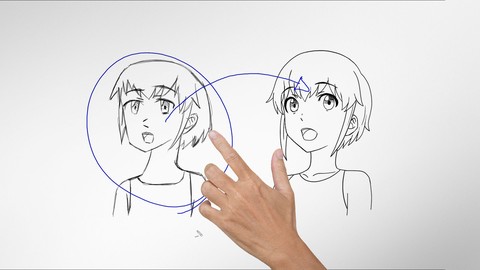
Improve Anime Drawings With Leonardo DaVinci Method (2018)
4.3 (1,217 Reviews)
- Provider: Udemy
- Time: 54 mins
Free

Adobe Illustrator Essentials for Character Design (2021)
4.6 (925 Reviews)
- Provider: Udemy
- Time: 2.1h
$11.99
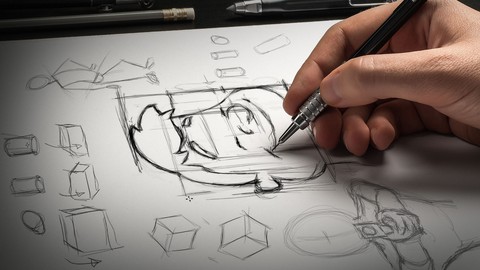

Character Design For Animation in Illustrator (2021)
4.6 (670 Reviews)
- Provider: Udemy
- Time: 2.2h
$54.99

2D Animation in Moho from Basic to Advanced (2018)
4.6 (625 Reviews)
- Provider: Udemy
- Time: 4h
$59.99
More Photoshop courses


Adobe Photoshop CC: For Complete Beginner (Sinhala Medium) (2026)
4.9 (110 Reviews)
- Provider: Udemy
- Time: 8.4h
$59.99

Adobe Photoshop CC – Essentials Training Course (2025)
4.8 (36,753 Reviews)
- Provider: Udemy
- Time: 11.6h
$189.99


47 Graphic Design Projects for Photoshop Beginners (2025)
4.8 (466 Reviews)
- Provider: Udemy
- Time: 7.9h
$99.99

Photoshop Efficiency - Techniques For Consistent Marketing (2025)
4.8 (144 Reviews)
- Provider: Udemy
- Time: 1.4h
$49.99
 Reviews

By Pushpak on 7/25/2024
It is detailed, crystal clear & dummy-friendly. More importantly, it sticks to the concepts/tools you'll require for 2D animation, no unnecessary fluff. Whatever he teaches is guaranteed to be burned into your mind with extremely minimal practice. However, I wish it had more detailed examples of backgrounds/assets/textures that could be used for semi-sophisticated 2D animation projects/short films & that the price was a bit less. A worthy course nonetheless!
By Lloyd Davies on 12/10/2019
Great for absolute beginners like me. Takes you through everything you need to get started. Feel a lot more confident now with using the tools.
By Doron Kol on 10/5/2019
The videos show different aspects of using PS, and are mostly clear and intriguing. The last video (excluding the bonus lecture) worth it all, because all the methods and techniques that are learned throughout the course are used (fast forward) to create an amazing indoor scene. I must admit that I tried most of the things using GIMP, and while there are differences, it manageable. Furthermore, the techniques themselves are the main issue, even if the way one must follow in order to complete them might be different between different apps.
By John Nelson on 4/7/2019
Nice intro Photoshop course for someone in animation or looking to get into animation. Course is well explained and easy to follow
By Lior Avni on 7/14/2018
I think this was a good purchase, because going over stuff I already now, I gain new insights here and there for doing things slightly more efficient.
By Renee Francis on 4/16/2018
Excellent instruction ... easy to follow along. I'm not even using photo shop, but Affinity Designer---figured lot of things will be alike and they are----his logic just makes everything easier even applying to other softwares ... he's that good.
By Dave Ksobiech on 4/1/2018
I am learning a lot in this introductory course and believe it is great for a noob that needs a jump start into Photoshop set up and tools for drawing. I hope you make a few more courses on this topic that are intermediate and advanced. Very Good. :)
By Jacques Marleau on 3/26/2018
Assez rarement décrit-on ce genre d'opérations dans Photoshop, alors j'ai beaucoup appris et je me servirai certainement de ces techniques à l'avenir. Merci de nous avoir donné des exemples concrets et non seulement des techniques sans aucune relation entre elles. (Un aparté cependant: je trouvais curieux que pour une personne qui maîtrise la langue anglaise comme vous que vous prononciez le sh comme un ch et vice-versa. Mais, cela reste un détail.) Merci encore beaucoup d'avoir créé ce cours. Vous êtes un bon pédagogue. Il me reste maintenant à pratiquer pour maîtriser ce que vous m'avez enseigné avec brio. Il me faudra trouver du temps (que je devrai trouver) pour ce faire.
By Elisabeth Burkhalter on 8/8/2017
I really like it that he starts to explain everything from the beginning. Everything is made easy to understand. I am very grateful for this course and the one for Crazy talk Animator. Without them it would take me a lifetime to get ready to create any animation. I am learning fast and love this instructor. He repeats important elements! Thank you so much!
By Jewell Williams on 7/3/2017
Updated: November 23 2018, I took this again to refresh my skills for tracing images that I want to use in my animation. The 2nd go around was a lot better. I think because I had more practice and felt more comfortable with Photoshop and the Pen tool. It was ok. Getting someone up and going without a lot of detail the course will do that. Yet there was minimal attention given to other concepts regarding the tracing. That is probably something offered in the other courses. Overall I learned something.
 Quality Score
No CourseDuck member has rated this course yet. Taken it? Give each part a thumbs up or down.
Overall Score : 92 / 100
- Video Duration:
 2.5h
2.5h - Price: $64.99
- Provider: Udemy
- Updated:
 September 2018
 - Level:
 Beginner
 - Language:
 English
 - Certificate:
 Yes
Yes
30-day money-back guarantee on most paid courses
Udemy Coupon Price Tracker
