
 Web Development
 Data Science
 Python
 SQL
SQL JavaScript
 Artificial Intelligence
 IT & Software
 IT Certifications
 Hacking
 AWS
AWS Arduino
 DevOps
 3D Modeling
 Graphic Design
 Photoshop
 Drawing
 Digital Painting
 UX Design
 Business
 Data Analysis
 Communication Skills
 Project Management
 Leadership & Management
 Human Resources
 Digital Marketing
 Social Media Marketing
 Marketing
 SEO
SEO Google Analytics
 Branding
 Excel
Excel Office Productivity
 SAP
SAP PowerPoint
 Microsoft Access
 SharePoint
 Finance & Accounting
 Trading & Investing
 Accounting
 Bitcoin
 Personal Finance
 Video Editing & Animation
 Photography
 Adobe Premier Pro
 Adobe Lightroom
 Personal Development
 Productivity
 Career Development
 Life Coaching
 Health & Fitness
 Meditation & Mindfulness
 Yoga
Yoga Music
Music Music Production
 Guitar
 Piano
Piano Singing
 Language Learning
 Teaching & Academics
 Engineering
 Math
Math Lifestyle
Build Amazing Websites with No Coding | Editor X Masterclass (Udemy.com)
Build Responsive Websites to fit various different screens sizes, without Coding! Using an Advanced Editor X platform.
Created by: Stefan Jovanovic
Last updated May 2022
 What you will learn
- How to build a website
- Build a website without Coding
- Responsive Websites 100%
- Design Website for Mobile, Tablet and Desktop
- Drag & Drop experience
- Complete Editor X Guidance
- How to create a project on Editor X
- Learn about Editor X Canvas and Interface
- Learn more about Breakpoints
- Keyboard Shortcuts to speed up your workflow
- Premade Components - Compositions
- Apply Color palette and Typography to your project
- Adding Containers/Empty Boxes
- Working with Grids
- Stacking and Grouping multiple elements
- Flexbox technology
- Layout Tools
- CSS Grids Tools
- Repeaters
- Layouters
- Lightboxes
- Text and Buttons
- Input Fields
- Menus
- Media and Gallery
- Vectors
- Icons
- Images
- GIFs
- Videos
- Create custom Forms
- Contact Forms
- Social Bar
How it compares
Against the other 815 rated Udemy courses in Web Development on CourseDuck:
- Rating4.5 out of 5higher than 51% of them
- Reviews146#549 of 816 by number of reviews
- Length8.6 hourslonger than 54% of them
- Last updatedMay 2022earlier than 76% of them
 Course Description
Hello there and welcome to my new course! This course is sponsored by Editor X.
For those of you who are not familiar with Editor X, Editor X is basically a web application or an advanced creation platform for designers and web professionals. Editor X combines cutting edge responsive design with relatively easy and smooth drag and drop experience. With Editor X you can design and build almost any website you imagine. It's possible to design and build beautiful websites without any experience with Web development whatsoever!
Editor X allows you to build fully responsive websites that automatically scale to any screen size or device they are being viewed on to deliver the best user experience. Using the latest design technology like flexible grids, layouts, fluid sizing and breakpoint customization, you can ensure that your site looks exactly how you want on various different screen sizes.
Also Editor X has quite clean and intuitive interface which will allow us to easily navigate between many different tools, features, categories, panels and that way keep our focus primarily on building our website.
Now we are going to start this course by completely introducing with almost every Editor X tool and feature. You'll get familiar with it's design interface, canvas, shortcuts, compositions and all other components which are essential for one website to be responsive and good looking.
You'll see in action how Flexbox technology can help us apply responsiveness to our website. Flexbox is a CSS container created around elements to ensure they're automatically arranged depending on screen size. It's a helpful tool in responsive design that prevents things from getting messy, like when elements overlap or change their order. The most useful Flexbox technology tools are Layouters and Repeaters. They will automatically adjust your content to every screen size without even thinking about breakpoints.
After that I will introduce you to the Content Manager. And it's main purpose is to act as a database on the backend. With content manager we can create something that's called a collection, and a collection is basically a data table which can contain different types of information in the form of rows and columns. There we can put images, links, text video, audio, document and many other different types of data.
We can use Content manager to display that data to our website or ever gather some information from our visitors through the forms, where users can write some information and send them directly to our backend inside a collection.
You will learn how to apply beautiful and smooth animations and hover interactions to a website as well. Also we are going to explore an app market where we can search and find many different useful applications which are available on Editor X platform. Those applications can be installed on our website in just a click within a few seconds. And Like I said there you can find many different apps but some of the most popular ones are for building a blog, forum or even an online store on your website. In this course I have explained everything you need to know about it.
And there's more! At the end of this course, when we cover everything you need to know about building websites with Editor X, we are going to start working on a real project, where we are going to design and build our own website from scratch!
So what are you waiting for, let's get started!

 Udemy Discount
The discount is applied through our link. Open the course from here and Udemy's current promotional price is applied at checkout on most courses, no code to type.
Some courses are excluded from Udemy's promotions. If the price does not drop, clear your browser cookies and use the button again.
Instructor Details

- 4.5 Rating
 146 Reviews
Stefan Jovanovic
Hi, my name is Stefan Jovanović. I’m a Kotlin Multiplatform developer, designer and technology enthusiast. Love working on a new and exciting projects, sharing my knowledge with others, and always willing to learn more.
I believe that permanent education is the key to success. I’ve been working as a developer/designer for 6 years so far.
Have a lots of projects on my mind. I will be creating many useful courses in the future, and hope to hear from you as you enroll in one of them!
Kind regards
 More courses by Stefan Jovanovic
Compose Multiplatform (Android/iOS) - Mobile App Development (2026)
4.5 (780 Reviews)
 Provider: Udemy
 Time: 6.8h
$64.99

Build Modern Android App with REST API and Ktor Server (2025)
4.4 (556 Reviews)
- Provider: Udemy
- Time: 16.5h
$74.99

Compose Multiplatform - iOS/Android Development with Kotlin (2026)
4.3 (538 Reviews)
- Provider: Udemy
- Time: 2.3h
$64.99

To-Do App & Clean Architecture -Android Development - Kotlin (2022)
4.3 (520 Reviews)
- Provider: Udemy
- Time: 4.6h
$74.99

Programming with Kotlin - Masterclass | Complete Course (2025)
4.3 (466 Reviews)
- Provider: Udemy
- Time: 14.4h
$74.99
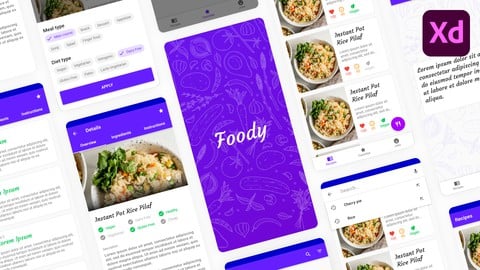
Android Material UI Design Masterclass with Adobe Xd (2020)
4.5 (305 Reviews)
- Provider: Udemy
- Time: 6.7h
$64.99
More Web Development courses

Python Fullstack Mastery: Build Modern Web Apps with Django (2025)
5.0 (165 Reviews)
- Provider: Udemy
- Time: 35h
$19.99

NgRx Signal store for Angular - The missing guide (2026)
4.9 (436 Reviews)
- Provider: Udemy
- Time: 11.3h
$89.99


Vue 3: Create a Mobile & Desktop App (with Quasar 2 & Pinia) (2024)
4.9 (177 Reviews)
- Provider: Udemy
- Time: 7.6h
$79.99

Build a URL Shortener App with ASP.NET: Step by Step (2026)
4.9 (100 Reviews)
- Provider: Udemy
- Time: 9.6h
$10.99

The Complete Elixir and Phoenix Bootcamp (2021)
4.8 (7,773 Reviews)
- Provider: Udemy
- Time: 17.4h
$84.99
 Reviews

By Ashim Rai on 7/26/2023
Not a bad course for beginners to follow along and quickly gain knowledge of how Editor X works. Only problem is that overall responsive design of the project can be vastly improved upon as.
By Mariah Blair on 2/10/2023
Yes I really enjoyed this course and the way it was broken out into each individual topic video to make it easy to stop and start whenever it was convenient for me. Great explanations and examples.
By Meghana Pallekkagari on 12/9/2022
For What ever I learn or Understand about this course is really Amazing, It really helps me to learn a lot about the Editor X. Hopefully by the end of the course I can able to become a professional in Editor X
By Alexander Alexy on 8/21/2022
This course is very good and detailed. After this course you know everything you need to know, to build your own website with editor x.
By Peter Halasz on 7/17/2022
Take this as constructive criticism: Pros: the concepts presented are done in such a way that makes sense, they are coherent, and only minor mishaps during the series. This is a decent course to plough through, informative, with good suggestions, if you have some experience, it will let many conecepts fall into place. Cons: It is informational enough to keep going to the end, however. IMO, there is quite a lot of explanation that the average user who comes to do an online course has to know already (you can expand it here, click here, open/close menu, going through the WHOLE list of items that are self-explanatory like the shortcuts, how you can click here there, change the colors, you can also change the colors HERE, and HERE TOO :D etc). This is pretty much useless filler speech, that drains the user, and does not add any useful information to the perceived purpose of the course. Also - until later parts at least - the author does not show the _potential_ of the tools, just explains in a quick succession what things are - even if things are obvious. This experience got better throughout the series, as it got more technical, but in the beginning it was quite painful. Please click the "don't show again" button when you publish, I wanted to scrape my face off, every time I saw that popup. Summary: It is worth taking this course if you already have some ideas about editor X. I am not sure how many times you would need to rewatch this series if you are absolutely clueless. Educate yourself first on the publicly available videos in Academy X and Youtube, THEN come back to this. All in all, I am satisfied, I would suggest this course to anyone who wants more than just a quick way to build a simple website.
By Andrea Grant on 4/6/2022
Quick introduction for a user who already uses Wix - no course bulking with unnecessary details Lots of really useful features included in course
By Leonardo Suarez Biavati on 3/17/2022
Greetings from Brazil! The course is amazing, all the content is explained in a practical way and with explicit content, great content. Thank you!
By Daniel Ran on 1/31/2022
The reason I chose Udemy over Skillshare is the quality of the courses. I always wanted an in-depth course online instead of just fast-food learning and quick tutorials. Udemy is more practical in terms of learning new skills than Skillshare.
By Cleo Huggins on 12/6/2021
This is a very good introduction. A much better experience than trying to piece together a bunch of youtube videos, or even following the tutorials on the WIX site.
By Bhavani Shankar B on 6/6/2023
 Quality Score
No CourseDuck member has rated this course yet. Taken it? Give each part a thumbs up or down.
Overall Score : 90 / 100

- Video Duration:
 8.6h
8.6h - Price: $59.99
- Provider: Udemy
- Updated:
 May 2022
 - Level:
 All Levels
 - Language:
 English
 - Certificate:
 Yes
Yes
30-day money-back guarantee on most paid courses
Udemy Coupon Price Tracker
