
 Web Development
 Data Science
 Python
 SQL
SQL JavaScript
 Artificial Intelligence
 IT & Software
 IT Certifications
 Hacking
 AWS
AWS Arduino
 DevOps
 3D Modeling
 Graphic Design
 Photoshop
 Drawing
 Digital Painting
 UX Design
 Business
 Data Analysis
 Communication Skills
 Project Management
 Leadership & Management
 Human Resources
 Digital Marketing
 Social Media Marketing
 Marketing
 SEO
SEO Google Analytics
 Branding
 Excel
Excel Office Productivity
 SAP
SAP PowerPoint
 Microsoft Access
 SharePoint
 Finance & Accounting
 Trading & Investing
 Accounting
 Bitcoin
 Personal Finance
 Video Editing & Animation
 Photography
 Adobe Premier Pro
 Adobe Lightroom
 Personal Development
 Productivity
 Career Development
 Life Coaching
 Health & Fitness
 Meditation & Mindfulness
 Yoga
Yoga Music
Music Music Production
 Guitar
 Piano
Piano Singing
 Language Learning
 Teaching & Academics
 Engineering
 Math
Math Lifestyle
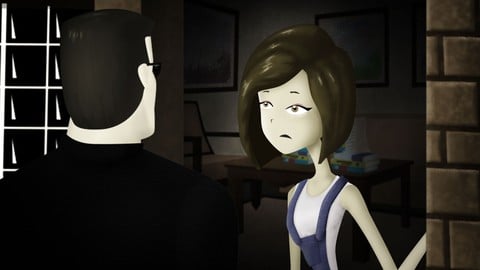
Cell Shading for Animation in Photoshop and CTA3.2 (Udemy.com)
Learn how to improve the images of your animations by adding lights, shadow and texture.
Created by: 2D Animation 101 Courses
Last updated September 2018
 What you will learn
- You will be able to improve an animated scene by adding cell shading (lights and shadows)
- You will be able to combine CrazyTalk Animator and Photoshop to improve your animations
How it compares
Against the other 545 rated Udemy courses in 3D Modeling on CourseDuck:
- Rating4.6 out of 5higher than 56% of them
- Reviews28#538 of 546 by number of reviews
- Length2.6 hoursshorter than 79% of them
- Last updatedSeptember 2018earlier than 85% of them
 Course Description
Interested in improving the graphics of your next animation?
A lot of us have heard about cell shading for static images, but what about using it for your animations?
Well, now you can definitely do that by combining Photoshop with any animation software you like.
The one we prefer, and the one we will be using is CrazyTalk Animator 3.2 because it lets you jump back and forth between the two, to make little modifications here and there, and have them update in CrazyTalk Animator.
In this course I will teach you how to use Photoshop and CrazyTalk Animator to use Cell Shading in your animations.
- I will explain the basic concepts.
- The different masking techniques used to shade comfortably,
- How to use the different tools like masking, clipping mask, and the Magic Wand Tool so you can extract pieces of your characters and add shadows and highlights to increase the quality of your image.
- You will learn how to add images as texture.
- How to stylize a layer with filter effects.
- And then, this course would be useless if I didn’t cover the theory to really understand lights and shadows, using simple shapes as examples.
- Then we will analyze some common mistakes that a lot of beginners make when they are starting with techniques to add shadings, comparing the different ways to do it.
- Then after you know the basics, we will move on to the practical part.
Hey, practice makes perfect right?
So that’s why in this course we included some practical exercises that you can follow to help you take action and understand each concept and technique to its fullest.
From adding simple shadows to a character, to using soft shadows, texture and depth to the hair of your characters, and even learn how to create texture for your backgrounds.
And after you finish with all the exercises, we will move on to improve a whole scene, from start to finish, and at the end, we will compare the before and after.
Then, if you know about the principles of animation, we will dig into one of the newest features on CrazyTalk Animator 3.2 that lets you apply the follow through principle to your characters, in a lesson in which we animate the hair as a separate accessory.
And, to finish off with the course, you will learn why a lot of graphic designers are now using CrazyTalk Animator to pose their characters for their designs. Why? Because it’s simple and easy, with one click you can export any frame of your animation, or any character in any pose into Photoshop.
You will learn this in a tutorial that teaches you how to create YouTube Thumbnails.
So, if you are ready to take the visuals of your animation to the next level, start applying Cell Shading using Crazytalk and Photoshop and increase your quality.
Enroll now, and learn by watching and doing the exercises provided in the course.
See you inside!

 Udemy Discount
The discount is applied through our link. Open the course from here and Udemy's current promotional price is applied at checkout on most courses, no code to type.
Some courses are excluded from Udemy's promotions. If the price does not drop, clear your browser cookies and use the button again.
Instructor Details

- 4.6 Rating
 28 Reviews
2D Animation 101 Courses
Mark L. Diaz has a background of 10 years in the film industry at Autumn Leave Films, and with over 30 short films produced to this date, we are a group of animators who love to share everything we know about animation, from pre-production, animation, to post production.
Our aim is to equip future animators with all the necessary techniques and tips to help them do better projects. Our courses will help beginners along with intermediate users.
We have helped more than 160,000+ students to discover techniques and all the knowledge they need to start animating their projects.
 More courses by 2D Animation 101 Courses

Cinematography for 2D Animation Essentials (2018)
4.6 (1,357 Reviews)
 Provider: Udemy
 Time: 36 mins
$15.99
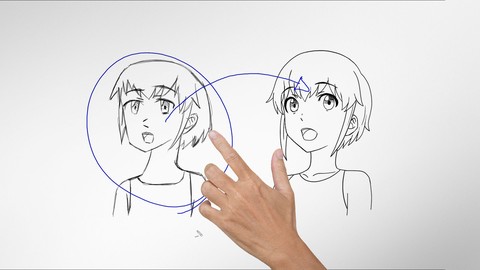
Improve Anime Drawings With Leonardo DaVinci Method (2018)
4.3 (1,217 Reviews)
- Provider: Udemy
- Time: 54 mins
Free

Adobe Illustrator Essentials for Character Design (2021)
4.6 (925 Reviews)
- Provider: Udemy
- Time: 2.1h
$11.99
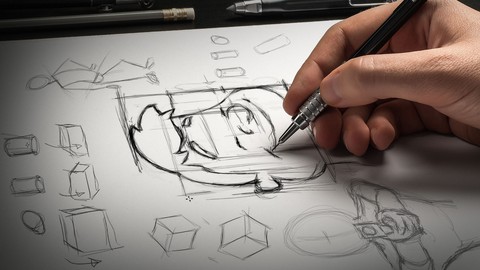

Character Design For Animation in Illustrator (2021)
4.6 (670 Reviews)
- Provider: Udemy
- Time: 2.2h
$54.99

2D Animation in Moho from Basic to Advanced (2018)
4.6 (625 Reviews)
- Provider: Udemy
- Time: 4h
$59.99
More 3D Modeling courses

3D Printing with " Ultimaker CURA Slicer- Start to finish" (2025)
4.9 (192 Reviews)
- Provider: Udemy
- Time: 1h
$34.99

Girl and the Dog Creation in Zbrush for Intermediate Level (2020)
4.9 (173 Reviews)
- Provider: Udemy
- Time: 48.8h
$59.99



Blender Character Creator for Video Games (2026)
4.8 (9,160 Reviews)
- Provider: Udemy
- Time: 34.3h
$159.99

Master SOLIDWORKS 3D CAD using real-world examples (2022)
4.8 (2,451 Reviews)
- Provider: Udemy
- Time: 18.9h
$69.99
 Reviews

By Frank Spooner on 1/4/2021
Clear & detailed
By Oscar Watlz on 1/26/2020
Great teacher and very informative!
By Fukuhara Toshitaro on 6/7/2019
I would like to know about more Japanemation style.
By Gerard Gudgion on 12/24/2018
The tutor is helping me to really understand CTA3 and the pipeline techniques which is exactly what I was hoping for
By Angelo Sanhueza on 8/14/2018
While this course is based photoshop and cta, the concepts are general. So with a bit of work you can adapt it to your own experience. Very useful
By Arnes Beganovic on 2/22/2018
Learned a lot in short period of time. My photoshop knowledge was poor and this course showed focused tools so that I do not need to lose a lot of time searching on my own.
By Adah Daniel on 1/4/2018
wow just what i needed
By Jeff Thorne on 10/19/2017
Good job for basics on shading and making art look better.
By Amilton Carvalho on 10/4/2017
Beacuse I am learning a lot
By Terry Sennette on 9/25/2017
As usual, Mark goes through great lengths to ensure that his training is clear, concise and entertaining! I love all of the courses I have taken with him!
 Quality Score
No CourseDuck member has rated this course yet. Taken it? Give each part a thumbs up or down.
Overall Score : 92 / 100
- Video Duration:
 2.6h
2.6h - Price: $59.99
- Provider: Udemy
- Updated:
 September 2018
 - Level:
 Beginner
 - Language:
 English
 - Certificate:
 Yes
Yes
30-day money-back guarantee on most paid courses
Udemy Coupon Price Tracker
