
 Web Development
 Data Science
 Python
 SQL
SQL JavaScript
 Artificial Intelligence
 IT & Software
 IT Certifications
 Hacking
 AWS
AWS Arduino
 DevOps
 3D Modeling
 Graphic Design
 Photoshop
 Drawing
 Digital Painting
 UX Design
 Business
 Data Analysis
 Communication Skills
 Project Management
 Leadership & Management
 Human Resources
 Digital Marketing
 Social Media Marketing
 Marketing
 SEO
SEO Google Analytics
 Branding
 Excel
Excel Office Productivity
 SAP
SAP PowerPoint
 Microsoft Access
 SharePoint
 Finance & Accounting
 Trading & Investing
 Accounting
 Bitcoin
 Personal Finance
 Video Editing & Animation
 Photography
 Adobe Premier Pro
 Adobe Lightroom
 Personal Development
 Productivity
 Career Development
 Life Coaching
 Health & Fitness
 Meditation & Mindfulness
 Yoga
Yoga Music
Music Music Production
 Guitar
 Piano
Piano Singing
 Language Learning
 Teaching & Academics
 Engineering
 Math
Math Lifestyle
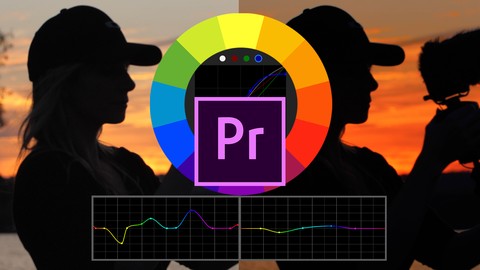
Color Grading & Creating LUTs In Premiere Pro For Beginners (Udemy.com)
How To Color Correct, Color Grade Footage & Create Custom Video LUTs in Adobe Premiere Pro CC For Beginners
Created by: Life Progression Project
Last updated October 2019
 What you will learn
- What color correcting is
- How to color correct
- What color grading is
- How to color grade your footage using Premiere Pro CC
- How to use the secondary color correction
- How to work with footage shot in a flat LOG profile
- The fundamentals of color grading scopes inside Premiere Pro
- What LUTs are and how to apply a corrective LUT to log footage
- How to create and export custom LUTs
How it compares
Against the other 78 rated Udemy courses in Adobe Premier Pro on CourseDuck:
- Rating4.4 out of 5higher than 30% of them
- Reviews42#69 of 79 by number of reviews
- Length0.6 hoursshorter than 100% of them
- Last updatedOctober 2019earlier than 76% of them
 Quality Score
Overall Score : 88 / 100
 Course Description
Almost every big budget feature film has been color graded to look a certain way, and in recent years, it's become increasingly easy to color grade your own footage using popular video editing software!
In this course for beginners you will learn:
- What color correcting is and how to color correct a clip that's provided in the course
- What color grading is and how it can be used to make your footage look even better
- How to color grade your footage using Premiere Pro CC
- How to use the secondary color correction tab to change certain parts of your footage
- How to work with footage shot in a flat LOG profile and color grade it
- The fundamentals of color grading scopes inside Premiere Pro and how they can be leveraged when color grading, or correcting your footage
- What LUTs are and how to apply a corrective LUT to log footage
- How to create and export custom LUTs
- Where to place your custom created LUTs and how to name them so they show up conveniently inside Premiere Pro CC
In the first few lessons, you'll find the same footage files we used in the course so that you can download them and follow along! (We encourage you to do so because it will help you retain the information required to color grade footage.)
Your instructor for this course is Will Bartlett; he has created 17 online courses and has been a professional Cinematographer and Editor for 10+ years, as well as a content creator for 15+ years. Will runs an established video production company based out of Toronto and an online business that's trained over a 150,000 students worldwide.
If you don't have Premiere Pro CC, you can get a free 30 day trial from Adobe's website!
Enroll today to learn how to color grade your footage and create custom video LUTs!Who this course is for:
- Beginner Premiere Pro users
- Beginner video editors

 Udemy Discount
The discount is applied through our link. Open the course from here and Udemy's current promotional price is applied at checkout on most courses, no code to type.
Some courses are excluded from Udemy's promotions. If the price does not drop, clear your browser cookies and use the button again.
Instructor Details

- 4.4 Rating
 42 Reviews
Life Progression Project
Life Progression Project is a digital publishing brand that represents two Entrepreneur's insights into reaching success, financial freedom, having better relationships, self improvement, mindset shifts and everything media.
Through online video courses that teach various skills, techniques and practices, and partnering with experts in other industries to deliver content in marketing, business, photography, neuroplasticity, healthy living, web development, cryptocurrency, branding and much more, Life Progression Project provides a high quality learning experience.
 More courses by Life Progression Project

Communication Fundamentals: How To Communicate Better (2026)
4.5 (150,968 Reviews)
 Provider: Udemy
 Time: 1.4h
$18.99

Cross-Cultural Communication: How To Flex Your Style (2026)
4.5 (66,325 Reviews)
- Provider: Udemy
- Time: 1.2h
$18.99

Leadership: How to Influence, Inspire and Impact as a Leader (2026)
4.6 (46,563 Reviews)
- Provider: Udemy
- Time: 1.5h
$16.99

How to be Successful: Create A Growth Mindset For Success (2026)
4.5 (24,188 Reviews)
- Provider: Udemy
- Time: 1.2h
$69.99

Difficult Conversations: Master Difficult Conversations (2026)
4.5 (16,566 Reviews)
- Provider: Udemy
- Time: 1.1h
$69.99

Negotiation Fundamentals: How To Negotiate Effectively (2026)
4.5 (11,912 Reviews)
- Provider: Udemy
- Time: 1.4h
$13.99
More Adobe Premier Pro courses

The Complete Adobe Premiere Pro Video Editing Bootcamp (2025)
4.9 (7,316 Reviews)
- Provider: Udemy
- Time: 9.7h
$139.99

Video Editing complete course | Adobe Premiere Pro CC 2021
4.8 (529 Reviews)
- Provider: Udemy
- Time: 14.4h
$22.99

Adobe Premiere Pro CC – Essentials Training Course (2025)
4.7 (11,647 Reviews)
- Provider: Udemy
- Time: 15.8h
$129.99

Adobe Premiere Pro CC – Advanced Training Course (2025)
4.7 (1,922 Reviews)
- Provider: Udemy
- Time: 16.3h
$94.99

Adobe Premiere Pro Video Editing Course Beginner to Pro (2024)
4.7 (686 Reviews)
- Provider: Udemy
- Time: 9.1h
$54.99

Learn Video Editing with Premiere Pro CC for beginners (2015)
4.7 (476 Reviews)
- Provider: Udemy
- Time: 3.9h
$64.99
 Reviews

By Hajar Albahri
Good
- Video Duration:
 36 mins
 - Price: $39.99
- Provider: Udemy
- Updated:
 October 2019
 - Level:
 Beginner
 - Language:
 English
 - Certificate:
 Yes
Yes
30-day money-back guarantee on most paid courses
Udemy Coupon Price Tracker
