
 Web Development
 Data Science
 Python
 SQL
SQL JavaScript
 Artificial Intelligence
 IT & Software
 IT Certifications
 Hacking
 AWS
AWS Arduino
 DevOps
 3D Modeling
 Graphic Design
 Photoshop
 Drawing
 Digital Painting
 UX Design
 Business
 Data Analysis
 Communication Skills
 Project Management
 Leadership & Management
 Human Resources
 Digital Marketing
 Social Media Marketing
 Marketing
 SEO
SEO Google Analytics
 Branding
 Excel
Excel Office Productivity
 SAP
SAP PowerPoint
 Microsoft Access
 SharePoint
 Finance & Accounting
 Trading & Investing
 Accounting
 Bitcoin
 Personal Finance
 Video Editing & Animation
 Photography
 Adobe Premier Pro
 Adobe Lightroom
 Personal Development
 Productivity
 Career Development
 Life Coaching
 Health & Fitness
 Meditation & Mindfulness
 Yoga
Yoga Music
Music Music Production
 Guitar
 Piano
Piano Singing
 Language Learning
 Teaching & Academics
 Engineering
 Math
Math Lifestyle
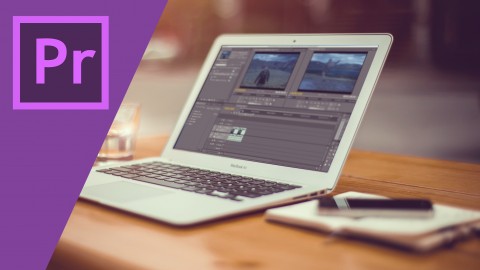
Complete Adobe Premiere Pro Video Editing Course! (Udemy.com)
Learn editing videos in Adobe Premiere Pro. Practical & Easy to follow lessons. Perfect for beginners.
Created by: Uri Soglowek
Last updated February 2016
 What you will learn
- In this course, You will learn how to organize your video files and projects.
- In this course, You will learn basic video editing techniques.
- By the end of the course, you will be able to make your own videos!
- More than 5 hours of content!
How it compares
Against the other 78 rated Udemy courses in Adobe Premier Pro on CourseDuck:
- Rating4.4 out of 5higher than 30% of them
- Reviews85#58 of 79 by number of reviews
- Length5.5 hourslonger than 58% of them
- Last updatedFebruary 2016earlier than 96% of them
 Quality Score
Overall Score : 88 / 100
 Course Description
This course will cover everything you need to know so you can start and edit your videos using Premiere Pro.
For the past 14 years I have been working as a video producer, I produced, shot and edited thousands of hours of video. from DIY projects, to Online commercials and global events, you name it, chances are I've done it.
My course is built around the assumption that you, as a beginner:
- Want to know only the tools you would use
- Don't want to learn all the windows and buttons premiere pro has to offer because you will not use them.
- Don't care about fancy terminology
That is why I built my course around a real life example, and I take you through all the steps I take in real time and explain everything to you. everything is highly practical! no theory!
In fact, if you read all the reviews of my course they are actually saying the exact same thing. it concentrates on the practical side of how edit using Premiere Pro. In this video editing course, I will take you through the basic skills you need to know for using Adobe Premiere Pro. You will learn:
- Adobe Premiere Pro Overview
- How to Start a new Project
- How to Organize your videos
- What Is the Timeline?
- Editing Audio in Premiere Pro
- Basic Video Editing Tools
- Color correction and grading
- Adding Titles
- Exporting
- and much much more!
So, if you like how this sounds, get the course, and start learning how to edit video like a pro using Adobe Premiere Pro!
***** "Very simple to understand, I loved how you explained everything it made it very simple and quick. It's all you need to make a video..." - Joseph Grenon, Student review Please Let me know if you have any questionsWho this course is for:
- Beginning Video Editors
- Any Person that want to edit his videos (traveling videos, family videos) etc.
- Any person who wants to get into video production.
- Video Editors moving from other editing software to Adobe Premiere.

 Udemy Discount
The discount is applied through our link. Open the course from here and Udemy's current promotional price is applied at checkout on most courses, no code to type.
Some courses are excluded from Udemy's promotions. If the price does not drop, clear your browser cookies and use the button again.
Instructor Details

- 4.4 Rating
 85 Reviews
Uri Soglowek
Since 1993, I have dedicated myself to learning and teaching how to shoot and edit professional video to people that who have no understanding in the subject without getting them all confused with the technical nomenclature.
Today every Mobile Phone has the ability to become a production platform and online video is the biggest, most expanding communication line of the planet.
My way of teaching is usually, taking you, the viewer with me while I do a whole project, from beginning to end, utilising the same techniques I used as an instructor to get you to be able to do the get the job done and use and apply the tools with confidence.
 More courses by Uri Soglowek
CINEMA 4D Unleashed - Master 3D Fundamentals (2015)
4.0 (59 Reviews)
 Provider: Udemy
 Time: 5.6h
$19.99
Create 3D Intro Using Adobe After Effects & Element 3D (2015)
4.2 (14 Reviews)
- Provider: Udemy
- Time: 1.6h
$19.99
More Adobe Premier Pro courses

The Complete Adobe Premiere Pro Video Editing Bootcamp (2025)
4.9 (7,316 Reviews)
- Provider: Udemy
- Time: 9.7h
$139.99

Video Editing complete course | Adobe Premiere Pro CC 2021
4.8 (529 Reviews)
- Provider: Udemy
- Time: 14.4h
$22.99

Adobe Premiere Pro CC – Essentials Training Course (2025)
4.7 (11,647 Reviews)
- Provider: Udemy
- Time: 15.8h
$129.99

Adobe Premiere Pro CC – Advanced Training Course (2025)
4.7 (1,922 Reviews)
- Provider: Udemy
- Time: 16.3h
$94.99

Adobe Premiere Pro Video Editing Course Beginner to Pro (2024)
4.7 (686 Reviews)
- Provider: Udemy
- Time: 9.1h
$54.99

Learn Video Editing with Premiere Pro CC for beginners (2015)
4.7 (476 Reviews)
- Provider: Udemy
- Time: 3.9h
$64.99
 Reviews

By Khoa Bui
This is a free course so of course, don't expect much from it; but if you are a beginner, know nothing about Premiere Pro. This course would be really helpful. He didn't teach you step by step: what this button for, what this buttton do; but he teach you straight forward through a project. Sometimes he gets lengthy but it's still ok. Thank you Mr. Uri
By Bender
well
By Liz LaManche
Seems very complete and easy to understand so far
By Boudraa Farouk
nice
By Jonathan Gaudette
Audio quality is horrible
By Anuraag Agarwal
Great!
By Goutam Madhu
This Course is good for beginners and easy to learn ... thanks a lot again.
By Hasan hamid
very clear n straight foward
By Angel Santiago
Esta claro y sencillo
By Carlton Wilkerson
Thanks Uri,
I needed an quick intro for a job interview I preparing for. The course did wonders. A very concise and precise course to learn the program and begin making videos immediately.
By Everett Nelson
Everything I needed to get up and running.
By Jay Bradley
I am a total beginner and so far the instructions have been extremely clear and easy to follow
- Video Duration:
 5.5h
5.5h - Price: $84.99
- Provider: Udemy
- Updated:
 February 2016
 - Level:
 All Levels
 - Language:
 English
 - Certificate:
 Yes
Yes
30-day money-back guarantee on most paid courses
Udemy Coupon Price Tracker
