
 Web Development
 Data Science
 Python
 SQL
SQL JavaScript
 Artificial Intelligence
 IT & Software
 IT Certifications
 Hacking
 AWS
AWS Arduino
 DevOps
 3D Modeling
 Graphic Design
 Photoshop
 Drawing
 Digital Painting
 UX Design
 Business
 Data Analysis
 Communication Skills
 Project Management
 Leadership & Management
 Human Resources
 Digital Marketing
 Social Media Marketing
 Marketing
 SEO
SEO Google Analytics
 Branding
 Excel
Excel Office Productivity
 SAP
SAP PowerPoint
 Microsoft Access
 SharePoint
 Finance & Accounting
 Trading & Investing
 Accounting
 Bitcoin
 Personal Finance
 Video Editing & Animation
 Photography
 Adobe Premier Pro
 Adobe Lightroom
 Personal Development
 Productivity
 Career Development
 Life Coaching
 Health & Fitness
 Meditation & Mindfulness
 Yoga
Yoga Music
Music Music Production
 Guitar
 Piano
Piano Singing
 Language Learning
 Teaching & Academics
 Engineering
 Math
Math Lifestyle
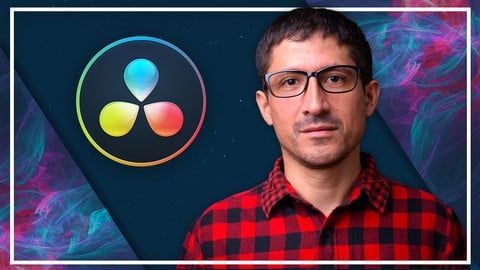
Complete DaVinci Resolve 17 Megacourse: Beginner to Expert (Udemy.com)
Learn how to create and edit videos like a pro with this step-by-step course!
Created by: Skillademia Academy
Last updated June 2022
 What you will learn
- How to use DaVinci Resolve and its elements
- The principles of video editing in DaVinci Resolve 17
- The principles of motion graphics
- How to improve color balance and color grading
- How to animate a logo
- How to use Fairlight
- The principles of mixing and overlaying audios and sounds
- How to edit in different styles and export in HD
- How to export in different formats and for social media
- The theory behind your creative choices
How it compares
Against the other 293 rated Udemy courses in Video Editing & Animation on CourseDuck:
- Rating4.1 out of 5higher than 10% of them
- Reviews101#200 of 294 by number of reviews
- Length11.3 hourslonger than 91% of them
- Last updatedJune 2022earlier than 59% of them
 Course Description
Learn video Editing with DaVinci Resolve!
Edit like a pro!
Have you ever wanted to edit your videos? In the era of digital video, we all take hundreds of videos every year. Maybe you want to pursue a career as a videographer or video editor, or you just want to edit your homemade videos to make them look better. You may want to cut them together with cool editing and effects and then show it and share it with your friends. Whether you’re a casual videographer or hoping to enhance your career, editing videos isn’t only for the pros. You can take any video, easily cut it up, add some effects, improve the overall quality and we are going to show you and teach you how.
In this course you are going to learn everything about video editing: from importing and organizing your footage, editing them, adding video effects or title sequence (Motion Graphics), improving color balance and grading, mixing and overlaying audios and sounds, and finally exporting it in HD. You’ll also be going to learn how to emulate specific styles and looks, such as black and white vintage, using color and blur masks for emphasis, boosting the contrast of light and dark images, or using certain types of editing and audio mix in order to create the feeling and atmosphere you want to add to your video.
Our instructor has years of experience not only in video editing, but also in teaching, and the expertly-crafted syllabus is designed to be easy to follow and thorough. We’ve even included plenty of examples explained and created on-screen for you to study. That’s why this is the only DaVinci Resolve course you’ll ever need to create professional and great looking videos!
Start editing your own videos today!
After taking this course you’ll be able to:
Work professionally with DaVinci Resolve
Organize and edit your footage
Apply visual effects and motion graphics to your videos
Apply color grading
Use audio professionally in your videos

 Udemy Discount
The discount is applied through our link. Open the course from here and Udemy's current promotional price is applied at checkout on most courses, no code to type.
Some courses are excluded from Udemy's promotions. If the price does not drop, clear your browser cookies and use the button again.
Instructor Details

- 4.1 Rating
 101 Reviews
Skillademia Academy
At Skillademia, we deliver hands-on, practical learning for passionate and driven learners. Our step-by-step courses cover essential creative disciplines and cutting-edge AI skills - taking you from solid foundations to advanced expertise.
Whether you’re starting your journey or aiming to take your skills to the next level, you’ll find learning experiences designed to ignite inspiration and deliver real, measurable progress. Every lesson empowers you to create, innovate, and thrive in today’s fast-paced, tech-driven world.
Learn anytime, anywhere - our courses are available 24/7, and every enrollment comes with a 30-day money-back guarantee for complete peace of mind.
Join us and master future-ready skills that open doors to new opportunities!
 More courses by Skillademia Academy

Complete Blender Megacourse: Beginner to Expert 3D Artist (2026)
4.2 (11,017 Reviews)
 Provider: Udemy
 Time: 134.3h
$109.99
Complete Figma Megacourse: UI/UX Design Beginner to Expert (2026)
4.5 (5,251 Reviews)
- Provider: Udemy
- Time: 41.4h
$99.99
Complete PowerPoint Megacourse: Beginner to Expert (2025)
4.4 (1,359 Reviews)
- Provider: Udemy
- Time: 45.7h
$54.99
Complete Adobe Photoshop Megacourse: Beginner to Expert (2026)
4.3 (923 Reviews)
- Provider: Udemy
- Time: 49.6h
$64.99

Unreal Engine 5 Megacourse: Create Games in UE5 & Blender (2025)
4.4 (885 Reviews)
- Provider: Udemy
- Time: 33h
$109.99

Complete Excel Bundle: 5-in-1 Beginner to Advanced Course (2026)
4.7 (875 Reviews)
- Provider: Udemy
- Time: 78.5h
$64.99
More Video Editing & Animation courses

Learn to Storyboard for Film or Animation (2024)
4.8 (2,727 Reviews)
- Provider: Udemy
- Time: 2.2h
$12.99


Fire Starter Sessions Video Workshop with Danielle LaPorte (2017)
4.8 (1,205 Reviews)
- Provider: Udemy
- Time: 3.7h
$11.99

The Ultimate Color Grading Bootcamp in DaVinci Resolve (2026)
4.8 (947 Reviews)
- Provider: Udemy
- Time: 8.7h
$19.99

The Complete Talking Head Video Production Masterclass (2026)
4.8 (319 Reviews)
- Provider: Udemy
- Time: 17.6h
$59.99

The Complete iMovie Course - from Beginner to Advanced 2026!
4.7 (2,021 Reviews)
- Provider: Udemy
- Time: 11.1h
$10.99
 Reviews

By José Mauricio Saldanha de Menezes Olivei on 11/19/2024
Estou gostando bastante! Muito claras as expolicações.
By Anonymized User on 6/13/2024
So far it is a great fit. This course is very thourough.
By Sergio David Spadavecchia on 1/1/2023
I went through 100% of the course, and the classes/topics are jumping everywhere. 79 and 80 are a duplicate. It seems like he is learning and recording at the same time. There are moments—as an example—when he "discovers" certain functions never really explaining what they do or are needed for; after endless tentatives, he jumps to another topic, and just an example of many, many more. The explanations are random; the titles of each section are wrong; the details of each tool are wrong and always inconclusive. He has zero knowledge of the power of colour management. The workflow is inexistent. I come from over 30 years in Premiere (and also a ACE, Adobe Certified Expert, and teacher for 12 years) and now planning to move to DaVinci Resolve. Instead of "banging my head" over YouTube courses, I decided to give this course a try (other Udemy courses are very well structured), this one is a mishmash of randomness that seems not to lead nowhere. I will not ask for a refund, and I will go diligently through the whole course, but at the moment, I cannot recommend this course to anyone, whether beginner or pro, as the results will be confusing state to what the capabilities of the software are. ... My advice is to the instructor: 1) restructure the course in a clear way; 2) use better footage, as the one that he is using is awful, and the footage must have some sort of connection between clips as a real-life editing situation would require; 3) FOCUS, FOCUS, FOCUS; as much as I understand that the software is very complex, jumping everywhere is not the solution. FOCUS on one tool at a time go in-depth into that tool's power, and show what it can be used for in real-life editing situations 4) Create a small video in the course from scratch and show all the vital steps to each project: initial Setup; Media organization/import; cutting and culling; Editing; Effects and Fusion; Color; Audio; and finally, deliver...not jumbling up everything!!! I hope this helps the teacher and the future students.
By Mahdy Hasan on 11/11/2022
Your course contents were excellent. I gain a lot of knowledge from this course.
By George Toumpanis on 8/12/2022
It is not like it science but the instructions were clear :)
By Rogelio Flores on 7/27/2022
The video quality is poor maybe needs to be at least 1080P
By Eoin Banahan on 5/18/2022
Very clear and systematic walk through. Very good so far.
By Juan David patiño on 5/3/2022
it was a good course, all the content was very clear!
By Felipe on 4/26/2022
The course is easy to follow and I think it covers the program really well.
By Torben Hvolmgaard Sørensen on 4/19/2022
So far I have payed too much for hearing "OK?"
 Quality Score
No CourseDuck member has rated this course yet. Taken it? Give each part a thumbs up or down.
Overall Score : 82 / 100
- Video Duration:
 11.3h
11.3h - Price: $44.99
- Provider: Udemy
- Updated:
 June 2022
 - Level:
 All Levels
 - Language:
 English
 - Certificate:
 Yes
Yes
30-day money-back guarantee on most paid courses
Udemy Coupon Price Tracker
