
 Web Development
 Data Science
 Python
 SQL
SQL JavaScript
 Artificial Intelligence
 IT & Software
 IT Certifications
 Hacking
 AWS
AWS Arduino
 DevOps
 3D Modeling
 Graphic Design
 Photoshop
 Drawing
 Digital Painting
 UX Design
 Business
 Data Analysis
 Communication Skills
 Project Management
 Leadership & Management
 Human Resources
 Digital Marketing
 Social Media Marketing
 Marketing
 SEO
SEO Google Analytics
 Branding
 Excel
Excel Office Productivity
 SAP
SAP PowerPoint
 Microsoft Access
 SharePoint
 Finance & Accounting
 Trading & Investing
 Accounting
 Bitcoin
 Personal Finance
 Video Editing & Animation
 Photography
 Adobe Premier Pro
 Adobe Lightroom
 Personal Development
 Productivity
 Career Development
 Life Coaching
 Health & Fitness
 Meditation & Mindfulness
 Yoga
Yoga Music
Music Music Production
 Guitar
 Piano
Piano Singing
 Language Learning
 Teaching & Academics
 Engineering
 Math
Math Lifestyle
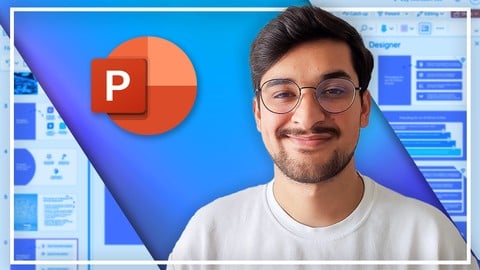
Complete PowerPoint Megacourse: Beginner to Expert (Udemy.com)
Learn how to use Microsoft PowerPoint like a pro with this step-by-step course!
Created by: Skillademia Academy
Last updated November 2025
 What you will learn
- How to use Microsoft PowerPoint and its basic functions
- How to create slides, animations, and complex presentation designs
- How to insert and format text, media, and objects
- Color theory and typography for effective presentations
- UX and UI principles for modern slideshows
- Accessibility features for inclusive design
- How to create interactive elements like buttons and quizzes
- Digital art and advanced layout techniques
- How to use PowerPoint as a design tool
- How to present confidently using voice, tone, and body language
- How to integrate AI tools like Copilot, Gemini, ChatGPT, and Grok into your workflow
- How to generate slide content, visuals, and structure using artificial intelligence
How it compares
Against the other 52 rated Udemy courses in PowerPoint on CourseDuck:
- Rating4.4 out of 5higher than 19% of them
- Reviews1,359#23 of 53 by number of reviews
- Length45.7 hourslonger than 100% of them
- Last updatedNovember 2025more recently than 51% of them
 Course Description
Learn Microsoft PowerPoint!
Have you ever wanted to create your own professional presentations? In the era of digital literacy, we constantly need to present information in professional, academic, and even casual settings. Maybe you want to give a presentation to propose a new project at your job, or perhaps you want to discuss an academic topic in your classes. Whether you’re a student or a professional, creating presentations isn’t only for the pros. You can take your presentations from zero to a hundred with a few handy hacks and techniques-and we’re here to teach you how.
In this course, you’re going to learn everything about creating and designing presentations in Microsoft PowerPoint, from creating a basic outline of slides to designing objects, text, charts, and images at an advanced level. You'll explore animation, transitions, interactivity, digital art, UX principles, and more. You will also discover how to harness AI tools like Copilot, Gemini, ChatGPT, Grok, and more to research, generate, and design content efficiently. Plus, dive into body language, voice, and intonation techniques that will help you present with confidence.
Our instructor has years of experience not only in designing, but also in teaching and the expertly-crafted syllabus is designed to be easy to follow and thorough. We’ve even included
plenty of examples explained and created on-screen for you to study. That’s why this is the only
Microsoft PowerPoint course you’ll ever need to create awesome presentations and master this software!
Start using PowerPoint today!
After taking this course, you will be able to:
Create slides and presentations from scratch
Work professionally with Microsoft PowerPoint
Apply design principles to elevate your slide layouts
Use animations, transitions, and interactive tools effectively
Leverage AI tools to accelerate research, writing, and design tasks
Present with confidence using proper voice, tone, and body language techniques
Create presentations for business, education, marketing, and creative projects
Export slides as animated videos, carousels, or interactive media
Build template systems and presentation packages
Engage your audience using storytelling, interactivity, and design

 Udemy Discount
The discount is applied through our link. Open the course from here and Udemy's current promotional price is applied at checkout on most courses, no code to type.
Some courses are excluded from Udemy's promotions. If the price does not drop, clear your browser cookies and use the button again.
Instructor Details

- 4.4 Rating
 1,359 Reviews
Skillademia Academy
At Skillademia, we deliver hands-on, practical learning for passionate and driven learners. Our step-by-step courses cover essential creative disciplines and cutting-edge AI skills - taking you from solid foundations to advanced expertise.
Whether you’re starting your journey or aiming to take your skills to the next level, you’ll find learning experiences designed to ignite inspiration and deliver real, measurable progress. Every lesson empowers you to create, innovate, and thrive in today’s fast-paced, tech-driven world.
Learn anytime, anywhere - our courses are available 24/7, and every enrollment comes with a 30-day money-back guarantee for complete peace of mind.
Join us and master future-ready skills that open doors to new opportunities!
 More courses by Skillademia Academy

Complete Blender Megacourse: Beginner to Expert 3D Artist (2026)
4.2 (11,017 Reviews)
 Provider: Udemy
 Time: 134.3h
$109.99

Complete Figma Megacourse: UI/UX Design Beginner to Expert (2026)
4.5 (5,251 Reviews)
- Provider: Udemy
- Time: 41.4h
$99.99
Complete Adobe Photoshop Megacourse: Beginner to Expert (2026)
4.3 (923 Reviews)
- Provider: Udemy
- Time: 49.6h
$64.99

Unreal Engine 5 Megacourse: Create Games in UE5 & Blender (2025)
4.4 (885 Reviews)
- Provider: Udemy
- Time: 33h
$109.99

Complete Excel Bundle: 5-in-1 Beginner to Advanced Course (2026)
4.7 (875 Reviews)
- Provider: Udemy
- Time: 78.5h
$64.99
Complete Adobe Animate Megacourse: Beginner to Expert (2023)
4.3 (815 Reviews)
- Provider: Udemy
- Time: 10.7h
$54.99
More PowerPoint courses

PowerPoint Masterclass - Presentation Design & Animation (2026)
4.7 (7,539 Reviews)
- Provider: Udemy
- Time: 10.3h
$14.99

PowerPoint Slide Design - Casual Slides Presentation (2025)
4.7 (6,207 Reviews)
- Provider: Udemy
- Time: 42 mins
Free

Microsoft PowerPoint for 2026 - 3 Hour Crash Course!
4.7 (4,018 Reviews)
- Provider: Udemy
- Time: 2.9h
$11.99

Create Animated Explainer Videos with PowerPoint (2025)
4.7 (1,413 Reviews)
- Provider: Udemy
- Time: 4.8h
$11.99

Microsoft PowerPoint for Mac - Office 365 on Mac OS (2020)
4.7 (418 Reviews)
- Provider: Udemy
- Time: 2.5h
$64.99

PowerPoint 2013 2016 2019 - Video Animation in Powerpoint
4.7 (316 Reviews)
- Provider: Udemy
- Time: 1.7h
$11.99
 Reviews

By Naveen Polapady on 6/30/2026
So far, the course has been easy to follow and the lesson are clear. Just started this course but it has met my expectations so far.
By Sibongile Masina on 6/3/2026
The course was clear, practical, and went from beginner basics right up to expert-level skills. i picked up tons of PowerPoint tips ill actually use for work presentations. Definitely a good match if you want to get confident with PowerPoint.
By Anonymized User on 2/9/2026
Un excelente curso, no tenía idea de que se pudieran hacer tantas cosas en Power point, creo que sólo creemos que es para presentaciones planas, pero tiene muchísimas herramientas. Me encantaría que el curso tuviera traducción al español o transcripción.
By عبدالرحمن الأنصاري on 1/15/2026
I finished a PowerPoint course, and I rate it 2.5 out of 5. It has a lot of good points, but sometimes it is boring to watch because it repeats the same things more than two times. There is no proper editing or montage, which is bad and wastes a lot of time.
By Manoranjan Chowhan on 11/30/2025
Good but it should tell more about how to use the shapes with examples in making power point slides
By Doris Powell on 11/7/2025
It gets to the point. No unneceary talking and tay on point...really like that for it allo me to keep a logical train of thought hile learning.
By Alon Kahalani on 4/23/2025
I really enjoyed the course, which gave me additional knowledge in preparing presentations and it was mach good for me. thank you/
By Loganayaki R on 1/17/2025
I feel so great about learn the ppt basic to advance.
By Mahesh Babu T on 10/4/2024
Information shared and presented is pretty good and very Userfriendly. Very much Realtime exposure. Nice to have this opportunity and gain knowledge.
By Yash Sawant on 10/27/2022
The course covers everything, thank you. But please make it concise. I've played almost all the videos on 2x speed. Lots of the stuff is elaborated to a great length. Please keep it concise and cover only those points which are most useful.
 Quality Score
No CourseDuck member has rated this course yet. Taken it? Give each part a thumbs up or down.
Overall Score : 88 / 100
- Video Duration:
 45.7h
45.7h - Price: $54.99
- Provider: Udemy
- Updated:
 November 2025
 - Level:
 All Levels
 - Language:
 English
 - Certificate:
 Yes
Yes
30-day money-back guarantee on most paid courses
Udemy Coupon Price Tracker
