
 Web Development
 Data Science
 Python
 SQL
SQL JavaScript
 Artificial Intelligence
 IT & Software
 IT Certifications
 Hacking
 AWS
AWS Arduino
 DevOps
 3D Modeling
 Graphic Design
 Photoshop
 Drawing
 Digital Painting
 UX Design
 Business
 Data Analysis
 Communication Skills
 Project Management
 Leadership & Management
 Human Resources
 Digital Marketing
 Social Media Marketing
 Marketing
 SEO
SEO Google Analytics
 Branding
 Excel
Excel Office Productivity
 SAP
SAP PowerPoint
 Microsoft Access
 SharePoint
 Finance & Accounting
 Trading & Investing
 Accounting
 Bitcoin
 Personal Finance
 Video Editing & Animation
 Photography
 Adobe Premier Pro
 Adobe Lightroom
 Personal Development
 Productivity
 Career Development
 Life Coaching
 Health & Fitness
 Meditation & Mindfulness
 Yoga
Yoga Music
Music Music Production
 Guitar
 Piano
Piano Singing
 Language Learning
 Teaching & Academics
 Engineering
 Math
Math Lifestyle
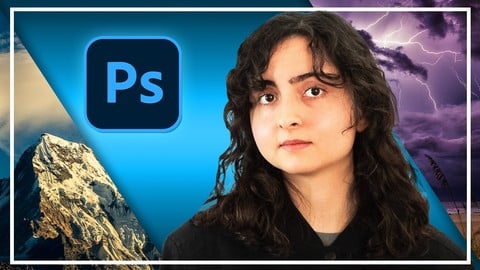
Complete Adobe Photoshop Megacourse: Beginner to Expert (Udemy.com)
Learn how to edit digital art and photos like a pro with this step-by-step course!
Created by: Skillademia Academy
Last updated March 2026
 What you will learn
- How to use Photoshop and its elements.
- The principles of editing photos in Photoshop
- The principles of graphic design in Photoshop
- The principles of illustrations in Photoshop
- How to create 2D and 3D illustrations
- How to make animations
- How to make posters, logos, business cards, and social media posts
- How to create your brand identity
- How to import, organise and export your photos
- How to create an attractive portfolio
- Where to find great inspiration for your projects
How it compares
Against the other 188 rated Udemy courses in Photoshop on CourseDuck:
- Rating4.3 out of 5higher than 23% of them
- Reviews923#38 of 189 by number of reviews
- Length49.6 hourslonger than 99% of them
- Last updatedMarch 2026more recently than 91% of them
 Course Description
Learn photo editing with Photoshop!
Design like a pro!
Have you ever wanted to edit your own images? In the digital age, we’re surrounded by thousands of images daily, from personal photos, to digital art. Maybe you want to enhance a photo and show it off on social media, or perhaps you want to fix the imperfections in an otherwise perfect snapshot of your life. Perhaps you want to illustrate or design art and logos for personal or commercial use. The possibilities are infinite - when you know what you’re doing. And that’s exactly what we’re here to teach you.
In this course, you’re going to learn everything about editing and design in Adobe Photoshop, from creating a new file to exporting the final product. We’ll show you around the workspace and show you the tools, panels and styles that are there to transform your imagination into digital reality. You’ll learn everything from blending, to adjusting colours and focus, to retouching photographs. Finally, you’ll learn how to use Adobe Photoshop for design and illustration.
Our instructors have years of experience not only in editing, but also in teaching, and the expertly-crafted syllabus is designed to be easy to follow and thorough. We’ve even included dozens of examples edited on-screen for you to study. That’s why this is the only Photoshop course you’ll ever need to create impeccable digital art and edit photos like a pro!
Start editing today!
After taking this course, you will be able to:
Edit photos in Photoshop
Use Photoshop’s neural filters
Create digital art using Photoshop
Use the elements and theories in Photoshop to master your art
Create professional logos with Photoshop
Organise and publish your work in a portfolio

 Udemy Discount
The discount is applied through our link. Open the course from here and Udemy's current promotional price is applied at checkout on most courses, no code to type.
Some courses are excluded from Udemy's promotions. If the price does not drop, clear your browser cookies and use the button again.
Instructor Details

- 4.3 Rating
 923 Reviews
Skillademia Academy
At Skillademia, we deliver hands-on, practical learning for passionate and driven learners. Our step-by-step courses cover essential creative disciplines and cutting-edge AI skills - taking you from solid foundations to advanced expertise.
Whether you’re starting your journey or aiming to take your skills to the next level, you’ll find learning experiences designed to ignite inspiration and deliver real, measurable progress. Every lesson empowers you to create, innovate, and thrive in today’s fast-paced, tech-driven world.
Learn anytime, anywhere - our courses are available 24/7, and every enrollment comes with a 30-day money-back guarantee for complete peace of mind.
Join us and master future-ready skills that open doors to new opportunities!
 More courses by Skillademia Academy

Complete Blender Megacourse: Beginner to Expert 3D Artist (2026)
4.2 (11,017 Reviews)
 Provider: Udemy
 Time: 134.3h
$109.99
Complete Figma Megacourse: UI/UX Design Beginner to Expert (2026)
4.5 (5,251 Reviews)
- Provider: Udemy
- Time: 41.4h
$99.99
Complete PowerPoint Megacourse: Beginner to Expert (2025)
4.4 (1,359 Reviews)
- Provider: Udemy
- Time: 45.7h
$54.99
Unreal Engine 5 Megacourse: Create Games in UE5 & Blender (2025)
4.4 (885 Reviews)
- Provider: Udemy
- Time: 33h
$109.99

Complete Excel Bundle: 5-in-1 Beginner to Advanced Course (2026)
4.7 (875 Reviews)
- Provider: Udemy
- Time: 78.5h
$64.99
Complete Adobe Animate Megacourse: Beginner to Expert (2023)
4.3 (815 Reviews)
- Provider: Udemy
- Time: 10.7h
$54.99
More Photoshop courses


Adobe Photoshop CC: For Complete Beginner (Sinhala Medium) (2026)
4.9 (110 Reviews)
- Provider: Udemy
- Time: 8.4h
$59.99

Adobe Photoshop CC – Essentials Training Course (2025)
4.8 (36,753 Reviews)
- Provider: Udemy
- Time: 11.6h
$189.99


47 Graphic Design Projects for Photoshop Beginners (2025)
4.8 (466 Reviews)
- Provider: Udemy
- Time: 7.9h
$99.99

Photoshop Efficiency - Techniques For Consistent Marketing (2025)
4.8 (144 Reviews)
- Provider: Udemy
- Time: 1.4h
$49.99
 Reviews

By Chip G on 8/15/2026
She is very easy to understand by speaking slow and precise in a very pleasing tone but not too slow as to put you asleep. Her mouse movements are slow enough so you can follow along on another screen. So far this young Lady doesn't assume you know where the "simple to her" buttons are. Many so called "instructors" move so fast and their screen resolutions are so small that they are across the screen, made a selection, and then back to the other side to make the next selection before you can even look at your own screen! She explains when your screen may look different than hers! I think I will enjoy this course! I have already learned some very simple tasks even though I do know some more complex areas better than the simple things!
By Marty Sliwicki on 6/2/2026
I learned so much. The instructor used many of the same tools throughout. This repetition worked well for me. Plus, I like the little jokes that she slips in. The one about exercising as much as you want, but your head will not get bigger, was my favorite. Oh, and she is VERY good at Photoshop.
By Silas Boateng on 1/14/2026
This course is a really good cours,everything about it is just professional as well as there are somethings that doesn't meet my expectations and the target audience this course goes for. On the course descriptions it's obviouse this course is for people with no knowledge about photoshop and everyone else but the lectures and how things are taught seems like you are supposed to know some things already to be able to follow along the best way. Sometimes I don't get or know when to use what's being taught let's say on Photography but I have to pause for hours just to make research and understand that part best before I can carry along and feel progressive. apart from that I'm trusting the process and I do believe I can make it.
By Rrezarta KRASNIQI on 12/2/2025
She exceeded my expectations! I honestly don’t understand why some of the reviews here are so negative. First of all, she has a calm, soothing voice that you can listen to for hours without getting tired. Second, she goes into all the details with clear explanations and helpful examples. And third… well, I still have over 50 hours to go, so we’ll see! So far, so good. I’m really loving your teaching style!
By Karim El Bawab on 3/8/2024
Even though your explanation of some parts has some weaknesses, especially in the basics like selection. I appreciate your efforts and I loved the course overall. Thanks a lot
By Hoàng Dương Lương on 7/3/2023
Could you please Update conclusion section, or adding 1 more section about using A.I in workFlow. Which A.I for the job get done faster ? Thanks !
By Daniel Hernandez on 6/16/2023
I finding quite challenging to follow up with many of the shortcuts used by the facilitator. It is needed to have some experience in photoshop to use this course
By Christopher Cox on 12/14/2022
This was a great course. It covered how to use Adobe Photoshop, by demonstrating different projects. I thought that it was really good and I learned a lot!
By Mykola on 1/9/2022
In general, the course will be useful for beginners with zero level of knowledge, but this course gave me some interesting chips, no more
By Harivin Nathan on 12/17/2021
This course is really good for beginners. [In my opinion]: However, it doesn't train you to be an expert in Photoshop. Personally, I feel the tutor lacked the use of many keyboard shortcuts, the lessons lacked the use of some advanced tools of Photoshop (color range, the filter library, smudge & liquify), and also lacked structure and involves a great deal of rehashing in her lessons. Additionally, the tutor doesn't use a touch pen, making her selections sketchy. Also, her device was lagging a lot, or at least in most of her lessons.
 Quality Score
No CourseDuck member has rated this course yet. Taken it? Give each part a thumbs up or down.
Overall Score : 86 / 100
- Video Duration:
 49.6h
49.6h - Price: $64.99
- Provider: Udemy
- Updated:
 March 2026
 - Level:
 All Levels
 - Language:
 English
 - Certificate:
 Yes
Yes
30-day money-back guarantee on most paid courses
Udemy Coupon Price Tracker
