
 Web Development
 Python
 SQL
SQL JavaScript
 Data Science
 Artificial Intelligence
 IT & Software
 IT Certifications
 Hacking
 Arduino
 AWS
AWS 3D Modeling
 Graphic Design
 Photoshop
 Drawing
 Digital Painting
 UX Design
 Business
 Data Analysis
 Communication Skills
 Project Management
 Leadership & Management
 E-Commerce
 Digital Marketing
 Social Media Marketing
 Marketing
 SEO
SEO Google Analytics
 Branding
 Office Productivity
 Excel
Excel Finance & Accounting
 Bitcoin
 Video Editing & Animation
 Photography
 Adobe Premier Pro
 Adobe Lightroom
 Personal Development
 Health & Fitness
 Music
Music Guitar
 Teaching & Academics
 Language Learning
 Engineering
 Lifestyle
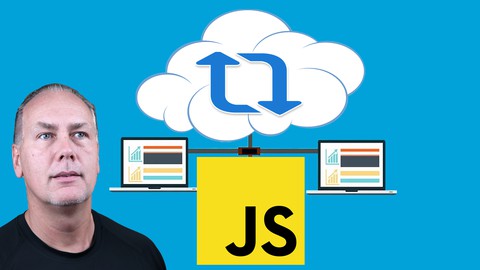
Complete JSON AJAX API Code Course Beginner to Professional (Udemy.com)
Learn how to use JSON and get JSON data using AJAX Course includes practice exercises and examples using JSON & AJAX
Created by: Laurence Svekis
Last updated November 2024
 What you will learn
- Use JSON data within web applications
- Make AJAX requests across the web
- Build more dynamic and interactive applications
 Course Description
Prefect course for beginners to learn AJAX and JSON!!! Step by step learning with all steps included
Perfect for API Beginners to learn more about connecting to web apis with JavaScript
Please note this course is designed for students with prior coding experience and objective of the course is to present how to connect to APIs and endpoints using JavaScript. The course does have prerequisites - JavaScript knowledge is an absolute prerequisite to the course - DO NOT TAKE THE COURSE without prior Coding experience.
Loaded full of examples and code snippets that can be used to build upon, practice and get comfortable with AJAX. Top developer resources, helpful tips and many many open APIs to practice with all included.
Source Code also included so you can jump right in and start building applications.
JSON is the preferred format for data being transferred between coding languages. Its easy to read, create and work with. Learn about JSON how it works and how you can use it within your own applications.
AJAX provides the ability for your JavaScript code to make http requests to get data and update your page content with the new data. The data is commonly in JSON format which makes it ideal for use within JavaScript applications.
Together AJAX and JSON are used everywhere and go hand in hand powering many of the top web applications and providing users what they expect from modern websites.
Technologies used within this course : JavaScript, HTML, CSS, Nodejs, AJAX, jQuery, SQLite, plus several npm packages
JSON - JavaScript Object Notation
A lightweight data-interchange format which is easy for humans to read and write
Learn what JSON is and how to use it with JavaScript.
Explore how to read and write JSON objects.
Iterate thru JSON data and output data contents into your web page HTML elements.
Build JSON in a dynamic format for better versatility and management.
Event Triggers : How to trigger event listeners to use JSON data within JavaScript. Saving JavaScript data as JSON formatted content.
JSON objects and Strings in JavaScript, conversion and manipulation.
Getting JSON using HTTP XML request object.
Exercise : practice JSON by building out several mini projects including a task list from scratch which stores content into local storage and retrieves local string content converted back in usable JavaScript objects.
AJAX - Asynchronous JavaScript and XML
AJAX for building web based interactive applications that process user requests immediately. No page reload bring data into your application.
Explore how AJAX works and how it is used in web applications
See what Fetch and XHR are and how they work to get data
Connect to external content and data, load it into you application and output the data for the user.
Exercise : Using AJAX to connect to a web API and retrieve random user information.
Learn how to use AJAX to get a txt file content
Exercise : Use AJAX to retrieve jokes from an API and output the response data into your website.
Find out how to use Fetch and make AJAX requests using Fetch
Exercise : Simple POST and GET to server using Fetch and xHR AJAX. Posting form data to a server using Fetch
AJAX made easy with Libraries
Explore AJAX using two of the most popular libraries online. They solve the problem of cross browser differences in XHR requests and provide a seamless easy to apply experience when using AJAX
Using jQuery or Axios for AJAX
The easy way to AJAX with options
jQuery AJAX and shorthand ajax methods.
Exercise : Connect to various web APIs using jQuery and Axios - Build simple AJAX mini applications
jQuery Explore how you can use this most popular JavaScript library to do more with less coding.
Lightweight library option : Axios provides a seamless AJAX approach that works off promises.
JSON Server for AJAX practice Locally
Often when using AJAX locally we run into CORS errors or others, JSON server provides the perfect resource to easy setup and practice running a local JSON ready server. Send POST and GET requests and a whole lot more.
Learn how to set JSON server locally
Top resources to practice AJAX requests during development like Postman
Exercise : Create a front end application to connect to your JSON server and send data. JavaScript and HTML to setup user interface
Practice making an AJAX request to the local server. Posting to JSON server using JavaScript AJAX
Exercise : Practice exercise to build interactive application driven by local json DB data.
Add more options and even search the local database. Amazing easy to use JSON server options like search
Exercise : Mini application to store user info into the database.
Google Sheets as a data source for AJAX requests
Explore using Google Script along with Google Sheets to output data from your sheet. Learn how to connect that data to your applications. Apps Script is a scripting language for light-weight application development in the G Suite platform
Step by step instruction on how to setup Google Sheets with a web app outputting data as JSON
Use AJAX from your web application to get that data into your JavaScript code.
Extend this even further using Google Apps Script. GET and POST to the Google Script web app adding and retrieving data in JSON format.
Exercise : Send and retrieve data from Google Sheets. Create a user list as Google Sheets used as a data source.
Exercise : Connect to a web API for user data and add it easily into your form to send to your Google Sheet.
AJAX using xHR request, Fetch, jQuery and Axios
Different options for AJAX requests are explored and presented for comparison.
Step by step lessons to help you learn AJAX.
Explore the various ways to make AJAX request while building and learning about the 4 different methods presented within the course.
Exercise : fully functional mini tester application where you can input a URI and make AJAX requests.

 Udemy Discount
The discount is applied through our link. Open the course from here and Udemy's current promotional price is applied at checkout on most courses, no code to type.
Some courses are excluded from Udemy's promotions. If the price does not drop, clear your browser cookies and use the button again.
Instructor Details

- 4.6 Rating
 853 Reviews
Laurence Svekis
Hi, I’m Laurence Svekis, and I’m here to help you learn smarter, build real skills, and confidently use AI and modern tools to create amazing things.
I’m a Google Developer Expert (GDE), international speaker, author, and educator specializing in AI-powered learning, Google Workspace automation, and practical development with Google Apps Script and JavaScript. I’ve been teaching online since 2002 and have helped over two million students worldwide develop real-world skills through hands-on courses, books, and workshops.
My passion is learning with AI—using AI not as a shortcut, but as a powerful learning partner. I focus on helping learners understand how things work, how to apply AI responsibly, and how to build tools that solve real problems. Many of my courses explore how AI can act as a tutor, assistant, or productivity booster inside everyday tools like Google Docs, Sheets, and Workspace.
I’m especially known for:
Google Apps Script & Google Workspace automation
Building AI-powered assistants and learning tools
JavaScript for real-world applications
Using AI to improve learning, productivity, and workflows
 More courses by Laurence Svekis

Complete Google Workspace (G Suite), Beginner - Advanced (2025)
4.6 (10,757 Reviews)
 Provider: Udemy
 Time: 23.2h
$84.99

Frontend web developer Modern HTML CSS JavaScript (2025)
4.5 (6,723 Reviews)
- Provider: Udemy
- Time: 12.2h
$64.99

Web Developer Course HTML CSS JavaScript Learn Web Design (2024)
4.5 (5,865 Reviews)
- Provider: Udemy
- Time: 5.9h
Free

Google Apps Script Complete Course Beginner to Advanced (2025)
4.7 (3,971 Reviews)
- Provider: Udemy
- Time: 27.7h
$14.99


Modern Web Design HTML5 CSS3 beginners guide to Websites (2023)
4.4 (1,915 Reviews)
- Provider: Udemy
- Time: 3h
$11.99
More Web Development courses

Python Fullstack Mastery: Build Modern Web Apps with Django (2025)
5.0 (165 Reviews)
- Provider: Udemy
- Time: 35h
$19.99

NgRx Signal store for Angular - The missing guide (2026)
4.9 (436 Reviews)
- Provider: Udemy
- Time: 11.3h
$89.99


Vue 3: Create a Mobile & Desktop App (with Quasar 2 & Pinia) (2024)
4.9 (177 Reviews)
- Provider: Udemy
- Time: 7.6h
$79.99

Build a URL Shortener App with ASP.NET: Step by Step (2026)
4.9 (100 Reviews)
- Provider: Udemy
- Time: 9.6h
$10.99

The Complete Elixir and Phoenix Bootcamp (2021)
4.8 (7,773 Reviews)
- Provider: Udemy
- Time: 17.4h
$84.99
 Reviews

By EU Smith on 6/16/2023
I like to be taught, but I also like to have exercises that challenge me to make the code changes myself. This course is good for me because it takes things in bite size chunks. The thing I like most about this course is how easy it is to use. It always remembers where I left off. If I need to go back and look at a previous lesson, I can do that without losing my place on the current lesson. Great User Interface!!
By Valeria Kaminskaya on 3/29/2021
Relevant information and interesting examples. Gives a good understanding of the topic. It is also practical that after each exercise there is a code available to be copied and used. However a lot of repeating things, the course could be shorter (therefore minus 1 star). Thank you.
By Jonathan Cannon on 12/22/2020
This was exactly what I needed right now! I've historically been a back end developer and I've recently found myself in the position of updating and maintaining a javascript front end. Not only did this give me the information about ajax (which is what I came looking for) but it's gone a long way towards helping to understand a lot of javascript basics that I didn't know. Thank you much!
By Juan De Souza on 3/21/2020
I bought this course 2 years ago... And only now I'm having some time to take a look at it. But it looks like it's already obsolete. It uses the old ajax instead of the new async/await. And it uses jquery. Nobody uses jquery anymore. If it gets updated with async/await, I'll come back here to take the course and change my review. EDIT: After completing almost 50% of the course, I could see that I was wrong about my expectations, and realized that the course was much more than the features that I pointed in my critics and it is not obsolete, so updated my rating from 3 stars to 5 stars.
By Mohan Kadolkar on 3/10/2020
Excellent course. Enjoyed all the way. Fits my requirement perfectly. The training method is just right for me. Everything is explained and clarified along the way and that makes learning easy and smooth. API was a puzzle earlier and now it is a breeze. Thanks Laurence.
By Mike Glass on 12/17/2019
There is a lot of really good content here; both in the instructors direction and many, many examples. There is some repetition in the examples, but each is still unique and contains new info. The repetition ends up being great for really nailing down the info. The different API's and tools he shows are really well thought-out and well put together. My only suggestion for improvement, is that the presentation is a little plain, which, for nineteen hours of instruction can make it feel like it drags a bit. This would not stop me from taking it again or recommending the course, at all, just a suggestion that would have put this at 4.5 - 5 stars. Overall, you will not be unhappy with taking this course.
By Javier Cornejo on 7/3/2019
I am pleased that you use different methods and techniques to develop the projects, however I think it is necessary to send data from one page to another in the NodeJS section, for example, although the purpose of the course is AJAX and JSON, a very good course is also Pending answering the questions, you notice the mastery of the issues even when you have something that does not work for you.
By Roman K on 6/30/2019
good course, with classic javascript programming, that is his greatest value especially for beginners....but many lectures repeats in principles, course could be in my opinion half shorter...but so many excercises is perhaps not bad too...overall I rate the course as very useful
By Aung Ko Hein on 5/9/2019
Wonderful in-depth course on Json, Ajax, and API. I needed to connect to my company's API, consume the data, and displaying in HTML. By going through this course, I understood the concepts and syntax behind it. At the same time, Laurence answered all my questions in order for me to correctly use the syntax and make the application work! Thank you for making this course for the next gens of developers!
By Stephen Shoben on 11/27/2018
It's developing an idea for the communication of information from/to the client and server. It seems that a protocol can be developed to write values and get values from the database for display or from forms. Seems that rails handles saving a database table while I will want to change 1 or 2 fields within a record. A protocol would be more efficient but is it necessary. Wonder how Rails handles updating the database with .save.
 Quality Score
No CourseDuck member has rated this course yet. Taken it? Give each part a thumbs up or down.
Overall Score : 92 / 100
- Video Duration:
 25.6h
25.6h - Price: $99.99
- Provider: Udemy
- Updated:
 November 2024
 - Level:
 All Levels
 - Language:
 English
 - Certificate:
 Yes
Yes
30-day money-back guarantee on most paid courses
Udemy Coupon Price Tracker
