
 Web Development
 Data Science
 Python
 SQL
SQL JavaScript
 Artificial Intelligence
 IT & Software
 IT Certifications
 Hacking
 AWS
AWS Arduino
 DevOps
 3D Modeling
 Graphic Design
 Photoshop
 Drawing
 Digital Painting
 UX Design
 Business
 Data Analysis
 Communication Skills
 Project Management
 Leadership & Management
 Human Resources
 Digital Marketing
 Social Media Marketing
 Marketing
 SEO
SEO Google Analytics
 Branding
 Excel
Excel Office Productivity
 SAP
SAP PowerPoint
 Microsoft Access
 SharePoint
 Finance & Accounting
 Trading & Investing
 Accounting
 Bitcoin
 Personal Finance
 Video Editing & Animation
 Photography
 Adobe Premier Pro
 Adobe Lightroom
 Personal Development
 Productivity
 Career Development
 Life Coaching
 Health & Fitness
 Meditation & Mindfulness
 Yoga
Yoga Music
Music Music Production
 Guitar
 Piano
Piano Singing
 Language Learning
 Teaching & Academics
 Engineering
 Math
Math Lifestyle
Complete PCB Design: From Schematic to Manufacturing (Udemy.com)
Go from idea to finished board with free, browser-based EasyEDA: design 1, 2, and 4-layer PCBs and order them online
Created by: Shubham Tiwari
Last updated September 2026
 What you will learn
- Understand the core PCB terminology and concepts every designer needs
- Draw a clean schematic of your own circuit in EasyEDA
- Design single-layer, double-layer, and 4-layer PCBs from scratch
- Turn a breadboard circuit into a production-ready board
- Export your design and order it from online manufacturers
- Understand how PCBs are actually manufactured and design with that in mind
- Use professional, free, browser-based software with nothing to install
How it compares
Against the other 335 rated Udemy courses in Engineering on CourseDuck:
- Rating4.7 out of 5higher than 88% of them
- Reviews637#128 of 336 by number of reviews
- Length4.6 hoursshorter than 53% of them
- Last updatedSeptember 2026more recently than 99% of them
 Course Description
There's a moment in every maker's journey when a breadboard isn't enough any more. You want a real circuit board you can hold, use and be proud of. This course takes you there: from a blank screen to a board you can order from a manufacturer, using software that's free and runs in your browser.
You don't need expensive tools or any design experience. With a web browser and a free EasyEDA account, you'll design your own boards from scratch, learn how they're manufactured, and send your files off to be made.
Who's teaching you
I'm a Lead Hardware Engineer with 7+ years in industry. I've designed 2- and 4-layer boards that went from concept to shipping product. I built this course for new graduates, new engineers and hobbyists, so everything is explained in plain language with no assumed background and no jargon left unexplained.
How the course is built
The course follows the order you'll use in real life. First you learn what a PCB actually is. Then you design a simple board end to end, so you've seen the whole workflow once. Then you do it again properly on a real project, a relay board you could actually use, and finally you turn that board into a 4-layer design.
Section 2: PCB basics. Layers, copper, vias, pads, silkscreen, solder mask, and the design terms that make everything else click. You'll learn what each part of a board does before you start drawing one.
Section 3: your first complete board. Sixteen short, focused lectures walk you through the full EasyEDA workflow, one step at a time:
Creating a project and finding the right parts, including searching the LCSC parts library
Drawing a clean schematic and converting it into a board layout
Snap grid, ratlines and component placement, the step that decides whether routing is easy or painful
Manual routing, vias and when to let the auto-router help
Mounting holes, cut-outs, copper pour, text and images
Checking your board in the 3D viewer
Generating Gerber files and a bill of materials, the files a manufacturer actually needs
By the end of this section you've designed a complete board, schematic to Gerbers, and there's a short quiz to check you've got it.
Section 4: manufacturing. How to order your boards from an online manufacturer, and what happens to your design in the factory. Knowing the process changes how you design: why some choices are cheap and reliable and others cost you money or yield.
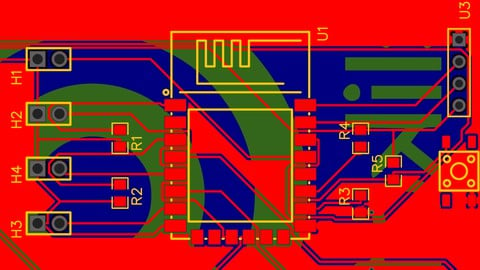
Section 5: a real design project, an ESP-12F (ESP8266) Wi-Fi relay board. This is where it comes together. You'll design a board that takes mains AC in, makes its own 5 V and 3.3 V supplies, and uses an ESP8266 module to switch four relays. I design it with you, explaining each decision as I make it:
The power supply section, from AC input to a regulated 3.3 V rail
The ESP-12F's reset, boot and serial (UART) connections, and why each resistor and button is there
A transistor relay-driver circuit, repeated cleanly across four channels
Laying out the board with the high-voltage side kept away from the low-voltage side, sensible track widths, and clearance where it matters
Board outline, cut-outs, copper areas on both layers, mounting holes, silkscreen and a logo
Design rule check, 3D view, and the files ready to order
Seeing a full design done from start to finish, with the reasoning spoken out loud, is the part most tutorials skip. It's also the fastest way to learn the judgement calls that separate a board that works from one that only looks right.
Section 6: going to 4 layers. You'll take the 2-layer board you just designed, convert it to a 4-layer stack-up, and route it. You'll see what the inner power and ground planes are for, how they change the way you route, and why so many real products use four layers.
What you'll be able to do at the end
Read and use PCB terminology with confidence
Draw a clear schematic for your own circuit in EasyEDA
Place and route single-, double- and 4-layer boards
Find real, orderable parts and footprints for your design
Export Gerber and BOM files and order boards online
Design with manufacturing in mind, so your boards come back working
Why EasyEDA?
It's free, it runs in the browser with nothing to install, and it connects directly to a large parts library and to low-cost online manufacturing. That makes it the quickest way to get from idea to a real board. The skills themselves (schematic capture, placement, routing, planes, design rules, Gerber output) are the same in every PCB tool. If you later move to KiCad or Altium, what you learn here carries straight over. Only the buttons change.
Is this course for you?
It's for you if you've built circuits on a breadboard and want to make them permanent, if you're a student or new engineer who needs practical PCB skills, or if you're a maker who's tired of messy protoboards. A basic grasp of electronics helps, but everything you need is explained along the way.
It's probably not for you if you already design multi-layer boards professionally. This course takes you from zero to a solid, working foundation, not into high-speed or RF design.
Common questions
Do I have to order boards to finish the course? No. You can follow every lecture without spending anything. Ordering is shown so you know exactly what to do when you're ready.
I use KiCad (or Altium). Is this still useful? Yes for the concepts, the workflow and the design decisions, which are the same in every tool. The button-by-button steps are EasyEDA's.
How much electronics do I need to know? Enough to recognise common parts like resistors, capacitors and transistors. The relay board is explained part by part, so you'll understand why each component is there, not just where it goes.
What you'll need
A computer with a web browser and an internet connection
A free EasyEDA account (we set it up together)
No paid software, and nothing to buy before you start
How you'll learn
About four and a half hours of screen-recorded, step-by-step video, with English captions corrected by hand. Every section ends with a short quiz, so you can check what's stuck before you move on. If you get stuck, post in the Q&A. I read and answer the questions myself.

 Udemy Discount
The discount is applied through our link. Open the course from here and Udemy's current promotional price is applied at checkout on most courses, no code to type.
Some courses are excluded from Udemy's promotions. If the price does not drop, clear your browser cookies and use the button again.
Instructor Details

- 4.7 Rating
 637 Reviews
Shubham Tiwari
I'm a hardware engineer with 7+ years doing exactly what these courses teach: designing PCBs, soldering and reworking boards, repairing electronics, and building labs from scratch. Everything here is what I actually do, not textbook theory.
I've taken products from a blank schematic to CE/BIS-certified production, built two electronics labs from the ground up, and ran a 12-person repair lab where I cut field-failure revisits from 12% to 3.7%. I also taught as an Assistant Professor at IIIT-Hyderabad, and 20,000+ learners have taken my Udemy courses.
My style is clear, practical, and beginner-friendly- no fluff, just the real skills that get you building and fixing electronics with confidence. Glad you're here, let's pick up the soldering iron and build something that works.
 More courses by Shubham Tiwari
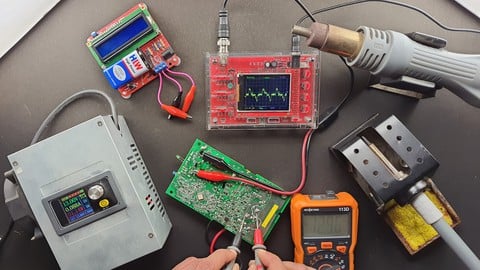
Electronics Repair & Troubleshooting: A Complete Guide (2026)
4.3 (1,423 Reviews)
 Provider: Udemy
 Time: 6.1h
$12.99
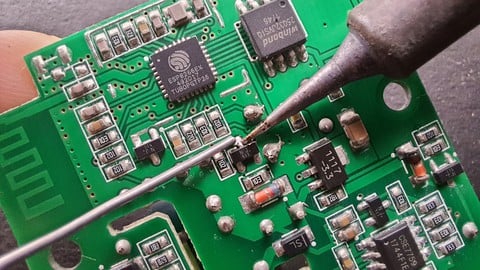
Soldering for Beginners: Electronics Through-Hole & SMD (2026)
4.5 (461 Reviews)
- Provider: Udemy
- Time: 3.1h
$10.99
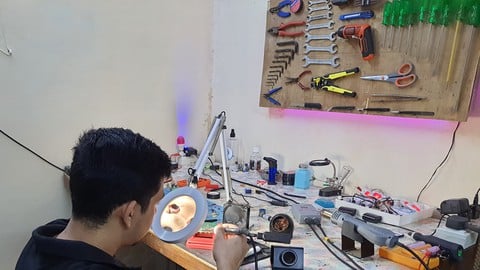
Electronics Lab Setup: Tools & Test Equipment (2026)
4.4 (312 Reviews)
- Provider: Udemy
- Time: 3.7h
$10.99
More Engineering courses


Do it Yourself - Automotive Electrical Diagnosis - Beginner (2026)
4.8 (1,897 Reviews)
- Provider: Udemy
- Time: 2.1h
$12.99

ROS 2 for Beginners Level 2 - TF | URDF | RViz | Gazebo (2025)
4.8 (1,869 Reviews)
- Provider: Udemy
- Time: 13.8h
$10.99

Advanced Kalman Filtering and Sensor Fusion (2021)
4.8 (1,033 Reviews)
- Provider: Udemy
- Time: 8.3h
$84.99

Digital Electronics: Robotics, learn by building module II (2020)
4.8 (942 Reviews)
- Provider: Udemy
- Time: 13.1h
$14.99

 Reviews

By Cinzia Alwyn on 9/9/2026
Didn't expect to learn new software at my age, but EasyEDA is genuinely friendly. Laid out a small bias-supply board for the amp and had it fabricated. Rather proud of the old dog learning a new trick.
By Jonas Amos on 9/2/2026
Took my soil sensor from a messy breadboard to a manufacturable board. The design-to-manufacturing handoff in EasyEDA is exactly where I kept getting stuck, and he nails it. First production run on order. Huge for a bootstrapped maker.
By Pramod Vyas on 6/14/2026
Excellent course covering the complete PCB design workflow from schematic capture to manufacturing. The concepts are explained clearly with practical examples, making it easy to understand the design process, component placement, routing, design rule checks, and fabrication requirements. Highly recommended for beginners as well as professionals looking to strengthen their PCB design skills.
By Anderson Caleb on 6/10/2026
Never thought a fix it hobbyist like me would design a board, but EasyEDA made it painless. Drew up a little replacement tone board for the receiver and sent the two-layer design off to be made. Magic.
By Valentina Herlinde on 6/5/2026
This is the course I'd recommend most strongly to fellow students. Going from a schematic all the way to a production ready board using EasyEDA, for free, is incredibly valuable when you're a student with no budget and no expensive software licence. The single and double layer walkthroughs are clear, and the explanation of how design choices affect manufacturing is something a lot of new graduates completely miss. I designed and ordered my first proper project from what I learned here, and it's going straight onto my resume and portfolio. Zero to production ready, exactly as promised, with the same structured approach I've appreciated across his other courses.
By Carlos Roque on 12/28/2025
As a beginner with this course, I think the instructor does a good job but the way the course is presented is not fully detailed especially for a newbie like me.
By HIRIHARAN V M on 4/11/2025
The Author explains as well Experienced person and gives clear understanding solutions even for small doubts that we would have .... i really appreciate it, thanks man. Now I'm confident that I can create PCB circuits.
By Niraj M on 9/30/2023
Instructor's explanation skill is extreme amazing, kudos for detailing, It seems like Instructor has tons of ground level knowledge, right turns n key points are amazing.. expecting another advance course from Mr. Shubham Tiwari and Recommending this course to everyone who wanted to brushup / startup your profile in PCB design.. Keep Teaching and Keep Learning !! more than 5stars..
By Praneet Ankush Bhagat on 9/21/2023
- Content is well designed for even an absolute beginner. - 4 Layer PCB, GND and 3.3V layer | repititive information. - Missing Line of thought information during component placing. - Ignoring information to why the PCB shows ESP8266 instead of 12f - Header pins change designators from schematic to PCB designing
By Brian Cugelman on 12/19/2022
Great course that's straight to the point. A nice blend of a step-by-step tutorial with a few minor suggestions on design options. Though it's not heavy into circuit design strategies/principles, you'll know what to do quickly form this course and can take a deeper dive later into best practices, problem-solving, etc... It'll get you up and running fast.
 Quality Score
No CourseDuck member has rated this course yet. Taken it? Give each part a thumbs up or down.
Overall Score : 94 / 100
- Video Duration:
 4.6h
4.6h - Price: $59.99
- Provider: Udemy
- Updated:
 September 2026
 - Level:
 Beginner
 - Language:
 English
 - Certificate:
 Yes
Yes
30-day money-back guarantee on most paid courses
Udemy Coupon Price Tracker
