
 Web Development
 Data Science
 Python
 SQL
SQL JavaScript
 Artificial Intelligence
 IT & Software
 IT Certifications
 Hacking
 AWS
AWS Arduino
 DevOps
 3D Modeling
 Graphic Design
 Photoshop
 Drawing
 Digital Painting
 UX Design
 Business
 Data Analysis
 Communication Skills
 Project Management
 Leadership & Management
 Human Resources
 Digital Marketing
 Social Media Marketing
 Marketing
 SEO
SEO Google Analytics
 Branding
 Excel
Excel Office Productivity
 SAP
SAP PowerPoint
 Microsoft Access
 SharePoint
 Finance & Accounting
 Trading & Investing
 Accounting
 Bitcoin
 Personal Finance
 Video Editing & Animation
 Photography
 Adobe Premier Pro
 Adobe Lightroom
 Personal Development
 Productivity
 Career Development
 Life Coaching
 Health & Fitness
 Meditation & Mindfulness
 Yoga
Yoga Music
Music Music Production
 Guitar
 Piano
Piano Singing
 Language Learning
 Teaching & Academics
 Engineering
 Math
Math Lifestyle
Electronics Lab Setup: Tools & Test Equipment (Udemy.com)
Build a complete electronics workbench for any budget: choose and use multimeters, oscilloscopes, and hand tools
Created by: Shubham Tiwari
Last updated September 2026
Our take
Based on the ratings of 312 students, a sample of their written reviews and the syllabus, as the course stood in September 2026. No course pays to be reviewed.
Shubham Tiwari's course is a 3.7 hour guide to equipping an electronics bench. Its 24 lectures run through components, hand tools, test equipment, power sources and soldering. The syllabus shows the longest block, about 67 minutes, goes to test equipment such as multimeters, scopes and function generators. It assumes nothing, so it fits people who own no tools and don't know where to start. Think of it as a what-to-buy course first and a how-to-use course second.
Reviewers keep coming back to the budget-aware advice. One says other videos showed expensive items that were impractical for a beginner. Another says it told them what to skip, which no salesman does. The teaching is called clear and easy to follow, in simple English. The criticism is fair, though. One three-star reviewer says the material can be found on YouTube, another says it repeats the instructor's other two courses, and a one-star review found the delivery flat. One happy student still wished for a tool list and starter projects.
Of 312 ratings, 197 are five stars and only five are two stars or lower. About 5,000 students have taken it, and it was refreshed in September 2026. The reviews point to newcomers who want to spend carefully before buying anything as the best fit. Anyone with a working bench already may find the overlap and free-video complaints hit closer to home.
Pros
- Budget and mid-range tools are compared side by side, with advice on what to skip
- Needs no background or prior kit, and starts from an empty desk
- Test equipment gets the most time, about 67 minutes across meters, scopes and more
- Clear, simple English that reviewers find easy to follow and rewatch
Cons
- One reviewer says much of the content is easy to find free on YouTube
- A reviewer says it overlaps with the instructor's other two courses
- No tool checklist or starter projects, and one reviewer found the delivery flat
Thanks for the budget tool suggestions, every other video i watched showed expensive items which were impractical for someone like me who wants to get started
Truly beginner: no tools, no electronics background and nothing to buy beforehand are needed.
 What you will learn
- Identify the essential tools and equipment for any electronics workbench
- Choose the right gear for your needs and budget without overspending
- Use hand tools confidently and correctly
- Master core test equipment: multimeters, oscilloscopes, and more
- Build a workspace that makes working on electronics efficient and enjoyable
- Grow your lab smartly as your skills and projects expand
Course content
6 sections · 24 lectures · 3.7 hours of video 4 quizzes, 2 articles
- 1Introduction 1 free preview1 lecture · 1 min
- 2Basic Components 3 free previews5 lectures · 34 min
- 3Tools4 lectures · 1 quiz · 33 min
- 4Test Equipment4 lectures · 1 quiz · 1.1 hours
- 5Power Source4 lectures · 1 quiz · 28 min
- 6Soldering6 lectures · 1 quiz · 59 min
Who it is for
The instructor says it suits
- Anyone who wants to set up an electronics lab
- Beginners unsure what tools and equipment to buy
- Hobbyists and makers building or upgrading a workbench
What you need before you start
- No existing tools or prior experience required, this course is about helping you start from scratch
- Nothing to buy before you begin, you'll learn what's worth your money first, then decide
- Just an interest in building or upgrading your own electronics workbench
- No electronics background needed
How it compares
Against the other 335 rated Udemy courses in Engineering on CourseDuck:
- Rating4.4 out of 5higher than 39% of them
- Reviews312#185 of 336 by number of reviews
- Length3.7 hoursshorter than 63% of them
- Last updatedSeptember 2026more recently than 99% of them
 Course Description
A well-organised workbench is where electronics stops being frustrating and starts being fun. It's the home for your tools, components and instruments, and getting it right makes every project after it faster, cleaner and more enjoyable.
But when you're starting out, it's hard to know what you really need. Every tool comes in a dozen variants at wildly different prices, and it's easy to overspend on the wrong things or buy gear you'll outgrow in a month. That's the problem this course solves. I'll help you choose the tools and equipment that give you the most value for your money, whatever your budget, and show you how to use them properly.
Who's teaching you
I'm a Lead Hardware Engineer with 7+ years in industry, and I've set up complete electronics labs from scratch more than once: choosing tools, sourcing equipment, and building workspaces that teams rely on every day. This course turns that experience into clear, practical guidance for your own bench.
What makes it different
Most "what to buy" advice is a list of products. This course shows the tools on a real bench, compares budget and mid-range options side by side, and then demonstrates how to use each one. The goal isn't just to tell you what to buy. It's to make sure you understand what each tool is for, so you can make good decisions on your own long after the course.
What's inside
Section 2: basic components and how to organise them. The passive and active components you'll handle most (resistors, capacitors, diodes, transistors and more), plus switches, connectors, fuses and headers. You'll also see breadboards, jumpers, protoboards and wire, and a simple system for organising components so you can find what you need in seconds.
Section 3: hand tools. Wire strippers and cutters, screwdrivers, pliers and crimping tools, the power tools that are actually worth having on an electronics bench, and the small extras that save time every day. You'll learn which features matter and where cheap tools are fine.
Section 4: test equipment, the heart of the course.
Multimeter: manual versus auto-ranging, analog versus digital, and how to measure resistance, voltage and current safely. Also continuity, transistor gain (hFE), temperature, non-contact voltage detection, frequency, duty cycle and capacitance. Plus clear advice on what to spend.
Component tester and LCR meter: identifying and checking components quickly, and when an LCR meter earns its place.
Oscilloscope: what a scope shows you that a multimeter can't, how to read a waveform, and what the key specifications such as bandwidth actually mean for your work.
Function generator: producing test signals and what it's useful for on a hobby or professional bench.
Section 5: powering your projects. Cells and batteries, DC-DC converters, AC-DC converters, and the adjustable bench power supply: why a current limit is one of the most useful safety features on your bench, and what to look for when you choose one.
Section 6: soldering setup. Soldering basics, choosing an iron, solder and flux, making basic connections, and through-hole and SMD soldering and desoldering. Enough to equip your bench and start building with confidence.
What you'll be able to do at the end
Know which tools and instruments you need first, and which can wait
Choose gear that fits your budget without overspending or buying twice
Use a multimeter confidently for every common measurement
Understand what an oscilloscope, LCR meter, component tester, function generator and bench supply are for
Organise components and tools so your bench stays usable
Set up for soldering, through-hole and SMD
Is this course for you?
It's for you if you're starting electronics and don't know what to buy, if you're a hobbyist or maker upgrading a basic setup, or if you're a student or new engineer putting together a home lab. No experience is needed, and you don't need to buy anything before you start. The course helps you decide what's worth your money first.
It's probably not for you if you already run a well-equipped lab and want in-depth theory on specific components or circuits. This course is about choosing and using tools and test equipment. It isn't a component-level electronics theory course.
Common questions
Do you recommend specific brands? I show real tools across different price points and explain what makes one worth more than another, so you can apply the same judgement to whatever is sold where you live.
How much should I budget? It depends on what you want to build, which is exactly what the course helps you work out. You'll see where a low-cost option is perfectly fine and where spending a little more saves you money in the long run.
Is the soldering section a full soldering course? No. Section 6 is a compact introduction so your bench is complete and you can start building. If soldering becomes a big part of your work, it's worth going deeper than a single section can.
Will this help me with repair or building projects later? That's the point of it. Every tool here is chosen because you'll reach for it again when you build, test or fix something. The course is ordered so that by the end you have a bench that's ready for real work, not a shelf of gadgets.
I already have a multimeter. Will I learn anything? Most people use a fraction of what their meter can do. The multimeter lecture alone covers more than a dozen functions with live demonstrations.
How you'll learn
About three and a half hours of video recorded at a real bench, with English captions corrected by hand. There are short quizzes along the way so you can check what's stuck. If you have a question about a specific tool, post it in the Q&A. I read and answer the questions myself.
Start with the essentials, then expand your lab smartly as your skills and projects grow, without wasted money or wasted bench space. Once your bench is ready, it's the perfect launchpad for repair, soldering or PCB design.
20,000+ students have learned with my courses. Build a workbench you'll love working at.

 Udemy Discount
The discount is applied through our link. Open the course from here and Udemy's current promotional price is applied at checkout on most courses, no code to type.
Some courses are excluded from Udemy's promotions. If the price does not drop, clear your browser cookies and use the button again.
Instructor Details

- 4.4 Rating
 312 Reviews
Shubham Tiwari
I'm a hardware engineer with 7+ years doing exactly what these courses teach: designing PCBs, soldering and reworking boards, repairing electronics, and building labs from scratch. Everything here is what I actually do, not textbook theory.
I've taken products from a blank schematic to CE/BIS-certified production, built two electronics labs from the ground up, and ran a 12-person repair lab where I cut field-failure revisits from 12% to 3.7%. I also taught as an Assistant Professor at IIIT-Hyderabad, and 20,000+ learners have taken my Udemy courses.
My style is clear, practical, and beginner-friendly- no fluff, just the real skills that get you building and fixing electronics with confidence. Glad you're here, let's pick up the soldering iron and build something that works.
 More courses by Shubham Tiwari
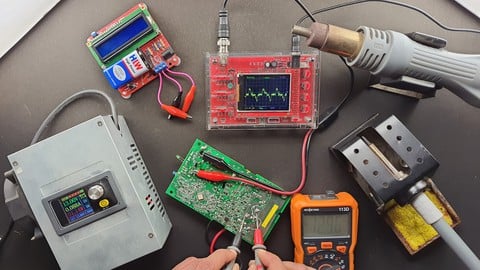
Electronics Repair & Troubleshooting: A Complete Guide (2026)
4.3 (1,423 Reviews)
 Provider: Udemy
 Time: 6.1h
$12.99
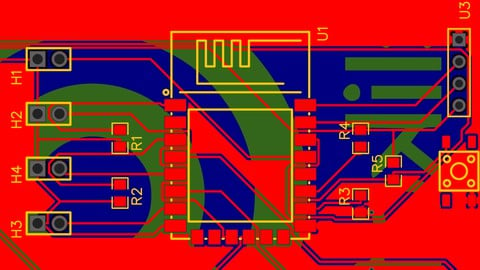
Complete PCB Design: From Schematic to Manufacturing (2026)
4.7 (637 Reviews)
- Provider: Udemy
- Time: 4.6h
$59.99
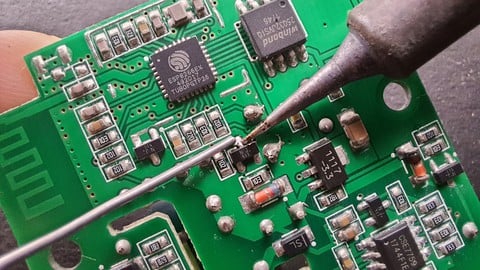
Soldering for Beginners: Electronics Through-Hole & SMD (2026)
4.5 (461 Reviews)
- Provider: Udemy
- Time: 3.1h
$10.99
More Engineering courses


Do it Yourself - Automotive Electrical Diagnosis - Beginner (2026)
4.8 (1,897 Reviews)
- Provider: Udemy
- Time: 2.1h
$12.99

ROS 2 for Beginners Level 2 - TF | URDF | RViz | Gazebo (2025)
4.8 (1,869 Reviews)
- Provider: Udemy
- Time: 13.8h
$10.99

Advanced Kalman Filtering and Sensor Fusion (2021)
4.8 (1,033 Reviews)
- Provider: Udemy
- Time: 8.3h
$84.99

Digital Electronics: Robotics, learn by building module II (2020)
4.8 (942 Reviews)
- Provider: Udemy
- Time: 13.1h
$14.99

 Reviews

By Dominika Jude on 9/19/2026
I had no idea what tools I even needed. Shubham told me exactly what to buy first without spending a lot. Now I have a little corner set up and I'm not scared of it anymore. Best beginner course.
By Cinzia Alwyn on 9/10/2026
A real pleasure. I've slowly rebuilt the home lab I always wanted in retirement, and his honest, budget-aware tool advice steered every purchase. The scope refresher was worth the price alone. Four courses in, and not one dud.
By Purva Vyas on 6/11/2026
Excellent course for understanding electronics lab setup and essential equipment. The concepts are explained clearly, and the instructor provides practical insights into selecting and using various tools commonly required for electronics work. The course is well-structured, informative, and beneficial for both beginners and enthusiasts looking to build a functional electronics workspace
By Shruthi G on 3/16/2026
There was no voice modulation that lead to disinterest. Also add more electronic components like BMS and give detail in sensors
By Arvind Doraiswamy on 3/15/2026
A really cool course. I just wanted to pick up a new hobby and am lucky enough to have this subscription at work. Spent the weekend learning some cool things. The only thing I wish for is maybe a list of tools to refer to and search for. And maybe a couple of starter projects to start with? But i guess i can search for those too - thanks for creating this :)
By Cecilia Santos on 10/19/2025
I feel this course is kind complementary to his other courses, you set up your workbench in this, then you learn soldering, then learn repairing. I purchased all of them and must say nice sequels Mr. Tiwari
By Steven Christiaanen on 3/20/2024
Overall too expensive for what you get. I expected more. With all due respect... The information you receive in this lesson can also easily be found on YouTube.
By Mageshwari S on 9/7/2023
It's a quick and practical overview of all the components needed to get started. For an absolute beginner like me, this course, along with other courses of Shubham gave a lot of useful tips. In addition to the main tools and hardware, stuff like Heat Shrink tubes, allegator clips, glue guns to name a few are such simple and yet immensely useful items covered in this course.
By Erik Sorensen on 9/2/2022
the lectures are very useful because they're straightforward and practical. very helpful for a beginner just getting started. he also doesn't push fancy/expensive equipment that many folks won't need just starting out. great course overall.
By Bishal Tiwari on 10/28/2021
The instructor showed various test gear and taught how to use all of its functions. i had no previous experience with oscilloscopes and now i understand different buttons on it and can finally get myself a kit and use it. highly reccommend this course!
 Quality Score
No CourseDuck member has rated this course yet. Taken it? Give each part a thumbs up or down.
Overall Score : 88 / 100
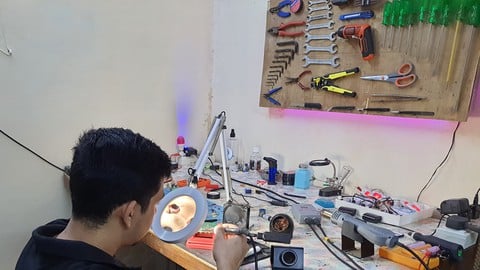
- Video Duration:
 3.7h
3.7h - Price: $10.99
- Provider: Udemy
- Updated:
 September 2026
 - Level:
 Beginner
 - Language:
 English
 - Certificate:
 Yes
Yes - Lectures:24 in 6 sections
- Practice:4 quizzes
- Students:5,040
- Subtitles:2 languages
30-day money-back guarantee on most paid courses
Udemy Coupon Price Tracker
