
 Web Development
 Data Science
 Python
 SQL
SQL JavaScript
 Artificial Intelligence
 IT & Software
 IT Certifications
 Hacking
 AWS
AWS Arduino
 DevOps
 3D Modeling
 Graphic Design
 Photoshop
 Drawing
 Digital Painting
 UX Design
 Business
 Data Analysis
 Communication Skills
 Project Management
 Leadership & Management
 Human Resources
 Digital Marketing
 Social Media Marketing
 Marketing
 SEO
SEO Google Analytics
 Branding
 Excel
Excel Office Productivity
 SAP
SAP PowerPoint
 Microsoft Access
 SharePoint
 Finance & Accounting
 Trading & Investing
 Accounting
 Bitcoin
 Personal Finance
 Video Editing & Animation
 Photography
 Adobe Premier Pro
 Adobe Lightroom
 Personal Development
 Productivity
 Career Development
 Life Coaching
 Health & Fitness
 Meditation & Mindfulness
 Yoga
Yoga Music
Music Music Production
 Guitar
 Piano
Piano Singing
 Language Learning
 Teaching & Academics
 Engineering
 Math
Math Lifestyle
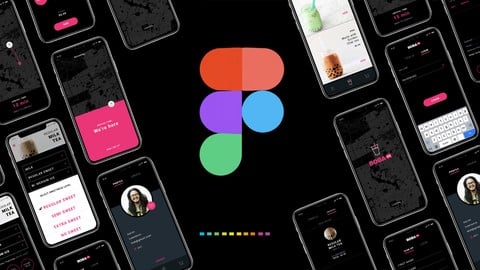
Design & Prototype a Mobile UI/UX Experience - Learn Figma (Udemy.com)
In this class you will download a figma file and I will walk you through step-by-step, how to create a mobile protoype
Created by: Aaron Lawrence
Last updated December 2021
 What you will learn
- Introduction on figma design tool & tips on using the tool
- Download the figma file with all the designs that you see in the video
- How to create a clickable & sharable prototype
- Create a component library
- Learn mobile transitions, menu transition, overlays and modals
- Learn smart animate
- How to export assets for engineering and how to inspect code within figma
- Learn the best quick keys to use
- How to install Figma plugins, list of top plugins and gui kits
- Best practices on collaboration within figma
- How to comment and view comments
How it compares
Against the other 144 rated Udemy courses in UX Design on CourseDuck:
- Rating4.6 out of 5higher than 79% of them
- Reviews1,774#31 of 145 by number of reviews
- Length7.3 hourslonger than 77% of them
- Last updatedDecember 2021more recently than 50% of them
 Course Description
In this class, I have created a figma file for you to download and I will walk you through step-by-step, how to create a fully-functional prototype using the design tool Figma. Here is the class agenda:
Intro to Figma design tool & file walkthrough
How to design a login & signup experience
How to design a shopping experience
How to design checkout experience
How to design profile & order history screens
How to create & use a component library
How to create & share a clickable prototype + smart animate and other transition effects
How to invite others & collaboration in figma
How to export UI assets & inspect code for engineering
Figma keyboard short cuts
How to use figma plugins & GUI Kits
How to create comments & review comments in figma
Final thoughts & going forward

 Udemy Discount
The discount is applied through our link. Open the course from here and Udemy's current promotional price is applied at checkout on most courses, no code to type.
Some courses are excluded from Udemy's promotions. If the price does not drop, clear your browser cookies and use the button again.
Instructor Details

- 4.6 Rating
 1,774 Reviews
Aaron Lawrence
Hello, I'm Aaron. I'm a principle UX designer at a company called Pivotal and UX instructor at the Academy of Art University in San Francisco.
I've been doing design for 13 years and yes, you should take my class, whether you're a beginner or want to pick up some advanced techniques, this class will guide you through the UX design process. We'll go through user center design and design thinking philosophies, then stop at each section and deep dive into the tools, best practices & design methods, turning the abstract into easy to understand, tactical take aways. I've spent countless hours creating this content & downloadable documents that help you practice each topic. A lot of this content is what I teach at the university level and available for you.
My bliss mode is designing and making things for people to use. I practice lean and agile methodologies, alongside user-centered design, design thinking, UX research, assumption validation, interaction design, user testing, component driven design, and visual design. All of which you can learn by watching my UX design 101 class.
Go watch the free intro video to learn more about the class.
Thanks and Happy Designing
 More courses by Aaron Lawrence
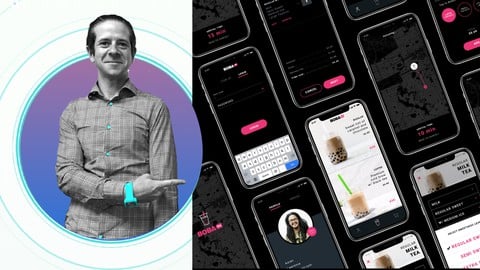
UX Design College Class taught by a University UX Instructor (2021)
4.6 (1,335 Reviews)
 Provider: Udemy
 Time: 4.5h
$12.99
UI UX Design Patterns - by University UX Instructor (2024)
4.5 (1,153 Reviews)
- Provider: Udemy
- Time: 7.1h
$74.99
More UX Design courses

Learn Figma: User Interface Design Essentials - UI/UX Design (2022)
4.8 (1,791 Reviews)
- Provider: Udemy
- Time: 10.2h
$199.99

iOS 12 & Swift 5 - App Design, UI/UX plus Development (2022)
4.8 (955 Reviews)
- Provider: Udemy
- Time: 80.5h
$94.99

User Experience Design Essentials - Adobe XD UI UX Design (2025)
4.7 (46,830 Reviews)
- Provider: Udemy
- Time: 9.7h
$189.99

Learn Figma - UI/UX Design Essential Training (2023)
4.7 (18,337 Reviews)
- Provider: Udemy
- Time: 3.7h
$119.99

How To Design for Accessibility: for UX Designers (WCAG 2.2) (2026)
4.7 (7,863 Reviews)
- Provider: Udemy
- Time: 8.9h
$109.99

 Reviews

By Chirag Mittal on 4/24/2023
I'm happy I took this course and finished it. I learned a lot of fresh information in this course that I was not previously aware of. Additionally, I like that you included some Bonus videos at the end, which helped to clarify some of my points for further work. I am looking forward to more videos from your side. Thanks.
By Anonymized User on 7/7/2022
A+ course for a beginner. There are many shortcuts that we can use to optimize the designing process. I really appreciate the step by step guide that we can do along with the instructor. I will love it more if the instruction went a bit faster (but that's totally ok because I can fix that myself by increasing the playback speed).
By Florian Goussin on 3/7/2022
Clear and well paced course with a very engaging project to follow along, but if you want solve specific issues, just go to the bonus section and you can watch the appropriate video or just browse the Figma file with all the recipe and get what you need. Thank you again for this great course!
By Jeanie Tay Shi Ying on 1/10/2022
Loved the step by step instructions where we can do it together with the instructor. The instructor also gave many tips (shortcuts) that you can use to make the designing process easier. It's a good introduction for people like me who doesn't have any Figma/designing experience.
By Dan Mayer on 12/1/2021
Very good course, well paced and clearly explained. I was coming to the course from the specific perspective on having decades of experience as a UX designer but all with Adobe products, so I was looking to spend 5-10 hours learning Figma best practices specifically, rather than general design best practices. For this purpose, the course was excellent— naturally, some of it was unnecessary for me, but generally it was a fairly efficient experience. The instructor doesn't explain a lot of his design decisions, so if you're looking to develop a deep holistic understanding of design, this course doesn't really go there— but as a hands-on "How to use Figma" crash course, it was excellent.
By Ilja on 7/6/2021
I really enjoyed following this course and watching the lectures while also practicing the same little tasks on my PC. The course gives a nice first insight to Figma and demonstrates the most important and basic features which make rapid prototyping so easy with this tool. If I could change some things I would try to explain some steps a little more so that students without a design background can understand the choices a little better. Also I think there are some design choices I don't fully agree with or rather think Aaron could have made them better. For example in the "Orders" screen I had the thought of how scalable is this design solution there (how do the little pictures look like when they order different quantities of different teas?). Also the final screen with the big red rectangle when the tea arrives could need some adjustment since this version heavily depends on the final map icon and its position on the screen. But this also shows that you can absolutely take this course with some UX background and use your own ideas to fiddle around with what Aaron comes up with and make your very own prototype based on this!
By Max Berger on 6/22/2020
I've built two basic prototypes for the UX 'bootcamp' course I'm doing and frankly they don't teach us anything about the basics of design software such as Figma. Coming from a non-design background, I know very little about the tools required so learning basic things such as the fade tool, align, or using option to C&P (muuuuch better) is invaluable. These are things that if you don't know, you just don't know and are hard to teach/figure out yourself. Great course!
By Moises Zanetti Dantas on 6/14/2020
Highly recommended! Offers exactly what it advertises. Clear, objective instructions on how to get the most out of this simple and effective tool that is Figma. Aaron Lawrence's walkthrough is perfect, his speaking is clear, his pace is excellent, the video and audio quality are exceptional. Outstanding!
By Clint O'Shea on 6/7/2020
Fantastic course. The only think I'd suggest is that the lessons be broken up into smaller chunks -- 90 minutes is a bit long, considering how often students are likely to pause the video and make notes and bookmarks on it, making it even longer. But I love Aaron's calm demeanor and his reiteration of Figma's shortcuts: it really helps keep them in my memory. I've already purchased Aaron's on course on design, hoping he publishes more in the near future!
By Aaron McAdam on 3/27/2020
This course covers Figma pretty well, but I was expecting a little bit of a better design so that I could learn a bit of those skills too.
 Quality Score
No CourseDuck member has rated this course yet. Taken it? Give each part a thumbs up or down.
Overall Score : 92 / 100
- Video Duration:
 7.3h
7.3h - Price: $64.99
- Provider: Udemy
- Updated:
 December 2021
 - Level:
 Beginner
 - Language:
 English
 - Certificate:
 Yes
Yes
30-day money-back guarantee on most paid courses
Udemy Coupon Price Tracker
