
 Web Development
 Data Science
 Python
 SQL
SQL JavaScript
 Artificial Intelligence
 IT & Software
 IT Certifications
 Hacking
 AWS
AWS Arduino
 DevOps
 3D Modeling
 Graphic Design
 Photoshop
 Drawing
 Digital Painting
 UX Design
 Business
 Data Analysis
 Communication Skills
 Project Management
 Leadership & Management
 Human Resources
 Digital Marketing
 Social Media Marketing
 Marketing
 SEO
SEO Google Analytics
 Branding
 Excel
Excel Office Productivity
 SAP
SAP PowerPoint
 Microsoft Access
 SharePoint
 Finance & Accounting
 Trading & Investing
 Accounting
 Bitcoin
 Personal Finance
 Video Editing & Animation
 Photography
 Adobe Premier Pro
 Adobe Lightroom
 Personal Development
 Productivity
 Career Development
 Life Coaching
 Health & Fitness
 Meditation & Mindfulness
 Yoga
Yoga Music
Music Music Production
 Guitar
 Piano
Piano Singing
 Language Learning
 Teaching & Academics
 Engineering
 Math
Math Lifestyle
UI UX Design Patterns - by University UX Instructor (Udemy.com)
Go deep into User Interface design patterns and UI components + create these design patterns using the design tool figma
Created by: Aaron Lawrence
Last updated January 2024
 What you will learn
- UI design
- User interface design
- User interface design patterns
- Best practices for user interface design
- UX design
- User Experience Designs
- Design
- Figma
How it compares
Against the other 144 rated Udemy courses in UX Design on CourseDuck:
- Rating4.5 out of 5higher than 61% of them
- Reviews1,153#41 of 145 by number of reviews
- Length7.1 hourslonger than 76% of them
- Last updatedJanuary 2024more recently than 68% of them
 Course Description
PART 1:
Design patterns are a set of User Interface guidelines and rules that pertain to how users use products and user interface elements. Understanding these design patterns is a must for any UX or UI designer. Things like form fields, dropdown, navigation bars, tab bars, date pickers etc. We will deep dive into each user interface component and will cover best practices for the following:
• Form fields
• Buttons
• Dropdowns
• Date pickers
• Radio buttons, Checkboxes & Toggles
• Address Forms & Search Forms
• Tab Bars & Title Bars
• Accordions & Tabs
• Tool Tips & Shadows
• Thumbnails & Carousel
• Modals & Lightboxes
• Menus & Drawers
• Wizards, Breadcrumbs & Pagination
• Icons & Photos
Using design patterns can be extremely helpful, mostly because they save time (money) and get us better results, faster. Which is the core philosophy of agile application development. As designers, we can leverage these patterns and use them in our daily design decision-making because these patterns and components are used every day across many user experiences and users have been accustomed to how these patterns work. These patterns are less risky than designing something from scratch or creating a brand new user interface. We don’t need to apply them exactly as they are to every problem we encounter, but rather we can build on top of them, using our experience to inform our decisions because we know that these patterns work.
ATTACHED ARE THE COURSE MATERIALS AND FIGMA DESIGN FILE.
Regarding the Figma file
There are instructions in the video called "course material" and I have attached instructions as well
There are specific course material attached to each video topic as well but you can download all of them in the class called "course material"
PART 2 - FIGMA DESIGN:
I have provided a Figma file that we will use as a project that you can download. We will then go step-by-step and build out the design components within live prototypes together using the design tool figma
Hope you enjoy the class

 Udemy Discount
The discount is applied through our link. Open the course from here and Udemy's current promotional price is applied at checkout on most courses, no code to type.
Some courses are excluded from Udemy's promotions. If the price does not drop, clear your browser cookies and use the button again.
Instructor Details

- 4.5 Rating
 1,153 Reviews
Aaron Lawrence
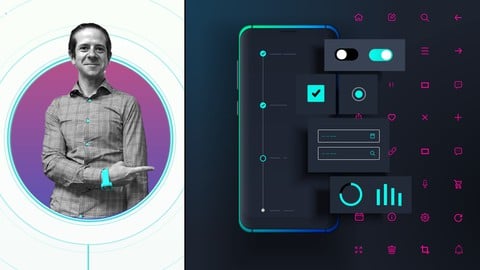
Hello, I'm Aaron. I'm a principle UX designer at a company called Pivotal and UX instructor at the Academy of Art University in San Francisco.
I've been doing design for 13 years and yes, you should take my class, whether you're a beginner or want to pick up some advanced techniques, this class will guide you through the UX design process. We'll go through user center design and design thinking philosophies, then stop at each section and deep dive into the tools, best practices & design methods, turning the abstract into easy to understand, tactical take aways. I've spent countless hours creating this content & downloadable documents that help you practice each topic. A lot of this content is what I teach at the university level and available for you.
My bliss mode is designing and making things for people to use. I practice lean and agile methodologies, alongside user-centered design, design thinking, UX research, assumption validation, interaction design, user testing, component driven design, and visual design. All of which you can learn by watching my UX design 101 class.
Go watch the free intro video to learn more about the class.
Thanks and Happy Designing
 More courses by Aaron Lawrence
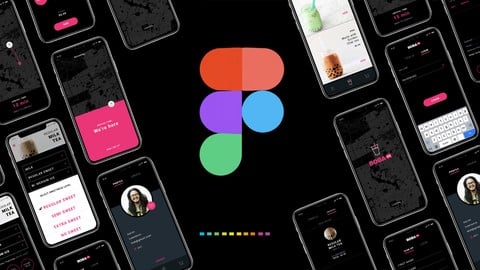
Design & Prototype a Mobile UI/UX Experience - Learn Figma (2021)
4.6 (1,774 Reviews)
 Provider: Udemy
 Time: 7.3h
$64.99

UX Design College Class taught by a University UX Instructor (2021)
4.6 (1,335 Reviews)
- Provider: Udemy
- Time: 4.5h
$12.99
More UX Design courses

Learn Figma: User Interface Design Essentials - UI/UX Design (2022)
4.8 (1,791 Reviews)
- Provider: Udemy
- Time: 10.2h
$199.99

iOS 12 & Swift 5 - App Design, UI/UX plus Development (2022)
4.8 (955 Reviews)
- Provider: Udemy
- Time: 80.5h
$94.99

User Experience Design Essentials - Adobe XD UI UX Design (2025)
4.7 (46,830 Reviews)
- Provider: Udemy
- Time: 9.7h
$189.99

Learn Figma - UI/UX Design Essential Training (2023)
4.7 (18,337 Reviews)
- Provider: Udemy
- Time: 3.7h
$119.99

How To Design for Accessibility: for UX Designers (WCAG 2.2) (2026)
4.7 (7,863 Reviews)
- Provider: Udemy
- Time: 8.9h
$109.99

 Reviews

By Rachael Sellers on 7/19/2025
I am a beginner in UX/UI design and had never opened FIGMA before this class. Aaron did a fantastic job explaining everything in great detail, while making it easy to understand. I love the way the course was structured by giving each individual skill/task its own video. This made interacting with the course easier, and I was able to go back to each skill as needed to reference information without having to scroll back and forth to find the subject matter. The entire class was easy to follow from downloading/accessing files to the step-by-step instructions. I highly appreciate the laid-back vibe, as some courses can be very monotone and not engaging for students. You can tell that he knows his stuff and has great intercommunication skills with his students. It was a bonus to be able to keep all the class work and have access to all the fonts and modules later to explore. I will definitely be taking more of his classes as I grow in my new career! Thanks again! :)
By Kavya Kumar Rastogi on 6/13/2024
Please don't mind but in initial few classes, I felt sleepy as lecture voice was not so engaging, pace was very slow, and videos were quite long however in practical sessions it was fine as we gwt time to work along. Content was good and informative by the way. Thank you.
By Carla Ponte Julio on 1/5/2024
It's OK... it's a bit like "UI patterns for dummies" kinda vibe, which is good for beginners. I took the class just of curiosity for the lingo.. I wanted to see what other UXers (esp. in US) call certain elements. There's a lot to like here, but many opinions communicated as absolute facts ("Infinite scrolling is better than pagination, period." -- really?!). I watched at 1.25x speed and it was a little slow, so see how you feel at 1.5 so it doesn't take as long. Finally, the jokes and the laughing maybe work in a classroom environment, but not here I'm afraid.
By Michaela Meissner on 10/29/2023
GREAT class! I had no idea there was so much involved in UI UX Design and this course was the tip of the iceberg. The lecture was clear, concise and full of information but in way felt rushed or overstuffed. Putting everything we learned together in the second half to actually work through scenarios was incredibly helpful! I can't wait to put this knowledge to good use in brainstorming out my own apps and websites. Thank you so much!
By Cory Abbott on 5/22/2023
This was a great course! I was a little hesitant at first being a beginner in the UI/UX space but the way Aaron went step by step and guided the lessons, they were really easy to follow. Along with the course being easy to follow it really helped me get a better idea about some trends and things to consider going forward with UI/UX. Well worth it!
By Aman Bhutani on 3/22/2023
Very well conducted course on the pros and cons of all the important components out there and detailed explanation about each of them. The examples shared during the course were also helpful to keep it relevant and engaging. Have just started working on Figma and bonus for me was the prototype section as part of Section 2. Keep up the good work, Aaron.
By Colby Crawford on 10/22/2022
Aaron was a great instructor. I'm relatively new to the UI UX world and would say this is a perfect starting point for any beginner (or intermediate) designer looking to hone the fundamentals of design patterns. Though I found the course to be a little bit slow sometimes, I really enjoyed Aarons's teaching style and slight humor throughout the course, making it all that more enjoyable.
By Sarah SOOKMAN on 8/10/2022
So far so good. I am taking this course for an overview of Figma. I am already familiar with nearly all the components in Section 1 but I did learn a few things. I am enjoying the delivery in small chunks. You may want to consider modifying the button video; the contrast used in the disabled state for buttons is likely too low and may not be accessible for low vision users (for example, white text on pale orange).
By Georges Dahdouh on 5/31/2022
The instructor is very knowledgeable, and provides essential information and advices. The lessons are well organized, and I believe it will be easy to go back later on to check does and don'ts about a specific subject. The instructor provided the lessons in a Figma file, so that's a pro too. So far I just finished the 10th lesson, so I'm half way through section one, which is the theory section.
By Shauntel Hall on 5/12/2022
Great course. Detailed overview of UI components, their use and examples of them in popular products. Great and detailed documentation. Great for new designers and others who need to brush up on knowledge. Instructor was easy to follow and made course entertaining. Loved the walkthrough of how to create and prototype the components in desktop and mobile in the second half of the course.
 Quality Score
No CourseDuck member has rated this course yet. Taken it? Give each part a thumbs up or down.
Overall Score : 90 / 100
- Video Duration:
 7.1h
7.1h - Price: $74.99
- Provider: Udemy
- Updated:
 January 2024
 - Level:
 All Levels
 - Language:
 English
 - Certificate:
 Yes
Yes
30-day money-back guarantee on most paid courses
Udemy Coupon Price Tracker
