
 Web Development
 Data Science
 Python
 SQL
SQL JavaScript
 Artificial Intelligence
 IT & Software
 IT Certifications
 Hacking
 AWS
AWS Arduino
 DevOps
 3D Modeling
 Graphic Design
 Photoshop
 Drawing
 Digital Painting
 UX Design
 Business
 Data Analysis
 Communication Skills
 Project Management
 Leadership & Management
 Human Resources
 Digital Marketing
 Social Media Marketing
 Marketing
 SEO
SEO Google Analytics
 Branding
 Excel
Excel Office Productivity
 SAP
SAP PowerPoint
 Microsoft Access
 SharePoint
 Finance & Accounting
 Trading & Investing
 Accounting
 Bitcoin
 Personal Finance
 Video Editing & Animation
 Photography
 Adobe Premier Pro
 Adobe Lightroom
 Personal Development
 Productivity
 Career Development
 Life Coaching
 Health & Fitness
 Meditation & Mindfulness
 Yoga
Yoga Music
Music Music Production
 Guitar
 Piano
Piano Singing
 Language Learning
 Teaching & Academics
 Engineering
 Math
Math Lifestyle
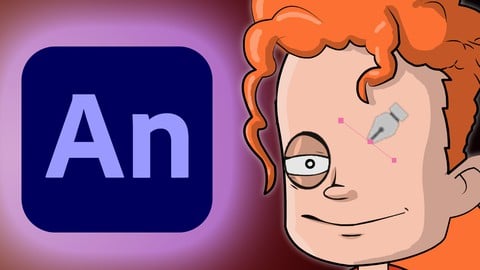
Designing Cartoon Characters in Adobe Animate (Udemy.com)
Learn how to design cartoon characters using Animate's diverse vector tools
Created by: Chad Troftgruben
Last updated March 2020
 What you will learn
- How to design a character in Adobe Animate using proper layer hierarchy
How it compares
Against the other 545 rated Udemy courses in 3D Modeling on CourseDuck:
- Rating4.7 out of 5higher than 75% of them
- Reviews511#156 of 546 by number of reviews
- Length6 hoursshorter than 49% of them
- Last updatedMarch 2020earlier than 75% of them
 Course Description
Learn how to use Animate's vector based tools to design, fill and polish your own character while applying proper layer hierarchy. This character design can then be taken further for rigging and animation, if you desire. The following topics we will cover include:
Using the various vector tools in Animate
Working with beziers, points and bendable lines
Inking a full character from an existing sketch
Filling in objects using the Paint Bucket's various features
Shading and Highlighting with the Brush
Masking eyes and mouth
Proper layer organization for easier rigging
Other tips and tricks for designing cartoon characters

 Udemy Discount
The discount is applied through our link. Open the course from here and Udemy's current promotional price is applied at checkout on most courses, no code to type.
Some courses are excluded from Udemy's promotions. If the price does not drop, clear your browser cookies and use the button again.
Instructor Details

- 4.7 Rating
 511 Reviews
Chad Troftgruben
I have spent several years learning different kinds of software while freelancing personal and commercial projects. Along the way I have collected a bunch of useful knowledge that can be translated into engaging video tutorials. So while I continue to create zany animated adventures, I want to share with you what I have learned.
I have worked for several companies over the years creating eLearning content. Some of these include: Smith Micro, Virtual Training Company, Packt Publishing, Train Simple and Pluralsight.
My animation is freelance based and isn't as well known as my eLearning content. I have a few animation projects I currently have my hands in. In addition, I work for others who need animation assistance.
 More courses by Chad Troftgruben
Animating in Adobe Character Animator (2018 Edition)
4.4 (399 Reviews)
 Provider: Udemy
 Time: 3.2h
$64.99
Designing Vector Based Characters in Moho Pro (2019)
4.8 (195 Reviews)
- Provider: Udemy
- Time: 3.7h
$10.99
More 3D Modeling courses

3D Printing with " Ultimaker CURA Slicer- Start to finish" (2025)
4.9 (192 Reviews)
- Provider: Udemy
- Time: 1h
$34.99

Girl and the Dog Creation in Zbrush for Intermediate Level (2020)
4.9 (173 Reviews)
- Provider: Udemy
- Time: 48.8h
$59.99



Blender Character Creator for Video Games (2026)
4.8 (9,160 Reviews)
- Provider: Udemy
- Time: 34.3h
$159.99

Master SOLIDWORKS 3D CAD using real-world examples (2022)
4.8 (2,451 Reviews)
- Provider: Udemy
- Time: 18.9h
$69.99
 Reviews

By Mohammed Shalabi on 8/31/2024
Thank you very much Chad, That was really awesome, I was able not only to create the character, but also add my special touches on it based on what i have learned from you, I wish all courses are like this, where each minute is really giving you experience and not only talking, Chad character is ready now :) and am going to the next course of rigging it, Many thanks Chad.. really appreciate !
By Anonymized User on 1/3/2023
I believe this a very, very great start for learners that are somewhat familiar or not familiar with Adobe Animate--which I believe was the instructor's target audience. The pace of the training along with the visual aid of the screen record was perfect as I was able to keep up and understand (in detail) how to navigate within Animate and utilize the skills taught on my own. Great Job!
By Franklin Tardencilla on 7/14/2022
This course was ok. What I likethe most about this course is that teaches you how to draw the body parts of the character so it´s ready for animation. And my only issue is that the name says "Designing" so I thought we were going to go through the process of actually designing the character, but it turns out that it was already designed. We only drew what had been already designed.
By Gregor Dzierzon on 6/17/2022
I have quite a bit of experience using flash and other vector graphic tools like Illustrator, but I have not spent much time creating characters. I really enjoyed this course and just watching how Chad uses the tools available within Adobe Animate, and what his design process is. This was very well done.
By Badreddine Abou El Khir on 3/17/2022
Bel corso, in linea con le mie aspettative. Ho imparato come fare un personaggio su Adobe Animate per poi poterlo animare. Si concentra tanto sui dettagli, ti spiega come fare tutto dettagliatamente. Però la parte in cui spiega la funzione Mask e come fare le diverse pose della bocca, l'ha spiegata in maniera abbastanza veloce, o almeno, io ho fatto molta fatica a capirla
By Jacob Meudt on 5/28/2021
I have taken part in MANY tutorials online, there are two particular guys whom I feel have been the best on Udemy... Chad has now made that three guys that are the best I have seen so far. This course was fantastic. He clearly explains everything. Allot of times in tutorials a course takes much longer due to something not being explained properly and I have to search around the internet to figure out how to do what the course did not properly explain. Not here. I was a tad confused for a couple minutes when it came to working on the mouth and masking, but soon figured it out. I have already purchased the rigging course that comes after this one. Awesome job!!! Very happy!!!
By Peter Saltigerald on 9/7/2020
This was a great course. You really took the mystery out of setting up layers and the proper way to set up your characters for animation, and you went through it in a very methodical way, which I find beneficial to the way that I learn. I'm developing an animated comedy sketch show and this course helped me a lot in getting my characters set up. I'm really looking forward to the next course for character rigs.
By Carola Dietrich on 8/20/2020
This course helped me a lot. Chad has a great way to explain things and also shows, what could possibly go wrong in the process and how to fix it. Thank you a lot. The only thing is, that this "snap"-Tool does not appear on the place where yours is located and I couldn't figure out how to switch it out, which would have been very helpful.. Maybe you could add a hint, how to use this since it is replaced/changed in an update (?) Thanks a lot for everything and see you soon in the next course.. :)
By Lincoln Cabral Mancin Monteiro on 8/8/2020
I needed to quickly learn how to work around with vectors in adobe animate and this course nailed it. I recommend it to anyone who have trouble with their workflow. Chad is a good teacher, he explains everything he does and his process is pretty straightforward. Thank you Chad !(I also bought your other couse, I know how to animate but I don't know how to use parenting, I'm looking forward to learn it from you)
By Gregory Johnstone on 7/25/2020
Exactly what was described. Easy to follow and straight forward and I am eager to make use of the skills I've picked up here. Additionally, he walked though a few complex things, like masks, that I'd always had issues with and never understood what was going wrong for me; but I had no issues and I saw exactly where I was going wrong. Excellent foundational course.
 Quality Score
No CourseDuck member has rated this course yet. Taken it? Give each part a thumbs up or down.
Overall Score : 94 / 100
- Video Duration:
 6h
6h - Price: $14.99
- Provider: Udemy
- Updated:
 March 2020
 - Level:
 Beginner
 - Language:
 English
 - Certificate:
 Yes
Yes
30-day money-back guarantee on most paid courses
Udemy Coupon Price Tracker
