
 Web Development
 Data Science
 Python
 SQL
SQL JavaScript
 Artificial Intelligence
 IT & Software
 IT Certifications
 Hacking
 AWS
AWS Arduino
 DevOps
 3D Modeling
 Graphic Design
 Photoshop
 Drawing
 Digital Painting
 UX Design
 Business
 Data Analysis
 Communication Skills
 Project Management
 Leadership & Management
 Human Resources
 Digital Marketing
 Social Media Marketing
 Marketing
 SEO
SEO Google Analytics
 Branding
 Excel
Excel Office Productivity
 SAP
SAP PowerPoint
 Microsoft Access
 SharePoint
 Finance & Accounting
 Trading & Investing
 Accounting
 Bitcoin
 Personal Finance
 Video Editing & Animation
 Photography
 Adobe Premier Pro
 Adobe Lightroom
 Personal Development
 Productivity
 Career Development
 Life Coaching
 Health & Fitness
 Meditation & Mindfulness
 Yoga
Yoga Music
Music Music Production
 Guitar
 Piano
Piano Singing
 Language Learning
 Teaching & Academics
 Engineering
 Math
Math Lifestyle
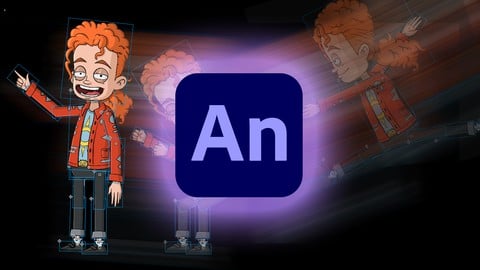
Rigging and Animating in Adobe Animate (Udemy.com)
Rig and animate 2D characters using symbols, Motion Tweening and layer parenting!
Created by: Chad Troftgruben
Last updated July 2020
 What you will learn
- Successfully rig and animate a full character using Layer Parenting, Symbols and Motion Tweening
How it compares
Against the other 545 rated Udemy courses in 3D Modeling on CourseDuck:
- Rating4.3 out of 5higher than 15% of them
- Reviews236#279 of 546 by number of reviews
- Length3.2 hoursshorter than 73% of them
- Last updatedJuly 2020earlier than 71% of them
 Course Description
Animate CC, previously known as Flash, is one of the most well known programs for animation. And with the ability to parent layers, create templates with symbols and save reusable actions, character animation has never been easier! If you're looking to get a jump start with animating characters in Animate CC, than this course is for you!
More specifically, in this course you will learn how to:
Properly set up a character for Animate CC
Create symbols for head turn, eye and mouth animations
Properly place symbol origin points for proper limb motions
Parent layers for easier animation (a NEW feature introduced in Animate CC 2019)
Animate a jump animation with Motion Tweening
Lip sync with the Frame Picker
Polish and correct animations
Export animations with Adobe Media Encoder

 Udemy Discount
The discount is applied through our link. Open the course from here and Udemy's current promotional price is applied at checkout on most courses, no code to type.
Some courses are excluded from Udemy's promotions. If the price does not drop, clear your browser cookies and use the button again.
Instructor Details

- 4.3 Rating
 236 Reviews
Chad Troftgruben
I have spent several years learning different kinds of software while freelancing personal and commercial projects. Along the way I have collected a bunch of useful knowledge that can be translated into engaging video tutorials. So while I continue to create zany animated adventures, I want to share with you what I have learned.
I have worked for several companies over the years creating eLearning content. Some of these include: Smith Micro, Virtual Training Company, Packt Publishing, Train Simple and Pluralsight.
My animation is freelance based and isn't as well known as my eLearning content. I have a few animation projects I currently have my hands in. In addition, I work for others who need animation assistance.
 More courses by Chad Troftgruben
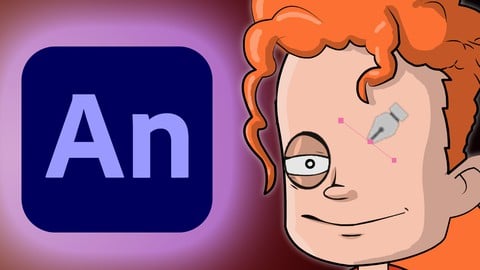
Designing Cartoon Characters in Adobe Animate (2020)
4.7 (511 Reviews)
 Provider: Udemy
 Time: 6h
$14.99
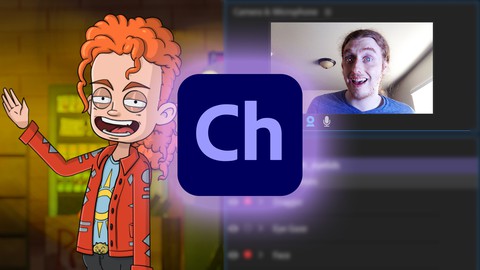
Animating in Adobe Character Animator (2018 Edition)
4.4 (399 Reviews)
- Provider: Udemy
- Time: 3.2h
$64.99
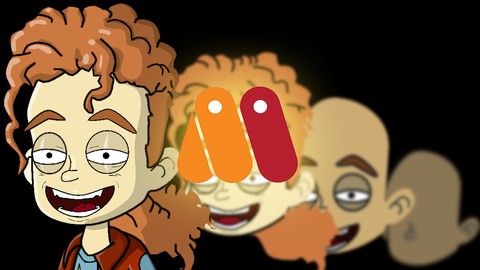
Designing Vector Based Characters in Moho Pro (2019)
4.8 (195 Reviews)
- Provider: Udemy
- Time: 3.7h
$10.99
More 3D Modeling courses

3D Printing with " Ultimaker CURA Slicer- Start to finish" (2025)
4.9 (192 Reviews)
- Provider: Udemy
- Time: 1h
$34.99

Girl and the Dog Creation in Zbrush for Intermediate Level (2020)
4.9 (173 Reviews)
- Provider: Udemy
- Time: 48.8h
$59.99



Blender Character Creator for Video Games (2026)
4.8 (9,160 Reviews)
- Provider: Udemy
- Time: 34.3h
$159.99

Master SOLIDWORKS 3D CAD using real-world examples (2022)
4.8 (2,451 Reviews)
- Provider: Udemy
- Time: 18.9h
$69.99
 Reviews

By Jacob Meudt on 6/8/2021
This course is a Part 2 of two courses, but was made before Part 1. Part 1 has you creating a vector character, Part 2 does not have you using said vector character and is quite confusing. I have spent many many hours doing parts of this course over and over and still cannot figure it out. The instructor did such a fantastic job on the Part 1 course, but this course is not useable to a newbie if you did his first course.
By Yassar Mansour on 3/22/2021
Very good course , but in the beginning i stuck in the first and second videos, but after that every thing went smooth
By Cindy Partridge on 1/31/2021
The step by step instructions made this a great course to be able to follow along with the exercises. There are also suggestions for animating and rigging that you can try on your own.
By K Rebecca Clark on 10/22/2020
This was a great class on animation, but I bought it first and the first intro video recommended buying the character design course first. I did that and it was very helpful, but then when I came back to this course and it used PSD instead of immediately following the previous course - it was a bit confusing. Great info in this course for creating full animations- but I would have liked to also see how to create sprite sheets for 2D game animations - for some reason the export sprite sheet seems to fail to align the poses correctly and if there is a good solution to that I would love to know :) Thanks for a detailed thorough course that works!
By Manu Mairena on 9/8/2020
The course is just what I was looking for. The pace is perfect, it's easy going and easy to follow so you understand the details and apply them by doing the practice as soon as you've watched the lesson, at least that's the way it worked for me. Long story short, the course helped me understand some "new" aspects of animate that just weren't there before and I had long waited for.
By Giovanni Sordetti on 5/10/2020
Ero un po' scettico sulla durata del corso, troppo breve a parer mio, ma le lezioni erano piuttosto dense, è necessario guardare più volte i video per capire a fondo. Chad è molto preparato e il corso è esaustivo rispetto l'argomento trattato, ma un po di contenuti extra non avrebbero guastato.
By Eva Cocco on 4/9/2020
I am editing my review because after exploring more the course I realized how a good teacher Chad is .....I was way too impatient and wanting to jump right away on vector animation, so at my second lesson I thought I purchased the wrong course, but now I am more into it, I am learning so much! ...what I am especially loving about it and yes... also hate it at the same time ( because I am very undisciplined with my animate floor work...) is the clean, organized method Chad is teaching. Need to go back and re-do the exercise more than once for sticking the organize method in my messy head but really, all worth it! Grazie Chad! :))
By Owen Gibson on 4/2/2020
This Course is very well explained, and if anyone wants to know about how to use adobe animate for the first time or wants to build up their knowledge, I would highly recommend this course! I also like that you can download the resource files if you need to. I definitely would want to see more courses that are more advanced too!
By Stephanie Jones on 3/17/2019
Why did you choose not to use the lip sinking feature? If I want to continue to animate would I stay in the jump rig or should I input multiple rigs into the main stage?
By John Pope Romera Castro on 2/5/2019
Last time I learned rigging and animating was in 2016 where I took a flash animation class. 2 years passed and I needed to focus on other media not related to animation. Currently in 2019, I want to recall my studies in animation because I literally forgot a lot of things about it. This course helps me big time to refresh my memory inspite it being 3 year advance than the Adobe Flash 2016 I got used to. 5/5 would also recommend to a beginner.
 Quality Score
No CourseDuck member has rated this course yet. Taken it? Give each part a thumbs up or down.
Overall Score : 86 / 100
- Video Duration:
 3.2h
3.2h - Price: $69.99
- Provider: Udemy
- Updated:
 July 2020
 - Level:
 Intermediate
 - Language:
 English
 - Certificate:
 Yes
Yes
30-day money-back guarantee on most paid courses
Udemy Coupon Price Tracker
