
 Web Development
 Data Science
 Python
 SQL
SQL JavaScript
 Artificial Intelligence
 IT & Software
 IT Certifications
 Hacking
 AWS
AWS Arduino
 DevOps
 3D Modeling
 Graphic Design
 Photoshop
 Drawing
 Digital Painting
 UX Design
 Business
 Data Analysis
 Communication Skills
 Project Management
 Leadership & Management
 Human Resources
 Digital Marketing
 Social Media Marketing
 Marketing
 SEO
SEO Google Analytics
 Branding
 Excel
Excel Office Productivity
 SAP
SAP PowerPoint
 Microsoft Access
 SharePoint
 Finance & Accounting
 Trading & Investing
 Accounting
 Bitcoin
 Personal Finance
 Video Editing & Animation
 Photography
 Adobe Premier Pro
 Adobe Lightroom
 Personal Development
 Productivity
 Career Development
 Life Coaching
 Health & Fitness
 Meditation & Mindfulness
 Yoga
Yoga Music
Music Music Production
 Guitar
 Piano
Piano Singing
 Language Learning
 Teaching & Academics
 Engineering
 Math
Math Lifestyle
Digitally Painting Light and Color: Amateur to Master (Udemy.com)
Learn the fundamentals of light and color and take your art to the next level.
Created by: Austin Batchelor
Last updated November 2019
Our take
Based on the ratings of 2,263 students, a sample of their written reviews and the syllabus, as the course stood in November 2019. No course pays to be reviewed.
Austin Batchelor is a working concept artist and freelance illustrator, and this is his 5.2 hour guide to painting light and color. It runs 42 lectures across eight sections, moving from light and value into form, light sources, color relationships and surface effects. The steps are not tied to Photoshop or Procreate, which reviewers like. The requirements ask for basic drawing skill, so it suits artists who can sketch but whose paintings come out flat.
Most of the 2,263 reviews are glowing, and about 61 percent are five stars. Students call the lectures clear, concise and well ordered, and a few say they started noticing light and shadow in real life afterward. One likes that it skips long timelapse sessions. The complaints are consistent, though. One reviewer says Batchelor moves fast for a true amateur, another counts only two really good practice tasks in five hours, and a third wanted more advanced scene examples.
The last update was November 2019, but a 2026 reviewer calls the content timeless. With over 31,000 students and a Highest Rated badge, it is a safe pick for beginners and intermediates who learn by watching demos. Expect to rewatch some lectures, and treat the practice as your own job.
Pros
- Steps work in any painting program, so Photoshop, Procreate or something else all follow along fine
- Lectures are concise and ordered so each one builds on the last, per several reviewers
- Covers value, form, light sources, color relationships and surfaces in a clear sequence
- About 61 percent of reviews are five stars, with students saying they now see light differently
Cons
- Pace is quick for true beginners, and one reviewer had to rewatch lectures to keep up
- One reviewer counts only two strong practice tasks in five hours, with a lot of theory
- Last updated in 2019, and advanced scene or background examples are thin
The introductory steps to light and shadow was so easy to follow. I love that the steps are software agnostic so that anyone can learn using the tools they already own.
Listed for all levels, but it assumes basic drawing skill and moves fast, so it fits beginner-to-intermediate painters.
 What you will learn
- learn how to paint realistic lighting and color schemes.
- learn how to paint various lighting conditions.
- learn how to understand and interpret real life lighting situations
Course content
8 sections · 42 lectures · 5.3 hours of video
- 1Introduction 3 free previews4 lectures · 27 min
- 2Understanding Light 2 free previews2 lectures · 18 min
- 3Understanding Value 1 free preview3 lectures · 21 min
- 4Light and Form13 lectures · 1.4 hours
- 5Sources of Light 1 free preview6 lectures · 1.2 hours
- 6Color Relationships 4 free previews5 lectures · 28 min
- 7Surfaces and Effects7 lectures · 1 hour
- 8Conclusion2 lectures · 6 min
Who it is for
The instructor says it suits
- Anyone who wants to master light and color in their paintings.
- Anyone who struggles with muddy and unappealing colors.
- Anyone who wants to bring life and realism to their art
- Anyone who struggles with getting "gud shading"
What you need before you start
- you should have a basic understanding of drawing.
- Having a digital painting software like photoshop or procreate is useful but not necessary
How it compares
Against the other 175 rated Udemy courses in Digital Painting on CourseDuck:
- Rating4.7 out of 5higher than 76% of them
- Reviews2,263#17 of 176 by number of reviews
- Length5.2 hourslonger than 64% of them
- Last updatedNovember 2019earlier than 66% of them
 Quality Score
Overall Score : 94 / 100
 Course Description
Join the course and begin digitally painting today!
Do you want to learn how to digitally paint beautiful, accurate, and interestingly lit paintings? Or maybe you’re wanting to brush up on what you already know? Perhaps you're a complete beginner and are looking for someplace to start. In any case you’ve come to the right place.
The 'Digitally Painting Light and Color: Amateur to Master' course will show you how to create beautiful and believable paintings that will stand up as professional work. The techniques taught in this course can be translated into any program from Photoshop to Procreate. This course will teach you how to understand and accurately paint light and keep you from getting muddy and dull color palettes. - or your money back!
This course is your track to building a solid portfolio of realistic digital paintings and concept art! Whether for your own portfolio or for client work.
This course will take you from having little knowledge in how to interpret light and apply it to your painting in as little as one week.
So what else is in it for you?
You’ll be taken from basic fundamentals to believable and beautifully lit paintings, from beginner to expert
You’ll gain instant access to all of the course and you'll be able to view it for life. You can follow along and view each lecture or use it as a guide book to refer too when you need to brush up on a specific topic.
The course is setup to quickly take you through step by step, the process of creating beautiful colors palettes and accurate lighting. It will equip you with the knowledge to create stunning images and concept art!
This all comes under one convenient easy to use platform. Plus you will get fast, friendly, responsive support on the Udemy Q&A section of the course or direct message. Plus there are over 5 hours of content with 20 downloadable files! You could say this course is pretty lit (pun intended).
I will be here for you every step of the way!
So what are you waiting for? Sign up now to start creating today!

 Udemy Discount
The discount is applied through our link. Open the course from here and Udemy's current promotional price is applied at checkout on most courses, no code to type.
Some courses are excluded from Udemy's promotions. If the price does not drop, clear your browser cookies and use the button again.
Instructor Details

- 4.7 Rating
 2,263 Reviews
Austin Batchelor
A C R E A T I V E
I'm Austin Batchelor. I'm a working professional creative in the game industry. I work as a concept artist and freelance illustrator. I've worked in-house at an animation studio but currently, work from home. As an instructor, I strive to provide the best learning experience possible for my students by creating clear content and maintaining a personable demeanor.
 More courses by Austin Batchelor
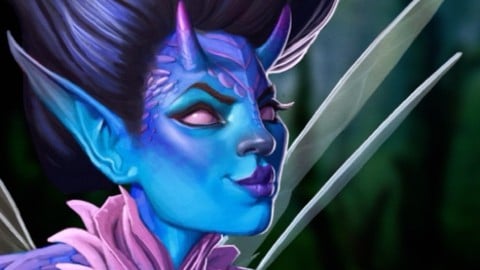
The Digital Painting MEGA Course: Beginner to Advanced (2022)
4.5 (5,292 Reviews)
 Provider: Udemy
 Time: 16h
$149.99

Ultimate Guide to Digital Sketching: Beginner to Advanced (2019)
4.4 (3,781 Reviews)
- Provider: Udemy
- Time: 5.5h
$89.99

Photorealistic Digital Painting From Beginner To Advanced. (2019)
4.6 (2,170 Reviews)
- Provider: Udemy
- Time: 5.4h
$59.99
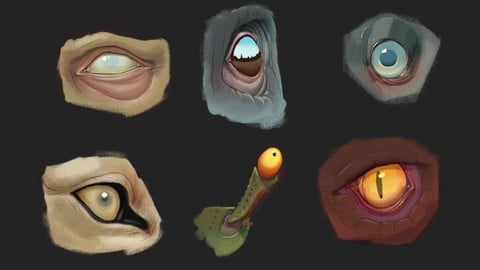


The Ultimate Guide to Digitally Painting Everything (2019)
4.6 (1,145 Reviews)
- Provider: Udemy
- Time: 13.4h
$99.99
More Digital Painting courses

Character Art School: Complete Coloring & Painting (2026)
4.8 (6,042 Reviews)
- Provider: Udemy
- Time: 19.5h
$34.99



Procreate Masterclass: Digital Drawing on the iPad (2023)
4.8 (1,744 Reviews)
- Provider: Udemy
- Time: 18.2h
$94.99


Digital painting with Krita 5.0 intermediate level (2022)
4.8 (271 Reviews)
- Provider: Udemy
- Time: 6.8h
$79.99
 Reviews

By Vicente Miño Ibarra on 5/13/2026
El curso es bueno para un nivel más principiante, creo que faltaron ejemplos más avanzados, quizás unos timelapse o formas de como aplicar color dependiendo de la escena o fondo, tener una buena base de color sin depender tanto de las capas. Pero del resto, aprendí mucho a como usar capas diferentes al multiplicar o agregar. Además es contenido atemporal, sigue siendo vigente incluso en el 2026.
By Tony Kidd on 10/3/2023
I immensely enjoyed the course. It was informative, provided clear explanations, and provided practical examples of the techniques in action. The videos were long enough to convey the message without being tedious or relying on timelapse painting sessions. I'd recommend the course to anyone desiring to become more knowledgeable about using color and light within their work.
By Lucie MacAulay on 3/19/2023
It is very concise and to the point. Demos are clearly explained. The order of lectures was good, I never felt like I hadn't learned yet what I needed to know to understand the current lecture. Easy to follow. Good examples. Covered a lot fo the basics of light and texture.
By Ellen Neville on 2/10/2022
This course was really interesting and enjoyable. I learned so much and find that I am noticing the behaviour of light and shadows in real life and in art/photography. There are plenty of opportunities to practice what you have learnt in the tutorials. Austin is a great teacher and a very talented artist. Thanks so much for sharing your knowledge and creating this course.
By Amber Correll on 6/27/2020
Very knowledgeable, explains things clearly and concisely, gives good assignments, and explains the proper way to do them so you're sure to actually learn the technique that is intended, instead of missing the point and getting frustrated. Great, efficiently-painted demos to follow along with and learn from. I understand light, value, and texture so much more now!
By Aqua Musei on 6/26/2020
In the course Austin explains the little details you need to know to make more believable pieces through very clear and easy to understand videos, with extensive explanation and showing you examples, and (very important to me) shows you how he applies what he is teaching in his art. The course is mainly focused on light: types, sources, and how it relates to making much more understandable what you are trying to portrait; and that in its essence is what I believe truly matters. The reason im not giving 5 stars is because I feel the color aspect of the course is a little bit laking, I wish he had talked more about color: like types of contrast, how to choose them and maybe analyzed how he or other artists choose their colors. Overall, a great course to take if you already have a little bit of knowledge drawing and painting digitally, and want to improve your skill even further.
By Tom Lcl on 2/8/2020
Progrès impressionnant entre le moment où j'ai commencé à suivre ce cours et maintenant. Meilleure compréhension des effets de lumière et de la façon d'intégrer ça dans mes dessins numériques! Et surtout, meilleure connaissance des nombreuses possibilités qu'offre le dessin numérique!
By Shaira Tagle on 2/6/2019
For those looking to brush up on their color theory, this course is a good introduction as most episodes are summarized with important information, and skills you need to build up on in terms of what light is, its different types, and light's overall effect on your painting. As for me, it works as a good refresher course as well. Good content.
By Ward W. Vuillemot on 9/15/2018
I wrote a complete review at https://unigon.us/artist-resource-no-14-digitally-painting-light-and-color-amateur-to-master/ I highly recommend the course. It is a very straight forward and practical guide to anyone interested in mastering key fundamentals of art. Austin does a very good job of stepping you through color and lighting conditions, providing a very approachable, step-by-guide to help anyone quickly reproduce his results on their iPad using Procreate.app.
By Edoardo on 7/6/2018
The course is extremely well done, with in-depth and clear explanations. There are plenty of exercises provided which really helps to apply the what I learned. I would recommend this course to everyone who is looking to improve their skills in lighting and color. I especially appreciated the last section about surfaces and effects, which can hardly be found anywhere else. Austin is engaging, easy to follow during the lessons and very professional.
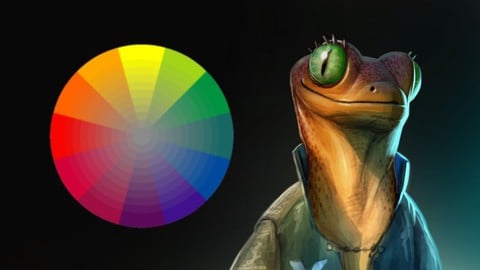
- Video Duration:
 5.2h
5.2h - Price: $94.99
- Provider: Udemy
- Updated:
 November 2019
 - Level:
 All Levels
 - Language:
 English
 - Certificate:
 Yes
Yes - Lectures:42 in 8 sections
- Students:31,400
- Subtitles:8 languages
- Udemy badge:Highest Rated
30-day money-back guarantee on most paid courses
Udemy Coupon Price Tracker
