
 Web Development
 Python
 SQL
SQL JavaScript
 Data Science
 Artificial Intelligence
 IT & Software
 IT Certifications
 Hacking
 Arduino
 AWS
AWS 3D Modeling
 Graphic Design
 Photoshop
 Drawing
 Digital Painting
 UX Design
 Business
 Data Analysis
 Communication Skills
 Project Management
 Leadership & Management
 E-Commerce
 Digital Marketing
 Social Media Marketing
 Marketing
 SEO
SEO Google Analytics
 Branding
 Office Productivity
 Excel
Excel Finance & Accounting
 Bitcoin
 Video Editing & Animation
 Photography
 Adobe Premier Pro
 Adobe Lightroom
 Personal Development
 Health & Fitness
 Music
Music Guitar
 Teaching & Academics
 Language Learning
 Engineering
 Lifestyle
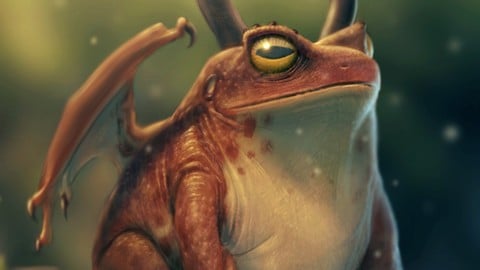
Photorealistic Digital Painting From Beginner To Advanced. (Udemy.com)
Bring your imagination to life!
Created by: Austin Batchelor
Last updated November 2019
 What you will learn
- Students will be able to paint photorealistic digital images.
 Quality Score
Overall Score : 92 / 100
 Course Description
Join the course and begin digitally painting today!
Do you want to learn how to digitally paint images for games and film like an industry pro? Or maybe you’re wanting to branch out and try a new painting style? In any case you’ve come to the right place.
The 'Photorealistic Digital Painting' course will show you how to create photoreal and extremely detailed paintings that will stand up as professional work. The techniques taught in this course can be translated into any program from Photoshop to Procreate. This course will enhance or give you skills in the world of digital painting - or your money back!
This course is your track to building a solid portfolio of realistic digital paintings and concept art! Whether for your own portfolio or for client work.
This course will take you from having little knowledge in how to paint realistically to creating professional paintings in as little as one week.
So what else is in it for you?
You’ll be taken from basic sketches to believable and detailed paintings, from beginner to expert
You’ll gain instant access to all of the course. You can follow along and recreate my painting or use it as inspiration to paint your own masterpiece.
The course is setup to quickly take you through step by step, the process of creating realistic paintings. It will equip you with the knowledge to create stunning images and concept art!
This all comes under one convenient easy to use platform. Plus you will get fast, friendly, responsive support on the Udemy Q&A section of the course or direct message.
I will be here for you every step of the way!
So what are you waiting for? Sign up now to start creating today!

 Udemy Discount
The discount is applied through our link. Open the course from here and Udemy's current promotional price is applied at checkout on most courses, no code to type.
Some courses are excluded from Udemy's promotions. If the price does not drop, clear your browser cookies and use the button again.
Instructor Details

- 4.6 Rating
 2,170 Reviews
Austin Batchelor
A C R E A T I V E
I'm Austin Batchelor. I'm a working professional creative in the game industry. I work as a concept artist and freelance illustrator. I've worked in-house at an animation studio but currently, work from home. As an instructor, I strive to provide the best learning experience possible for my students by creating clear content and maintaining a personable demeanor.
 More courses by Austin Batchelor
The Digital Painting MEGA Course: Beginner to Advanced (2022)
4.5 (5,292 Reviews)
 Provider: Udemy
 Time: 16h
$149.99
Ultimate Guide to Digital Sketching: Beginner to Advanced (2019)
4.4 (3,781 Reviews)
- Provider: Udemy
- Time: 5.5h
$89.99
Digitally Painting Light and Color: Amateur to Master (2019)
4.7 (2,263 Reviews)
- Provider: Udemy
- Time: 5.2h
$94.99

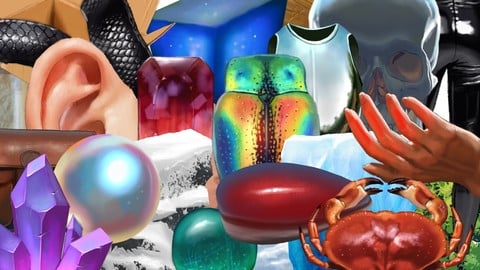
The Ultimate Guide to Digitally Painting Everything (2019)
4.6 (1,145 Reviews)
- Provider: Udemy
- Time: 13.4h
$99.99
More Digital Painting courses

Character Art School: Complete Coloring & Painting (2026)
4.8 (6,042 Reviews)
- Provider: Udemy
- Time: 19.5h
$34.99



Procreate Masterclass: Digital Drawing on the iPad (2023)
4.8 (1,744 Reviews)
- Provider: Udemy
- Time: 18.2h
$94.99


Digital painting with Krita 5.0 intermediate level (2022)
4.8 (271 Reviews)
- Provider: Udemy
- Time: 6.8h
$79.99
 Reviews

By Chris Faylor on 3/7/2022
Very clear step by step process that takes you from beginning to end and doesn't go too fast. Also does a great job of explaining the process and steps as you go along, rather than just going through the motions, which is very appreciated. If I have one piece of feedback to provide, there was one area of the lectures that made things a bit confusing and that is the fact that there is no visual cursor or any clear indicator of what areas are being worked on, and that got me a bit lost on a lot of occasions. Sometimes I could here him saying "let's touch up this area over here" and I have NO clue where "over here" actually is, and sometimes the changes were so subtle that it took several rewinds to actually catch what was being adjusted or worked on. I realize that most of this course was performed on an iPad though, so I'm not entirely sure how to rectify this. On a Mac or PC you can run software that will indicate where you are working with a little glowing dot and some recording software even has it built in, but I'm not sure the same thing can be done on an iPad. So I don't exactly have a solution in mind to go with this comment. Perhaps adding indicators to the video in post? At any rate, that was the only aspect where I felt I was a bit adrift during the lecture and it did happen frequently enough that I wanted to mention it. Otherwise, this is one of the best courses I have taken. I went to a digital art school and took a digital painting class by a former Disney background artist, which was really cool except he honestly left me in the dust during lectures quite often, so it was nice to take a more laid back approach and really focus on the process itself, with some frequent commentary about the "why" and "how" of what we are doing (being able to pause and rewind helps too).
By Lorena Bastos on 4/3/2021
Incredible! I can't believe I was able to do something amazing by following Austin's instructions. I believe the course has a good pace. Although it's more focused on the practicing, it also has enough theory for you to apply on next illustrations. I'm more than pleased with this course so much that I bought another one from him. Thank you Austin! You really made a difference in my learning!
By Laura Caseberry on 1/6/2021
This was the first course I tried on Udemy and I was very impressed. Austen's instruction is clear and informative. The course has really helped me improve my digital art process and further understand how layers can be built up to create impressive effects. I've even gone back and rewatched his shadow/ light layering processes a few times. Thanks
By John Duffy on 9/18/2020
Pro: He’s very talented and the step by step lessons gave me good insight on how to produce a drawing from beginning to end. I learned plenty. Con: It wasn’t easy to follow his moves (we couldn’t see the curser). He’s used the words ‘and then’ a zillion tomes. You could tell between lectures he had made changes to his drawing. I didn’t like the fact he switched to PS to create textures, though it forced me to figure it out in Affinity Photo. Last thing; it’s probably my fault, and didn’t watch each lecture 1st. I’d be following and halfway through a lecture he’d change his mind about something and make a change to the drawing. Would I take another of his courses? Sure! Like I said, he’s talented and I learned a lot from him.
By Luiza S on 4/12/2020
It seems a good match for what I am trying to learn/improve. I like it because it shows us step by step how to gather inspiration and references and how to prepare your work. I also learnt a lot of tips and ways about how to make my drawing look realistic. I recommend this course to whomever wishes to try a realistic approach.
By David Calderon on 11/23/2019
This has been my very first course on digital painting and also my first serious attempt on using color on my work, I have really learnt a lot through this course and I'm sure many of the techniques I've learned will be very useful for my development as a digital artist. Would recommend it to anyone interested in digital painting and if I had to make any improvement suggestion for this course it would be only one and it is that sometimes it is hard to see what's happening on the screen when there is some fine tuning work, I think there are some tools that could help watchers finding where the mouse pointer is moving just to keep the eye on the area that is being worked on, but apart from that everything is great and I had a lot of fun following this course during its whole length, this is a 5 stars course for me with no doubt.
By Jennifer Marie Livingston on 12/28/2018
This tutorial was amazing. I had no clue how to digitally paint in Photoshop before taking this class. This class is very well organized. He even explains why and how techniques work. Now I have the confidence to create my own digital paintings. If you're interested in seeing my outcome of this class, please visit my art portfolio site. Its on the first page. https://jenmarielivi.wixsite.com/mysite
By Roberto D Torres on 1/25/2018
at first i was concerned that i wouldn't be learning anything new but as we got deeper into this course, some of the blending and bashing techniques were really well explained and masterful examples of someone who knows his craft. I'v learned quite a few new things and with only one course left in this class, i can say it's an amazing class.
By Vinícius Prado Silva on 1/10/2018
Gostei muito do curso. Já havia feito o curso de esboço do Batchelor e ele é um instrutor extremamente aplicado. Há muitas dicas valiosas. Para quem não sabe pintar no computador, acho que esse é um ótimo lugar para começar. Ele diz que "seria complicado" aplicar as técnicas do curso usando um mouse, mas eu acho que é quase impossível. As variações de opacidade, que garantem um salto de qualidade muito decisivo às criações, por exemplo, me parecem irreplicáveis sem uma mesa digital ou outro suporte similar.
By Aaron Newsome on 7/2/2017
I havent seen anything that would improve what I am doing so far, but I am interested to see where it is going to go. Update. It is definitely teaching me lighting techniques and layer construstion that I can use in the future. Update #2: My finished drawing looks great! Massive thanks, will hold my future judgement until I do one of my own designs
- Video Duration:
 5.4h
5.4h - Price: $59.99
- Provider: Udemy
- Updated:
 November 2019
 - Level:
 All Levels
 - Language:
 English
 - Certificate:
 Yes
Yes
30-day money-back guarantee on most paid courses
Udemy Coupon Price Tracker
