
 Web Development
 Data Science
 Python
 SQL
SQL JavaScript
 Artificial Intelligence
 IT & Software
 IT Certifications
 Hacking
 AWS
AWS Arduino
 DevOps
 3D Modeling
 Graphic Design
 Photoshop
 Drawing
 Digital Painting
 UX Design
 Business
 Data Analysis
 Communication Skills
 Project Management
 Leadership & Management
 Human Resources
 Digital Marketing
 Social Media Marketing
 Marketing
 SEO
SEO Google Analytics
 Branding
 Excel
Excel Office Productivity
 SAP
SAP PowerPoint
 Microsoft Access
 SharePoint
 Finance & Accounting
 Trading & Investing
 Accounting
 Bitcoin
 Personal Finance
 Video Editing & Animation
 Photography
 Adobe Premier Pro
 Adobe Lightroom
 Personal Development
 Productivity
 Career Development
 Life Coaching
 Health & Fitness
 Meditation & Mindfulness
 Yoga
Yoga Music
Music Music Production
 Guitar
 Piano
Piano Singing
 Language Learning
 Teaching & Academics
 Engineering
 Math
Math Lifestyle
Microsoft Excel - Excel from Beginner to Advanced 2026 (Udemy.com)
All-in-One Excel Training: Transform Your Skills with Hands-On Projects and Real-World Applications! - 2026
Created by: Kyle Pew
Last updated September 2026
Our take
Based on the ratings of 543,696 students, a sample of their written reviews and the syllabus, as the course stood in September 2026. No course pays to be reviewed.
Four Excel classes stitched into one 22-hour package: Excel 101, 102, 103, and a Macros and VBA course. The syllabus runs from typing in a cell to PivotTables, Power Query, PowerPivot, XLOOKUP and the newer Microsoft 365 functions, then finishes with seven VBA projects. It has 1.8 million students and more than 540,000 reviews, and was last updated in September 2026. It suits people starting from nothing who want one purchase to carry them a long way.
Reviewers keep coming back to the same things. Lectures are short, mostly three to six minutes, and exercise files ship with the course so students work alongside the video rather than just watching. Two reviewers say Kyle Pew makes a dry subject funny, and one calls the Q&A board interactive, unlike most courses on Udemy. The complaints are mild. One four-star review wants more on Power Query and advanced filtering, and notes there is nothing on Python in Excel or Office Scripts. Our earlier read that the VBA section is thinner than the rest still holds, though the seven project-based sections do give it structure.
It is a paid course, and a long one, so the value depends on finishing it. Anyone who already builds PivotTables should look at the formulas-only or Pivot Tables courses it sits beside, which focus on a single topic. For a true beginner who wants the whole arc in one place, this is the safe pick, and the 4.7 rating across half a million reviews is hard to argue with.
Pros
- Short lectures, mostly three to six minutes, with downloadable exercise files so you practice as you go.
- Covers the newer Microsoft 365 functions like XLOOKUP and TEXTSPLIT, and was updated in September 2026.
- Seven project-based VBA sections take the automation part beyond a macro recorder demo.
- One reviewer describes the Q&A board as interactive, unlike most Udemy courses.
Cons
- Power Query and PowerPivot get about 80 minutes combined, thin for anyone who wants data modelling depth.
- Nothing on Python in Excel or Office Scripts, which a four-star reviewer asked for.
- At 22 hours and 348 lectures, the early sections drag if you already know the basics.
Very thorough course that is taught very well. You'll receive regular quizzes to test your knowledge in the first few sections, and there's plenty of exercise files to follow along with so you aren't just watching videos.
Labelled all levels and starts at zero, no prior Excel required, but the Macros and VBA course comes fourth and builds on the three before it.
 What you will learn
- Create and manage organized, professional Microsoft Excel spreadsheets from scratch
- Master essential Excel functions like SUM, VLOOKUP, IF, and more
- Analyze large Excel data sets with confidence and find key insights
- Build dynamic reports using Excel PivotTables and visualizations
- Automate repetitive tasks efficiently with Excel Macros and VBA
- Design interactive dashboards and reports with Excel PowerPivot
- Use advanced Excel functions to tackle real-world business problems
- Improve productivity with time-saving Excel shortcuts and best practices
- Gain the confidence to solve complex Excel tasks with ease
Course content
44 sections · 348 lectures · 22 hours of video 13 quizzes, 18 articles
- 1Microsoft Excel 101 Course Introduction 3 free previews3 lectures · 7 min
- 2Microsoft Excel Fundamentals 2 free previews10 lectures · 1 quiz · 25 min
- 3Entering and Editing Text and Formulas16 lectures · 1 quiz · 53 min
- 4Working with Basic Excel Functions 1 free preview9 lectures · 1 quiz · 30 min
- 5Modifying an Excel Worksheet9 lectures · 1 quiz · 21 min
- 6Formatting Data in an Excel Worksheet13 lectures · 1 quiz · 43 min
- 7Inserting Images and Shapes into an Excel Worksheet4 lectures · 15 min
- 8Creating Basic Charts in Excel11 lectures · 1 quiz · 36 min
- 9Printing an Excel Worksheet6 lectures · 1 quiz · 21 min
- 10Working with Excel Templates 1 free preview3 lectures · 1 quiz · 10 min
- 11Excel 101 - Practice What You've Learned (DOWNLOAD)2 lectures · 1 min
- 12Congratulations! You've Built a Solid Microsoft Excel Foundation1 lecture · 1 min
- 13Microsoft Excel 102 Course Introduction2 lectures · 6 min
- 14Working with an Excel List 1 free preview19 lectures · 1 quiz · 1.2 hours
- 15Excel List Functions8 lectures · 1 quiz · 29 min
- 16Excel Data Validation 1 free preview10 lectures · 1 quiz · 35 min
- 17Importing and Exporting Data6 lectures · 1 quiz · 26 min
- 18Excel PivotTables 2 free previews14 lectures · 1 quiz · 52 min
- 19Working with Excel's Power Query Tools10 lectures · 39 min
- 20Working with Excel's PowerPivot Tools8 lectures · 44 min
- 21Working with Large Sets of Excel Data8 lectures · 23 min
- 22Excel 102 Additional Practice Exercises2 lectures · 1 min
- 23Congratulations! You've Reached Intermediate Excel Status1 lecture · 1 min
- 24Microsoft Excel 103 Course Introduction2 lectures · 7 min
- 25Working with Excel's Conditional Functions13 lectures · 46 min
- 26Working with Excel's Lookup Functions11 lectures · 47 min
- 27Working with Excel's Text Based Functions14 lectures · 40 min
- 28New Excel Functions for Excel 2019 and Microsoft 365 Excel Editions 1 free preview13 lectures · 48 min
- 29Auditing an Excel Worksheet6 lectures · 16 min
- 30Protecting Excel Worksheets and Workbooks3 lectures · 14 min
- 31Mastering Excel's "What If?" Tools7 lectures · 31 min
- 32Automating Repetitive Tasks in Excel with Macros7 lectures · 34 min
- 33Excel 103 Additional Practice Exercises1 lecture
- 34Congratulations!1 lecture · 1 min
- 35Microsoft Excel Macros and VBA Course Introduction 1 free preview2 lectures · 11 min
- 36Project #1: Using Excel's Macro Recorder Tool 1 free preview11 lectures · 53 min
- 37Excel VBA Concepts13 lectures · 1.3 hours
- 38Working with Excel VBA Logic Statements9 lectures · 52 min
- 39Project #2: Moving Beyond the Basics and into VBA10 lectures · 57 min
- 40Project #3: Preparing and Cleaning Up Data with Excel VBA9 lectures · 39 min
- 41Project #4: Using VBA to Automate Excel Formulas7 lectures · 29 min
- 42Project #5: Bringing it All Together and a Weekly Report8 lectures · 31 min
- 43Project #6: Working with Excel VBA User Forms15 lectures · 1.1 hours
- 44Project #7: Importing Data from Text Files 1 free preview4 lectures · 24 min
Who it is for
The instructor says it suits
- This Microsoft Excel courses will take you through 4 levels of Microsoft Excel topics (Beginner, Intermediate, Advanced and Macros/VBA).
- If your looking to take your Excel skills from beginner to advanced level and beyond, then this course is for you.
What you need before you start
- No Prior Excel Knowledge Required
- Microsoft Excel 2007-2024 or Microsoft 365 Excel Loaded on Computer to Follow Along with Instructor Lectures is Recommended
How it compares
Against the other 355 rated Udemy courses in Excel on CourseDuck:
- Rating4.7 out of 5higher than 81% of them
- Reviews543,696#1 of 356 by number of reviews
- Length22.3 hourslonger than 92% of them
- Last updatedSeptember 2026more recently than 96% of them
 Course Description
Master Microsoft Excel: Beginner to Expert All-in-One Course
This course bundles four extensive classes into one powerful package.
Excel 101, 102, 103, & Excel VBA
Unlock the full potential of Microsoft Excel in this comprehensive course designed to take you from beginner to advanced—plus expert-level tools like Macros and VBA. Perfect for any version from Microsoft Excel 2007 to 2026.
What You’ll Learn
Whether you’re just starting or looking to automate your workflow, we’ve got you covered:
Building organized and effective spreadsheets
Managing and analyzing large data sets with ease
Mastering essential Excel functions like SUM, VLOOKUP, IF, and INDEX/MATCH
Including new Microsoft 365 Functions like XLOOKUP, SWITCH, TEXTSPLIT and more
Creating dynamic reports with PivotTables
Harnessing PowerPivot for more advanced data modeling
Cleaning and auditing formulas to ensure accuracy
Automating tasks with Macros and VBA
What’s Included?
22+ hours of in-depth video instruction led by a Microsoft Certified Trainer
Downloadable exercise files to follow along and practice
Section quizzes to reinforce learning
An interactive Q&A board for questions and support
Student Success Story
"This course is amazing. Not everyone has the gift of teaching, but Kyle truly makes Excel easy and engaging. I now know Excel better than ever and feel ready to tackle any project!"
"This course made me an Excel pro! I was a total beginner, and now I feel confident tackling any Excel task. Kyle’s course is well-structured and easy to follow—highly recommend!"
"Excel has been a mystery to me until this course! Kyle’s teaching made it simple to understand. If you’re hesitant, don’t be—this is the course to buy!"
Take the next step in mastering Excel. Enroll now and transform from an Excel novice to an Excel expert!

 Udemy Discount
The discount is applied through our link. Open the course from here and Udemy's current promotional price is applied at checkout on most courses, no code to type.
Some courses are excluded from Udemy's promotions. If the price does not drop, clear your browser cookies and use the button again.
Instructor Details

- 4.7 Rating
 543,696 Reviews
Kyle Pew
Welcome! I'm Kyle Pew, a Microsoft Certified Trainer (MCT), Microsoft Office Master Instructor, and Udemy Instructor Partner, with over 20 years of experience training over 2 million students in Microsoft Office and beyond. I’m passionate about helping students of all backgrounds and skill levels succeed in using tools like Excel, Word, PowerPoint, Access, and more, as well as diving into advanced topics like VBA and SharePoint.
With a background in media arts and animation from the San Francisco Art Institute and industry experience as a game designer at Electronic Arts, I bring a unique perspective to my training. My clients have included major corporations like Chevron, Facebook, Walmart, and many more, delivering training to both large-scale audiences and individuals, adapting each lesson to address real-world applications. My courses are built around the principle that the best way to learn is by tackling real-life challenges—allowing you to build confidence and problem-solving skills.
Join me on Udemy and let’s take your skills to the next level. When I’m not teaching, I’m enjoying time with my six children or cheering on my favorite hockey team, the San Jose Sharks.
 Related courses


Microsoft Excel Data Analysis - Learn How The Experts Use It (2026)
5.0 (5,696 Reviews)
 Provider: Udemy
 Time: 3h
$39.99

More courses by Kyle Pew
Master Microsoft Excel Macros and Excel VBA (2025)
4.6 (33,954 Reviews)
- Provider: Udemy
- Time: 5.4h
$15.99

Master Microsoft Word Beginner to Advanced (2019)
4.7 (32,671 Reviews)
- Provider: Udemy
- Time: 7h
$18.99
Microsoft PowerPoint From Beginner to Advanced (2019)
4.6 (24,824 Reviews)
- Provider: Udemy
- Time: 6.8h
$14.99
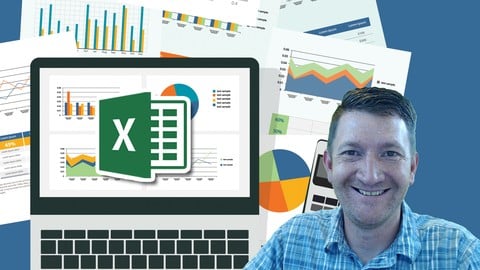
Microsoft Excel Data Analysis and Dashboard Reporting (2018)
4.6 (13,525 Reviews)
- Provider: Udemy
- Time: 3.6h
$15.99
Complete Python Programming Masterclass Beginner to Advanced (2018)
4.6 (11,305 Reviews)
- Provider: Udemy
- Time: 7.2h
$17.99
 Reviews

By Santosh Narvekar on 9/1/2026
Thoroughly enjoyed the course, Pros: - The Q&A was interactive unlike most courses on udemy . - The explanations were good with fairly begineer level projects and some intermediate examples. - Learned about excel on the way mastering some good tips and understanding details of most topics. - Can utlize this knowledge in various other domains like data analysis with excel etc. Cons: - However would have loved to have some more content on powerquery and more advanced content on filtering. - Some new content on upcoming topics in excel llike python in excel or office scripts. Overall a solid course and a Good Experience.
By Rohan Patil on 8/16/2026
FANTASTIC, I enrolled for this course only for getting a good grip on few of the Excel Functions that will primarily be used for Financial Modelling purposes, But as the journey progressed I ended up learning many more features of excel like Macros, VBA, Coding in VBA, Difference between hard coding and variables, automating things using logic and many more. Thanking you Kyle.
By Amina Bint Mohammed on 8/15/2026
I WILL GIVE THIS COURSE A 5 STAR RATING A THOUSAND TIMES AND AGAIN! KYLE TAKES HIS TIME TO EXPLAIN EVERYTHING TO YOUR UNDERSTANDING,EVEN IF TODAY IS YOUR FIRST TIME HEARING THE WORD EXCEL,HE HAS THE POWER OF MAKING YOU UNDERSTAND IT LIKE A PRO! I 100% RECOMMEND THIS COURSE TO EVERYONE LOOKING TO TAKE AN EXCEL COURSE, VERY BEGINNER FRIENDLY.
By Zach Everett on 8/11/2026
This was an awesome course. Kyle is a great teacher and covered things really well. A couple of things that I noticed that could be tweaked - Project 1 of VBA was very similar to the Macro covered in 103, it was pretty repetitive, and I think only one of them needs to be covered. - I wish the course was more 1:1 with the expert certification. There are still a handful of functions that I need to learn on my own that I wish we covered - I'm on a mac so I couldn't do anything related to project 6. Perhaps in the future it could be replaced with a project that is more accessible for mac users - Sometimes, especially in the 101 section, the pace was a little slow and sometimes things were repeated that had already been said or that were clearly on the screen. I think a small tweak could be upping the pace a little bit. Overall it was a great course and I highly recommend it to anyone looking to learn excel. Thank you all for your help.
By Jorge Pita on 8/10/2026
It is a really great course! The explanations are cristal clear and Kyle makes it fun. The only thing I would add is maybe a little bit more of practice throughout de course. Maybe some practice after each section instead of only having it at the end of the 101, 102 and 103. Another thing would be to zoom a little bit more into windows, pop ups and stuff so you can work with a split screen or something like that and still see everything.
By Vatsal Dhabalia on 7/23/2026
The Excel course was extremely helpful and well-structured. The trainer explained concepts clearly with practical examples, making even complex topics easy to understand. I gained valuable knowledge about advanced Excel functions, data analysis, and productivity techniques that I can apply directly in my work. The hands-on exercises and real-world scenarios enhanced the learning experience significantly. Overall, it was an excellent course, and I highly recommend it to anyone looking to improve their Excel skills.
By Anas Alnairat on 7/20/2026
This course exceeded my expectations! The instructor explains everything clearly, step by step, so even complex Excel functions felt easy to follow. The pacing was great — not too rushed, not too slow — and the practice exercises really helped the concepts stick. I went from being pretty average at Excel to feeling genuinely confident using it for real work. Highly recommend to anyone who wants to level up their spreadsheet skills!
By Alice Capoti on 7/16/2026
I was kind of average at Excel, stuck in the same formulas and habits. I really learnt a lot and step-up. My data looks much better. I knew nothing about macros, so it opened a whole new world to me. It was a bit overwhelming as well, it would have helped me some extra notes after lesson, with more explanations about the codes and options. I really appreciate Kyle's style - he gives a lot of valuable info while keeping it light, and also Zan who gives a quick great support in the Q&A section - he seems to never sleep. Its a great course for beginners and those intimidated by coding, I really enjoyed it all!
By Anurag Lohia on 6/24/2026
This Course is really helpful for learning many concepts of excel but the VBA section was not much detail oriented, i need to search about all the VBA functions separately to know more about them , however kyle has done his job to the best .
By Mohammad Faisal on 6/7/2026
Overall the course is good and well tailored for beginner who wants to learn the basics and advance with more complicated concepts like powerBI and VBA. Although the VBA concepts are really challenging at first especially with zero programming skills. I would suggest to have more materials explaining the syntax first and progress forward.
 Quality Score
No CourseDuck member has rated this course yet. Taken it? Give each part a thumbs up or down.
Overall Score : 94 / 100

- Video Duration:
 22.3h
22.3h - Price: $139.99
- Provider: Udemy
- Updated:
 September 2026
 - Level:
 All Levels
 - Language:
 English
 - Certificate:
 Yes
Yes - Lectures:348 in 44 sections
- Practice:13 quizzes
- Students:1.8 million
- Subtitles:31 languages
- Udemy badge:Bestseller
30-day money-back guarantee on most paid courses
Udemy Coupon Price Tracker
