
 Web Development
 Data Science
 Python
 SQL
SQL JavaScript
 Artificial Intelligence
 IT & Software
 IT Certifications
 Hacking
 AWS
AWS Arduino
 DevOps
 3D Modeling
 Graphic Design
 Photoshop
 Drawing
 Digital Painting
 UX Design
 Business
 Data Analysis
 Communication Skills
 Project Management
 Leadership & Management
 Human Resources
 Digital Marketing
 Social Media Marketing
 Marketing
 SEO
SEO Google Analytics
 Branding
 Excel
Excel Office Productivity
 SAP
SAP PowerPoint
 Microsoft Access
 SharePoint
 Finance & Accounting
 Trading & Investing
 Accounting
 Bitcoin
 Personal Finance
 Video Editing & Animation
 Photography
 Adobe Premier Pro
 Adobe Lightroom
 Personal Development
 Productivity
 Career Development
 Life Coaching
 Health & Fitness
 Meditation & Mindfulness
 Yoga
Yoga Music
Music Music Production
 Guitar
 Piano
Piano Singing
 Language Learning
 Teaching & Academics
 Engineering
 Math
Math Lifestyle
Microsoft PowerPoint From Beginner to Advanced (Udemy.com)
Go from Zero to Microsoft PowerPoint Presenter Extraordinaire. Downloadable Exercise Files to Follow Along.
Created by: Kyle Pew
Last updated November 2019
Our take
Based on the ratings of 24,824 students, a sample of their written reviews and the syllabus, as the course stood in November 2019. No course pays to be reviewed.
Kyle Pew's course is a short, step by step tour of PowerPoint, about 6.8 hours across 89 lectures. It starts with the basics, then moves through text, backgrounds, graphics, tables, charts, templates, SmartArt, animation and sharing a finished deck. It is aimed at people with little or no PowerPoint experience, or those who want to fill gaps. The lessons were recorded on the Windows version of PowerPoint 2019, so Mac users will see a different interface.
Reviewers like the pace and the clarity. Several say he speaks clearly, adds a joke now and then, and explains features with practical examples. One longtime user said it surfaced buttons and tricks he never knew had been added. The complaints are mild. Two call it too basic, one of them wanting faster ways to build slides, and a third wished it covered what makes a slide look good, such as color and fonts. Of 24,824 ratings, about 91 percent are four or five stars, and only 330 are one or two.
The syllabus was last refreshed in November 2019, so the interface may look dated next to current Microsoft 365, though reviewers this year are still happy with it. With nearly 100,000 students it is a safe pick beside the other PowerPoint options on the page. The one hour intro is quicker, and this is not a design course. Recommended if you want solid fundamentals, less so if you need advanced work.
Pros
- Short lessons, 89 lectures in about 6.8 hours, easy to fit around a workday
- Clear, lightly jokey delivery that reviewers say is easy to follow at a comfortable pace
- Covers tables, charts, SmartArt, animation and templates with practical examples
- A longtime PowerPoint user says it showed features he did not know had been added
Cons
- Recorded in 2019 on Windows PowerPoint and last updated in November 2019
- Some reviewers find it too basic and want more advanced material and faster ways to build slides
- No advice on color, fonts or what makes a slide look good
This course taught me a lot of stuff I did not even know existed. Kyle is a wonderful instructor, and he made it easy for me to follow along at a pace I was comfortable with.
Listed for all levels, but the audience note and the reviews point to beginners and people filling gaps.
 What you will learn
- Master the Basic Features of PowerPoint
- Build Effective PowerPoint Presentations
- Enhance PowerPoint Presentations with Graphical Elements
- Levarage Advanced Text Editing Operations with PowerPoint
- Prepare to Deliver a PowerPoint Presentation
Course content
17 sections · 89 lectures · 6.8 hours of video
- 1Welcome to the Complete Microsoft PowerPoint Course 2 free previews2 lectures · 5 min
- 2Microsoft PowerPoint 101 -- Getting Started with Microsoft PowerPoint 2 free previews7 lectures · 29 min
- 3Working with PowerPoint Text4 lectures · 21 min
- 4Formatting PowerPoint Slide Background4 lectures · 22 min
- 5Advanced Text Editing with PowerPoint5 lectures · 28 min
- 6Adding Graphical Elements within a PowerPoint Presentation9 lectures · 39 min
- 7Working with PowerPoint Tables7 lectures · 32 min
- 8Working with Charts within PowerPoint8 lectures · 36 min
- 9Preparing to Deliver Your PowerPoint Presentation6 lectures · 35 min
- 10Microsoft PowerPoint 102 -- Customizing the PowerPoint Interface2 lectures · 11 min
- 11Customize PowerPoint Design Templates7 lectures · 34 min
- 12Working with PowerPoint SmartArt4 lectures · 17 min
- 13Adding Multimedia Elements to a PowerPoint Presentation5 lectures · 17 min
- 14Animating PowerPoint Slide Content5 lectures · 28 min
- 15Customizing a PowerPoint Slide Show6 lectures · 26 min
- 16Distributing a PowerPoint Presentation4 lectures · 13 min
- 17Microsoft PowerPoint -- Tips and Tricks to Streamline Your Work in PowerPoint4 lectures · 14 min
Who it is for
The instructor says it suits
- This course has been designed for students who have little to no experience with Microsoft PowerPoint or for those that wish to fill in the gaps within their PowerPoint experience
What you need before you start
- To fully take advantage of this online training, you should have a copy of Microsoft PowerPoint installed on your comptuer
How it compares
Against the other 52 rated Udemy courses in PowerPoint on CourseDuck:
- Rating4.6 out of 5higher than 59% of them
- Reviews24,824#2 of 53 by number of reviews
- Length6.8 hourslonger than 78% of them
- Last updatedNovember 2019earlier than 71% of them
 Course Description
Material was recorded using Microsoft PowerPoint 2019 on a Windows machine, but is relevant to PowerPoint 2010, 2013 and 2016, 2019, Microsoft 365/2025. MAC users, since the videos are recorded with the Windows version of Microsoft PowerPoint, the interface will be a bit different.
This Course Includes 3 Sections
Microsoft PowerPoint 101 - Introductory Level
Microsoft PowerPoint 102 - Intermediate/Advanced Level
Microsoft PowerPoint 103 - Tips and Tricks
Enroll now to go from beginning PowerPoint user to Advanced user. This course will take you through a comprehensive understanding of the most popular presentation tool on the market. As your instructor I will use my 20+ years of Microsoft Office training to guide you step by step as you further develop your skills in Microsoft PowerPoint. Even if you're a seasoned PowerPoint user you'll be amazed at the techniques and tools you'll pick up to help you become more productive and efficient in PowerPoint.
At completion of this course you will have mastered the most popular and sought after Microsoft PowerPoint tools and come away with confidence to complete many PowerPoint tasks with efficiency and grace. Below are just a few of the topics you will master:
Build and Deliver Effective PowerPoint Presentations
Integrate Data from other Microsoft Office Applications
Pick the Proper PowerPoint Slide Layouts for your Content
Animate PowerPoint Content without Distracting the Audience
Automate PowerPoint Formatting and Slide Layouts with Master Slides
and much, much more...
So, what are you waiting for, enroll now and take the next step in mastering Microsoft PowerPoint and go from PowerPoint Newb to PowerPoint Guru!

 Udemy Discount
The discount is applied through our link. Open the course from here and Udemy's current promotional price is applied at checkout on most courses, no code to type.
Some courses are excluded from Udemy's promotions. If the price does not drop, clear your browser cookies and use the button again.
Instructor Details

- 4.6 Rating
 24,824 Reviews
Kyle Pew
Welcome! I'm Kyle Pew, a Microsoft Certified Trainer (MCT), Microsoft Office Master Instructor, and Udemy Instructor Partner, with over 20 years of experience training over 2 million students in Microsoft Office and beyond. I’m passionate about helping students of all backgrounds and skill levels succeed in using tools like Excel, Word, PowerPoint, Access, and more, as well as diving into advanced topics like VBA and SharePoint.
With a background in media arts and animation from the San Francisco Art Institute and industry experience as a game designer at Electronic Arts, I bring a unique perspective to my training. My clients have included major corporations like Chevron, Facebook, Walmart, and many more, delivering training to both large-scale audiences and individuals, adapting each lesson to address real-world applications. My courses are built around the principle that the best way to learn is by tackling real-life challenges—allowing you to build confidence and problem-solving skills.
Join me on Udemy and let’s take your skills to the next level. When I’m not teaching, I’m enjoying time with my six children or cheering on my favorite hockey team, the San Jose Sharks.
 More courses by Kyle Pew
Microsoft Excel - Excel from Beginner to Advanced 2026
4.7 (543,696 Reviews)
 Provider: Udemy
 Time: 22.3h
$139.99
Master Microsoft Excel Macros and Excel VBA (2025)
4.6 (33,954 Reviews)
- Provider: Udemy
- Time: 5.4h
$15.99

Master Microsoft Word Beginner to Advanced (2019)
4.7 (32,671 Reviews)
- Provider: Udemy
- Time: 7h
$18.99
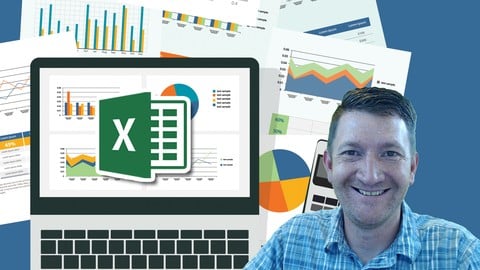
Microsoft Excel Data Analysis and Dashboard Reporting (2018)
4.6 (13,525 Reviews)
- Provider: Udemy
- Time: 3.6h
$15.99
Complete Python Programming Masterclass Beginner to Advanced (2018)
4.6 (11,305 Reviews)
- Provider: Udemy
- Time: 7.2h
$17.99
More PowerPoint courses

PowerPoint Masterclass - Presentation Design & Animation (2026)
4.7 (7,539 Reviews)
- Provider: Udemy
- Time: 10.3h
$14.99

PowerPoint Slide Design - Casual Slides Presentation (2025)
4.7 (6,207 Reviews)
- Provider: Udemy
- Time: 42 mins
Free

Microsoft PowerPoint for 2026 - 3 Hour Crash Course!
4.7 (4,018 Reviews)
- Provider: Udemy
- Time: 2.9h
$11.99

Create Animated Explainer Videos with PowerPoint (2025)
4.7 (1,413 Reviews)
- Provider: Udemy
- Time: 4.8h
$11.99

Microsoft PowerPoint for Mac - Office 365 on Mac OS (2020)
4.7 (418 Reviews)
- Provider: Udemy
- Time: 2.5h
$64.99

PowerPoint 2013 2016 2019 - Video Animation in Powerpoint
4.7 (316 Reviews)
- Provider: Udemy
- Time: 1.7h
$11.99
 Reviews

By Steven L Cowan on 8/12/2026
Easy, fun, informative, paced well. While I have use PowerPoint since it was invented new versions, button tip and tricks always come about that few keep up with. This course illuminates so many thinks I didn't know were added to PowerPoint.
By Deepesh Kumar Bansal on 8/5/2026
This is one of the best PowerPoint courses available online. The content is well-structured and progresses smoothly from beginner to advanced topics. The instructor explains each concept clearly with practical examples, making it easy to follow and apply in real-world presentations. Highly recommended for anyone who wants to create professional presentations.
By Theodosios Kavalagios on 6/19/2026
It could benefit from a few insights into what makes a good/bad presentation (Color theory, Grabbing attention using colors and fonts as well as keeping the presentation easy to watch etc.). I realize this is beyond the scope of introducing a newbie to PowerPoint but I feel like no matter how much you streamline your presentation making workflow, if the end result is not appealing enough, it defeats the purpose. Other than that, even though it's a brief course, it's packed with information, intuitive and very informative. Keep up the good work!
By Muhammad Waleed Bin Latif on 6/18/2026
KYLE PEW is a very good instructor he makes learning fun with his jokes and i am so interested that i am doing two sections in one day thanks to UDEMY and KYLE PEW
By Cheryl Speakes on 6/11/2026
This course taught me a lot of stuff I did not even know existed. Kyle is a wonderful instructor, and he made it easy for me to follow along at a pace I was comfortable with. I have to prepare for a PowerPoint test, and I know I am better prepared to take my test now! Thank you Kyle!
By Ajith Kumar on 5/18/2026
I'm glad to have taken and completed this course. I learned techniques I didn't even know existed. Great pace, well-constructed and easy to follow. Thanks, Kyle, for putting up a great and easy to understand course.
By Priti Taylor on 4/9/2026
Found the course practical and the fact you could watch and then try what had just been taught solidified the learning. Great way to learn and also interactive so you are kept engaged.
By Akanksha Kumari on 4/2/2026
The course was extremely helpful to me, starting right from the basics and gradually progressing to advanced levels. It helped in strengthening my fundamentals and introduced me to new concepts in a clear and structured way. Thank you so much for this awesome course.
By Stephan avis on 3/19/2026
Great course to learn the basics, the teacher explains everything clearly, and is knowledgeable and enthusiastic about the subject. I did miss a lot of ''advanced'' elements, unfortunately - as the course is really more a basics 101/fundamentals course.
By Melissa Ngoie Kongolo on 2/24/2026
A very good course that helped me fill in some gaps in my knowledge: completing the master slide, inserting music and videos into a presentation, but above all illustrations, which help you learn and remember easily. Thank you.
By Benjamin Barrow on 11/15/2020
Very clear presentation, well organized and a great pace!
By Assebe Alemu Birru on 11/15/2020
I have no any knowledge in powerpoint before. I have learned much sofar in taking this course.
 Quality Score
No CourseDuck member has rated this course yet. Taken it? Give each part a thumbs up or down.
Overall Score : 92 / 100
- Video Duration:
 6.8h
6.8h - Price: $14.99
- Provider: Udemy
- Updated:
 November 2019
 - Level:
 All Levels
 - Language:
 English
 - Certificate:
 Yes
Yes - Lectures:89 in 17 sections
- Students:99,800
- Subtitles:17 languages
- Udemy badge:Bestseller
30-day money-back guarantee on most paid courses
Udemy Coupon Price Tracker
