
 Web Development
 Data Science
 Python
 SQL
SQL JavaScript
 Artificial Intelligence
 IT & Software
 IT Certifications
 Hacking
 AWS
AWS Arduino
 DevOps
 3D Modeling
 Graphic Design
 Photoshop
 Drawing
 Digital Painting
 UX Design
 Business
 Data Analysis
 Communication Skills
 Project Management
 Leadership & Management
 Human Resources
 Digital Marketing
 Social Media Marketing
 Marketing
 SEO
SEO Google Analytics
 Branding
 Excel
Excel Office Productivity
 SAP
SAP PowerPoint
 Microsoft Access
 SharePoint
 Finance & Accounting
 Trading & Investing
 Accounting
 Bitcoin
 Personal Finance
 Video Editing & Animation
 Photography
 Adobe Premier Pro
 Adobe Lightroom
 Personal Development
 Productivity
 Career Development
 Life Coaching
 Health & Fitness
 Meditation & Mindfulness
 Yoga
Yoga Music
Music Music Production
 Guitar
 Piano
Piano Singing
 Language Learning
 Teaching & Academics
 Engineering
 Math
Math Lifestyle
Game Dev Kickstart: 2D Game Development Using LibGDX & Java (Udemy.com)
Create a fully functional multi-platform 2D video game for FREE using LibGDX and Java!
Created by: Brandon Grant
Last updated March 2025
 What you will learn
- Create stunning cross-platform 2D games with LibGDX and Java
- Learn best practices for using LibGDX
- Handle keyboard and touch input from the player
- Create a games with multi-screen functionality
- Create a fully functional game from the ground up
- Render and animate game characters
- Add sounds and music to a game
How it compares
Against the other 281 rated Udemy courses in Game Development Fundamentals on CourseDuck:
- Rating4.6 out of 5higher than 57% of them
- Reviews44#251 of 282 by number of reviews
- Length9.8 hourslonger than 59% of them
- Last updatedMarch 2025more recently than 59% of them
 Course Description
Do you want to learn how to create amazing video games for FREE with LibGDX?
I'm Brandon and I'm going to help you master LibGDX by creating a complete and fully functional cross-platform 2D video game.
LibGDX is a free and open-source game development framework. Game development frameworks are collections of libraries and tools that provide building blocks that developers can use to create their own games, and are more lightweight and flexible than game engines, like Unity 3D, Unreal Engine, and Godot.
LibGDX also provides cross-platform deployment, meaning that a game created with LibGDX can be run on multiple platforms, including Windows, Mac, Linux, Android, iOS, and web browsers.
(NOTE: Please be aware that you will need to know some Java in order to get the most out of this course. Taking a short 2-3 hour Java course on YouTube should be more than enough.)
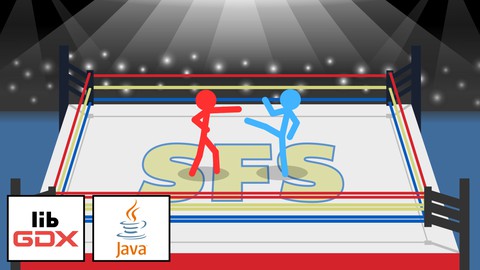
The Game Dev Kickstart course is very comprehensive and is full of extremely valuable information for creating incredible 2D games using LibGDX. We'll begin by installing the JDK (Java Development Kit) and the IntelliJ IDEA IDE, which we'll be using to write the code for our game. After that, we'll jump right into learning all about LibGDX by creating a complete 2D fighting game called Stick Figure Showdown. Among the dozens of topics we will be covering throughout the course, we'll learn how to:
draw images to the screen and animate them
manage assets (images, audio, etc.) using an asset manager
work with cameras and viewports for full control over how our game appears on different screen resolutions
handle keyboard and touch input from the player
generate fonts using the Freetype extension
display a HUD (Heads-Up Display)
create and use texture atlases for enhanced performance
add text and clickable buttons to the screen
add sound and music to our game
add AI (Artificial Intelligence) for the opponent fighter
create and switch between various types of screens (main menu, settings, etc.)
use Scene2D for more efficient UI (User Interface) layout
allow the player to change and save various settings of the game (difficulty, fullscreen mode, etc.)
EXTRA: add Android functionality to our game!
You'll also get access to all of the resources and code for the projects in this course!
So what are you waiting for? Join now and let's start developing games today!

 Udemy Discount
The discount is applied through our link. Open the course from here and Udemy's current promotional price is applied at checkout on most courses, no code to type.
Some courses are excluded from Udemy's promotions. If the price does not drop, clear your browser cookies and use the button again.
Instructor Details

- 4.6 Rating
 44 Reviews
Brandon Grant
Hi, I'm Brandon, and my passion is teaching--whether it be my native language of English or a programming language, graphic design, game development, or some other topic I've been using or learning about for many years. With my courses, you can rest assured that I will teach all topics in a clear, concise, and engaging way.
Please don't hesitate to message me with any questions, concerns, or suggestions regarding any of my courses. I'm looking forward to hearing from you.
 More Game Development Fundamentals courses

The Ultimate 2D Top Down Unreal Engine Course (2026)
4.9 (1,468 Reviews)
 Provider: Udemy
 Time: 17.1h
$94.99

Blender Skill Builder: Modelling Challenges (2026)
4.9 (144 Reviews)
- Provider: Udemy
- Time: 6.5h
$19.99

Jumpstart to 2D Game Development: Godot 4 for Beginners (2026)
4.8 (4,398 Reviews)
- Provider: Udemy
- Time: 67.6h
$89.99

Create a Complete 2D Survivors Style Game in Godot 4 (2023)
4.8 (3,761 Reviews)
- Provider: Udemy
- Time: 17.2h
$59.99

Master Lua Programming and Create Amazing Games with LÖVE! (2023)
4.8 (3,199 Reviews)
- Provider: Udemy
- Time: 8.5h
$13.99

Complete Godot 2D: Develop Your Own 2D Games Using Godot 4 (2025)
4.8 (1,619 Reviews)
- Provider: Udemy
- Time: 11.3h
$94.99
 Reviews

By Zacharius Hornor on 6/7/2025
This is a nice beginners course for libGDX. I had some knowledge all ready but this has been a rally good streamlined workflow.
By Michael Azoff on 5/18/2025
Yes it went straight to libGDX which is what I wanted
By Charbel Ghanem on 8/4/2024
im still in introduction, ill update if the explanation stays amazing later
By Marco Fernandez on 2/22/2024
first I learned Java from Youtube videos, but i wasnt able to find nothing about LibGDX and then I found this. I learned a lot and I think now I am able to develope my own game , of course there Is a lot to learn but this was a great course!!!
By Xerckiem Mercado on 2/11/2024
The course is really good but it needs some proper directions for MacOS installation. It took me 4 hours of searching how to make this work with MacOS (M1 chip) and first you need to install Java 8 because the default for the current libGDX project setup is Java 8. Then you need to add -XstartOnFirstThread on VM options for DesktopLauncher run configurations. Do not add com.badlogicgames.gdx:gdx-lwjgl3-glfw-awt-macos on your dependencies as it will cause crashes when resizing the window use the VM options parameter instead. Also it would be great to refactor the code because GameScreen class has a lot of code going on. Maybe refactor it and apply OOP principles. Like moving AI into another class.
By Cyril on 9/22/2023
Very good so far, will come edit later on for a full review. Exactly the kind of quick content to cover the main component of libGDX. thanks.
By Chutipong Arunkijthawornkul on 7/15/2023
This course contains everything you need to know to create a complete game. It is well structured. The instructor explains the reasons well to help you understand "why" before "how" to do it. One thing I'm not sure is if this is really for a beginner. You should make a few of your own small Java or OOP projects before trying this course. Speaking from a beginner myself, when studying for a while the classes and chained methods will start to accumulate too much that I can no longer understand anything anymore. I had to stray away to read and watch other sources for specific concepts out of the context in the videos. However, if you manage to pull through and come back to watch the videos again, you'll know how well-crafted it is to prevent you from a lot of unseen bugs.
By Stacy McDonough on 4/9/2023
I have taken libgdx courses before, but this one definitely has the clearest explanations about all of the concepts, so I feel like I'm actually learning everything, instead of just copying code.
 Quality Score
No CourseDuck member has rated this course yet. Taken it? Give each part a thumbs up or down.
Overall Score : 92 / 100
- Video Duration:
 9.8h
9.8h - Price: $79.99
- Provider: Udemy
- Updated:
 March 2025
 - Level:
 Beginner
 - Language:
 English
 - Certificate:
 Yes
Yes
30-day money-back guarantee on most paid courses
Udemy Coupon Price Tracker
