
 Web Development
 Data Science
 Python
 SQL
SQL JavaScript
 Artificial Intelligence
 IT & Software
 IT Certifications
 Hacking
 AWS
AWS Arduino
 DevOps
 3D Modeling
 Graphic Design
 Photoshop
 Drawing
 Digital Painting
 UX Design
 Business
 Data Analysis
 Communication Skills
 Project Management
 Leadership & Management
 Human Resources
 Digital Marketing
 Social Media Marketing
 Marketing
 SEO
SEO Google Analytics
 Branding
 Excel
Excel Office Productivity
 SAP
SAP PowerPoint
 Microsoft Access
 SharePoint
 Finance & Accounting
 Trading & Investing
 Accounting
 Bitcoin
 Personal Finance
 Video Editing & Animation
 Photography
 Adobe Premier Pro
 Adobe Lightroom
 Personal Development
 Productivity
 Career Development
 Life Coaching
 Health & Fitness
 Meditation & Mindfulness
 Yoga
Yoga Music
Music Music Production
 Guitar
 Piano
Piano Singing
 Language Learning
 Teaching & Academics
 Engineering
 Math
Math Lifestyle
Google Maps SDK for Android with Kotlin | Masterclass (Udemy.com)
Learn Google Maps SDK for Android. And also Create Distance Tracker App for tracking users location from a background.
Created by: Stefan Jovanovic
Last updated June 2023
 What you will learn
- Google Maps API
- Google Maps SDK for Android
- Connect the Project with Google Cloud Platform
- Generate Maps SDK API Keys
- Add Custom Map Style
- Change Map Type
- Add Map Padding
- Work with Controls and Gestures
- Change Map Camera Position
- Animate Camera Movement
- Zoom in/out on the Map
- Rotate the Map
- Tilt the Map
- Show Buildings in 3D
- Setting Boundaries on the Map
- Restrict Camera Viewport
- Handle Map Events
- Draw Markers
- Draw Polylines
- Draw Polygons
- Draw Circles
- Shape Customization
- Ground Overlay
- Maps SDK Utility Library
- GEOJson
- Draw Heatmaps
- Add Marker Clusters
- Calculate the Distance on the Map
- Service
- Foreground Service
- Location Permissions
- Background Permissions
- Run-time permissions
- Easy Permissions Library
How it compares
Against the other 166 rated Udemy courses in Android Development on CourseDuck:
- Rating4.5 out of 5higher than 69% of them
- Reviews290#82 of 167 by number of reviews
- Length7.7 hoursshorter than 59% of them
- Last updatedJune 2023more recently than 50% of them
 Course Description
Hello there and welcome to my course, In this course I'm going to teach you how to implement Google Maps SDK for Android using the power of Kotlin programming language.
We are going to start this course by introducing with Google Maps SDK, you will first learn how to connect your Android Studio project with Google Cloud Platform. After that we will go through the process of generating Debug and Release API Keys in order to enable Google Maps SDK in our project.
Then I'm going to show you how to enable/disable certain Map controls like compass, zoom in/out controls, my location button and more. Also how to enable/disable map gestures like scrolling zooming, tilting, rotating and so on.
After that we will go through to process of choosing and applying different Map Types and Styles. You will learn how to apply dark and light map styles to your app.
You will learn how to animate Maps camera movement, how to Animate zoom levels, how to handle single click and long click events, how to place markers and drag them on the map. Then how to customize markers, and info windows as well.
Also you'll learn how to add different shapes to your Google Map like Polyline, Polygons, Circles, Overlays and basically everything you'll even need!
So Only after we get fully introduced with most of Google Maps features, we are going to start and build a real Android application. Our app will be called Distance Tracker, and as the name suggests, we will create an app which will be able to track our users location and track the distance which user travels. Our application will use Foreground Service and it will track users location even from a background when we kill our app. Bottom line, you will be able to track how many kilometers have you traveled and how much time it took.
In this course you will not learn just how to use Google Maps SDK, but also how to handle Run-time permissions, and the best practice of requesting those permissions sequentially as the newest Android API requires.
Also our application will use Foreground service with a non-removable Notification which will always stay on the top. Unless we stop and kill our foreground service. Now this is not the course where you will just learn the theory, this is the course where you are going to combine theory with practice and create a real android application to put all your knowledge which you gathered throughout this course together.
So bottom line, the level of knowledge you will get from this course, depends on how much effort you put into watching and practicing with this course.
So what are you waiting for, let's get started Developers!

 Udemy Discount
The discount is applied through our link. Open the course from here and Udemy's current promotional price is applied at checkout on most courses, no code to type.
Some courses are excluded from Udemy's promotions. If the price does not drop, clear your browser cookies and use the button again.
Instructor Details

- 4.5 Rating
 290 Reviews
Stefan Jovanovic
Hi, my name is Stefan Jovanović. I’m a Kotlin Multiplatform developer, designer and technology enthusiast. Love working on a new and exciting projects, sharing my knowledge with others, and always willing to learn more.
I believe that permanent education is the key to success. I’ve been working as a developer/designer for 6 years so far.
Have a lots of projects on my mind. I will be creating many useful courses in the future, and hope to hear from you as you enroll in one of them!
Kind regards
 More courses by Stefan Jovanovic

Compose Multiplatform (Android/iOS) - Mobile App Development (2026)
4.5 (780 Reviews)
 Provider: Udemy
 Time: 6.8h
$64.99

Build Modern Android App with REST API and Ktor Server (2025)
4.4 (556 Reviews)
- Provider: Udemy
- Time: 16.5h
$74.99
Compose Multiplatform - iOS/Android Development with Kotlin (2026)
4.3 (538 Reviews)
- Provider: Udemy
- Time: 2.3h
$64.99
To-Do App & Clean Architecture -Android Development - Kotlin (2022)
4.3 (520 Reviews)
- Provider: Udemy
- Time: 4.6h
$74.99

Programming with Kotlin - Masterclass | Complete Course (2025)
4.3 (466 Reviews)
- Provider: Udemy
- Time: 14.4h
$74.99
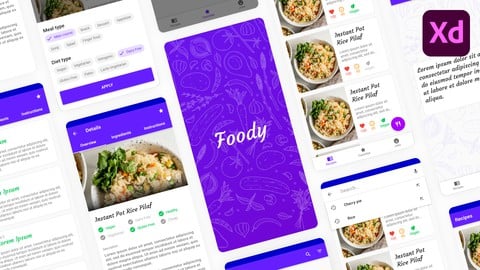
Android Material UI Design Masterclass with Adobe Xd (2020)
4.5 (305 Reviews)
- Provider: Udemy
- Time: 6.7h
$64.99
More Android Development courses
NativeScript + Angular: Build Native iOS, Android & Web Apps (2022)
4.8 (1,928 Reviews)
- Provider: Udemy
- Time: 20.7h
$11.99

Secure User Authentication | Android + Ktor Server + MongoDB (2022)
4.8 (134 Reviews)
- Provider: Udemy
- Time: 7.5h
$74.99

Unity Android : Build 3D ZigZag Racing Game with Unity & C# (2025)
4.8 (130 Reviews)
- Provider: Udemy
- Time: 12.1h
$74.99

Dependency Injection in Android with Dagger and Hilt (2024)
4.7 (2,556 Reviews)
- Provider: Udemy
- Time: 11.9h
$11.99

Kotlin and Android Jetpack Compose masterclass (2026)
4.7 (470 Reviews)
- Provider: Udemy
- Time: 21.7h
$64.99
 Reviews

By Marcelo Germano on 9/1/2024
This course was really useful for me. I have learnt not only how to use the Google Maps API but other different things like the permissions management and the tracking app is an awesome way to applied all the knowledge. I am interesting in Android courses that show how to use specific APIs. I would like for example, Android courses that teach how to combine AI and/or Iot with Android. Thanks you so much for this kind of courses.
By Rod on 1/18/2023
the pace is not only blistering , you are unclear completely as to where the files are , whether it's just an intro or you are actually demonstrating actual design in which we must participate
By Anonymized User on 7/25/2022
I learned a lot from this. This is one of the best. May I suggest a topic please? I am willing to buy them if you will create a separate course explaining Map pricing. I cant find them anywhere. Maybe include different scenarios like "how much you charge your client using your app with a map in 1 hour or so..." Thanks in advance...!!!
By Muaz on 10/5/2021
One of the best organized course. To the point, clear and knowledgeable content. What I most liked about this course is that it started with basics and then a project that has a great implementations of concepts and many more. Take a bow Sir Stefan! Thank you so much for this course.
By Jo on 6/21/2021
Very good course. Above expectations. Really helping me. Instructor is very responsive
By Alinguru on 3/28/2021
Wow very great course, I having looking course like this for a long time but I didn't get it, honestly this is great course, but the only thing to say Thank you much very much, and I will continue buying all your courses , please don't stop, We are with you and waiting your new course,
By James Reynolds on 3/20/2021
Great course. I went in knowing nothing about Google Maps on Android and have learnt everything I need to know. I now feel ready to create my own work. I will definitely check out more courses from Stefan.
By Zack F on 3/16/2021
The course content is excellent, I liked doing the app part of the course as well. The instructor talks quite fast in some parts so the video needs to be slowed down but fortunately I could do that with the udemy playback. Overall, if you are interested in Google Maps I highly recommend this course.
By Nikoletta Petrou on 2/22/2021
This was a really nice course to get around with google maps. You can tell that the author puts effort on his tutorials, and tries to use the most up-to-date programming paradigms (dependency injection, data binding, view binding, etc). Thanks!
By Darrin Reed on 2/15/2021
I have been trying to develop a map based app, I have ran into so many issues. There isn't very many tutorials out there for doing a maps app in Kotlin. Thank You!! Very helpful so far.
 Quality Score
No CourseDuck member has rated this course yet. Taken it? Give each part a thumbs up or down.
Overall Score : 90 / 100
- Video Duration:
 7.7h
7.7h - Price: $64.99
- Provider: Udemy
- Updated:
 June 2023
 - Level:
 Intermediate
 - Language:
 English
 - Certificate:
 Yes
Yes
30-day money-back guarantee on most paid courses
Udemy Coupon Price Tracker
