
 Web Development
 Data Science
 Python
 SQL
SQL JavaScript
 Artificial Intelligence
 IT & Software
 IT Certifications
 Hacking
 AWS
AWS Arduino
 DevOps
 3D Modeling
 Graphic Design
 Photoshop
 Drawing
 Digital Painting
 UX Design
 Business
 Data Analysis
 Communication Skills
 Project Management
 Leadership & Management
 Human Resources
 Digital Marketing
 Social Media Marketing
 Marketing
 SEO
SEO Google Analytics
 Branding
 Excel
Excel Office Productivity
 SAP
SAP PowerPoint
 Microsoft Access
 SharePoint
 Finance & Accounting
 Trading & Investing
 Accounting
 Bitcoin
 Personal Finance
 Video Editing & Animation
 Photography
 Adobe Premier Pro
 Adobe Lightroom
 Personal Development
 Productivity
 Career Development
 Life Coaching
 Health & Fitness
 Meditation & Mindfulness
 Yoga
Yoga Music
Music Music Production
 Guitar
 Piano
Piano Singing
 Language Learning
 Teaching & Academics
 Engineering
 Math
Math Lifestyle
How to Make a Freaking Android App (Udemy.com)
Make apps for Android M - Marshmallow, using Android Studio for Mac or Windows. You will also learn Java programming!
Created by: Nick Walter
Last updated November 2018
 What you will learn
- Create fully functioning Android Apps
- Write basic Java code
- Have fun programming!
How it compares
Against the other 166 rated Udemy courses in Android Development on CourseDuck:
- Rating4.8 out of 5higher than 95% of them
- Reviews839#50 of 167 by number of reviews
- Length6.7 hoursshorter than 62% of them
- Last updatedNovember 2018earlier than 75% of them
 Course Description
Join Udemy's most fun class and learn how to make your own freaking Android apps! No prior programming experience necessary.
We run through every single step from installing Android Studio (the program we use to make apps) down to making apps 3 complete apps. And we'll never talk over your head. We've experienced the harsh reality of complicated and wordy tutorials and online classes. This class is what we wish we'd had when we were first learning to make apps. It's the first class to break everything down to the level that is perfect for "newbies" so that you never feel lost, and can excel and learn quickly.
Who is this class for?
- People who want to make apps. We will not be teaching wordy or complicated computer science philosophies. We'll cover how to make apps that you can play with, share with friends & family, and offer to the world!
- Beginners. You don't need any programming experience to take this class. We've been the absolute beginners before and want to help you.
- People who like to have fun, you might see a mullet or two in this class :)
- Entrepreneurs who have an idea for an app. Don't pay somebody thousands to build your app. Do it yourself. Having the ability to create something you can think of is extremely powerful.

 Udemy Discount
The discount is applied through our link. Open the course from here and Udemy's current promotional price is applied at checkout on most courses, no code to type.
Some courses are excluded from Udemy's promotions. If the price does not drop, clear your browser cookies and use the button again.
Instructor Details

- 4.8 Rating
 839 Reviews
Nick Walter
Hi! I'm Nick, and I love to code. About five years ago I decided that I wanted to learn to code, but I had limited access to programming resources, and I was getting frustrated with all of the YouTube videos and online tutorials out there. I experimented, struggled, and definitely failed a lot, but I finally got the hang of it, so I decided that I wanted to change the way that people learned to code, and I started teaching. My experience as an online student has directly influenced my teaching style, because I know what it is like to be in your shoes.
When
Apple announced their new programming language, Swift, in 2014, I made my big online teaching debut and created the
internet's first Swift course. Since that time, I have
become a full-time online instructor and I now have courses not only in Swift,
but also in iOS, Android, Django, Kotlin, Python, HTML, Blockchain, etc. I have also created five iOS apps from scratch that are currently live in the App Store and are being used by thousands of users worldwide.
I love sharing my excitement for coding with my students, and I try to make learning as fun and as easy as possible. Thanks for being part of my coding community!
 More courses by Nick Walter

Django 2.2 & Python | The Ultimate Web Development Bootcamp (2020)
4.6 (5,686 Reviews)
 Provider: Udemy
 Time: 10.1h
$84.99


Django 3 - Full Stack Websites with Python Web Development (2020)
4.6 (4,571 Reviews)
- Provider: Udemy
- Time: 8.4h
$124.99

The Ultimate Beginner's Guide to Django 1.11 (2019)
4.7 (1,632 Reviews)
- Provider: Udemy
- Time: 9h
$12.99

SwiftUI - Learn How to Build Beautiful, Robust, Apps (2019)
4.5 (1,300 Reviews)
- Provider: Udemy
- Time: 4.4h
$13.99
More Android Development courses
NativeScript + Angular: Build Native iOS, Android & Web Apps (2022)
4.8 (1,928 Reviews)
- Provider: Udemy
- Time: 20.7h
$11.99
Secure User Authentication | Android + Ktor Server + MongoDB (2022)
4.8 (134 Reviews)
- Provider: Udemy
- Time: 7.5h
$74.99
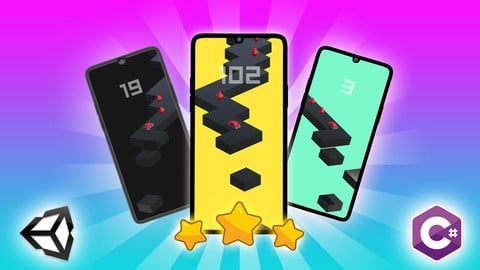
Unity Android : Build 3D ZigZag Racing Game with Unity & C# (2025)
4.8 (130 Reviews)
- Provider: Udemy
- Time: 12.1h
$74.99

Dependency Injection in Android with Dagger and Hilt (2024)
4.7 (2,556 Reviews)
- Provider: Udemy
- Time: 11.9h
$11.99

Kotlin and Android Jetpack Compose masterclass (2026)
4.7 (470 Reviews)
- Provider: Udemy
- Time: 21.7h
$64.99
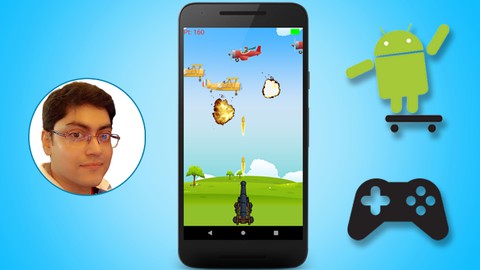
Android Game Development for Beginners - Learn Core Concepts (2023)
4.7 (220 Reviews)
- Provider: Udemy
- Time: 2.7h
$64.99
 Reviews

By Tony van der Sloot on 2/13/2019
Instructor did well in providing a good feel and some detail on what's involved in making an app in the time he made available. Would have given a 5 if there was more time on just getting the right emulator set-up. Spent a lot of time and searched all over the internet to find something. The website referenced at the end of each chapter to ask questions etc appears to require registration and a paid subscription, which is fine but you should be aware of it.
By Sarper Dilek on 12/20/2018
It's amazing for beginners or middle-educated. I tried many times learn basic things. I have never understood arrays, classes, loops and the other things. I could code something from Google -easily-; but generally I couldn't get what I did. Now I can understand and the important thing is I can explain what I did. Thanks man. You made my present, you start to construct my future. Good instructor, fluent expression, instructive lessons. 5/5
By Mingzhi Leng on 11/26/2018
This is a perfect course for beginer. It has very detailed instruction and explaination on each step. And the difficulty is just perfect, not to hard to make you want to quit, and not to easy to make you feel boring. I have enjoyed this course very much. Good job Nick. Thanks a lot. p.s. I just finished the last lecture. This is a great course to start your Android APP development.
By Minni Ojala on 9/30/2018
This course has really made it easier to understand and learn Java programming and using Android studio! Thank you so much for making this! Things has been explained really well and its easy to follow and understand! Only problem have been that my Android Studio looks very different so it was a bit harder to learn how to make the design look as it's shown in this video.
By Jon Willems on 5/23/2018
This course was absolutely amazing. This is the exact type of thing I've been looking for! I've been trying to learn to make android apps for a while now and when I found this it was like I hit the Jackpot! I've already recommended tons of my friends to go and do this course! I finally feel like i'm on my way to be a developer! Nick rules! His class has the absolute perfect flow and structure to take you from knowing nothing to making real apps! The only thing is I wish he would have shown me how to put the app on my phone. But no worries it took a 2 minute google session to figure that out!
By Shannon Khoury on 4/8/2018
Nick is great instructor, I liked the challenges and the overall the course was great for beginners and I would say is quite good for developers that just want to get into Android developer. I would like to have seen a few more advance topics, like past data back and forth between to activities, or reading/writing data to a file in last exercise, IE change the one of the player stats The course is a little back dated but all the concepts still work.
By Bryan Galle on 11/22/2017
The course is very good. One thing to consider, refresh the course with the newer Android Studio versions. I'm currently on 3.2.1 and it's quite different from the lectures, so getting by is taking a bit longer than it should, but I managed to complete the course and am quite proud of the fact! One of the few things that I have completed from start to end. Good job!
By Daniel Sandberg on 10/6/2017
This course was exactly as advertised; It taught the fundamentals to get the students going. I did the course in one day, so for my part it could easily have been extended from 7 to 10 hours to include another app build to show some more advanced features of Android app design. A walkthrough of the last challenge would have been nice as a warp-up, especially since it was a harder challenge, but that's the only draw-back. This was a good course!
By Unpredict2ble One on 6/7/2017
Overall, great course. Very engaging and I found myself wanting to continue each day. Like you, I too have a ton of courses I have never completed or never even got to 20% because the delivery was so dry, or dull, etc. You dove right in, and only taught the necessary components of Java needed to be sucessful in your course. Again great course, but you could definitely make the course even better. A few recommendations for you. 1. Consider adding Exception Handling to your Java School. Very, very, Important! 2. Show how to prevent screen rotation. Some apps you may not want to rotate to landscpe or protrait, so show how to prevent rotation. 3. Show how to add user upload functionality. The resume app taught a lot of great info, but truth is, only I can use it. If there was ways to upload images and add info to it, others can then use it. 4. Icons on buttons. Maybe i'd rather use a call icon, or email icon instead of text. 5. How to change the title bar colors. 6. How to test app on an actual Android device like you displayed your own device in one of the videos with the app on it. 7. Show the code for challenges (esp the final where you recommend using OOP). Its great to have a challenge, but if you're not showing at least 1 solution, the challenge is pointless. 8. Last but not least, how to submit apps to the Playstore. Again, these would be great topics to expand your course, keeping it fresh. Also, you may want to download the latest Android studio, cause some of what you're doing, is a bit different in the new Android Studio, or the behavior is completely different all together. Enjoyed your motivation, especially the dancing, my daughter more than anything. lol
By Trey Tomeny on 11/6/2016
I'm a beginner, and this was better than any book or other resource I've looked at. I feel like I could make a complete simple app if needed. Wish he had not run out of energy at end- he has challenges with no solutions demonstrated. Also needs demos of how to put on your actual phone and how to put in Play Store. This is an edit. I just changed my rating from 4 stars to 5 stars. I've been taking another similar course to get more experience and now I'm appreciating just how good this course is. Nick doesn't waste your time and he is very intentional about explaining everything he does. The course could still be better, as mentioned above, but it is way better than what appears to be the top selling course in this area.
 Quality Score
No CourseDuck member has rated this course yet. Taken it? Give each part a thumbs up or down.
Overall Score : 96 / 100
- Video Duration:
 6.7h
6.7h - Price: $54.99
- Provider: Udemy
- Updated:
 November 2018
 - Level:
 Beginner
 - Language:
 English
 - Certificate:
 Yes
Yes
30-day money-back guarantee on most paid courses
Udemy Coupon Price Tracker
