
 Web Development
 Data Science
 Python
 SQL
SQL JavaScript
 Artificial Intelligence
 IT & Software
 IT Certifications
 Hacking
 AWS
AWS Arduino
 DevOps
 3D Modeling
 Graphic Design
 Photoshop
 Drawing
 Digital Painting
 UX Design
 Business
 Data Analysis
 Communication Skills
 Project Management
 Leadership & Management
 Human Resources
 Digital Marketing
 Social Media Marketing
 Marketing
 SEO
SEO Google Analytics
 Branding
 Excel
Excel Office Productivity
 SAP
SAP PowerPoint
 Microsoft Access
 SharePoint
 Finance & Accounting
 Trading & Investing
 Accounting
 Bitcoin
 Personal Finance
 Video Editing & Animation
 Photography
 Adobe Premier Pro
 Adobe Lightroom
 Personal Development
 Productivity
 Career Development
 Life Coaching
 Health & Fitness
 Meditation & Mindfulness
 Yoga
Yoga Music
Music Music Production
 Guitar
 Piano
Piano Singing
 Language Learning
 Teaching & Academics
 Engineering
 Math
Math Lifestyle
inDesign Building Blocks (Udemy.com)
Learn Adobe's Premier Page Layout Tool By Creating Projects from Business Cards to Multipage Catalogs
Created by: SkillSprints Inc.
Last updated May 2019
 What you will learn
- Create attractive documents with inDesign
- How to understand the inDesign interface and metaphors
- How to create different sized documents
- How to use color, color libraries and custom colors
- Adjust typography in documents including advanced typographic features such as tabs
- How to manage links and resolve problems with links
- How to flow text between columns and pages
- How to place images and cause text to run around an image
- How to manage fonts
- How to prepare a document for PDF distribution
- How to prepare a document for Print distribution
- How to use Guides for document production
- How to use Grid Layout and related tools
- How to use inDesign to create several types of common projects
How it compares
Against the other 52 rated Udemy courses in Adobe Indesign on CourseDuck:
- Rating4.6 out of 5higher than 65% of them
- Reviews24#45 of 53 by number of reviews
- Length2.8 hoursshorter than 69% of them
- Last updatedMay 2019earlier than 61% of them
 Quality Score
Overall Score : 92 / 100
 Course Description
Period. End of story.
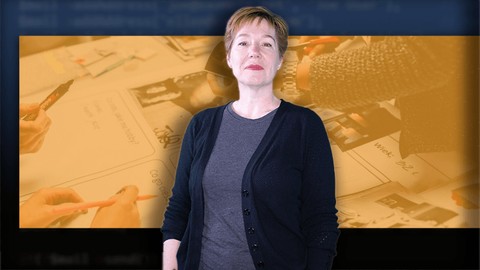
We put together a course that's not only GUARANTEED to teach you crucial digital design skills with InDesign but, will also be a lot of fun. First, Kirsten Rourke, your instructor is as experienced as they come. She's been working with Adobe software since the first versions of Photoshop and Indesign. (Kirsten isn't old. She prefers to say, "seasoned!")
Kirsten doesn't just know her stuff, but she knows how to present it in a memorable, exciting way. That's why this course is project oriented. In each section of the course, you won't just be learning valuable inDesign skills, but also completing exciting projects. As you become more skilled with the InDesign software, you'll create more and more complex projects from business cards to FAQ sheets, to trifold brochures and catalogs.
Before you know it, you'll be the InDesign expert!
Here's the thing: This course is for beginners, but it's also comprehensive. So if you want a full introduction to the InDesign software, Kirsten reviews every feature you're ever likely to need. But she does start at the beginning, so you can be successful in this course even if you have no experience at all.
We've purposely dispensed with any fluff in this course. We want every minute you spend with Kirsten to be a valuable learning experience. You'll be able to immediately apply the digital design skills you learn with InDesign to your work.
Each video includes step-by-step written instructions which will show you how to create each project that Kirsten does. We even include all of the images and other assets you need. And you're free to use the projects included as templates for producing your own work.
You should enroll in InDesign Building Blocks now-- the best way to learn Adobe InDesign. It's guaranteed!Who this course is for:
- Designers who want to use the premier print design tool: Adobe inDesign
- People who want to create complex documents for print and PDF
- Teachers and students who want to use inDesign as part of their workflow
- Web designers who want to expand their practice in to print design
- Anyone who needs to use and understand inDesign

 Udemy Discount
The discount is applied through our link. Open the course from here and Udemy's current promotional price is applied at checkout on most courses, no code to type.
Some courses are excluded from Udemy's promotions. If the price does not drop, clear your browser cookies and use the button again.
Instructor Details

- 4.6 Rating
 24 Reviews
SkillSprints Inc.
Technically Speaking...
Framework is a new, post-cable, tech television network. You can learn web design with the team on 'Grid Digital', or create new apps on 'Build'. Each day you'll be learning new digital skills as you enjoy the shows on Framework.
You can watch Framework just about anywhere. View the network on your Roku Device, SmartTV, Amazon Prime or through your web browser.
Mark Lassoff and the team at Framework Television brings you a specially curated group of courses from our tech experts-- available here on Udemy.
Framework Television was formerly LearnToProgram, LLC.
Kirsten Rourke has worked as a technical trainer and learning and development consultant for over two decades. For her, it's not about using tools "the right way", it's about finding the way that makes each person faster and more efficient in their tasks. She's worked internationally as a consultant on technology training, with a focus on Adobe software, and on improving employee performance.
When not playing video games, she divides her time between eLearning development, creating videos, or writing scripts and storyboards. She can be found presenting at industry events or messing around on twitter.
 More courses by SkillSprints Inc.
Become a Certified Web Developer: HTML, CSS and JavaScript (2023)
4.4 (4,085 Reviews)
 Provider: Udemy
 Time: 54.9h
$139.99


HTML5 Specialist: Comprehensive HTML5 Training (2018)
4.6 (1,412 Reviews)
- Provider: Udemy
- Time: 5h
$12.99
More Adobe Indesign courses

Adobe InDesign CC: Beginners | Workshop | Essentials (2023)
4.8 (225 Reviews)
- Provider: Udemy
- Time: 3.2h
$59.99

Adobe InDesign CC - Essentials Training Course (2026)
4.7 (19,611 Reviews)
- Provider: Udemy
- Time: 11.9h
$149.99

Adobe CC Masterclass: Photoshop, Illustrator, XD & InDesign (2020)
4.7 (3,808 Reviews)
- Provider: Udemy
- Time: 12.8h
$139.99

Learn Adobe InDesign: Design a Magazine and More in InDesign (2026)
4.7 (1,688 Reviews)
- Provider: Udemy
- Time: 8.8h
$79.99

Adobe InDesign Master Class - Beginner to Pro, ALL LEVELS (2024)
4.7 (453 Reviews)
- Provider: Udemy
- Time: 7.3h
$84.99

 Reviews

By Suresh Kumar
easy to follow.
By Joseph Dispenza
As a beginner, I find the lessons easy to understand and learn from. I also like the fact that you learn by making projects and not just learning to use inDesign. The instructor is knowledgeable, clear and straight forward. I am already working on a few ideas from what I am learning.
By Greg Vissing
This is such a great course for those looking to use the popular inDesign software. I didn't have much experience with this software before taking this course. I now feel like I can navigate my way around and create great work using the software. Thanks so much for this course! Highly recommend!
By Donny Lobree
I really appreciate the step-by-step instructions. It makes it easy for me to follow. I am an all-thumbs back-end coder with no eye for graphic design, so this is kind of a scary topic for me, but the instructor is making it approachable with her friendly, patient approach. (I can deal with rectangles!) Looking forward to designing my own simple items! Thank you! Donny
By Mark Strickland
Yes I love this course since it show's actual projects instead of how to do individual actions
By Matthew Marr
The course outline is well defined. The project files follow the course content. The course is clear and concise. There are a couple of technical terms the instructor glosses over. If I didn't already know what they meant, I still wouldn't know.
By Jeff Scott
This was an terrific course as an intro to inDesign; a software product that I had previously never used.
Instructor Kirsten Rourke knows her stuff. She did an excellent job of going through the basics. The mini-projects at the end of each unit helped solidify the principles taught.
I wish there had been an intro where the instructor talked a bit about the software rather than just jumping right into it.
That said, for a newbie like me, this was an excellent intro. Well done.
By Brian Durfee
Having never used inDesign, this course was perfect for me. The instructor went through the basic tools and how to use them.
The instructor showed how they were used for real-world projects. For example, she showed how to use the most basic tools in the first lesson. At the end, she opened up the Business Card Project, and I could immediately see how each of the elements on the document applied within the project.
One feature of the class that I found very helpful was that she gave very useful tips that, being new to inDesign, I wouldn't have considered. For example, it's best to have the character and paragraph style panels separate so you can clearly see all the styles that are applied.
I highly recommend this course to anyone starting out with inDesign.
By Franco Blaser
I 've taken lots of FrameworkTV courses, this is the first one with this teacher. But regardless of the course instructor the quality persists, explanations are very solid and simplified for everyone (beginners and not) to understand. The way this course is setup you watch a video that shows the tools and techniques to be used for a specific topic (for example designing a business card), and then after the video you have a pdf that guides you through the workshop where you will put in practice what you just learned. This includes resources to complete the lab assignments/workshops. Normally they are also very good at answering questions as in the FrameworkTV team they have teacher assistants available to get you unstuck when needed. Highly recommended.
By Giorgio Pierbattisti
I was looking for a course like that.Well organized,well presented.Previous knowledge not necessary,inDesign software is needed of course.To sum up a good way of investing time and money.
By Fred71112
Adobe's inDesign is a complex tool for professional publishing. Kirsten Rourke clearly knows her stuff and is an experienced educator. In the videos she shows how to use the different tools to create what you want and to manipulate the result.
You will have to watch each video many times because a lot is going on, but in the end you will be able to use this system in a sophisticated way.
While she is speaking, a transcript can be shown if you like to the right of the screen and printable handouts are available.
This is a high quality course, as you can expect from Frameworktv, and I can recommend to follow this course before diving into the documentation that comes with this package.
By Tatiana Proselkova
This is just an outstanding course for several reasons, I will mention two of them.
The first reason is a very competent method of presenting the material. Thanks to it course is not boring! On the contrary, it immediately captures your attention and interest, which is not typical for courses of this kind. The course is clearly structured - from simple to complex, step by step and each step is completed by the user creating his own project. Projects also become more complicated as they progress, but their descriptions in the accompanying files are so clear and detailed that it is impossible not to complete them. Nothing superfluous and all that is really needed.
And the second reason is the personality of the lecturer. High professionalism of Kirsten is combined with her charm and elegance, which is very conducive to interest in the material. Her diction is very clear, the pace and speed of speech is exactly what is needed for effective learning of the material. In my opinion, she is one of the best lecturers on Udemy and for sure, the best one I've ever heard here.
- Video Duration:
 2.8h
2.8h - Price: $44.99
- Provider: Udemy
- Updated:
 May 2019
 - Level:
 Beginner
 - Language:
 English
 - Certificate:
 Yes
Yes
30-day money-back guarantee on most paid courses
Udemy Coupon Price Tracker
