
 Web Development
 Data Science
 Python
 SQL
SQL JavaScript
 Artificial Intelligence
 IT & Software
 IT Certifications
 Hacking
 AWS
AWS Arduino
 DevOps
 3D Modeling
 Graphic Design
 Photoshop
 Drawing
 Digital Painting
 UX Design
 Business
 Data Analysis
 Communication Skills
 Project Management
 Leadership & Management
 Human Resources
 Digital Marketing
 Social Media Marketing
 Marketing
 SEO
SEO Google Analytics
 Branding
 Excel
Excel Office Productivity
 SAP
SAP PowerPoint
 Microsoft Access
 SharePoint
 Finance & Accounting
 Trading & Investing
 Accounting
 Bitcoin
 Personal Finance
 Video Editing & Animation
 Photography
 Adobe Premier Pro
 Adobe Lightroom
 Personal Development
 Productivity
 Career Development
 Life Coaching
 Health & Fitness
 Meditation & Mindfulness
 Yoga
Yoga Music
Music Music Production
 Guitar
 Piano
Piano Singing
 Language Learning
 Teaching & Academics
 Engineering
 Math
Math Lifestyle
Introduction To 3D Character Animation In Unreal Engine! (Udemy.com)
Bring A Character To Life In Unreal Engine! Scene Files Included - Build Your 3D Animation From Start To Finish!
Created by: Michael Ricks
Last updated January 2023
 What you will learn
- You will learn how to create a stunning cinematic animation scene in Unreal Engine 4, from beginning to end
- You will learn how to create the scene in the "Preview This Course" video, step-by-step
- You will receive all scene files including alien character, male & female characters, spaceship interior & music
- Learn the benefits of "real-time rendering and animation" - a true game changer in the industry
- You will learn how to export a Genesis character from DAZ Studio, and import it to Mixamo to prepare for animation
- Learn how to export the character and animations from Mixamo and then import them to Unreal Engine 4
- You will learn how to use realistic PBR (Physically based rendering) Materials in your scene to give ultra realism
- You will learn how to create smooth camera moves inside Unreal Engine 4, giving your scene a professional cinematic look and feel
How it compares
Against the other 70 rated Udemy courses in Unreal Engine on CourseDuck:
- Rating4.3 out of 5higher than 24% of them
- Reviews407#43 of 71 by number of reviews
- Length5.7 hoursshorter than 64% of them
- Last updatedJanuary 2023more recently than 51% of them
 Course Description
IMPORTANT: Everything you'll learn in this course can be applied to the new release of Unreal Engine 5. The new features of UE5 such as LUMEN and NANITE are not covered in this course yet, however. You can even switch the layout of UE5 back to classic UE4 if you'd like to make it easier to follow along. (I prefer the slick new layout of UE5 myself)
TESTIMONIAL
"One word for this course . . . "FANTASTIC"! This course is as close to perfection as you can get. The instructor speaks slowly, with enthusiasm. He covers all the necessities without bogging you down with too much info. I love how he gets you having fun quickly with the Sequencer section. The audio is of great quality. His depth of knowledge in a variety of 3D packages is amazing. I am familiar with DAZ3D, Mixamo and Unreal but I learned so many great tips and discovered several things that I was doing incorrectly. I searched Youtube for UE4 sequencer tutorials and found none of them to be satisfactory. After ten minutes with this course, I was very confident with Sequencer. If you are interested in getting DAZ3D characters into Unreal, and a ton of bonus tips and information on top of it, you DO NOT want to miss out on this fantastic course!" ~ J Jackson
What You Will Learn In This Course
In this course we will cover the steps on how to animate your character in Unreal Engine. This is a project based course, and I’ve designed it to be really, really fun! All the scene files you will need are included in the course. You will get the Exile Alien character along with 28 motion-capture animations that work with him. You’re going to love how easy it is - you just drag and drop your character in the scene and it’s ready to go!
We’re also going to cover lighting, physically based materials, camera movement and much more. Best of all it’s FUN!
DAZ Studio Export
We will cover how to prepare your DAZ Genesis character for export and animation. There are certain steps that need to be taken in order for the character to be able to accept motion-capture animations in Mixamo and then imported into Unreal Engine.
Mixamo
(Note: Even though Mixamo discontinued direct support for Unreal Engine, this method works by exporting standard FBX from Mixamo to UE4.)
Next, we’ll upload your character into Adobe Mixamo and add motion-capture animations. Mixamo is a ton of fun, and super easy to use as you’ll see. There are literally thousands of animations in Mixamo, and all you have to do is click on the animated preview and it will be applied to your character. So you’re basically auditioning your character using different animations. You can adjust the speed of the animation, and adjust things like the arm spacing as well. Your character won’t have his materials or textures applied - we will do that over in Unreal Engine.
Unreal Engine 4 - Drag and Drop Animation
Inside of Unreal Engine we will have some fun with the Mixamo animations you applied to your character. All you have to do is select your character and drag him into your scene. Hit play, and the animation begins, being rendered in real-time!
An Army of Animated Aliens
Inside the course, there are 28 animated aliens, ready for you to drag and drop into your Unreal Engine scene for instant animations! In no time at all, you’ll have your aliens fighting, jumping, running, or falling. You’ll have enough animations to make some really awesome movie scenes!
Unreal Engine Sequencer
Next up is the Unreal Engine Sequencer, which is very similar to a non-linear editor. We will set up your scene, complete with spaceship interior, Exile alien characters, lights, smoke effects and cameras and get it ready for animation. Sequencer makes it really fun to get your scene set up and feels very similar to being on a real movie set. In fact, I’ve found that’s the best way to think about it - like you’re in the real world. Unreal Engine’s lighting system behaves like real world lights, so it’s very responsive and intuitive, as you will see.
Exporting your video file - and rendering in near real time!
Now we will export your movie in high-definition... in near real time! No longer does it take hours or days to render a single frame! This is a real game changer! Imagine being able to setup, animate and then render 1 minute of finished animation per day...it would be entirely possible to complete a 2 hour feature film in 120 days! Unreal Engine has provided the tools to make this possible some day.
HitFilm3 Express
We will then take our rendered video file and bring it into HitFilm Express, or your favorite video editing program. There we will add color grading, music, sound effects and fine tune our edits to prepare our scene for final output.
Your finished High-Definition Scene
By the end of the course you will have completed your own animation scene from beginning to end and have a good understanding of Unreal Engine's animation workflow.
Enroll Now
Go ahead and click on the enroll now button to get immediate access to your scene files and get started right away!
To recap, you’ll get:
The Exile Alien Character along with 28 motion-capture animations
The complete Unreal Engine 4 project with all assets
The Genesis 2 Male and Female characters
Complete sci-fi spaceship interior
Best of all, it’s FUN!
See you on the inside!

 Udemy Discount
The discount is applied through our link. Open the course from here and Udemy's current promotional price is applied at checkout on most courses, no code to type.
Some courses are excluded from Udemy's promotions. If the price does not drop, clear your browser cookies and use the button again.
Instructor Details

- 4.3 Rating
 407 Reviews
Michael Ricks
I've been making films and doing visual effects on indie films for over 15 years. When I discovered Unreal Engine I was blown away by it's realistic real-time rendering engine! I immediately saw that Unreal Engine was a game changer and that it had now become possible for a small studio consisting of a few artists or even a single artist to pull off a Hollywood quality feature length animated film!
In the past it would take hours, if not days, to render each frame of an animation, which made it impossible for an independent artist to complete a full-length film. It would literally take years to render all the frames of a movie.
All this has changed with Unreal Engine - the playing field has been leveled, and it is now truly up to the talents and skill set of the artist/storyteller to create their vision. No longer will you be held back due to limitations of technology.
Join with me as we begin a journey in using this awesome tool-set - I think you will find it not only fun but extremely satisfying on a creative level.
 More courses by Michael Ricks

The Absolute Beginner's Guide To Unreal Engine 4 and 5! (2022)
4.6 (489 Reviews)
 Provider: Udemy
 Time: 3.9h
$69.99
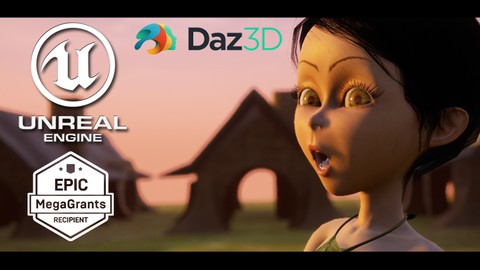
Facial Animation & More In Unreal Engine! | 3D Animation (2023)
4.5 (244 Reviews)
- Provider: Udemy
- Time: 4.1h
$49.99

Learn How To Do Amazing Cloth Animation In Unreal Engine! (2022)
4.3 (219 Reviews)
- Provider: Udemy
- Time: 2.8h
$59.99

Learn iClone 7 | Character Creator | Unreal Engine Pipeline (2022)
4.6 (204 Reviews)
- Provider: Udemy
- Time: 4.9h
$64.99

Rigging Your Character For 3D Animation In Unreal Engine 4! (2023)
4.3 (167 Reviews)
- Provider: Udemy
- Time: 4.5h
$54.99
More Unreal Engine courses

Unreal Engine 5: One Course Solution For Material (2026)
4.9 (1,774 Reviews)
- Provider: Udemy
- Time: 14.1h
$99.99

Unreal Engine 5 Blueprints - The Ultimate Developer Course (2026)
4.8 (4,636 Reviews)
- Provider: Udemy
- Time: 41.6h
$19.99

The Ultimate Unreal Engine 2D Game Development Course (2026)
4.8 (3,290 Reviews)
- Provider: Udemy
- Time: 12.1h
$99.99


Unreal 5 Materials - Part 1 Environments (2024)
4.8 (221 Reviews)
- Provider: Udemy
- Time: 14.4h
$79.99

Unreal Engine 5 - Gameplay Ability System - Top Down RPG (2026)
4.7 (3,529 Reviews)
- Provider: Udemy
- Time: 105.8h
$24.99
 Reviews

By Michael Hickman on 2/26/2021
I'm really glad that I got this course. I am an environment modeler, and level designer. As an indie-dev however I still need to wear about a dozen hats. I decided I wanted to get back into animation (via the game engine) this course is right on time. I did have some issues getting Genesis characters out of Daz and Into Mixamo... But I have since figured that out as well... Keep up the good work Mike.
By Rob Holmes on 3/14/2020
This was a great course and I did learn a lot of new things. But, I believe it's mislabeled. I purchased this to learn how to animate a 3D Character in UE. What the course actually is, is a lot about basics, a good introduction to the Sequencer and a bunch of good info about how to attach existing mocap data to a character and plop it into UE. It's not about any custom character animation. I read the synopsis ahead of time and realized that "actual" character animation might be sparse, but there was none, not even now to move a foot over or angle a head angle should you want to. If you are brand new to UE, this is a good intro course about how to get character models from DAZ into your scene using only Mixamo mocap data. It's also a great primer on the Sequencer. Beyond that, if you are looking for 3D Character Animation in UE4, you should wait for what the author says is coming, a new course on just what I thought this was about. Now, having said all of that, the author is fantastic. His instruction pace is great and knowledgable. His voice and accent are excellent. I did enjoy the course. It just needs to be renamed so people are't disappointed by the content.
By Scott Roberts on 8/12/2019
Loved it! It really opened Unreal Engie up to me. I've got a new rendering engine for my animations now and I couldn't be happier. It does need to be updated a bit because of Daz and UE4 updates but it is an excellent course to learn how to work with Daz and UE4.
By Bater Janjatah on 1/16/2019
What the course is Good at: The course is a good introduction to the Unreal Engine sequencer and mainly handling the Cameras and creating the scene effects "Fog, Fire ... ETC." and rendering within Unreal Engine 4, also Import characters from DAZ Studio, Mixamo, Adobe fuse, the instructions are clear on how to do that also the instructor's voice is clear vocal. What the course lacks is: Basic Information about animating characters items and other stuff in the scene, examples: moving characters and items around within the animation sequence, adding items to the character's hands, make the character pick something from the ground... ETC.
By Garry Shaw on 12/30/2018
yes, I have taken several courses and the teacher is paced well for the desk top learning experience. I would like to add that the camera section is lacking in dolly and crane instruction which I was expecting in this course. Rather then videos on upcoming material and promotional items (which I paid for) in the purchase of the series the instructor could have covered those items but for an introductory course you will understand the basics. Overall its a good course and I'm glad I bought it, Michael is a good teacher, and you will surely be inspired. Introductory DAZ 3D lessons are particularly helpful with the issues of uploading to Mixemo and the UE4 integration. If you have the nightmare of these issues Michael walks you through this sometimes cumbersome process. Buy the course.
By Chris McAuley on 6/12/2018
Having finished the course I now have a confident understanding of the basics of Character Animation in the Unreal engine. I have written several articles on LinkedIn which have gained the notice of Industry legends such as Peter Molyneux who have complemented my understanding of Animation in Unreal. I have immediately ordered this lecturer's next course on facial animation.
By Tobias Wüthrich on 5/29/2018
Er ist ein sehr angenehmer ruhiger und Sympathischer Lehrer. Die Geschwindigkeit ist optimal. Seine Tools die gratis zum Kurs gehören sind der Hammer. Auch in DAZ Studio ist er versiert und versteht das Denken der Artisten und der Creators. Seine Kurse sind simpel und sehr übersichtlich aufgebaut, so das man die Lektionen sofort umsetzen kann. Ist der Kurs für Anfänger? Nein definitiv nicht. Man sollte den Beginnerkurs von UE 4 und die Grundkurse von DAZ Studio machen bevor man sich diesem Kurs zuwendet. Gewisse Details lässt Michal Ricks aussen vor und genau deshalb ist Grundwissen nötig. Ich hoffe ich sehe mehr Lektionen und empfehle ihn als Teacher wärmstens weiter
By Sami Tuisku on 5/9/2018
I learned a couple of new things in the course but the course feeled incomplete and was quite short. I completed another course which took a couple of months to complete and this course took only a couple of evenings. If I saw correctly there is a a more intermediate course coming up but the content of that course should be added to this course and not make another course. In addition, there were a lot of repetition in this course and order of the lessons felt wrong a couple of times. It would have been nice to at least see what would it take to make your own character from scratch (how hard/time consuming it would be).
By J Jackson on 2/27/2018
One word for this course . . . "FANTASTIC"! This course is as close to perfection as you can get. The instructor speaks slowly, with enthusiasm. He covers all the necessities without bogging you down with too much info. I love how he gets you having fun quickly with the Sequencer section. The audio is of great quality. His depth of knowledge in a variety of 3D packages is amazing. I am familiar with DAZ3D, Mixamo and Unreal but I learned so many great tips and discovered several things that I was doing incorrectly. I searched Youtube for UE4 sequencer tutorials and found none of them to be satisfactory. After ten minutes with this course, I was very confident with Sequencer. If you are interested in getting DAZ3D characters into Unreal, and a ton of bonus tips and information on top of it, you DO NOT want to miss out on this fantastic course!
By Nick Margie on 2/1/2018
Just started the course and so far it is not to bad. Starts with alot of basic information but the instructor does not drag out the videos, making them short and to the point. I was able to complete most of the first four sections in one seating. Ran out of time before starting the final 8 min video on depth of field. The first four sections cover the basics of UE4 Sequencer and as I said the videos are short and to the point. Nothing to advanced that you will get lost and he does explain what options for some setting do. Tomorrow I will finish section 4 and move on to 5 and 6 which cover importing daz characters and using Mixamo animations. Will update this review after completing those sections UPDATE Just finished the course, and I happy I bought it. 1 note, this is an intro level course, so if you already know how to make films in unreal, or you model your own characters you will not get alot of new information here. The course hints at a more advanced course coming in the future which may be more inline with people who already know the basics I bought because I wanted to see a better way of importing Daz characters into Unreal. The course shows you 1. How to take a daz character Gen2 and 3 from daz into Mixamo 2. Apply Mixamo animations 3. Import your character into UE 4 4. Use UE4 sequencer to make a video, both with 1 camera or multiple ones 5. Export your videos, import them into hitfilm for further adjustments and finishing touches If I had to point out a bad point, I would have to say the course name. This is an entry level course and while it does cover animations you will not learn anything about rigging or such. It does appear Rick has a more advance course int eh works that will cover such topics along with face rigging. So I would have named this course Intro to film production in UE4 and named the next course animating your character. Overall not a bad course and I will be buying Ricks next course
 Quality Score
No CourseDuck member has rated this course yet. Taken it? Give each part a thumbs up or down.
Overall Score : 86 / 100

- Video Duration:
 5.7h
5.7h - Price: $84.99
- Provider: Udemy
- Updated:
 January 2023
 - Level:
 All Levels
 - Language:
 English
 - Certificate:
 Yes
Yes
30-day money-back guarantee on most paid courses
Udemy Coupon Price Tracker
