
 Web Development
 Data Science
 Python
 SQL
SQL JavaScript
 Artificial Intelligence
 IT & Software
 IT Certifications
 Hacking
 AWS
AWS Arduino
 DevOps
 3D Modeling
 Graphic Design
 Photoshop
 Drawing
 Digital Painting
 UX Design
 Business
 Data Analysis
 Communication Skills
 Project Management
 Leadership & Management
 Human Resources
 Digital Marketing
 Social Media Marketing
 Marketing
 SEO
SEO Google Analytics
 Branding
 Excel
Excel Office Productivity
 SAP
SAP PowerPoint
 Microsoft Access
 SharePoint
 Finance & Accounting
 Trading & Investing
 Accounting
 Bitcoin
 Personal Finance
 Video Editing & Animation
 Photography
 Adobe Premier Pro
 Adobe Lightroom
 Personal Development
 Productivity
 Career Development
 Life Coaching
 Health & Fitness
 Meditation & Mindfulness
 Yoga
Yoga Music
Music Music Production
 Guitar
 Piano
Piano Singing
 Language Learning
 Teaching & Academics
 Engineering
 Math
Math Lifestyle
Unreal Engine 5 Blueprints - The Ultimate Developer Course (Udemy.com)
Code Your First Four Game Projects in Unreal Engine 5 with Blueprint Visual Scripting - From Beginner to Advanced!
Created by: Stephen Ulibarri
Last updated May 2026
 What you will learn
- Create complete games of different genres including flying shooters, 3D platformers, 2D side scrollers, and vehicles .
- Program gameplay with Blueprints, without needing to write code.
- Get free, high quality assets for levels, characters, props and effects into your game projects.
- Blueprint best practices for development, including optimization, speed, memory, and project structure.
- Unreal Engine's modeling and rigging tools.
- Create effects with Niagara Systems and MetaSounds.
- Understand Unreal Engine Materials and create Materials from pro texture maps.
- Manage dependencies, the impacts of Tick and Casting, async loading of assets, soft object references and soft class references.
How it compares
Against the other 70 rated Udemy courses in Unreal Engine on CourseDuck:
- Rating4.8 out of 5higher than 94% of them
- Reviews4,636#4 of 71 by number of reviews
- Length41.6 hourslonger than 94% of them
- Last updatedMay 2026more recently than 92% of them
 Course Description
This is the Ultimate Blueprint course for Unreal Engine 5.
In this course, you will start with absolutely no experience in game development whatsoever. All of the important terms and concepts in game development will be introduced to you and explained carefully and in detail. By the end, you will have four small game projects of different genres, ranging from 2D to 3D, and you'll understand the underlying principles needed to make any creation you can imagine.
The course starts you off as a complete beginner, but experienced developers will also benefit from this course, as many best practices and advanced features are covered throughout.
The course begins at the beginning - downloading the Epic Games Launcher, where we will install Unreal Engine 5, as well as gain access to the Epic Games Marketplace where we can get tons of free, high-quality assets for our games. After familiarizing ourselves with the Unreal Engine editor, learning about asset types and how to import asset files, we get some practice manipulating objects in the level and building simple game environments with free asset packs.
We then get started learning the basic structure of the Blueprint visual scripting system, as well as cover the fundamental math skills every game developer needs to understand. We get practice visualizing vectors in the engine with the various debug drawing Blueprint nodes.
With the original assets created specifically for this course, we then create our first simple game, Bad Bot - a drone flying shooter. We cover the fundamentals of Unreal Engine's class hierarchy, learning about the various game classes that come together to form a basic game - including the Actor, the Pawn, the Game Mode, and the Controller. We learn how to bind inputs from keyboard, mouse, and console controller using Unreal Engine's Enhanced Input System. This project covers spawning enemy bots, firing projectiles, and adding sound and visual effects such as impacts and explosions, before finishing the level with a boss fight.
We then dive deep into Unreal Engine's collision framework, with a section dedicated to the collision system in Unreal Engine. We learn how Unreal Engine handles collision, including knowledge of:
The physics system versus the query system
Collision Complexity and how meshes can have both simple and complex collision and how to configure these
How the method of movement determines the type of interactions objects will have with each other
Sweeping collisions versus physics collisions
Collision Enabled, Collision Object Types, and Collision Responses, and how these work together
Custom collision channels, custom collision profiles, and optimization for performance
By the end of this chapter, Unreal Engine's collision framework will be completely demystified and you'll easily be able to configure the collision settings correctly so that your game object interact as intended, optimized for performance, and without invisible collision interactions affecting the game's frame rate.
With our newly-acquired collision skillset, we start the second game project of the course, Jetpack Journey - a third-person platformer with Kix, an original character created, rigged, and animated for this course. Kix has a jetpack, allowing us to step up our complexity, going from the Pawn class to the Character class. We learn about the Character Movement Component, and how to change movement modes from walking to flying. We implement a fully-functional jetpack with a blendspace, allowing for smooth blending of animations while flying. This project involves creating precious resources in the form of jet fuel, allowing us to implement pickups to refuel, a progress bar for the fuel percent, and moving platforms that force the player to use the flying capability. We learn about some very important concepts in this section, including:
Movement modes, and switching to flying mode
Single and two-dimensional Blendspaces to blend between animation poses
Binding inputs in the Player Controller versus the Character class
Keeping Blueprint nodes clean and readable
Managing class dependencies and coding best practices - we're using Blueprints, but we should still follow best practice!
Skeletal Mesh Sockets, utilized for jetpack thruster effects
Enforcing precious resources in the form of jet fuel, with jet fuel pickups to refill fuel
Use of UMG (Unreal Motion Graphics) to create UI including a progress bar to display fuel percent
The impact of Casting on runtime performance and memory via the creation of hard references
Analyzing class memory size via the size map, and dependencies via the reference viewer
Reducing file size with texture compression
Lazily loading of assets at runtime and how to load assets asynchronously, using soft object and class references
Lighting and Post Processing
This section covers many important aspects of game development that even experienced developers aren't aware of. You're verging on intermediate-to-advanced territory with some of these!
The next game project introduces Unreal Engine's 2D capabilities, as we enable the built-in Paper2D plugin for 2D games. We also download the now-free PaperZD, a very important 2D plugin allowing us to use important 2D features for our games. This section's game project is a 2D dungeon-crawling side-scroller with Red Hood, a hooded 2D figure who ventures through a dark dungeon, battling skeleton minions via melee combat. We cover some valuable ground in this section, including:
Where to get free 2D assets, including animated characters, props, UI and environments
Creation of sprites, flipbooks, tile sets and tile maps
Important settings for a 2D Unreal Engine game project
2D level creation
Enemy AI with the Behavior Tree and Blackboard
Combat and combo attacks
Use and creation of the compound data types such as enums and structures
Floating damage numbers
Implementing melee combat

 Udemy Discount
The discount is applied through our link. Open the course from here and Udemy's current promotional price is applied at checkout on most courses, no code to type.
Some courses are excluded from Udemy's promotions. If the price does not drop, clear your browser cookies and use the button again.
Instructor Details

- 4.8 Rating
 4,636 Reviews
Stephen Ulibarri
When I earned my bachelor's degree in Chemical Engineering, I was exposed to the world of programming. I was instantly hooked. I have a passion for game development and a love for creative problem solving. I have written and self-published a science fiction novel and love all things creative. I have experience assisting and tutoring in engineering, mathematics, physics, chemistry, and programming.
I have since gained professional industry experience in the world of surgical simulations. It is extremely rewarding and my passion is to pass on my knowledge so others can achieve a highly engaging and fun career as I have!
I enjoy biking, drawing, 3D-design, and procedural generation in video games. I am proud to have many talented game developers and students in my online community: Druid Mechanics.
I have also written and published a book on Unreal Engine C++ titled: Unreal Engine C++ The Ultimate Developers Handbook.
 More courses by Stephen Ulibarri
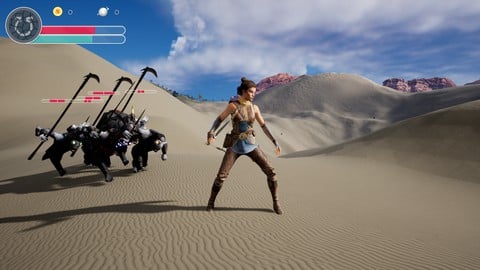
Unreal Engine 5 C++ The Ultimate Game Developer Course (2026)
4.7 (9,386 Reviews)
 Provider: Udemy
 Time: 53.1h
$124.99

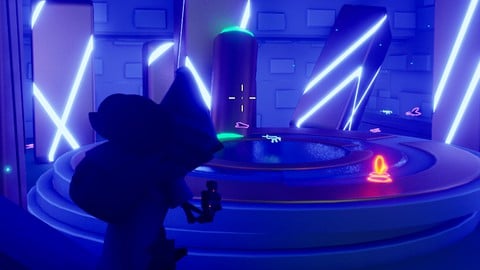
Unreal Engine 5 C++ Multiplayer Shooter (2026)
4.6 (3,921 Reviews)
- Provider: Udemy
- Time: 65.1h
$119.99

Unreal Engine 5 - Gameplay Ability System - Top Down RPG (2026)
4.7 (3,529 Reviews)
- Provider: Udemy
- Time: 105.8h
$24.99

Git and GitHub CRASH COURSE - with Unreal Engine (2026)
4.7 (1,029 Reviews)
- Provider: Udemy
- Time: 6.7h
$89.99
More Unreal Engine courses

Unreal Engine 5: One Course Solution For Material (2026)
4.9 (1,774 Reviews)
- Provider: Udemy
- Time: 14.1h
$99.99

The Ultimate Unreal Engine 2D Game Development Course (2026)
4.8 (3,290 Reviews)
- Provider: Udemy
- Time: 12.1h
$99.99


Unreal 5 Materials - Part 1 Environments (2024)
4.8 (221 Reviews)
- Provider: Udemy
- Time: 14.4h
$79.99
Unreal Engine 5 - Gameplay Ability System - Top Down RPG (2026)
4.7 (3,529 Reviews)
- Provider: Udemy
- Time: 105.8h
$24.99
Unreal Engine 5 (UE5): Complete Beginners Course (2022)
4.7 (2,372 Reviews)
- Provider: Udemy
- Time: 8.8h
$109.99
 Reviews

By Hawke on 7/30/2026
The course is very thorough and contains detailed explanations for everything. It is also rewarding to complete entire projects and games. The only gripe I have is that he will teach you how to do something at times, and then teach the better way in the next lecture. I understand learning that way teaches the "why" sometimes, but I feel somewhat like what was the point of learning the method the primitive way first? Other than that, the lectures are comprehensive and well worth it for a beginner.
By Karma Prajapati on 7/20/2026
This is one of the best Unreal Engine Blueprint courses I have taken. Stephen Ulibarri explains every concept in a clear, structured, and beginner-friendly way. Instead of just showing which nodes to connect, he explains why each Blueprint works, making it much easier to understand and remember. I learned a lot about Unreal Engine Blueprints, including Events, Functions, Variables, Components, Communication between Blueprints, Physics, Line Traces, Timelines, AI behavior, Behavior Trees, Debugging, and many other essential game development concepts. The hands-on examples and practical exercises helped reinforce everything I learned. The course is very well organized, the video and audio quality are excellent, and the pace is perfect for beginners while still being valuable for intermediate developers. I also appreciate how Stephen shares best practices and real-world development techniques instead of only focusing on getting things to work. This course has greatly improved my confidence in Unreal Engine 5, and I now feel much more prepared to build my own game systems. I highly recommend this course to anyone who wants to learn Unreal Engine Blueprints from the ground up. Thank you, Stephen, for creating such an outstanding course! ⭐⭐⭐⭐⭐
By Sven Haeberlein on 6/17/2026
Stephen is a great teacher and for me it was the best way into UE5 and blueprint. The games are so much fun to build, that the learning is very motivating. And the Discord Chanel is very helpful if you are stuck. It took me around 4 x of the video time to actually build it and understand it. I took some other more theoretical courses in parallel as I had so much questions about programming concepts like casting that I wanted to understand better. But the most fun ist to take the game and build something on top of it, I made a complete different visual game out of Kix.
By Rafe S on 4/29/2026
This has been a great introduction so far. Some changes to the UI have required checking in with the Discord community, but it is active and a quick search helps resolve any problems I might have. I think this course would be even better if the presenter was more purposeful in his presentation, following a script, and spoke a bit faster, but the information being provided is great fundamentals. Just listen on 1.25x or 1.5x speed, and be ready to skip ahead a bit if the tangents don't seem applicable!
By Kevin Joseph on 4/24/2026
I have thoroughly enjoyed Stephen's blueprints course and will be using these lectures and the discord community as ongoing references. I found the pacing of the lectures to be very good, with time taken to explain why things are working. I have taken other courses that have gone so incredibly fast that I have to pause every few seconds to follow along, and here, there's sometimes a preface of doing a time-lapse in the video edit before it happens. There were a few moments that did feel a bit fast, but I feel after finishing these lessons that it's not such a big deal since the lectures are easy to access and navigate. It's also a great feature to be able to take electronic notes, and some of my questions I had along the way were answered in the Q and A section of the videos. Looking forward to taking some more of his courses in Unreal!
By Jason A on 4/15/2026
Pretty good overall! Took away some of the FUD that I had regarding Unreal Engine and, using this course as a reference, worked on my own game as I worked through each lecture. There are a few gotchas here and there and some things I'd approach differently, such as making each project a bit more rounded and perhaps packaging up and distributing, and perhaps how to better debug issue but that said, there's more than enough content here to make your own game (which I did!). The community is also great!
By Lachlan Walmsley on 4/10/2026
This was a great course. I've been completing over several months, making projects along the way to consolidate and apply my knowledge of Unreal Engine 5. Stephen is an excellent teacher and increases complexity at a good pace. A lot is covered in the course to give you a wide idea of what is possible in a UE5 project and how to start approaching those. I found the course to be a good resource and I've come back to earlier lectures to rewatch material many times. I will definitely be taking more of Stephen's courses!
By Owen Abkes on 1/28/2026
I've used Udemy for over 10 years off and on, but I don't think I've actually ever completed a course from start to finish until this one. This one is also the longest course I have had in my library! I thought Stephen's teaching style and the content covered was excellent as in introduction into UE5 and game development. I appreciated that he gave context as to why we did things the way we did. That kind of content, I believe, can help understand how to use these concepts to solve novel problems and not just replicate one thing. I look forward to doing some prototypes and doing more of his UE5 courses! Highly recommend! The only thing I would change with the course is I would like to have had more challenges added throughout the sections. There are a handful, but more regular ones would help reinforce topics. Though he does suggest extending the projects at the end of the sections to reinforce ideas as well!
By Suhayl Moraby on 1/15/2026
The course was amazing. It explained everything in so much detail and helped me understand the complex system of Unreal Engine. Thank you Stephen ,the teaching method was excellent—everything was taught gradually instead of being dumped all at once, which made learning much easier and more enjoyable. I especially loved the challenges that let us try things on our own before seeing the solution. My thanks also go to all the teaching assistants, Andre and Sean E, for your thorough explanations in the Q&A and your dedication to helping students. This course was an amazing experience and I highly recommend it.
By Kelly Lloyd on 1/3/2026
Stephen is an excellent instructor! The course was well laid out and taught a huge variety of skills that will be transferrable to a number of different types of projects. I know I'll be referring back to different sections as I work on different projects. What really separates this from youtube tutorials and advice from reddit is the quality of the code. Stephen has worked in a professional setting and has excellent coding fundamentals. Learning how to lay out your project code in a modular way is so valuable.
 Quality Score
No CourseDuck member has rated this course yet. Taken it? Give each part a thumbs up or down.
Overall Score : 96 / 100

- Video Duration:
 41.6h
41.6h - Price: $19.99
- Provider: Udemy
- Updated:
 May 2026
 - Level:
 Beginner
 - Language:
 English
 - Certificate:
 Yes
Yes
30-day money-back guarantee on most paid courses
Udemy Coupon Price Tracker
