
 Web Development
 Data Science
 Python
 SQL
SQL JavaScript
 Artificial Intelligence
 IT & Software
 IT Certifications
 Hacking
 AWS
AWS Arduino
 DevOps
 3D Modeling
 Graphic Design
 Photoshop
 Drawing
 Digital Painting
 UX Design
 Business
 Data Analysis
 Communication Skills
 Project Management
 Leadership & Management
 Human Resources
 Digital Marketing
 Social Media Marketing
 Marketing
 SEO
SEO Google Analytics
 Branding
 Excel
Excel Office Productivity
 SAP
SAP PowerPoint
 Microsoft Access
 SharePoint
 Finance & Accounting
 Trading & Investing
 Accounting
 Bitcoin
 Personal Finance
 Video Editing & Animation
 Photography
 Adobe Premier Pro
 Adobe Lightroom
 Personal Development
 Productivity
 Career Development
 Life Coaching
 Health & Fitness
 Meditation & Mindfulness
 Yoga
Yoga Music
Music Music Production
 Guitar
 Piano
Piano Singing
 Language Learning
 Teaching & Academics
 Engineering
 Math
Math Lifestyle
Introduction to 3D Game Development in Godot (Udemy.com)
Build a third person character controller in Godot to allow a player to control a 3D character and camera in a 3D level.
Created by: Thomas Yanuziello
Last updated October 2024
 What you will learn
- Learn how to use the Godot game engine by starting a new 3D project from scratch.
- Build a third person character controller that allows the player to control a character and camera in the style of a modern RPG.
- Discover how complex mathematics and physics formulas can be applied in games to produce more realistic or fun game mechanics.
- Use this project as a foundation for a 3D game in many different genres.
How it compares
Against the other 72 rated Udemy courses in Game Design on CourseDuck:
- Rating4.7 out of 5higher than 83% of them
- Reviews72#61 of 73 by number of reviews
- Length2.2 hoursshorter than 90% of them
- Last updatedOctober 2024more recently than 63% of them
 Course Description
In this course, we will cover everything you need to know about using the Godot Engine to build a third person character controller; from the very basics of working in 3D space up to and including controlling a character and camera in a 3D scene. We will explore how to use math, physics, and vectors to achieve the third person gameplay you expect from most modern 3D games; with the left stick moving and rotating the character, and the right stick rotating the camera around them.
When you're done, you'll have a good understanding of third person character control, and a fully functional implementation that is highly customizable for any 3D project; whether it's a platformer, action RPG, or even a cozy farm sim—you can take the project in any direction you wish.
You'll also learn useful skills for working with the Godot game engine, organizing, and designing your projects to be more scalable. You will be learning how to code with GDscript, with everything explained in detail. Our scripts will be written to be highly customizable and reusable. All of the project files will also be available in GitHub if you need to review the completed project. These videos were recorded using Godot version 4.2.
This course will be part of a series designed to teach bite-sized pieces of game development that can all be used interchangeably with each other. So let me know what types of games you're interesting in learning how to make and I'll try to include them in future courses in this series.

 Udemy Discount
The discount is applied through our link. Open the course from here and Udemy's current promotional price is applied at checkout on most courses, no code to type.
Some courses are excluded from Udemy's promotions. If the price does not drop, clear your browser cookies and use the button again.
Instructor Details

- 4.7 Rating
 72 Reviews
Thomas Yanuziello
I am an indie game developer living in Toronto, Ontario, Canada. I am an alumnus of the University of Windsor with a Bachelor of Computer Science.
I have always loved games and get a lot of enjoyment out of both playing and designing them.
I will be publishing a series of courses involving building indie games of various genres from scratch and taking them from prototyping all the way to production.
 More courses by Thomas Yanuziello
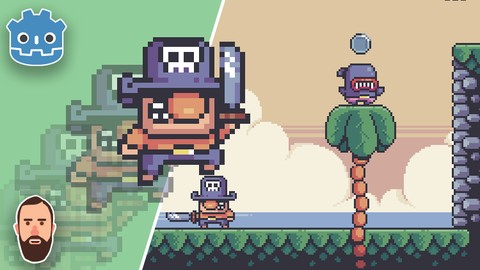
Build a complete pixel platformer in Godot 4! (2024)
4.4 (196 Reviews)
 Provider: Udemy
 Time: 6.9h
$79.99
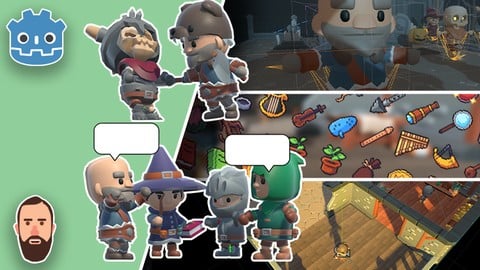
Intro to 3D Game Development Masterclass in Godot! (2024)
4.5 (176 Reviews)
- Provider: Udemy
- Time: 11.2h
$84.99
More Game Design courses
Master Procedural Maze Generation - Unity 6 Compatible (2025)
4.8 (412 Reviews)
- Provider: Udemy
- Time: 21h
$79.99
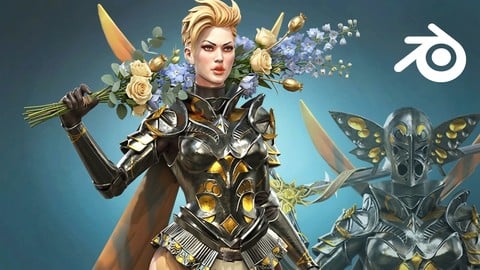
Full game character in Blender course - Moth Girl (2025)
4.8 (305 Reviews)
- Provider: Udemy
- Time: 49.9h
$19.99
2D Adventure Game Creation: Art, Music, Programming and More (2019)
4.7 (338 Reviews)
- Provider: Udemy
- Time: 19.6h
$84.99

Indie Game Design: Build Your Game’s Core System (2026)
4.7 (155 Reviews)
- Provider: Udemy
- Time: 3.4h
$19.99
 Reviews

By Chong Chee Yong on 9/5/2026
As a beginner, I want to look for introductory courses that emphasizes only the essential points and leaves out distractions. This course does it well.
By Keegan L on 4/1/2026
Very concise and full of important information from the very start. Don't let the listed 2 total hours of content give the wrong impression. This course has been very respectful of my time. Much appreciated!
By Martin Chavez on 12/28/2024
This course is fantastic! I'm actually learning valuable skills for the coding portion and getting an understanding of the fundamental math at work. Fantastic job!
By Lee Bar on 12/16/2024
This course, titled "Introduction to 3D Game Development in Godot," focuses primarily on 3D character movement and camera control. While it's a strong course in these areas, I believe it might be challenging for complete beginners due to its coverage of advanced topics without an in-depth exploration of earlier subjects. I would appreciate more detailed explanations of the math used, to better match the course's level. Disclosure: I received free access to this course
By Abdullah Al Khalifa on 12/13/2024
Great course as an introduction, covers basics as well as importing and moving the character, and camera movement. big thanks for the author of the course
By Robert Bienia on 7/30/2024
Excellent course. This gives you everything you would ever need for creating any type of character controller. Most courses and videos only show how to create a basic controller, not deviating too far from the default template. This a piece by piece replacement of the default and then adding far more control. I'm suprised that this course is only a couple hours long, yet it still gave a good descriptions of the process and didn't feel rushed.
By Llan Yort on 7/16/2024
learning lots of intermediate programming techniques. Example, Using the dot product of velocity vector to determine player movement. After about 6 months of watching youtube videos and most beginner udemy course, This is the course for you. While is centers mainly on 3D charcter controller, the instructors other courses expand you knowledge. He also has a pateron that takes things to another Level. His wording on things are not general but rather precise. I wish I had taken this course from the start. I am having to unlearn some programming habits. NOTE: To make the most of this course. keep your finger on the PAUSE button. Try to think of a way of doing what the instructor is about to do. Sometimes I have no idea. Sometimes, I use chat GPT to figure out how to do something. But when the instructor goes over his solution, the answer seems short and very precise. Your thinking, "thats to much work. just watch him and type in the code". thats just being lazy. Yes you paid for the course, but you gotta start thinking on how to solve these mechanics/issues on your own. this method seems to make things stick in my head. I wanted to update my REVIEW about something a lot of other tutorials overlook. Jumping(Section 2 Video #8) and precisely animating them in the Animation Tree as well as Including how to on the Advanced Expression Base Node(Inside Animation Tree). Ive always felt very intimidated about the animation tree, state machines and blendtrees. But after working with it with the instructor's lessons, Im very comfortable with it now. If you a person who want your game to "feel" precise and not have any "jitters" this particular section(#2) is for you.
By Jeanbar on 7/15/2024
First of all, this is a great course and provides an elegant blueprint for a third person character controller in Godot. The instructor does what he says in the 'What you'll learn' details. He includes 'complex mathematics and physics formulas ... to produce more realistic or fun game mechanics.' While I will need to revisit most of these concepts later to fully grasp their significance, I am so glad that I have access to them, and the other processes introduced in this course. I highly recommend the course and the instructor.
By Luc Ducret on 5/29/2024
All is said in title and each thing said in description is in the course ! Thanks to the style of teaching : straight, structured and peaceful, the learning progress of Godot is significant and pleaseful. I've been fulfilled ! Thank you very much Thomas !
By Grant Christie on 5/3/2024
I found this presentation to be well-structured and easy to comprehend. Fantastic job!
 Quality Score
No CourseDuck member has rated this course yet. Taken it? Give each part a thumbs up or down.
Overall Score : 94 / 100
- Video Duration:
 2.2h
2.2h - Price: $74.99
- Provider: Udemy
- Updated:
 October 2024
 - Level:
 All Levels
 - Language:
 English
 - Certificate:
 Yes
Yes
30-day money-back guarantee on most paid courses
Udemy Coupon Price Tracker
