
 Web Development
 Data Science
 Python
 SQL
SQL JavaScript
 Artificial Intelligence
 IT & Software
 IT Certifications
 Hacking
 AWS
AWS Arduino
 DevOps
 3D Modeling
 Graphic Design
 Photoshop
 Drawing
 Digital Painting
 UX Design
 Business
 Data Analysis
 Communication Skills
 Project Management
 Leadership & Management
 Human Resources
 Digital Marketing
 Social Media Marketing
 Marketing
 SEO
SEO Google Analytics
 Branding
 Excel
Excel Office Productivity
 SAP
SAP PowerPoint
 Microsoft Access
 SharePoint
 Finance & Accounting
 Trading & Investing
 Accounting
 Bitcoin
 Personal Finance
 Video Editing & Animation
 Photography
 Adobe Premier Pro
 Adobe Lightroom
 Personal Development
 Productivity
 Career Development
 Life Coaching
 Health & Fitness
 Meditation & Mindfulness
 Yoga
Yoga Music
Music Music Production
 Guitar
 Piano
Piano Singing
 Language Learning
 Teaching & Academics
 Engineering
 Math
Math Lifestyle
Introduction to Raspberry Pi 4 (Udemy.com)
Learn to create software & hardware projects using Raspberry Pi 4 & Python
Created by: Venkatesh Varadachari
Last updated June 2022
 What you will learn
- Get deep knowledge about the hardware features of the Raspberry Pi 4 and its applications
- Become confident in setting up the hardware and software for the Raspberry Pi 4 and troubleshooting
- A basic understanding of Linux and Python Programming
- Basics of physical computation, and would be able to interface a wide variety of sensors and actuators like LED, Button, Light Sensor, Motion Sensor, Motors, Ultrasonic Sensors, and much more
- Learn about UART, I2C and SPI Protocols on the Raspberry Pi 4 using hands-on projects
- Control GPIO pins wirelessly using Bluetooth and be able to build basic IoT projects using the Cayenne Platform
How it compares
Against the other 295 rated Udemy courses in Arduino on CourseDuck:
- Rating4.4 out of 5higher than 50% of them
- Reviews271#111 of 296 by number of reviews
- Length4.2 hoursshorter than 57% of them
- Last updatedJune 2022earlier than 63% of them
 Course Description
June 2022 Update:
Added a New Lecture With Updated Steps for Headless Installation using Raspberry Pi Imager App
Overview of the new Raspberry Pi 64 Bit OS
Updated Backup & Restore Method for Pi
September 2020 Update
Important Update After the Release of Raspberry Pi OS - Changes in VNC Viewer Setup
FAQ on Troubleshooting the Raspberry Pi 4
July 2020 Update
Included Documentation to implement Remote GPIO Control over Bluetooth without any error.
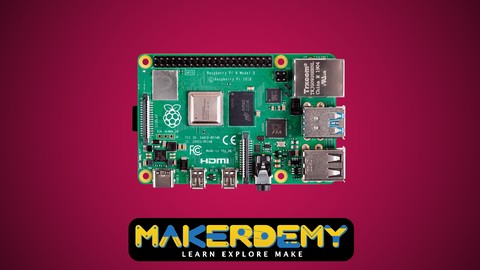
Hello learners, Welcome to MAKERDEMY’s "Introduction to Raspberry Pi 4" course. This is an introductory course about Raspberry Pi 4, the credit-card sized computer, which is the latest & greatest in the line-up from the Raspberry Pi foundation. As this is a beginner level course, no prior knowledge of programming or electronics is required to start. If you are a hobbyist, a teacher, or an absolute beginner who wants to get introduced to the world of physical computing using the Raspberry Pi 4, this fully self-contained course is meant for you. We have tailored this course by giving equal importance to projects as well as the concepts. Furthermore, with numerous custom-made illustrations and animations, we have set the standard in terms of production quality. All so that you can have a terrific learning experience.
By the end of the course, you will get deep insights into the hardware features of the Raspberry Pi 4. You will learn to configure and set up the software properly and also learn to do proper troubleshooting. You will become competent with Linux & Python programming. You will learn to work with several actuators & sensors like LED, Button, Light Sensor, Motion Sensor, Motors, Ultrasonic Sensors, and much more. You will be confident in working with UART, I2C, and SPI Protocols on the Raspberry Pi 4. You will also learn wireless communication using Bluetooth and implement an IoT project using the Cayenne Platform.
So, come join me in this introductory course on the Raspberry Pi 4. I am looking forward to being your instructor and hearing about all the wonderful projects you were able to build after completing this course.

 Udemy Discount
The discount is applied through our link. Open the course from here and Udemy's current promotional price is applied at checkout on most courses, no code to type.
Some courses are excluded from Udemy's promotions. If the price does not drop, clear your browser cookies and use the button again.
Instructor Details

- 4.4 Rating
 271 Reviews
Venkatesh Varadachari
Venkatesh Varadachari is the founder of MAKERDEMY, a pioneer maker education company head-quartered in Singapore.
Venkatesh believes that knowledge should be made available to people in all walks of life. Venkatesh also believes in the power of education to transform lives.
Venkatesh has an MBA from the prestigious Indian Institute of Management, Bangalore.
He also has a degree in Electrical Engineering from Madras University and a Masters in Financial Engineering from National University of Singapore.
 More courses by Venkatesh Varadachari
Introduction to Internet of Things(IoT) using Arduino (2021)
4.2 (909 Reviews)
 Provider: Udemy
 Time: 54 mins
$11.99
More Arduino courses


Learn to Build a Computer (PC) in 2026 - all types!
4.9 (245 Reviews)
- Provider: Udemy
- Time: 6.1h
$74.99

Raspberry Pi For Beginners - 2026 Complete Course
4.8 (3,105 Reviews)
- Provider: Udemy
- Time: 10.6h
$89.99

Ultimate Guide to Raspberry Pi : Tips, Tricks and Hacks (2023)
4.8 (2,363 Reviews)
- Provider: Udemy
- Time: 5.2h
$69.99

Mastering Microcontroller: STM32-LTDC, LCD-TFT, LVGL (MCU3) (2026)
4.8 (487 Reviews)
- Provider: Udemy
- Time: 8.1h
$79.99

Arduino Step by Step: Getting Started (2024)
4.7 (8,714 Reviews)
- Provider: Udemy
- Time: 21.4h
$159.99
 Reviews

By Eric Boers on 5/28/2020
This course is missing some touch as a beginners class. I expected some more explainations and tips&tricks from your own experience instead of links to other sites, like how can you check the components if you need a resistor or not. Yes the links were good and getting you deeper into the material. Overall: I like the linux, python, physical computing parts and also the chayenne part in this course was very cool to see the possibilities in the world of IOT.
By John Paul Sharp on 5/14/2020
This does a good job of introducing the Raspberry Pi 4, what you can do with the Pi 4, and has some decent intro to programming topics. My biggest complaint is that a lot of the programming lessons seem rushed, so if one is not familiar with programming it will get confusing very fast.
By L.J. Anderson on 5/9/2020
Some of the steps have been left out in the procedures. For Example, I did a headless configuration. They do not say which raspberry buster selection to choose - so I picked the one with all the options. In addition there were several steps necessary to get the GUI to work with VCN, which I had to look elsewhere for. Additionally, the instructions for Setting up a static IP address are missing instructions on how to save the Nano file you created. I had to find other resources that explained how to exit the editor and save the file. The coding examples are exceptionally fast and hard to follow.
By Doug Mort on 1/14/2020
Good fit for me. One thing that this course seems to need improvement with is how the videos work. They can only be played, paused, and playback rate adjusted. It would be nice if the skip forward and back buttons worked and also being able to move the playback slider to desired spots. Anytime these controls are touched, it resets to the beginning and that's frustrating.
By Scottie Pippen on 12/2/2019
I last used Raspberry Pi 2 when it was released a few years ago. I lost touch with the electronics world as I am now mainly into the cloud. This course was a great refresher for me, and I am impressed by how far they have pushed the Raspberry Pi in the latest iteration. It’s truly amazing.
By Ashish on 12/2/2019
I am already familiar with Raspberry Pi 3. I wanted to know what was different about the new Pi and enrolled in the course. To my surprise, it made me realize that many things I used to do on my Pi 3 was wrong. Whenever I used to face some issues with my Pi 3, I right away used to reformat and start from scratch. With this I know the proper troubleshooting methods when different types of issues happen.
By Muthuramalinga sethupathy on 12/2/2019
IoT Cayenne was impressive. I didn’t even know that such a great and easy IoT platform existed until this course. Although I didn’t buy all the components used in this course, I still watched those lectures, as it taught the working principle of these sensors or actuators in detail.
By Aaryahimunka munka on 12/2/2019
I had a great learning experience. You will think that when someone covers a lot of topics, they will reduce the explanation. But in this course it's not the case. The course has explained all the working principle of all the sensors and actuators that are used.
By Russell Crowe on 12/1/2019
I am not an electronics guy, but I needed a course to get me started with the Raspberry Pi 4 so that I can do those fun projects for my school kids. This course was great as it assumed no prior knowledge of the Pi 4. Now the kids in my class are really interested in the Pi 4, especially the boys.
By Allu Chaya Satya Kiran on 12/1/2019
Great Course! The number of sensors and actuators covered in under 4 hours is amazing. Also, for a novice like me, the lectures of section 2 helped me a lot as I always used to get stuck in setting up and with only luck and repetition i used to get it to work earlier. But no I know what is the exact problem and solve it.
 Quality Score
No CourseDuck member has rated this course yet. Taken it? Give each part a thumbs up or down.
Overall Score : 88 / 100
- Video Duration:
 4.2h
4.2h - Price: $16.99
- Provider: Udemy
- Updated:
 June 2022
 - Level:
 Beginner
 - Language:
 English
 - Certificate:
 Yes
Yes
30-day money-back guarantee on most paid courses
Udemy Coupon Price Tracker
