
 Web Development
 Python
 SQL
SQL JavaScript
 Data Science
 Artificial Intelligence
 IT & Software
 IT Certifications
 Hacking
 Arduino
 AWS
AWS 3D Modeling
 Graphic Design
 Photoshop
 Drawing
 Digital Painting
 UX Design
 Business
 Data Analysis
 Communication Skills
 Project Management
 Leadership & Management
 E-Commerce
 Digital Marketing
 Social Media Marketing
 Marketing
 SEO
SEO Google Analytics
 Branding
 Office Productivity
 Excel
Excel Finance & Accounting
 Bitcoin
 Video Editing & Animation
 Photography
 Adobe Premier Pro
 Adobe Lightroom
 Personal Development
 Health & Fitness
 Music
Music Guitar
 Teaching & Academics
 Language Learning
 Engineering
 Lifestyle
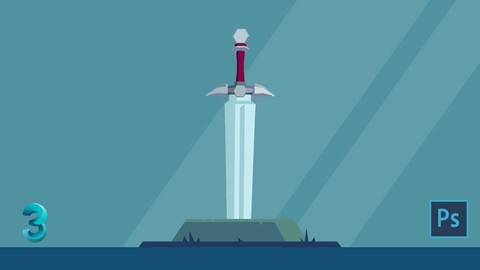
Learn 3DS Max: Low Poly Sword (Udemy.com)
Start learning 3D Studio Max by creating a Low Poly Sword in this quick and easy course.
Created by: Jonathan Lam
Last updated February 2018
 What you will learn
- You will be able to create a Low Poly Model
- You will be able to create a Low Poly Sword
- You will be able to use 3D Studio Max at a basic level
- You will be able to Texture a 3D Model in 3D Studio Max
- You will be able to create a Texture Map
- You will be able to unwrap a 3D Model
- You will be able to create a UV Map
- You will be able to create a game object
- You will be able to create a game accessory
 Course Description
Do you want to learn 3D modelling quickly & easily and create assets for video games or animation? You can do it in this course and learn the basics of 3D Studio Max by creating a Low Poly Sword! This class is perfect for 3D game artists, mobile game developers, graphic designers, illustrators and anyone else who would like to learn a bit of 3D modelling to add to their designs. Get started with 3D modelling & take this course now to learn 3D Studio Max!
Learn the basics and use 3D Studio Max from scratch.
Learn a basic modelling in 3D Studio Max
Learn how to texture your 3D Models
Learn how to add colour to a model
Learn how to create a UV Map
Content & Overview
This is a great way for beginners to introduce themselves to 3D programs like 3D Studio Max. Starting with a basic overview of the program, the course will help familiarise you with the tools you will need first. With the basics complete, the course will take you through how to create a Low Poly Sword step by step. Each step will be broken down to make understanding the process even easier, starting with creating a simple 3D shape to creating the full model.
Follow along as we take a simple 3D primitive shape and step by step create a Low Poly Sword which can be used in your own animation or video game projects.
I have included the OBJ file here for you to use as reference. So you'll be able to work alongside the videos to learn and create your own Low Poly Sword. Please feel free to share your creations as well!

 Udemy Discount
The discount is applied through our link. Open the course from here and Udemy's current promotional price is applied at checkout on most courses, no code to type.
Some courses are excluded from Udemy's promotions. If the price does not drop, clear your browser cookies and use the button again.
Instructor Details

- 4.3 Rating
 152 Reviews
Jonathan Lam
Hi everyone! My name is Jonathan Lam and I'm a Digital Artist on a mission to empower, educate and inspire creative students just like you to gain the creative skills you desire! Currently I work for Ubisoft as a concept and game artist. My skills range from graphic design, illustration, animation, 3D modelling/sculpting, concept art and video editing. Some of the projects I've worked on include Hungry Shark World, Hungry Shark Evolution, Starbeard and the Kickstarter Funded Game called Eminence: Xander's Tales.
I've also worked with many high profile clients including Riot Games, Sony Entertainment, Hasbro and Google as a graphic designer and illustrator.
 More courses by Jonathan Lam

Learn Illustrator CC: Create Simple Flat Vector Characters (2019)
4.3 (1,073 Reviews)
 Provider: Udemy
 Time: 1.1h
$12.99

Learn Illustrator CC: Create a Vector Knight (2019)
4.7 (398 Reviews)
- Provider: Udemy
- Time: 48 mins
$44.99

Learn Illustrator CC: Create a Simple Flat Vector Orc (2019)
4.5 (254 Reviews)
- Provider: Udemy
- Time: 1.3h
$39.99
More 3D Modeling courses

3D Printing with " Ultimaker CURA Slicer- Start to finish" (2025)
4.9 (192 Reviews)
- Provider: Udemy
- Time: 1h
$34.99

Girl and the Dog Creation in Zbrush for Intermediate Level (2020)
4.9 (173 Reviews)
- Provider: Udemy
- Time: 48.8h
$59.99



Blender Character Creator for Video Games (2026)
4.8 (9,160 Reviews)
- Provider: Udemy
- Time: 34.3h
$159.99

Master SOLIDWORKS 3D CAD using real-world examples (2022)
4.8 (2,451 Reviews)
- Provider: Udemy
- Time: 18.9h
$69.99
 Reviews

By Galotta84 on 6/23/2022
A good basic / beginner course for 3ds Max. For UV mapping I would recommend Headus UVLayout - works better and is much faster than the 3ds Max version. I look forward to more courses (maybe for advanced as well).
By Ayça Bayram on 5/20/2020
Gerçekten başarılı ve etkili bir kurs oldu, faydasını ilerleyen projelerimde göreceğim, emeği geçenlere teşekkür ederim.
By Adham Hesham on 4/20/2020
this course donot have alot of information about 3dmax i want know more about the app not only made a sord
By Sudhi maurya on 4/5/2020
Well its really a good tutorial and really easy to understand
By Furkan Taskin on 2/25/2020
Anlatım harika, hızlı ve detayları en iyi şekilde yakalamamı sağlıyor.
By Ayumi Haruna on 1/27/2020
Explicación sencilla, me emociona bastante el avance del modelo
By Eloisa Pembleton on 1/19/2020
Great low poly sword
By David Barth on 1/9/2019
I would not recommend this course to total beginners in 3ds Max or 3D in general. But if you know the basics of 3ds Max as well as some of the features (like reset xform, i'd like to have an explanation what things like this do, or what reason the edit. mesh converting had) its a really good course. This man was able to teach me of what i thought would be unteachable to me - Simple UVW Unrwapping and texture editing in photoshop. Thanks to this course i was finally able to understand how to UVW Unwrap and how it can be used in other programs. Also im sure that the little "trick" with the "half deleting" saves tons of time! Thanks a lot. Would buy it again.
By Necat Mutlu on 4/17/2018
Basit anlatımıyla akılda kalıcı. İngilizce olması dert değil. Az bir İngilizce ile kolay anlaşılıyor. Temel seviye 3D Max bilgisi gerektiriyor.
By Umuraynur on 3/20/2018
Generally it was very easy to catch up. there were few places where the instructor was a little fast and sometimes a little slow. But mostly it was easy to understand and apply. Thank you PS. please let people know about changing the the current renderer. Otherwise render to texture will not work.
 Quality Score
No CourseDuck member has rated this course yet. Taken it? Give each part a thumbs up or down.
Overall Score : 86 / 100
- Video Duration:
 1.4h
1.4h - Price: $39.99
- Provider: Udemy
- Updated:
 February 2018
 - Level:
 Intermediate
 - Language:
 English
 - Certificate:
 Yes
Yes
30-day money-back guarantee on most paid courses
Udemy Coupon Price Tracker
