
 Web Development
 Data Science
 Python
 SQL
SQL JavaScript
 Artificial Intelligence
 IT & Software
 IT Certifications
 Hacking
 AWS
AWS Arduino
 DevOps
 3D Modeling
 Graphic Design
 Photoshop
 Drawing
 Digital Painting
 UX Design
 Business
 Data Analysis
 Communication Skills
 Project Management
 Leadership & Management
 Human Resources
 Digital Marketing
 Social Media Marketing
 Marketing
 SEO
SEO Google Analytics
 Branding
 Excel
Excel Office Productivity
 SAP
SAP PowerPoint
 Microsoft Access
 SharePoint
 Finance & Accounting
 Trading & Investing
 Accounting
 Bitcoin
 Personal Finance
 Video Editing & Animation
 Photography
 Adobe Premier Pro
 Adobe Lightroom
 Personal Development
 Productivity
 Career Development
 Life Coaching
 Health & Fitness
 Meditation & Mindfulness
 Yoga
Yoga Music
Music Music Production
 Guitar
 Piano
Piano Singing
 Language Learning
 Teaching & Academics
 Engineering
 Math
Math Lifestyle
Learn Illustrator CC: Create Simple Flat Vector Characters (Udemy.com)
Start learning Adobe Illustrator CC by creating some Flat Characters in this quick and easy course.
Created by: Jonathan Lam
Last updated October 2019
Our take
Based on the ratings of 1,073 students, a sample of their written reviews and the syllabus, as the course stood in October 2019. No course pays to be reviewed.
This is a short, focused class. It runs about 67 minutes across 8 lectures, and nearly all of that is one section where Jonathan Lam builds three base characters, three body types and a few colour schemes from simple shapes and the Pen Tool. He is a concept and game artist at Ubisoft, and the course is aimed at people who want assets for games or animation. It comes with the .AI file for reference, so you can work alongside the videos. The last update was in 2019, so the interface may look a little different now.
Students rate it 4.3 from 1,073 reviews, and 902 of those are four or five stars. Reviewers like the clear, step by step teaching and the lack of filler. One said they used it for a 2D animation course project. Another found the pace a bit quick, though pausing and rewinding fixes that. The three-star reviews point to gaps. One says it only touches the absolute basics of character creation, another that Lam does not explain the keys he presses or which version of the software he uses. A third says someone without basic knowledge will struggle.
Over 81,000 students have taken it. Treat it as a one-project primer rather than a full Illustrator course. Total newbies should spend a few minutes learning the workspace first, as one reviewer advised, because the lessons assume some familiarity. For anyone after flat characters for a game or animation, an hour is a fair trade. Someone hoping to learn the whole program will want a longer course alongside it.
Pros
- Builds three base characters and three body types, so there is a real project to finish
- Includes the .AI file to check your own work against
- Reviewers call it straightforward, with no fluff or filler lessons
- Clear step by step teaching from a working game artist, easy to pause and follow
Cons
- Only touches the absolute basics of character creation, per a 3-star reviewer
- One reviewer says the keys pressed and the Illustrator version used are never explained
- Assumes some Illustrator familiarity, so true first-timers may get lost
Great detailed step by step instruction. I used what I learned to make my own vector character for my 2D animation course project ! :)
Labeled beginner, but reviewers say it suits people who have at least opened Illustrator and can find the basic tools.
 What you will learn
- You will be able to use Adobe Illustrator to a basic level
- You will be able to create a simple vector character
- You will be able to create and manipulate basic shapes
- You will be able to use the Pen Tool to draw new custom shapes
- You will be able to apply different colours
- You will be able to create three different base character template
Course content
3 sections · 8 lectures · 1.1 hours of video
- 1Introduction 1 free preview1 lecture · 1 min
- 2Flat Vector Characters 1 free preview6 lectures · 1.1 hours
- 3Conclusion1 lecture · 1 min
Who it is for
The instructor says it suits
- Illustrators
- Graphic Designers
- Game Artists
- Digital Artists
- Indie Game Developers
- Artists
- Hobbyist
What you need before you start
- You will need Adobe Illustrator CC installed
How it compares
Against the other 100 rated Udemy courses in Illustrator on CourseDuck:
- Rating4.3 out of 5higher than 15% of them
- Reviews1,073#20 of 101 by number of reviews
- Length1.1 hoursshorter than 92% of them
- Last updatedOctober 2019earlier than 54% of them
 Course Description
Do you want to learn how to create vector illustrations quickly & easily and create assets for video games or animation? You can do it in this course and learn the basics of Adobe Illustrator CC by creating some simple flat character designs! This class is perfect for illustrators, graphic designers, game artists, mobile game developers and anyone else who would like to learn how to create vector graphics. Through this assignment you will learn:
How to create three different base characters
How to create three different body types
How to create different color schemes for your characters
Content & Overview
This is a great way for beginners to introduce themselves to Adobe Illustrator. Starting with a basic overview of the program, the course will help familiarise you with the tools you will need. Each step will be broken down to make understanding the process even easier, starting with creating a simple vector shape to creating your different character designs.
Follow along as we take simple vector shapes and step by step create three different character designs which can be used in your own animation or video game projects.
I have included the .AI file here for you to use as reference. So you'll be able to work alongside the videos to learn and create your own flat vector characters. Please feel free to share your creations as well!

 Udemy Discount
The discount is applied through our link. Open the course from here and Udemy's current promotional price is applied at checkout on most courses, no code to type.
Some courses are excluded from Udemy's promotions. If the price does not drop, clear your browser cookies and use the button again.
Instructor Details

- 4.3 Rating
 1,073 Reviews
Jonathan Lam
Hi everyone! My name is Jonathan Lam and I'm a Digital Artist on a mission to empower, educate and inspire creative students just like you to gain the creative skills you desire! Currently I work for Ubisoft as a concept and game artist. My skills range from graphic design, illustration, animation, 3D modelling/sculpting, concept art and video editing. Some of the projects I've worked on include Hungry Shark World, Hungry Shark Evolution, Starbeard and the Kickstarter Funded Game called Eminence: Xander's Tales.
I've also worked with many high profile clients including Riot Games, Sony Entertainment, Hasbro and Google as a graphic designer and illustrator.
 More courses by Jonathan Lam

Learn Illustrator CC: Create a Vector Knight (2019)
4.7 (398 Reviews)
 Provider: Udemy
 Time: 48 mins
$44.99

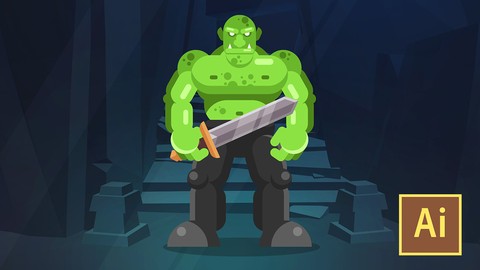
Learn Illustrator CC: Create a Simple Flat Vector Orc (2019)
4.5 (254 Reviews)
- Provider: Udemy
- Time: 1.3h
$39.99
More Illustrator courses

Adobe Illustrator CC - Essentials Training Course (2025)
4.8 (33,107 Reviews)
- Provider: Udemy
- Time: 12.1h
$124.99

Adobe Illustrator CC – Advanced Training Course (2025)
4.8 (10,960 Reviews)
- Provider: Udemy
- Time: 10.2h
$174.99

Adobe Illustrator Advanced Vector Artwork (2020)
4.8 (1,988 Reviews)
- Provider: Udemy
- Time: 8.3h
$14.99

Adobe Illustrator - Beginner to Pro Level With New AI (2026)
4.8 (1,368 Reviews)
- Provider: Udemy
- Time: 13.7h
$89.99

How to create flat design icons in 15 minutes in Illustrator (2023)
4.8 (335 Reviews)
- Provider: Udemy
- Time: 5.4h
$124.99

Logo Design Mastery In Adobe Illustrator (2022)
4.7 (5,700 Reviews)
- Provider: Udemy
- Time: 5.8h
$139.99
 Reviews

By Dawn Joseph on 1/28/2021
This was an amazing course... highly recommend you take this course. The instructor is very clear and concise, the best I have had so far. Excellent course I enjoyed every minute of it.
By Rod Ziegler on 12/9/2020
The course is really simple and touches on just the absolute basics of character creation in Illustrator.
By Jasmine on 11/15/2020
Great detailed step by step instruction. I used what I learned to make my own vector character for my 2D animation course project ! :)
By Hannah Gregorio on 9/6/2020
Great course if you're decided to specialise in flat or 2d vector design. Pretty straightforward course too. No fluff up or filler lessons. Pretty great for beginners for AI vector illustration.
By Rivansh Mehinia on 5/11/2020
dont explaining the keys he pressed and about the version of this software he using
By Abrar Hani on 4/11/2020
it was a good course, i learn some good thought about flat design Thank you
By Bartosz Surmiński on 8/15/2019
Great Tutorial, i learn a lot of new things.Author is very friendly and is really easy to understand him,also content is very good organised. I Highly recommend that course, it's very good for beginners in Illustrator. :) Thanks
By Mounir Benchellal on 7/17/2019
Thanks, the course has helps me to understand the process of making flat designs and to be familiar with some tools. Recommendations.
By Shaikh Muhammad on 6/16/2019
Nice and simple mini course. Highly recommend it for beginners! Would love to see a course for vector backgrounds and objects in the future.
By Manuel Chavarria Choque on 3/13/2019
me gustaron mucho las técnicas sencillas que utilizo para tener un trabajo con objetos básicos pero muy útiles y con un resultado agradable
 Quality Score
No CourseDuck member has rated this course yet. Taken it? Give each part a thumbs up or down.
Overall Score : 86 / 100

- Video Duration:
 1.1h
1.1h - Price: $12.99
- Provider: Udemy
- Updated:
 October 2019
 - Level:
 Beginner
 - Language:
 English
 - Certificate:
 Yes
Yes - Lectures:8 in 3 sections
- Students:81,400
- Subtitles:1 language
30-day money-back guarantee on most paid courses
Udemy Coupon Price Tracker
