
 Web Development
 Data Science
 Python
 SQL
SQL JavaScript
 Artificial Intelligence
 IT & Software
 IT Certifications
 Hacking
 AWS
AWS Arduino
 DevOps
 3D Modeling
 Graphic Design
 Photoshop
 Drawing
 Digital Painting
 UX Design
 Business
 Data Analysis
 Communication Skills
 Project Management
 Leadership & Management
 Human Resources
 Digital Marketing
 Social Media Marketing
 Marketing
 SEO
SEO Google Analytics
 Branding
 Excel
Excel Office Productivity
 SAP
SAP PowerPoint
 Microsoft Access
 SharePoint
 Finance & Accounting
 Trading & Investing
 Accounting
 Bitcoin
 Personal Finance
 Video Editing & Animation
 Photography
 Adobe Premier Pro
 Adobe Lightroom
 Personal Development
 Productivity
 Career Development
 Life Coaching
 Health & Fitness
 Meditation & Mindfulness
 Yoga
Yoga Music
Music Music Production
 Guitar
 Piano
Piano Singing
 Language Learning
 Teaching & Academics
 Engineering
 Math
Math Lifestyle
Learn Cinema 4D: Low Poly Tree (Udemy.com)
Start learning Cinema 4D by creating a beautiful Low Poly tree in this quick and easy course.
Created by: Jonathan Lam
Last updated April 2020
 What you will learn
- Create basic 3D models in Cinema 4D
- Light a 3D scene
- Render 3D scenes in Cinema 4D
- Export your scene to Photoshop
- Tips and Tricks in Photoshop
How it compares
Against the other 44 rated Udemy courses in Cinema 4D on CourseDuck:
- Rating4.4 out of 5higher than 38% of them
- Reviews133#15 of 45 by number of reviews
- Length0.8 hoursshorter than 100% of them
- Last updatedApril 2020more recently than 72% of them
 Quality Score
Overall Score : 88 / 100
 Course Description
- Create basic low poly 3D models in Cinema 4D to be used for your illustrations or video game projects.
- Learn a basic scene and lighting set up.
- Learn how to render your scene in cinema 4D.
- Create basic materials and colours for your models and backgrounds.
- Basic tips and tricks to improve your image in Adobe Photoshop
In this course you will learn the basics of how to emulate this trendy art style which has been used in popular games such as Journey and Monument Valley. For games, lowpoly is important for optimisation which is measured with the polycount of your model. The higher the polycount is for your model, the longer it takes for the system to render it. Content & OverviewThis is a great way for beginners to introduce themselves to 3D programs like Cinema 4D. Starting with a basic overview of the program, the course will help familiarise you with the tools you will need first. With the basics complete, the course will take you through how I created the lowpoly wolf step by step. We will break down the model to make understanding the process easier, starting with the body of the wolf and finishing with the paws.
Students completing this course will have the knowledge to create basic shapes and characters in the lowpoly style in Cinema 4D.
I have included the Cinema 4D file to download at the end of the course for you to use as reference. So you'll be able to work alongside the videos to create your tree. Please feel free to share your creations as well! Who this course is for:
- Complete beginners who are confident using a computer.
- Digital Artists
- Indie game developers
- Illustrators
- Graphic Designers
- People who are looking to learn 3D software & modelling techniques

 Udemy Discount
The discount is applied through our link. Open the course from here and Udemy's current promotional price is applied at checkout on most courses, no code to type.
Some courses are excluded from Udemy's promotions. If the price does not drop, clear your browser cookies and use the button again.
Instructor Details

- 4.4 Rating
 133 Reviews
Jonathan Lam
Hi everyone! My name is Jonathan Lam and I'm a Digital Artist on a mission to empower, educate and inspire creative students just like you to gain the creative skills you desire! Currently I work for Ubisoft as a concept and game artist. My skills range from graphic design, illustration, animation, 3D modelling/sculpting, concept art and video editing. Some of the projects I've worked on include Hungry Shark World, Hungry Shark Evolution, Starbeard and the Kickstarter Funded Game called Eminence: Xander's Tales.
I've also worked with many high profile clients including Riot Games, Sony Entertainment, Hasbro and Google as a graphic designer and illustrator.
 More courses by Jonathan Lam

Learn Illustrator CC: Create Simple Flat Vector Characters (2019)
4.3 (1,073 Reviews)
 Provider: Udemy
 Time: 1.1h
$12.99

Learn Illustrator CC: Create a Vector Knight (2019)
4.7 (398 Reviews)
- Provider: Udemy
- Time: 48 mins
$44.99

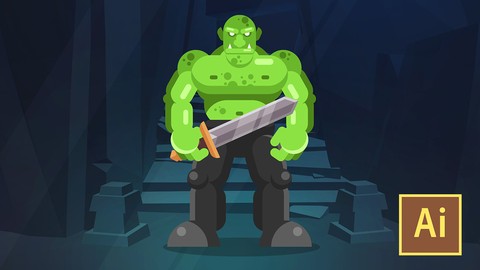
Learn Illustrator CC: Create a Simple Flat Vector Orc (2019)
4.5 (254 Reviews)
- Provider: Udemy
- Time: 1.3h
$39.99


More Cinema 4D courses

Cinema 4D - Looping 3D Animation for Instagram and GIF (2019)
4.8 (152 Reviews)
- Provider: Udemy
- Time: 1.8h
$39.99

Cinema 4D Complete : Vol. 2. All about Modeling! (2022)
4.7 (424 Reviews)
- Provider: Udemy
- Time: 22.4h
$74.99


Cinema 4D Complete : Vol. 3 Unleash the power of Mograph! (2022)
4.7 (226 Reviews)
- Provider: Udemy
- Time: 19.2h
$69.99

Cinema 4D Masterclass: The Ultimate Guide for Beginners (2021)
4.6 (3,843 Reviews)
- Provider: Udemy
- Time: 7.8h
$79.99

Professional Lighting Techniques in Cinema 4D (2020)
4.6 (185 Reviews)
- Provider: Udemy
- Time: 1.9h
$64.99
 Reviews

By Mitu Akter
good
By Hai Pham
It was great
By Mena Malak
nice job
By Takayuki Imagawa
goooood speeeeeeddd
By Max Bortolin
Easy and usefull.
By Tom.Van
Very inspirational
By Jeno Su
簡單易懂的課程,學會基礎 Low Poly Tree 製作
By Ezhava Abhijit
Best course for low polygon creation Basic
By Hemmanis Kar
EVERYTHING WAS VERY GOOD, But I would have appreciated more if you could have demonstrated how to add the low poly background or sort of how to make it because I am a beginner to C4D. I learned a lot from this tutorial.
By Ahmed Abdo Al-kawaliny
it was a great path, but I think if it provided with exercise files it would be better.
By Kanno Floris Adebanke
Such a delightful tutorial. I love the fact that he went straight to the point in explanation.
By Anchit Kawaatra
It was ok, easy to follow for someone who knows 3d already. Its just the tree that is modelled here. I felt instructor had more knowledge of Photoshop than Cinema 4D.

- Video Duration:
 48 mins
 - Price: $19.99
- Provider: Udemy
- Updated:
 April 2020
 - Level:
 Beginner
 - Language:
 English
 - Certificate:
 Yes
Yes
30-day money-back guarantee on most paid courses
Udemy Coupon Price Tracker
