
 Web Development
 Data Science
 Python
 SQL
SQL JavaScript
 Artificial Intelligence
 IT & Software
 IT Certifications
 Hacking
 AWS
AWS Arduino
 DevOps
 3D Modeling
 Graphic Design
 Photoshop
 Drawing
 Digital Painting
 UX Design
 Business
 Data Analysis
 Communication Skills
 Project Management
 Leadership & Management
 Human Resources
 Digital Marketing
 Social Media Marketing
 Marketing
 SEO
SEO Google Analytics
 Branding
 Excel
Excel Office Productivity
 SAP
SAP PowerPoint
 Microsoft Access
 SharePoint
 Finance & Accounting
 Trading & Investing
 Accounting
 Bitcoin
 Personal Finance
 Video Editing & Animation
 Photography
 Adobe Premier Pro
 Adobe Lightroom
 Personal Development
 Productivity
 Career Development
 Life Coaching
 Health & Fitness
 Meditation & Mindfulness
 Yoga
Yoga Music
Music Music Production
 Guitar
 Piano
Piano Singing
 Language Learning
 Teaching & Academics
 Engineering
 Math
Math Lifestyle
Learn Digital Painting to Make Cell Shaded Concept Art (Udemy.com)
Become a cell shading master!
Created by: Austin Batchelor
Last updated November 2019
 What you will learn
- Create digitally painted images using the cell shading technique
- use the rough drawing method to finalize an underdrawing
- add texture to an image
How it compares
Against the other 175 rated Udemy courses in Digital Painting on CourseDuck:
- Rating4.5 out of 5higher than 40% of them
- Reviews631#45 of 176 by number of reviews
- Length2.1 hoursshorter than 72% of them
- Last updatedNovember 2019earlier than 66% of them
 Course Description
Do you want to learn how to paint using cell shading like a profession concept artist or illustrator? Or maybe you're on a quest to start making money as an illustrator or concept artist? In any case you've come to the right place.
The 'How to Digitally Paint in Procreate: Cell Shading Technique' course will show you how to create high quality cell shaded images that will stand up as professional work. The techniques taught in this course can be translated into just about any program from Photoshop to Manga Studio. This course will enhance or give you skills in the world of digital art creation - or your money back!
The course is your track to building amazing attractive paintings for illustration or concept art! Whether for your own content or for other peoples projects.
This course will take you from having little knowledge in digital painting and Procreate to creating professional cell shaded images in as little as 1 week.
So what else is in it for you?
You'll be taken from a beginning sketch to a final rendered painting, from beginner to expert
You'll gain instant access to all six sections of the course. You'll also gain access to all of my Photoshop files I create though out the course for you to use how ever you like. These assets can be used to study and trace over or as inspiration and reference for your own paintings.
The course is setup to quickly take you through step by step, the process of creating cell shaded painting in Procreate. It will equip you with the knowledge to create stunning images and concept art!
This all comes under one convenient easy to use platform. Plus you will get fast, friendly, responsive support on the Udemy Q&A section of the course or direct message.
I will be here for you every step of the way!
So what are you waiting for? Sign up now to start creating today!
Who this course is for:
- Students who want to diversify their painting styles
- Students who want to learn a fast and effective painting style
- Students who want to be able to cell shade and make great art

 Udemy Discount
The discount is applied through our link. Open the course from here and Udemy's current promotional price is applied at checkout on most courses, no code to type.
Some courses are excluded from Udemy's promotions. If the price does not drop, clear your browser cookies and use the button again.
Instructor Details

- 4.5 Rating
 631 Reviews
Austin Batchelor
A C R E A T I V E
I'm Austin Batchelor. I'm a working professional creative in the game industry. I work as a concept artist and freelance illustrator. I've worked in house at an animation studio but currently work from home. As an instructor I strive to provide the best learning experience possible for my students by creating clear content and maintaining a personable demeanor.
 More courses by Austin Batchelor
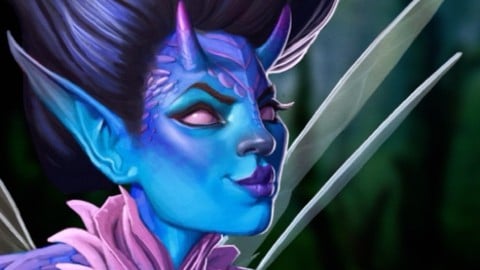
The Digital Painting MEGA Course: Beginner to Advanced (2022)
4.5 (5,292 Reviews)
 Provider: Udemy
 Time: 16h
$149.99
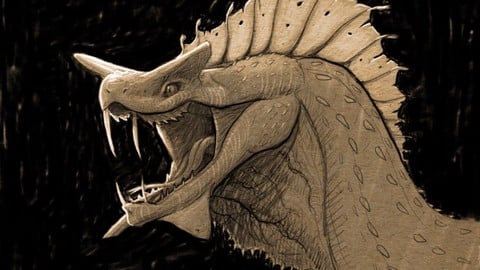
Ultimate Guide to Digital Sketching: Beginner to Advanced (2019)
4.4 (3,781 Reviews)
- Provider: Udemy
- Time: 5.5h
$89.99
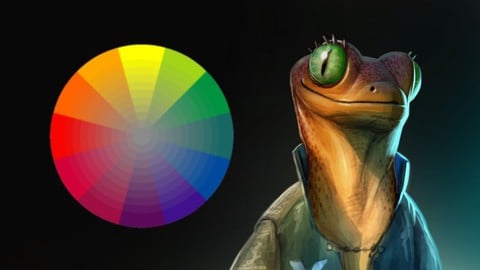
Digitally Painting Light and Color: Amateur to Master (2019)
4.7 (2,263 Reviews)
- Provider: Udemy
- Time: 5.2h
$94.99
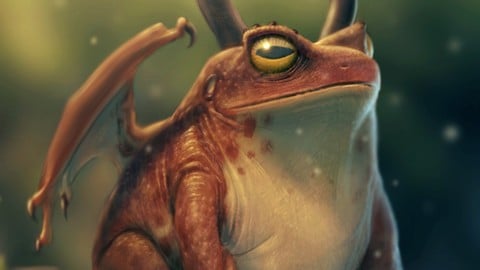
Photorealistic Digital Painting From Beginner To Advanced. (2019)
4.6 (2,170 Reviews)
- Provider: Udemy
- Time: 5.4h
$59.99

More Digital Painting courses

Character Art School: Complete Coloring & Painting (2026)
4.8 (6,042 Reviews)
- Provider: Udemy
- Time: 19.5h
$34.99



Procreate Masterclass: Digital Drawing on the iPad (2023)
4.8 (1,744 Reviews)
- Provider: Udemy
- Time: 18.2h
$94.99


Digital painting with Krita 5.0 intermediate level (2022)
4.8 (271 Reviews)
- Provider: Udemy
- Time: 6.8h
$79.99
 Reviews

By Raveloarijaona Rojo on 11/7/2020
Court mais prcis. J'ai appris le minimum requis pour les couleurs, l'ombrage et surtout les lignes. Merci, c'tait gnial :D
By Cornelia Jurka-Lang on 9/2/2020
This was fun. Easy to follow and very fast. I used Affinity Photo instead of Procreate.
By Kaylin Maanum on 8/17/2020
Awesome course! It made making art more approachable!
By Paul Storm on 8/3/2020
I really enjoyed this course and the tutor is very descriptive about what to do & why.
Totally recommend to anyone interested in this subject.
By Shamyia Walker on 7/27/2020
Very nice to listen to and watch while working on art,
Thank you so much for the cell shading lesson.
Wish you the best.
By Aaron Ainsworth on 7/10/2020
Its working well so far.
By Jiwan on 7/6/2020
Its was so fun
By Michael Layhe on 7/4/2020
More clarity required on why certain settings are needed e.g. having all layers set to multiply
By Benjamin Pita on 7/4/2020
I was trying out a different style and tacking this on to prior knowledge worked better than I thought! This is a bit simpler than I am used to, though that doesn't make it inferior than trying out more realistic looks. In fact, taking other classes especially around anatomy actually helped boost what I learned here. But I really love the anime/cartoon style and this really helped get a look I was looking for on this gift I am working on for my friends.
By Marie Trope Zanzal on 7/1/2020
I learned a few things, but I was not particularly engaged.
By Jonathan McDaniel on 6/24/2020
This course has a lot of great concepts to get you off the ground on cell shading
By Dominic Wienand on 6/11/2020
Easy to understand and follow, something I would reference time and again.
 Quality Score
Overall Score : 90 / 100

- Video Duration:
 2.1h
2.1h - Price: $54.99
- Provider: Udemy
- Updated:
 November 2019
 - Level:
 All Levels
 - Language:
 English
 - Certificate:
 Yes
Yes
30-day money-back guarantee on most paid courses
Udemy Coupon Price Tracker
