
 Web Development
 Data Science
 Python
 SQL
SQL JavaScript
 Artificial Intelligence
 IT & Software
 IT Certifications
 Hacking
 AWS
AWS Arduino
 DevOps
 3D Modeling
 Graphic Design
 Photoshop
 Drawing
 Digital Painting
 UX Design
 Business
 Data Analysis
 Communication Skills
 Project Management
 Leadership & Management
 Human Resources
 Digital Marketing
 Social Media Marketing
 Marketing
 SEO
SEO Google Analytics
 Branding
 Excel
Excel Office Productivity
 SAP
SAP PowerPoint
 Microsoft Access
 SharePoint
 Finance & Accounting
 Trading & Investing
 Accounting
 Bitcoin
 Personal Finance
 Video Editing & Animation
 Photography
 Adobe Premier Pro
 Adobe Lightroom
 Personal Development
 Productivity
 Career Development
 Life Coaching
 Health & Fitness
 Meditation & Mindfulness
 Yoga
Yoga Music
Music Music Production
 Guitar
 Piano
Piano Singing
 Language Learning
 Teaching & Academics
 Engineering
 Math
Math Lifestyle
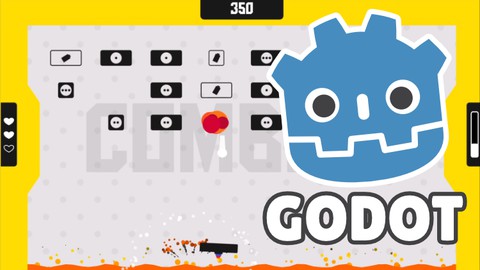
Learn how to make a juicy game in Godot 4 (Udemy.com)
Learn how to create juicy animations, effects, particles & more, by turning a simple game into a juicy one with Godot 4!
Created by: Victor Meunier
Last updated May 2023
 What you will learn
- Theory behind game feel
- Bring a game from boring to juicy using everything from the course
- Godot specific implementation with the AnimationPlayer, Particles, Shaders, Sound Effects, etc...
- Tips and tricks specific to making games with Godot
How it compares
Against the other 281 rated Udemy courses in Game Development Fundamentals on CourseDuck:
- Rating4.6 out of 5higher than 57% of them
- Reviews287#115 of 282 by number of reviews
- Length5.4 hoursshorter than 64% of them
- Last updatedMay 2023earlier than 63% of them
 Course Description
A course focused on making everything juicy in a game using a breakout clone as a base game (project provided, we won't recreate the game in the course) . We’ll go over everything needed to bring the game from boring to awesome using many technique such as:
Animations (easing, bezier curves)
Lerp (linear interpolation)
Tween
Damped oscillator
Trails
Particles
Camera shake & movement
Shaders
Sound effects
The list is not exhaustive, please see the course outline for a glimpse into the topics that are covered.
Beside the techniques themselves, I also discuss how and why we want to do things a certain way. I explain the importance of using contrast in your effects, anticipation, layering and much more. Throughout the course, you'll have many occasion to use the same techniques in different occasion and for different effects. You'll also have the ability to explore things on your own.
I’ll show you tips and tricks along the way to make sure you get the most out of Godot and resources that can be useful and help you go further. You will walk away from this course knowing the techniques used to make a game juicy, how and when to use them. You'll be able to implement juice in your own games and bring them to the next level.
This course will be helpful if:
You have basic knowledge of programming and Godot
You want to take your prototypes/games to the next level
You want to make games more pleasing to play
You feel like your game is boring but don't know how to change it
Please note that we're focusing on the game juice in this course. I won't go over the fundamentals of programming or even Godot. The base game project is provided and we go over its structure quickly, but we don't create the game from scratch. The first time we're facing a new technique, I try to explain it in detail to make it as clear as possible, but you're expected to know a bit about how Godot works. Also, game juice touches on a lot of complicated topics such as animation, visual effects and sound effects. This course is not here to teach you animations or visual effects. Still, I go over some fundamentals and I try to give you as much information as possible. Just don't expect to learn animation or VFX through this course.
This course was made using Godot 4.0. It was the latest stable version of Godot at the time of creating the course. It should be compatible with all the future versions of Godot. In one chapter, I'm using Godot 3.5 to demonstrate how to tuse glow, as it was not implemented in 4.0.
Multiple lessons are available to for you to preview for free. Please take a look at those videos before enrolling to know if this course is right for you!

 Udemy Discount
The discount is applied through our link. Open the course from here and Udemy's current promotional price is applied at checkout on most courses, no code to type.
Some courses are excluded from Udemy's promotions. If the price does not drop, clear your browser cookies and use the button again.
Instructor Details

- 4.6 Rating
 287 Reviews
Victor Meunier
Hello, I'm Victor (MrEliptik), a full time indie game developer using Godot! I've worked with Godot for 3 years, completed many game jams and published a commercial game on Steam. I have a degree in embedded software engineering so I have experience coding.
I have two Youtube channels, one where I talk about gamedev and the other where I create content for Godot, mostly tutorials. If you want to check my teaching style, I recommend taking a look at my videos!
I love teaching and I want to share high quality content for Godot, that is both worth your time and money.
 More Game Development Fundamentals courses

The Ultimate 2D Top Down Unreal Engine Course (2026)
4.9 (1,468 Reviews)
 Provider: Udemy
 Time: 17.1h
$94.99

Blender Skill Builder: Modelling Challenges (2026)
4.9 (144 Reviews)
- Provider: Udemy
- Time: 6.5h
$19.99

Jumpstart to 2D Game Development: Godot 4 for Beginners (2026)
4.8 (4,398 Reviews)
- Provider: Udemy
- Time: 67.6h
$89.99

Create a Complete 2D Survivors Style Game in Godot 4 (2023)
4.8 (3,761 Reviews)
- Provider: Udemy
- Time: 17.2h
$59.99

Master Lua Programming and Create Amazing Games with LÖVE! (2023)
4.8 (3,199 Reviews)
- Provider: Udemy
- Time: 8.5h
$13.99

Complete Godot 2D: Develop Your Own 2D Games Using Godot 4 (2025)
4.8 (1,619 Reviews)
- Provider: Udemy
- Time: 11.3h
$94.99
 Reviews

By Simone Ortolani on 8/7/2026
Nice tutorial. It delivers what it promises. I would have liked to have a couple more things: 1. More theory about the technique we were about to develop (as we did with the Hitstop lesson). 2. A better code structure and best practice with writing good code. I know those thing can be done in other courses but seeing some nodes called directly in code without a proper variable it's not the best. Except those two points, the course represents to me a really good starting point for game juice and a really good practice of some of the best tool of Godot like tween, animation player and particles.
By Michael Kelly on 6/15/2026
It would have been nice to not rely on so many plugins (some are now out of date like the trail2d and the sfxr plugin so I skipped those parts even though I understand the gist of it), but overall good explanation of the techniques. I especially appreciated emphasis on using tweens and explaining the parallel/chain use cases.
By Peter Vo on 12/23/2025
I like this course where it is not too long, and I can either follow/code along or just watch to understand the workflows. This course is not about building a game from scratch, but more on techniques to analyze, fix, and improve games made by yourself or someone else. In my opinion, that makes it crucially complimentary, as it teaches you how to maintain and work on your games in the long run without messing up the core functions. It also gives you more chance to better understand the tools available (e.g. when to use Animation Player, Timer, or Tween).
By Alessandro Bruno on 11/30/2025
I've learned lots of important things during this course, like the use of tweens, particles and the timing of animations but i don't think the last sections are as good as the first ones. The Sound effect part was really useless and the last one was like watching a speedrun where all was already done. Also the subdivision of the lessons was a little bit off, i know it's more "organized" but having 3 videos of 1 minutes...idk In the end i've liked the course, the explanations were clear and some of the concepts will always stay in my mind, but I would have preferred a little more in-depth information in some points.
By Mohan on 7/18/2025
I like the various implementation of gpu particles. we can totally change the game outlook and feel by changing small details that other overlook. I mean camera shake , vibration , every other feedback interact and shows their own interaction how awesome is that. in term of implementing I am still not confident in applying what I learned here, I think I have to keep revisiting and apply to other game to get the feel for what I have learnt here.
By Matt Smith on 3/14/2025
This is a great course! I had done a couple of beginner level courses and this really picked up at the intermediate level to push home the concepts and methods of godot. I learnt a lot about the methods of adding the juice and there was a really good amount of reasoning behind why it was good and beneficial to the game. There is quite a lot of varied repetition between the different techniques so it keeps you practising without just doing the same thing over and over, which I find to be a really enjoyable way to learn. Thanks, Victor! Wonderful course.
By Nicolas Perez on 6/12/2024
Awesome effects and tricks. Easy to port this knowlege to a game that you are working. Also, some basic animation teory (like loss energy). I really enjoy this course, just to give some feedback, i feel like the starting code could be a little bit rought to get along (maybe another class explaining the code should be good) but if you keep the course you will understanding and a small pieces of code algon could be improved
By Augusto Hernandez on 3/4/2024
Congratulations Victor. This course is amazing I learned a bunch of techniques and some other tricks I didn't think I'd see The delivery of the contents has a good pacing, concise but effective explanations and a lot of valuable knowledge cramped into it. I also have to thank you for sharing all these resources and code to tinker with That's a 10/10 for me. I'm definitely applying what I've learned here
By Juan José Llanos Correa on 1/14/2024
The course is amazing, topics are clearly explained and the techiniques showed are super useful and add a level of detail that can make a huge difference. The only con I see is that some of the shaders used are not so well explained, so you will have to figure it out as how they work. On the other hand this course is about game juice and not about shaders, so you will have to learn that topic on your own. Overall a really good course if you want to learn some techniques to add a great level of detail and juicyness to games in Godot.
By Oleg Volkov on 11/28/2023
A very good course, everything is clear and to the point, game design decisions regarding the type of colors in the game are controversial, but the juice itself in the game turned out great, I give it a little lower than 5 points, only because 5 still deserves an ideal course in which there are no rough edges . I'm waiting for a new course from the author on metroidvania where he will use the state machine and cool features like inventory and adding new abilities to the character, as well as using tile maps, I'm willing to pay more for such a course!
 Quality Score
No CourseDuck member has rated this course yet. Taken it? Give each part a thumbs up or down.
Overall Score : 92 / 100
- Video Duration:
 5.4h
5.4h - Price: $79.99
- Provider: Udemy
- Updated:
 May 2023
 - Level:
 Beginner
 - Language:
 English
 - Certificate:
 Yes
Yes
30-day money-back guarantee on most paid courses
Udemy Coupon Price Tracker
