
 Web Development
 Data Science
 Python
 SQL
SQL JavaScript
 Artificial Intelligence
 IT & Software
 IT Certifications
 Hacking
 AWS
AWS Arduino
 DevOps
 3D Modeling
 Graphic Design
 Photoshop
 Drawing
 Digital Painting
 UX Design
 Business
 Data Analysis
 Communication Skills
 Project Management
 Leadership & Management
 Human Resources
 Digital Marketing
 Social Media Marketing
 Marketing
 SEO
SEO Google Analytics
 Branding
 Excel
Excel Office Productivity
 SAP
SAP PowerPoint
 Microsoft Access
 SharePoint
 Finance & Accounting
 Trading & Investing
 Accounting
 Bitcoin
 Personal Finance
 Video Editing & Animation
 Photography
 Adobe Premier Pro
 Adobe Lightroom
 Personal Development
 Productivity
 Career Development
 Life Coaching
 Health & Fitness
 Meditation & Mindfulness
 Yoga
Yoga Music
Music Music Production
 Guitar
 Piano
Piano Singing
 Language Learning
 Teaching & Academics
 Engineering
 Math
Math Lifestyle
Learning 3ds Max after knowing Maya : Modeling (Udemy.com)
Learn how to use 3ds Max if you already know how to use Maya. Switching was never easier.
Created by: Bradley Wascher
Last updated January 2014
 What you will learn
- Overview of fundamental UI differences
- Location of most used tools and techniques for modeling
- Explaining high poly to low poly workflow
- Using the UV editor inside of 3ds max
- Understanding the material editor
- Baking out normal maps in 3ds max
- Setting up custom shortcuts and options
How it compares
Against the other 545 rated Udemy courses in 3D Modeling on CourseDuck:
- Rating4.6 out of 5higher than 56% of them
- Reviews138#383 of 546 by number of reviews
- Length2.4 hoursshorter than 81% of them
- Last updatedJanuary 2014earlier than 99% of them
 Course Description
It can be hard feeling completely lost when you already know the fundamentals and the software is the only thing getting in your way. Pulling your hair out because your speed and process have been thrown out the door. Knowing what you want to create but getting nowhere trying to accomplish it.
Most tutorials for learning 3ds max are fundamentals video that are long and drawn out covering topics that you already understand, you're just looking for the information on how to transfer the skills you already have from working in Maya. The amount of time you spend trying to scan through tons of beginner videos to understand some of the more advanced techniques you might be using are overlooked, or in some cases aren't even available in 3ds max. This becomes irritating and wastes your time.
This video series is designed to get you up to speed inside of 3ds max and have you wondering why it ever seemed so hard to transfer between software in the first place. All of the main tools and techniques that are uses in everyday video game art development (modeling, unwrapping, and baking) will be explained and cross referenced to what you would use inside of Maya. So if your in need of getting up to speed inside of 3ds max for a new job position or are a student that is looking to increase his or her resume to become more attractive to employers this video series is just for you.

 Udemy Discount
The discount is applied through our link. Open the course from here and Udemy's current promotional price is applied at checkout on most courses, no code to type.
Some courses are excluded from Udemy's promotions. If the price does not drop, clear your browser cookies and use the button again.
Instructor Details

- 4.6 Rating
 138 Reviews
Bradley Wascher
Hello, I'm Bradley Wascher, a seasoned Senior Technical Artist with over a decade of experience in the video game industry. I specialize in materials, lighting, and optimizing performance for console games, mobile games, and VR experiences.
Throughout my career, I've contributed to diverse game titles, tackling unique challenges and refining my skills. Now, I'm passionate about sharing my knowledge with aspiring developers and artists through classes and tutorials.
Join me on this journey into the world of game development, where we'll explore the art and technology that bring virtual worlds to life. Let's build the future of gaming together!
 More courses by Bradley Wascher

Unreal Engine 4: Beginners Guide to Lighting (2023)
4.4 (632 Reviews)
 Provider: Udemy
 Time: 3.2h
$49.99

Learning Maya after knowing 3ds Max : Modeling (2017)
4.3 (280 Reviews)
- Provider: Udemy
- Time: 1.6h
$34.99
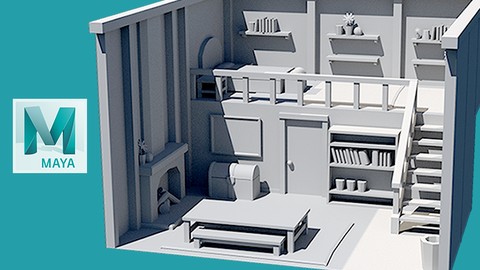
3D Modeling for Video Games : Beginners Guide (2019)
4.7 (124 Reviews)
- Provider: Udemy
- Time: 6.6h
$49.99
More 3D Modeling courses

3D Printing with " Ultimaker CURA Slicer- Start to finish" (2025)
4.9 (192 Reviews)
- Provider: Udemy
- Time: 1h
$34.99

Girl and the Dog Creation in Zbrush for Intermediate Level (2020)
4.9 (173 Reviews)
- Provider: Udemy
- Time: 48.8h
$59.99



Blender Character Creator for Video Games (2026)
4.8 (9,160 Reviews)
- Provider: Udemy
- Time: 34.3h
$159.99

Master SOLIDWORKS 3D CAD using real-world examples (2022)
4.8 (2,451 Reviews)
- Provider: Udemy
- Time: 18.9h
$69.99
 Reviews

By Soufiane Bayed on 9/23/2021
I'm glad I took this course. I need to switch from Maya to 3DS Max to actually be considered for Archviz jobs, and while this course doesn't show any advanced 3D modeling particularly, it goes through the basics and gives you a starting push. At least now while watching other tutorials I won't be completely frustrated and helpless.
By Martin Dahlin on 6/18/2020
I think the course is good at explaining all the things that will bug you about 3ds MAX. I only used the software for about 4 months in my career but this course helped a lot with getting me setup and it taught me how to do the customizations that I needed. Highly recommended.
By Training User on 4/6/2018
This is advertised as requiring production level knowledge of Maya and being for professionals hitting the ground running in a new software. In reality, this only covers very basic beginner level Maya Modeling concepts in Max. It also specifically mentions covering Low Poly, but all it really does is tell you not to smooth to make something low Poly. Mostly I feel a little cheated and very underwhelmed with this. It came across as deceptive. If you have about 5 days of modeling in maya you will understand the concepts mentioned in this tutorial. On the plus side the last few videos actually translate a couple Max modeling tools that were useful.
By Hayden Noble on 9/17/2017
Very clear presentation! As a native Maya user, this has been extremely helpful in discovering which tools in Max are similar to the Maya tools I'm used to using. Also, the presenter has done an excellent job of explaining which tools max has that are superior to the maya version.
By Diego Rago on 7/14/2017
Great Intro to learn how to switch from Maya to 3Ds Max, at least on the modeling side, I would of like it to be a little more in depth creating some more complex figures and shapes but I guess that is on my end to figure out now.
By Josh Trevisiol on 4/4/2017
Back in 2010 I made the switch from Max to Maya. Just recently, a new job requires me to work within Max. This course has been helpful in regaining my understanding and translating my years of experience in Maya back to Max. I may have further questions later, but after watching and taking notes I feel the course covered an appropriate amount of content to get me started. Excellent!
By Jamie Perrin on 12/22/2016
A very concise and professional approach. The well-structured nature of the course and brief length of each video manage to communicate the most necessary information quickly and in stages that won't overwhelm. A really enjoyable series of videos.
By Dan Powell on 2/17/2014
Very well narrated course and covers all of important stuff you'll need to know in 3DS Max. Voice-over is very clear, on-screen text is used to remind you of shortcuts, and any technical language is explained in understandable manner.
By David Huettner-Venier on 2/17/2014
I am using Maya for more than 13 years now. My workflow and experience in Maya is very fast and really internalized. Sometimes it could be frustrating and difficult if you're using another software in the same specialist field that is slightly different in use and feel. But this course is really good, because it explains everything very well!
By Richard Rude on 2/11/2014
Have been wanting to try Max out but I didn't want to go through the basics again since I already know Maya. I also like the references he makes to things that are in 3ds Max to Maya and vice versa. Overall great course!
 Quality Score
No CourseDuck member has rated this course yet. Taken it? Give each part a thumbs up or down.
Overall Score : 92 / 100

- Video Duration:
 2.4h
2.4h - Price: $19.99
- Provider: Udemy
- Updated:
 January 2014
 - Level:
 All Levels
 - Language:
 English
 - Certificate:
 Yes
Yes
30-day money-back guarantee on most paid courses
Udemy Coupon Price Tracker
