
 Web Development
 Data Science
 Python
 SQL
SQL JavaScript
 Artificial Intelligence
 IT & Software
 IT Certifications
 Hacking
 AWS
AWS Arduino
 DevOps
 3D Modeling
 Graphic Design
 Photoshop
 Drawing
 Digital Painting
 UX Design
 Business
 Data Analysis
 Communication Skills
 Project Management
 Leadership & Management
 Human Resources
 Digital Marketing
 Social Media Marketing
 Marketing
 SEO
SEO Google Analytics
 Branding
 Excel
Excel Office Productivity
 SAP
SAP PowerPoint
 Microsoft Access
 SharePoint
 Finance & Accounting
 Trading & Investing
 Accounting
 Bitcoin
 Personal Finance
 Video Editing & Animation
 Photography
 Adobe Premier Pro
 Adobe Lightroom
 Personal Development
 Productivity
 Career Development
 Life Coaching
 Health & Fitness
 Meditation & Mindfulness
 Yoga
Yoga Music
Music Music Production
 Guitar
 Piano
Piano Singing
 Language Learning
 Teaching & Academics
 Engineering
 Math
Math Lifestyle
Linux Security, AI, Docker And Cloud With Hands-On Labs (Udemy.com)
Learn Linux security, hardening, AI, Docker, cloud, and server protection with practical hands-on labs.
Created by: Shikhar Verma
Last updated May 2026
 What you will learn
- Understand Linux fundamentals, filesystem structure, and essential Linux commands
- Launch and manage Linux servers on AWS EC2 cloud environments
- Configure remote VM access using MobaXterm and SSH
- Manage Linux file permissions, ownership, and access control securely
- Install and manage software packages using APT package manager
- Configure environment variables and Python virtual environments for AI workloads
- Install and use AI libraries such as NumPy, PyTorch, and Transformers on Linux
- Run GPT-2 models and perform AI text generation on Linux systems
- Understand LLMs, Generative AI, OpenAI, and Hugging Face concepts
- Build AI chatbot applications using Python and OpenAI APIs
- Deploy AI applications using Docker containers and Dockerfiles
- Understand Linux security fundamentals and server hardening best practices
- Configure PAM, password policies, and account security in Linux
How it compares
Against the other 124 rated Udemy courses in Linux on CourseDuck:
- Rating4.2 out of 5higher than 14% of them
- Reviews200#94 of 125 by number of reviews
- Length8.8 hourslonger than 56% of them
- Last updatedMay 2026more recently than 74% of them
 Course Description
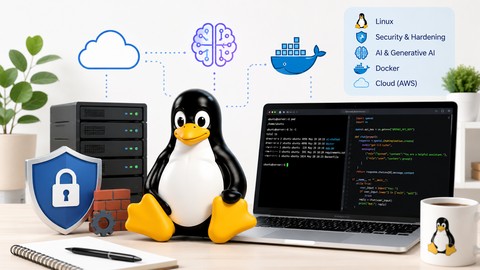
This course provides a practical approach to Linux security and hardening while also introducing modern AI and cloud technologies used in real-world environments. You will learn Linux fundamentals, file permissions, package management, environment variables, firewall security, PAM, SELinux, and server protection techniques through hands-on labs and practical demonstrations.
The course also covers AI fundamentals, Python setup for AI workloads, GPT-2 text generation, OpenAI and Hugging Face integration, Docker-based AI application deployment, and cloud-based Linux environments using AWS EC2.
By the end of this course, you will be able to secure Linux systems, work with AI tools on Linux servers, deploy applications using Docker, and build a strong foundation for Linux, DevOps, cloud, AI, and cybersecurity-related roles.
Course Content
Getting Started with the Course
Course Introduction
Why Linux is Important for AI
Course Architecture
Getting Started with AWS EC2 & VM Access
Introduction to Cloud and AWS
Launch EC2 Instance (Ubuntu)
Set Up MobaXterm for VM Access
Connect to VM Using MobaXterm
Linux Fundamentals: Files, Commands & Permissions
Linux Filesystem Explained
Essential Linux Commands
File Management in Linux
Editing Files Using Vi Editor
File Permissions in Linux
Modify Permissions with chmod
Modify Ownership with chown
Package Management & Environment Variables
Package Management with APT
Hands-on Lab: Managing Packages
Environment Variables Explained
Hands-on Lab: Environment Variables
Python Setup & Dependency Management for AI
Python Environment Essentials for AI
Python Virtual Environment Setup (venv)
Python Dependency Management Using pip
Real-Time Projects
GitHub Info Fetcher Project
GitHub API-Based Python Project
Running AI Models on Linux (GPT-2 Project)
Install AI Libraries: NumPy, PyTorch & Transformers
First AI Text Generation Script
Load and Run GPT-2 Model
Transformers & Hugging Face Overview
AI Text Generation Flow
Real-Time Project
AI Text Completion Using GPT-2 on AWS
Introduction to Generative AI
What is an LLM?
How LLMs Work
Examples of LLMs
OpenAI vs Hugging Face
APIs and AI Integrations
OpenAI Introduction & Use Cases
Hugging Face Overview & Use Cases
Build an AI Chatbot Using Python and OpenAI
AI Chatbot Project Overview
Python Environment Setup
Install OpenAI Libraries
Configure OpenAI API Keys
Writing Python Code for AI Chatbot
Run and Test the AI Chatbot
Deploy the AI Chatbot Using Docker
What is Docker?
Docker Architecture & Components
Dockerfile Creation
Docker Setup and Installation
Build Docker Images
Run AI Chatbot Using Docker Containers
Linux Security Fundamentals
Linux Security Overview
Common Linux Security Threats
Server Hardening Best Practices
Linux Security & Hardening
Physical Security of Linux Systems
BIOS Firmware Security
Bootloader Security
Single User Mode Security
PAM (Pluggable Authentication Modules)
Account & Password Security
Password Aging Policies
File System Security
ACLs and Special Permissions
Network Security
SSH Hardening
Linux Firewall & firewalld
Port Forwarding & Rich Rules
SELinux Concepts & Troubleshooting
Audit Logs & Security Monitoring
Last Lecture

 Udemy Discount
The discount is applied through our link. Open the course from here and Udemy's current promotional price is applied at checkout on most courses, no code to type.
Some courses are excluded from Udemy's promotions. If the price does not drop, clear your browser cookies and use the button again.
Instructor Details

- 4.2 Rating
 200 Reviews
Shikhar Verma
Shikhar Verma – Entrepreneur, Corporate Trainer, and IT Consultant
●Founder & CEO of Techstart – Leads an IT company specializing in designing, developing certified courses, content creation, and managing online/offline IT projects for renowned companies.
●15+ Years of Industry Experience – Worked extensively in the IT sector before establishing his own business, bringing deep expertise in technology and corporate training.
●Passionate About Technology & Education – Dedicated to utilizing his technical skills to drive both organizational success and personal career growth.
●Renowned Udemy Instructor – Simplifies complex technical concepts and delivers them in an engaging and approachable manner.
●Educating Since 2016 – Taught over 100,000 students worldwide across multiple learning platforms.
●Educational Background – Holds a BTech in Electrical and Electronics Engineering.
●Core Expertise:
☆Generative AI, Python, DevOps, Docker, Git, Kubernetes, Linux, Ansible, Shell Scripting
☁️ AWS Cloud (Amazon Web Services), Linux Clustering, GCP
 More courses by Shikhar Verma
Master Linux Troubleshooting: Hands-On Training for 2026 Pro
4.2 (4,805 Reviews)
 Provider: Udemy
 Time: 44h
$16.99
Red Hat Training and Certification - RHEL 8/9 (RH124) (2025)
4.6 (3,208 Reviews)
- Provider: Udemy
- Time: 19h
$74.99

Automation with Ansible Playbooks – Hands-On! (2025)
4.7 (2,696 Reviews)
- Provider: Udemy
- Time: 9.6h
$10.99

Managing Ansible with AWX and Ansible Tower (2025)
4.5 (2,376 Reviews)
- Provider: Udemy
- Time: 4.2h
$11.99

DevOps: CI/CD using Jenkins, Maven, Git, Sonar, OWASP, Trivy (2025)
4.1 (1,617 Reviews)
- Provider: Udemy
- Time: 11.8h
$84.99

More Linux courses

Learn Ubuntu Fast: Learn, Practice, and Advance your Career (2022)
4.8 (112 Reviews)
- Provider: Udemy
- Time: 6.6h
$69.99

Linux Mastery: Master the Linux Command Line in 11.5 Hours (2023)
4.7 (27,499 Reviews)
- Provider: Udemy
- Time: 10.7h
$24.99

The Linux Command Line Bootcamp: Beginner To Power User (2026)
4.7 (10,510 Reviews)
- Provider: Udemy
- Time: 15.8h
$109.99

Complete Linux Bash Shell Scripting with Real Life Examples (2026)
4.7 (4,978 Reviews)
- Provider: Udemy
- Time: 14.7h
$16.99


Complete Linux Troubleshooting Course (Practical Examples) (2026)
4.7 (2,231 Reviews)
- Provider: Udemy
- Time: 17.1h
$119.99
 Reviews

By Dominik Buchhardt on 3/19/2025
this currently looks more like very basic things, which is not bad, but not what i expected. The selinux was helpful, but i wished he had explained the selinux policies somewhat.
By Patrik Potoczky on 12/30/2024
Overall its alright course, but the pronunciation of some words made it hilarious, sometimes super confusing.
By Thembelenkosini Theophilus Ramncwana on 9/6/2024
These lesson has allowed me to have a better and clear understanding of SELinux as I am preparing for the LPIC3 Linux security Exam. Thank you Sir
By Kim Nguyen on 6/9/2021
Information is very good for basic level, brief and concise. Lab is basic and good enough to follow.
By Olivier CHARLOTON on 5/23/2020
All sections are not present on slides. I've chosen this course to learn SELinux but i need to understand far more than what it's explained to be able to use it in real world. From my point of view, this lesson is a (quite good) introduction to Linux Hardening that must be completed and deepened.
By Sumita Bhattacharya on 2/13/2020
This course is very interesting and easy to follow. Highly recommended.
By Chris Papas on 3/6/2019
This course was Outstanding, Mr Verma is I think The best Instructor on Udemy. Take this course and you will see for yourself. I have taken several of his courses, and each course is well thought out for a student to learn, his courses are not simple Basic courses, like some i have taken from other instructors. His mission for each course is for you not only learn his material, but learn it in detail. Please keep the courses coming!
By Abdullah Aydarous Alaydarous on 12/23/2018
The course & instructor are good, The only thing I it doesn't say its more about red hat system so at least you know which Linux sys you going for.
By Syed Ali on 10/18/2018
An extremely well-designed & Amazing course. with a very well rounded curriculum. Shikar is an excellent instructor. I have had a great time going through this course. I am so glad that I decided to take this course.Thank you..
By Damien Oliver on 10/15/2018
So far (chapter one), the course is well done en clear. It would be better if we could have the transcript feature for those of use who are not fluent in english.
 Quality Score
No CourseDuck member has rated this course yet. Taken it? Give each part a thumbs up or down.
Overall Score : 84 / 100
- Video Duration:
 8.8h
8.8h - Price: See price on Udemy
- Provider: Udemy
- Updated:
 May 2026
 - Level:
 Intermediate
 - Language:
 English
 - Certificate:
 Yes
Yes
30-day money-back guarantee on most paid courses
Udemy Coupon Price Tracker
