
 Web Development
 Data Science
 Python
 SQL
SQL JavaScript
 Artificial Intelligence
 IT & Software
 IT Certifications
 Hacking
 AWS
AWS Arduino
 DevOps
 3D Modeling
 Graphic Design
 Photoshop
 Drawing
 Digital Painting
 UX Design
 Business
 Data Analysis
 Communication Skills
 Project Management
 Leadership & Management
 Human Resources
 Digital Marketing
 Social Media Marketing
 Marketing
 SEO
SEO Google Analytics
 Branding
 Excel
Excel Office Productivity
 SAP
SAP PowerPoint
 Microsoft Access
 SharePoint
 Finance & Accounting
 Trading & Investing
 Accounting
 Bitcoin
 Personal Finance
 Video Editing & Animation
 Photography
 Adobe Premier Pro
 Adobe Lightroom
 Personal Development
 Productivity
 Career Development
 Life Coaching
 Health & Fitness
 Meditation & Mindfulness
 Yoga
Yoga Music
Music Music Production
 Guitar
 Piano
Piano Singing
 Language Learning
 Teaching & Academics
 Engineering
 Math
Math Lifestyle
Make Unity 3D interactive games with Fungus - no coding! (Udemy.com)
Make Branching narrative, point & click and hidden object games all without writing code.
Created by: Paul McGrath
Last updated December 2018
 What you will learn
- You will have a Full working knowledge of Fungus and how it integrates with Unity.
- You will be able to create narrative story games, point and click adventures and hidden object games.
- You will be able to publish your games to Unitys webplayer and WebGL and have them on your own website, publish them to Android and IOS versions (if you have a Apple developer Licence) and sell them through Google play or the apple store.
- Most importantly you will be able to do all of this without writing one line of code.
How it compares
Against the other 183 rated Udemy courses in Unity on CourseDuck:
- Rating4.5 out of 5higher than 48% of them
- Reviews601#67 of 184 by number of reviews
- Length8 hoursshorter than 59% of them
- Last updatedDecember 2018earlier than 79% of them
 Course Description
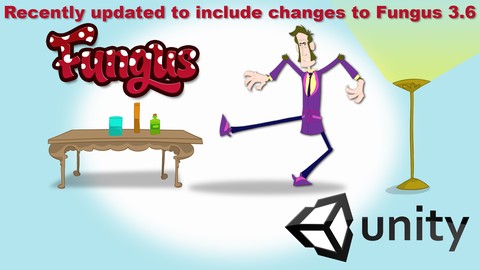
Fungus is a free Unity 3D plugin that allows non coders (like me) access to some of Unity's core features. This course has been updated to include changes & updates to Fungus 3.
6
If you have never used game development software, or if you have struggled with code trying to make games, Fungus and this course are exactly what you need.
So what specifically will we learn?: In no particular order.
Unity: A working knowledge of the Unity interface, Importing and managing assets / Images / Audio / Animation etc.
Fungus: A full working knowledge of fungus how to combine commands, Use variables etc. All without code.
Control the camera: camera moves / fades etc.
Control sound: add music / spot sound effects / control volume.
Sprites: affect their visibility & movement.
Branching Narrative: create custom characters, dialogs & menus.
Clickable Sprites: Create buttons that interact with the scene.
Drag & Drop: Create draggable sprites that interact with the scene.
Mecanim Animation: Add animation to the scene and control it.
With all of the above mentioned elements we will create a short branching narrative game, where two characters talk to one another and you are presented with choices to influence the story. The narrative section leads into a hidden object point and click adventure, we will explore an interactive environment with clickable images, draggable and droppable objects and an animated character reacting to specific conditions.
Who this course is for:
If you dont know how to code and want to make Interactive Story Games. This course is for you.
If youre an artist, illustrator or writer and would like to delve into game development in an easy and approachable manner, this course if for you. If you have struggled with code to create games in unity, this course is for you.
If you're able to code and know your way round unity and love the joy of a visual coding interface, this course is for you.

 Udemy Discount
The discount is applied through our link. Open the course from here and Udemy's current promotional price is applied at checkout on most courses, no code to type.
Some courses are excluded from Udemy's promotions. If the price does not drop, clear your browser cookies and use the button again.
Instructor Details

- 4.5 Rating
 601 Reviews
Paul McGrath
Paul McGrath is an Animator from Dublin, Ireland. He studied animation in the renowned Ballyfermot College in Dublin, but has yet to be nominated for an Oscar like some of his peers.
After graduating, he went to work for Shepard Films in Dublin for a few months and then moved to LA to work as SFX designer for Hyperion Films. Back in Ireland, he continued specialising in SFX design for Shepard Films, after which he co-founded Kavaleer Productions. He wore several hats in the company from making tea to producing and everything in between from 1999 to 2003, when he went to Australia for a change of scenery and a break from the rain. There he worked for Liquid Animation, moving swiftly up the ranks he got to make tea in Australia too. He has also worked as a freelance animator for many years. Since directing a 3D segment for Leticia's live-action short Shift, Paul just couldn't stay away and eventually a couple of years of eventually- they got together and decided to set up Whackala to pursue their own projects and ideas.
Paul has also taught animation and film production for many years in three different colleges in Dublin.
Most recently Paul has branched into game design, and extensive use of Fungus. He has taught Fungus courses on behalf of the creators in numerous workshops in Dublin, Ireland.
He still make tea as well.
 More courses by Paul McGrath

Get your Unity animation Game Ready with Moho Pro (2019)
4.3 (520 Reviews)
 Provider: Udemy
 Time: 36 mins
$34.99
More Unity courses

Learn to make an Awesome Builder-Defender game in Unity! (2021)
4.9 (1,909 Reviews)
- Provider: Udemy
- Time: 10.1h
$79.99


RPG Core Combat Creator: Learn Intermediate Unity C# Coding (2025)
4.8 (11,337 Reviews)
- Provider: Udemy
- Time: 27.6h
$149.99

Learn To Code By Making a 2D Platformer in Unity (2017)
4.8 (2,597 Reviews)
- Provider: Udemy
- Time: 13.1h
$13.99

Learn Blender 3D Modeling for Unity Video Game Development (2026)
4.8 (2,152 Reviews)
- Provider: Udemy
- Time: 11.7h
$149.99

Learn To Create A Roguelike Game In Unity (2020)
4.8 (1,234 Reviews)
- Provider: Udemy
- Time: 19.4h
$16.99
 Reviews

By Phill Katz on 12/27/2020
Always love how Paul simplifies and breaks down complex concepts. I love and definitely recommend this course. I swear it's like Liam Neeson meets Bob Ross. I'm a filmmaker gone game dev as well so this is great for interactive films and FMV's.
By Rafael Roldan on 11/16/2020
It is a very good course, it teaches the basics of Fungus and is very well done, with everything explained. I feel they could update it a bit more and also release other courses teaching more on how to do incredible things with Fungus in Unity, but it is a recommended course.
By Nicolas on 11/3/2020
Very easy kickstart for newbies in Unity eager to make simple game! BUT wish it cover more about "Save System" of Fungus and Ui customization.
By Bo Savino on 8/20/2020
So far, so good! Easy for a noob like me to understand.
By Andrew Seyderhelm on 8/19/2020
Great course with one little glitch mid-way. But if you want to learn Fungus and see what it can do then this is an amazing course that builds on the free tutorials nicely.
By PJHJ Teunissen on 8/17/2020
I like his telling voice style and explainded very simple for me.Great course to follow as a beginner. i follow many program courses about unity and i think Fungus is a great way to start and learn about unity.
By Eva Buchala on 8/9/2020
Detailed, clear instructions and walkthroughs so far that are providing a very focused view of how to utilize Fungus efficiently.
By Daniel San Pedro on 7/14/2020
I like it! it is pretty fun and easy to do and is really helping me a lot with game developing!
By Avid Lebon on 6/18/2020
I started in 2019 and had to go back to 2018 because the 2D camera moves (specifically zoom/scale) isn't working. Probably a Unity update issue. Other than that, the course is easy to follow (so far) and this program looks like it has a lot of time saving features that would be a pain to hand code. Hoping this is the case as I learn more about it and don't find any more bugs created by Unity updates. The good news is that Fungus has a forum, which once I know my way around and know it isn't a PEBKAC error I'll utilize.
By Anonymous on 5/22/2020
By Domo on 5/10/2020
Its very well paced and easy to follow. Makes me almost feel like an expert
By Paulo Moreira on 5/1/2020
I am learning a lot, I really enjoy the course and I am very excited about how many projects I can do with Fungus. Thanks
 Quality Score
No CourseDuck member has rated this course yet. Taken it? Give each part a thumbs up or down.
Overall Score : 90 / 100
- Video Duration:
 8h
8h - Price: $64.99
- Provider: Udemy
- Updated:
 December 2018
 - Level:
 Beginner
 - Language:
 English
 - Certificate:
 Yes
Yes
30-day money-back guarantee on most paid courses
Udemy Coupon Price Tracker
