
 Web Development
 Python
 SQL
SQL Data Science
 JavaScript
 Artificial Intelligence
 IT & Software
 IT Certifications
 Hacking
 Arduino
 AWS
AWS DevOps
 3D Modeling
 Graphic Design
 Photoshop
 Drawing
 Digital Painting
 UX Design
 Business
 Data Analysis
 Communication Skills
 Leadership & Management
 Project Management
 Human Resources
 Digital Marketing
 Social Media Marketing
 Marketing
 SEO
SEO Google Analytics
 Branding
 Excel
Excel Office Productivity
 SAP
SAP PowerPoint
 Microsoft Access
 SharePoint
 Finance & Accounting
 Trading & Investing
 Accounting
 Bitcoin
 Personal Finance
 Video Editing & Animation
 Photography
 Adobe Premier Pro
 Adobe Lightroom
 Personal Development
 Productivity
 Career Development
 Life Coaching
 Health & Fitness
 Meditation & Mindfulness
 Yoga
Yoga Music
Music Music Production
 Guitar
 Piano
Piano Singing
 Language Learning
 Teaching & Academics
 Engineering
 Math
Math Lifestyle
Premiere Pro Masterclass: The Ultimate Guide for Beginners (Udemy.com)
This course will teach you how to edit videos like a pro with a real-life project and take you from zero to hero!
Created by: Ozgur Gorgun
Last updated August 2020
Our take
Based on the ratings of 133 students, a sample of their written reviews and the syllabus, as the course stood in August 2020. No course pays to be reviewed.
Ozgur Gorgun's course teaches Premiere Pro from zero, built around one real edit for a UK charity. The syllabus shows 93 lectures across 19 sections and about 9.6 hours, covering sequences, editing tools, audio, titles, effects, animation, speed changes and export. The footage, including 4K and drone clips, is downloadable, so students can follow every lesson. No prior editing knowledge is required. In practice this is a beginner course, and the "masterclass" label promises a bit more than it delivers.
Reviewers praise the clear explanations and the focus on what an editor actually uses every day. One calls it by far the best of the Premiere Pro courses they have tried, and another says the teaching style simply worked for them. The complaints are consistent and mild. Several four star reviews point out that the course dates from 2020 and Adobe's interface has changed since, so some parts had to be looked up elsewhere. One student found the project material dull, and another felt the content was basic for the name.
The rating spread is tidy: of 133 ratings, 96 are five stars, 31 are four stars, 6 are three stars, and none are lower. The last update was August 2020, so expect menus and panels to differ slightly from current Premiere Pro. For a first pass at the basics with a real project to practice on, it is a solid pick. Anyone who needs newer features or deeper color and motion work will want a second course afterward.
Pros
- Teaching is clear and logical, and reviewers say each lesson is explained well
- Follows one real charity edit with downloadable 4K and drone footage to practice on
- Sticks to the essentials an editor uses daily, plus audio fixes and exporting
- Tight rating spread: 96 of 133 ratings are five stars and none fall below three
Cons
- Recorded in 2020, so reviewers say the interface looks different in current Premiere Pro
- One reviewer found the charity project material a little dull to work with
- Basic coverage for something called a masterclass, and there are no quizzes or exercises
Out of all the courses on Premiere Pro I've touched on, this is by far the best
Really a beginner course: no editing experience is required, and reviewers call the explanations clear and easy to follow.
 What you will learn
- Adobe Premiere Pro
- Video Editing
- Creating Videos for Social Media
- Colour Correction
- Audio Editing
- Video Effects and Transitions
Course content
19 sections · 93 lectures · 9.6 hours of video 1 article
- 1Introduction 1 free preview2 lectures · 2 min
- 2Getting to Know Premiere Pro 1 free preview3 lectures · 18 min
- 3Importing and Previewing Videos 1 free preview6 lectures · 32 min
- 4Working with Sequences 1 free preview3 lectures · 12 min
- 5Performing Edits 1 free preview6 lectures · 42 min
- 6Editing Tools 1 free preview9 lectures · 52 min
- 7Working with Cutaway Clips 1 free preview4 lectures · 22 min
- 8Working with Audio 1 free preview10 lectures · 1.6 hours
- 9Video Transitions 1 free preview4 lectures · 24 min
- 10Working with Titles6 lectures · 53 min
- 11Working with Video Effects 1 free preview8 lectures · 1 hour
- 12Clip Motion Properties 1 free preview3 lectures · 19 min
- 13Animation 1 free preview7 lectures · 35 min
- 14Working with Still Images and Graphics5 lectures · 35 min
- 15Working with Markers 1 free preview3 lectures · 13 min
- 16Adjusting the Speed of a Clip 1 free preview3 lectures · 12 min
- 17Creative Techniques 1 free preview5 lectures · 17 min
- 18Rendering and Exporting 1 free preview5 lectures · 34 min
- 19Conclusion1 lecture
Who it is for
The instructor says it suits
- Beginner video editors
- Experienced editors who are looking to advance their skills
- Anyone with an interest in editing videos
- Cinematographers
- Corporate video makers
- Filmmakers
What you need before you start
- No prior knowledge of video editing is required to take this course.
 Course Description
Premiere Pro is the industry standard software used all around the world for video editing. If you are serious about creating professional looking videos, then this course is for you.
Ozgur, who is an Adobe Certified Instructor and Video Specialist, will take you from knowing nothing or just a little up to a level where you can confidently edit any kind of video. Even if you are an experienced editor, you will still learn lots of new tips and tricks that you wish you knew before!
During this training, you will learn how to edit a real-life project for a charity based in the UK. All the files (4K footage, audio files, references, drone clips, logos, and more) used on the course will be available to download so you can follow each lesson along.
You will learn everything you need to know about sequences, various editing tools, titles, video effects, transitions, speed changes, masks, and animation. You will also learn key techniques when it comes to fixing some common audio problems and colour correction.
Finally you will learn how to export your videos to be used on different platforms including social media, mobile devices, TV, and more.
If you are ready to learn how to edit videos like a pro, then let's get started.

 Udemy Discount
The discount is applied through our link. Open the course from here and Udemy's current promotional price is applied at checkout on most courses, no code to type.
Some courses are excluded from Udemy's promotions. If the price does not drop, clear your browser cookies and use the button again.
Instructor Details
- 4.7 Rating
 133 Reviews
Ozgur Gorgun
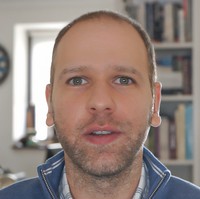
Hello, I'm Ozgur from Digidemy. I'm an award winning filmmaker, photographer and motion designer. I've been been working in the film and TV industry both in the UK and abroad for nearly two decades.
I'm an Adobe Certified Expert, Video Specialist and Instructor. I'm also one of the very few Maxon Certified Cinema 4D Trainers in the world.
I've taught and worked with some of the biggest names in the industry such as SKY, BBC, Sony Pictures, ITV, Google, Microsoft, to name a few.
 More courses by Ozgur Gorgun

Cinema 4D Masterclass: The Ultimate Guide for Beginners (2021)
4.6 (3,843 Reviews)
 Provider: Udemy
 Time: 7.8h
$79.99

Autodesk AutoCAD Masterclass: The Ultimate Guide to AutoCAD (2019)
4.5 (217 Reviews)
- Provider: Udemy
- Time: 10.9h
$59.99

After Effects Masterclass: The Ultimate Guide for Beginners (2020)
4.7 (198 Reviews)
- Provider: Udemy
- Time: 9h
$74.99

Professional Lighting Techniques in Cinema 4D (2020)
4.6 (185 Reviews)
- Provider: Udemy
- Time: 1.9h
$64.99

More Adobe Premier Pro courses

The Complete Adobe Premiere Pro Video Editing Bootcamp (2025)
4.9 (7,316 Reviews)
- Provider: Udemy
- Time: 9.7h
$139.99

Video Editing complete course | Adobe Premiere Pro CC 2021
4.8 (529 Reviews)
- Provider: Udemy
- Time: 14.4h
$22.99

Adobe Premiere Pro CC – Essentials Training Course (2025)
4.7 (11,647 Reviews)
- Provider: Udemy
- Time: 15.8h
$129.99

Adobe Premiere Pro CC – Advanced Training Course (2025)
4.7 (1,922 Reviews)
- Provider: Udemy
- Time: 16.3h
$94.99

Adobe Premiere Pro Video Editing Course Beginner to Pro (2024)
4.7 (686 Reviews)
- Provider: Udemy
- Time: 9.1h
$54.99

Learn Video Editing with Premiere Pro CC for beginners (2015)
4.7 (476 Reviews)
- Provider: Udemy
- Time: 3.9h
$64.99
 Reviews

By Meral Amica Akyol on 12/18/2025
Its called Masterclass and gives you very basic information, that was a bit strange. See how it continues.
By Billie Houston on 11/10/2025
Its a great course. Each class is explained very well, and Ozgur is a great teacher. The only reason I have given 4 stars is because I found the project material a little dull, and in 2025 the course is a little dated (I think it's from 2020) so I had to look up certain parts online. Otherwise it's an amazing course and I highly recommend!
By Bojan Zuza on 7/25/2025
This logical explanation makes me loook video only once and getting feeling like i would know what to do instantly . Thanks, worth every penny
By Celesta Babb on 6/12/2025
Informative and very helpful. Not giving this five stars though because it's a little out of date. Adobe looks slightly different now than it did when this was filmed.
By Stephen Olawale Fatokun on 2/4/2024
I really enjoyed this course.The explanation was so clear and it was easy. A lot I don't know before was explained during the course
By Robert But on 12/20/2023
Great course, i honestly suggest this course to everyone who wants to learn Premiere Pro, don't bother looking around for others, i did, and i end up disappointed, this course will set you up for a great editing journey. In one word if you start out your editing journey, this course is definitely for you.
By Kaveri Rangappa on 12/8/2023
Fantastic! This is one of the most comprehensive course of Premiere Pro and one of the best out there. This is the second course I have enrolled with this instructor as he is simply superb in his teaching methods.
By Tim Hurst on 7/24/2023
The instructor was excellent as was the content. The only thing that would have made the course better would be a printed outline to follow along with. GREAT COURSE!
By Kateryna Kharanzhevych on 5/24/2023
Teacher is just great, explaining everything very carefully and with all details. As well course covers all most important aspects of working with Premiere. Really love it!
By Sharon Jerman on 11/20/2022
I am enjoying this tutorial a lot ! the explanations are detailed. The instructor is taking you through the editing process step by step - one can follow along easily and get a deep understanding on how the system works. You will learn everything you need to know to become a good video editor using premier pro. All you have to do is practice all the things you learned here !!! I am so happy that I have chosen this program
 Quality Score
No CourseDuck member has rated this course yet. Taken it? Give each part a thumbs up or down.
Overall Score : 94 / 100
- Video Duration:
 9.6h
9.6h - Price: $69.99
- Provider: Udemy
- Updated:
 August 2020
 - Level:
 All Levels
 - Language:
 English
 - Certificate:
 Yes
Yes - Lectures:93 in 19 sections
- Students:647
- Subtitles:1 language
- Udemy badge:Highest Rated
30-day money-back guarantee on most paid courses
Udemy Coupon Price Tracker
