
 Web Development
 Data Science
 Python
 SQL
SQL JavaScript
 Artificial Intelligence
 IT & Software
 IT Certifications
 Hacking
 AWS
AWS Arduino
 DevOps
 3D Modeling
 Graphic Design
 Photoshop
 Drawing
 Digital Painting
 UX Design
 Business
 Data Analysis
 Communication Skills
 Project Management
 Leadership & Management
 Human Resources
 Digital Marketing
 Social Media Marketing
 Marketing
 SEO
SEO Google Analytics
 Branding
 Excel
Excel Office Productivity
 SAP
SAP PowerPoint
 Microsoft Access
 SharePoint
 Finance & Accounting
 Trading & Investing
 Accounting
 Bitcoin
 Personal Finance
 Video Editing & Animation
 Photography
 Adobe Premier Pro
 Adobe Lightroom
 Personal Development
 Productivity
 Career Development
 Life Coaching
 Health & Fitness
 Meditation & Mindfulness
 Yoga
Yoga Music
Music Music Production
 Guitar
 Piano
Piano Singing
 Language Learning
 Teaching & Academics
 Engineering
 Math
Math Lifestyle
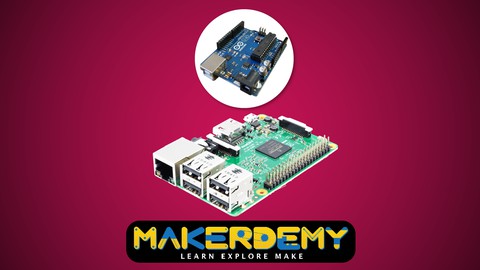
Raspberry Pi meets Arduino (Udemy.com)
Learn how Raspberry Pi can communicate with Arduino. Also included RFID using Arduino
Created by: Venkatesh Varadachari
Last updated January 2016
 What you will learn
- Communicate a message between the Arduino and Raspberry Pi and Vice versa
- Learn how RFID works and Find out what the future holds for RFID technology
- Employee entry system using Arduino and RFID sensor
- Security System and Access Control with Arduino using Keypad 4x4
- Acquire data from sensors and display them on an LCD screen
How it compares
Against the other 295 rated Udemy courses in Arduino on CourseDuck:
- Rating4.1 out of 5higher than 19% of them
- Reviews111#187 of 296 by number of reviews
- Length1.4 hoursshorter than 91% of them
- Last updatedJanuary 2016earlier than 98% of them
 Course Description
This is an advanced level course on Arduino. This course is designed for advanced makers. We’ll help you to get started with the basics of creating circuits with the Arduino and Arduino Mega prototyping board. We will show how a Raspberry Pi and Arduino can communicate with each other. By the end of this course, you would have built Security Systems and Access Control with Arduino using Keypad 4x4 and an Employee entry system using Arduino and RFID sensor.
The prerequisite for this course is a basic understanding of electrical and electronic concepts and ability to download and install software on your computer. Along the way, you will learn about programming, sensors, and communications.
The course split into three parts:
Project 1: In this project, we will teach you how to communicate a message from the Arduino to the Raspberry Pi and vice-versa using a USB serial cable.
Project 2: In this project, we teach you how to build an employee entry system using Arduino and RFID sensor module. This project is designed to record the employee details, date and time in PLX-DAQ Spreadsheet to monitor the time and date of entry and exit.
Project 3: This is a security related project. We’ll show you how to make a keypad combination lock. In the project, keypad security system and access control with Arduino can change the combination without reprogramming the Arduino.
If learning by making sounds like the way to go, then this course is for you!
RFID tags are used for everything from credit cards and passports to inventory control and door locks. Everyone should know more than a thing or two about them. With this course, you'll be able to learn how to read, "spoof" and use RFID in both standard and creative ways. Their ubiquitous nature and how little an average citizen knows about them also makes for great science fair and educational projects.
To explain RFID, we can use a key and lock analogy. Instead, of the key having a unique pattern, RFID keys hold a series of unique numbers that are read by the lock. It is up to our Arduino sketch to determine what happens when the lock reads the number. The key is the tag, card or another small device we carry around or have in our life. We will be using a passive key, which is an integrated circuit and a small aerial. It uses power from a magnetic field associated with the sensor.
If you are a technology enthusiast and want to learn the cutting-edge technology, then this is the right course for you.
I will teach you step by step how to go about building this project. I will also share the code with you so that you can replicate the project yourself.
At the end of the course, you'll be fully familiarized with Arduino and ready to build your electronic security system. I look forward to you joining this course. It provides the complete source code of the real time project.
What are you waiting for? Enroll now!

 Udemy Discount
The discount is applied through our link. Open the course from here and Udemy's current promotional price is applied at checkout on most courses, no code to type.
Some courses are excluded from Udemy's promotions. If the price does not drop, clear your browser cookies and use the button again.
Instructor Details

- 4.1 Rating
 111 Reviews
Venkatesh Varadachari
Venkatesh Varadachari is the founder of MAKERDEMY, a pioneer maker education company head-quartered in Singapore.
Venkatesh believes that knowledge should be made available to people in all walks of life. Venkatesh also believes in the power of education to transform lives.
Venkatesh has an MBA from the prestigious Indian Institute of Management, Bangalore.
He also has a degree in Electrical Engineering from Madras University and a Masters in Financial Engineering from National University of Singapore.
 More courses by Venkatesh Varadachari

Introduction to Internet of Things(IoT) using Arduino (2021)
4.2 (909 Reviews)
 Provider: Udemy
 Time: 54 mins
$11.99

More Arduino courses


Learn to Build a Computer (PC) in 2026 - all types!
4.9 (245 Reviews)
- Provider: Udemy
- Time: 6.1h
$74.99

Raspberry Pi For Beginners - 2026 Complete Course
4.8 (3,105 Reviews)
- Provider: Udemy
- Time: 10.6h
$89.99

Ultimate Guide to Raspberry Pi : Tips, Tricks and Hacks (2023)
4.8 (2,363 Reviews)
- Provider: Udemy
- Time: 5.2h
$69.99

Mastering Microcontroller: STM32-LTDC, LCD-TFT, LVGL (MCU3) (2026)
4.8 (487 Reviews)
- Provider: Udemy
- Time: 8.1h
$79.99

Arduino Step by Step: Getting Started (2024)
4.7 (8,714 Reviews)
- Provider: Udemy
- Time: 21.4h
$159.99
 Reviews

By Ramprasath A on 6/2/2020
Projects explanations are easy to understand.
By Shraddha dhaku sawant on 5/13/2020
Yes, good match for me
By Palpandian p on 5/12/2020
this course was useful, thank you
By Christopher P Hickman on 5/5/2017
Several of the questions on the quizzes were not covered in the lectures.
By MOHAMED BELHASSEN on 3/14/2017
all things are clearly explained :)
By Don H. on 11/6/2016
This was well done and contained much useful information in an easy to understand format.
By Frank Harvey on 6/29/2016
The excel interface doesn't work on the current version of windows (10). I tracked down the referenced code (something DAQ) and its website says it's no longer supported. Major disappointment. I liked his pdf's. The sample code was very easy to read and follow. The circuits were also very straightforward and well explained.
By Otto Johansen on 6/11/2016
Not much usage of the Raspberry Pi, and no explanation of why one model of the Arduino (UNO) was used for the initial projects, but another was chosen for the third (MEGA).
By Karthiga.s on 5/12/2020
By Jerry Farmer on 3/11/2016
 Quality Score
No CourseDuck member has rated this course yet. Taken it? Give each part a thumbs up or down.
Overall Score : 82 / 100
- Video Duration:
 1.4h
1.4h - Price: $19.99
- Provider: Udemy
- Updated:
 January 2016
 - Level:
 Expert
 - Language:
 English
 - Certificate:
 Yes
Yes
30-day money-back guarantee on most paid courses
Udemy Coupon Price Tracker
