
 Web Development
 Data Science
 Python
 SQL
SQL JavaScript
 Artificial Intelligence
 IT & Software
 IT Certifications
 Hacking
 AWS
AWS Arduino
 DevOps
 3D Modeling
 Graphic Design
 Photoshop
 Drawing
 Digital Painting
 UX Design
 Business
 Data Analysis
 Communication Skills
 Project Management
 Leadership & Management
 Human Resources
 Digital Marketing
 Social Media Marketing
 Marketing
 SEO
SEO Google Analytics
 Branding
 Excel
Excel Office Productivity
 SAP
SAP PowerPoint
 Microsoft Access
 SharePoint
 Finance & Accounting
 Trading & Investing
 Accounting
 Bitcoin
 Personal Finance
 Video Editing & Animation
 Photography
 Adobe Premier Pro
 Adobe Lightroom
 Personal Development
 Productivity
 Career Development
 Life Coaching
 Health & Fitness
 Meditation & Mindfulness
 Yoga
Yoga Music
Music Music Production
 Guitar
 Piano
Piano Singing
 Language Learning
 Teaching & Academics
 Engineering
 Math
Math Lifestyle
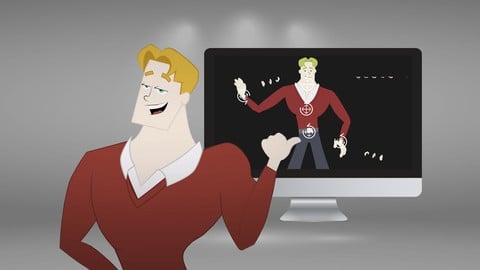
Rigging a Character in After Effects for Animation (Udemy.com)
Take your Illustrator File and connect each body part to easily control your character for animation
Created by: 2D Animation 101 Courses
Last updated September 2018
 What you will learn
- Take a character designed in Adobe Illustrator and prepare it for animation
- How to rig a character in After Effects
- How to set up replacement animation for lip sync, and switching hands
How it compares
Against the other 545 rated Udemy courses in 3D Modeling on CourseDuck:
- Rating4.5 out of 5higher than 37% of them
- Reviews282#249 of 546 by number of reviews
- Length1.7 hoursshorter than 90% of them
- Last updatedSeptember 2018earlier than 85% of them
 Course Description
Ok, so you prepared a character in illustrator and you want to animate it inside after effects.
The problem is that you have to put every single piece of the body in a new position and that can be very tedious.
Even for simple movements, like weaving good bye to a friend.
You need to do a bunch of clicks and repositioning each single part.
Well, there is a faster way to do it.
You can connect each part of the body, so you can move it easily, with just a few clicks and drags.
And if you need to change the hand, you don’t have to disappear the hand, and reappear another one, no. You can set a rig with replacement animation, and just by moving a switch layer you can easily change to any version of the hand you want.
In this course, you will learn:
- How to rig a character inside after effects.
- How to set forward kinematics: So you can move your character easily, without having do draw each frame
- How to set up inverse kinematics: An advanced mathematical formula that lets you control your character easily, and all done automatically without you having to scratch your head figuring out any formula.
- The clear difference between Forward Kinematics, and Inverse Kinematics, two concepts that a lot of animators are not familiar with.
- How to set up replacement animation: A technique in which you can change for example, the mouth of your character, to express different phonemes, so then, you can add some lip sync.
Every step is explained in detail, and I also take the time to tell you why we do the things we are doing, so you will always know what we are doing, why and to what outcome.
Very nice.
Enroll now and start rigging your character for your next animation. See you inside.
-----
Music Credits: "DarxieLand" Kevin MacLeod (incompetech) Licensed under Creative Commons: By Attribution 3.0 License

 Udemy Discount
The discount is applied through our link. Open the course from here and Udemy's current promotional price is applied at checkout on most courses, no code to type.
Some courses are excluded from Udemy's promotions. If the price does not drop, clear your browser cookies and use the button again.
Instructor Details
- 4.5 Rating
 282 Reviews
2D Animation 101 Courses
Mark L. Diaz has a background of 10 years in the film industry at Autumn Leave Films, and with over 30 short films produced to this date, we are a group of animators who love to share everything we know about animation, from pre-production, animation, to post production.
Our aim is to equip future animators with all the necessary techniques and tips to help them do better projects. Our courses will help beginners along with intermediate users.
We have helped more than 160,000+ students to discover techniques and all the knowledge they need to start animating their projects.
 More courses by 2D Animation 101 Courses

Cinematography for 2D Animation Essentials (2018)
4.6 (1,357 Reviews)
 Provider: Udemy
 Time: 36 mins
$15.99
Improve Anime Drawings With Leonardo DaVinci Method (2018)
4.3 (1,217 Reviews)
- Provider: Udemy
- Time: 54 mins
Free

Adobe Illustrator Essentials for Character Design (2021)
4.6 (925 Reviews)
- Provider: Udemy
- Time: 2.1h
$11.99
Character Design For Animation in Illustrator (2021)
4.6 (670 Reviews)
- Provider: Udemy
- Time: 2.2h
$54.99

2D Animation in Moho from Basic to Advanced (2018)
4.6 (625 Reviews)
- Provider: Udemy
- Time: 4h
$59.99
More 3D Modeling courses

3D Printing with " Ultimaker CURA Slicer- Start to finish" (2025)
4.9 (192 Reviews)
- Provider: Udemy
- Time: 1h
$34.99

Girl and the Dog Creation in Zbrush for Intermediate Level (2020)
4.9 (173 Reviews)
- Provider: Udemy
- Time: 48.8h
$59.99



Blender Character Creator for Video Games (2026)
4.8 (9,160 Reviews)
- Provider: Udemy
- Time: 34.3h
$159.99

Master SOLIDWORKS 3D CAD using real-world examples (2022)
4.8 (2,451 Reviews)
- Provider: Udemy
- Time: 18.9h
$69.99
 Reviews

By Astha Gupta on 7/9/2024
he knows what he is teaching just a little more detail will be great like the column we are connecting is parent and where to find this parent column so that a laymen like me will understand it in much much easier and better way but thankyou for the lesson
By Mounir Chkifi on 10/24/2023
Perfect, Really I have benefited and learned from you how to explain and how to divide the videos according to each lesson so that the video does not exceed 10 minutes, this makes me stay focused and absorb more. Thank you for your efforts
By Doug Mattocks on 3/4/2022
This course has NOT kept up with the soft updates in Duik - the most recent I could find was from 2019 (it's 2022 if anyone of you has figured it out) - I know your lessons are the kind where 'you get where you pay for' - BUT - I think this is a business plan is doomed to this kind of critique......... I'm sure it means nothing!!!
By Alicia Tibbs on 5/10/2021
I've watched it through and am now going to go and have a go myself - I feel confident, everything was explained in a way that was very easy to follow and the lessons are titled in such a way that if I get stuck I can easily find the section that I need to rewatch.
By Gordon on 10/2/2019
I did this course as an overview of 2D animation and see the capabilities of After Effects. I really enjoyed the course and will come back to it at a later date. Loads of information and tips showing your experience and expertise in this subject. I also liked your teaching style and enthusiasm for the subject. Great stuff for any one in animation whether they are a beginners or experienced. Many thanks for your time. Gordon
By Shehzad Afzaal on 7/16/2019
Enjoying every bit of it. Looking forward to learn more with them. Highly recommended to those who want to learn form beginning.! Instructor goes out highly in detail of all the aspects mentioned in the course and make things very easy upon explaining them. Thank You
By Kristianus Kurnia on 7/11/2018
I really enjoyed this course, it helps me a lot. Teacher talks slowly and clear, so it's easy to understand for non native speaker like me. Keep in mind, this course was made a couple years old, some features doesn't works with Duik 15 or newer. E.g. The rotate doesn't works in Duik controler. Suggestions for next tutorial: - Instead of asking students to "click here", and then "click there", it would be better if you explain more a little bit what is the purpose of that steps. - If you forgot a step, please cut and edit the video to the correct step, it makes the workflow much faster and less confusing. - Please add a preview or example of real result animations, so we know what we can achieve, and it would be more attractive too for a new student. - Please make more advance tutorial, such as 360º turn around, seamless loop animation, 3D layers, mesh animation, etc. - Need more depth tutorial and explanation of Duik features (Duik 16 if possible).
By Benjamin Thvedt on 6/16/2018
Yeah showed me 90% of what I wanted to know so far. So that's pretty good. Maybe an example of keyframing the character to do something neat would have been illustrative before this point
By Danielle See on 2/8/2018
Thanks so much, I really enjoyed the course and was able to follow easily so that I didn't have to keep going back to re-listen to your instructions. Not sure about the dramatic audio at the beginning and end of each lesson, it set a rather anxious tone, which I'm not sure complimented your light-hearted and enthusiastic voice ;) Thanks again! Super excited to get started on my own characters now!
By Jeremy Hazel on 12/27/2017
I bought the series all at once, and while I found the previous course to be lacking, this course has delivered exactly as promised right off the bat. The application of Duik and the simple rigging we have done this faar will help in so many other areas I am working in .... I am loving the pace of the course and the value of the content
 Quality Score
No CourseDuck member has rated this course yet. Taken it? Give each part a thumbs up or down.
Overall Score : 90 / 100
- Video Duration:
 1.7h
1.7h - Price: $44.99
- Provider: Udemy
- Updated:
 September 2018
 - Level:
 Beginner
 - Language:
 English
 - Certificate:
 Yes
Yes
30-day money-back guarantee on most paid courses
Udemy Coupon Price Tracker
