
 Web Development
 Data Science
 Python
 SQL
SQL JavaScript
 Artificial Intelligence
 IT & Software
 IT Certifications
 Hacking
 AWS
AWS Arduino
 DevOps
 3D Modeling
 Graphic Design
 Photoshop
 Drawing
 Digital Painting
 UX Design
 Business
 Data Analysis
 Communication Skills
 Project Management
 Leadership & Management
 Human Resources
 Digital Marketing
 Social Media Marketing
 Marketing
 SEO
SEO Google Analytics
 Branding
 Excel
Excel Office Productivity
 SAP
SAP PowerPoint
 Microsoft Access
 SharePoint
 Finance & Accounting
 Trading & Investing
 Accounting
 Bitcoin
 Personal Finance
 Video Editing & Animation
 Photography
 Adobe Premier Pro
 Adobe Lightroom
 Personal Development
 Productivity
 Career Development
 Life Coaching
 Health & Fitness
 Meditation & Mindfulness
 Yoga
Yoga Music
Music Music Production
 Guitar
 Piano
Piano Singing
 Language Learning
 Teaching & Academics
 Engineering
 Math
Math Lifestyle
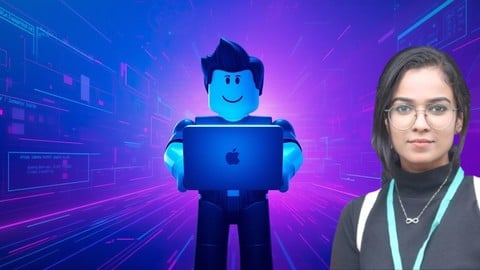
Roblox Coding for Kids 8–12: 2026 (Udemy.com)
Build fun Roblox games using Roblox Studio, Lua scripting, obstacles, UI, timers, and custom 3D models.
Created by: Sneha A S
Last updated June 2026
 What you will learn
- Build a complete Roblox obstacle game from scratch using Roblox Studio.
- Add disappearing platforms, lava blocks, moving obstacles, timers, and custom 3D models.
- Write basic Lua scripts using variables, functions, loops, and events.
- Design a main menu UI and publish a playable Roblox game.
How it compares
Against the other 281 rated Udemy courses in Game Development Fundamentals on CourseDuck:
- Rating4.3 out of 5higher than 20% of them
- Reviews47#247 of 282 by number of reviews
- Length1.2 hoursshorter than 96% of them
- Last updatedJune 2026more recently than 94% of them
 Course Description
Do you love playing Roblox and want to learn how to make your own games from scratch?
This beginner-friendly course will teach you how to create fun and interactive Roblox games using Roblox Studio and simple Lua scripting — even if you’ve never coded before.
You’ll start by learning how to install Roblox Studio, create a project, and understand the basic tools. Then, step by step, you’ll build a complete obstacle-based game (obby) while learning essential game development skills.
You’ll learn how to add and customize obstacles, create spawn points, and design your game environment. After that, you’ll dive into basic Lua scripting to make disappearing platforms, lava kill blocks, moving obstacles, and timed challenges. These features bring your game to life and make it more exciting to play.
You’ll also learn how to build custom 3D models using Roblox’s Union and Negate tools, allowing you to create doors, windows, roofs, and unique game objects. To polish your game, you’ll design a main menu and settings screen using Roblox UI tools and make your game look professional across all screen sizes.
By the end of this course, you’ll have built a complete, playable Roblox game and gained the confidence to create your own games in the future.
This course is designed for kids, teens, and complete beginners. Everything is explained step by step in a simple and fun way. No prior coding or game development experience is required.
What you’ll learn:
Install and use Roblox Studio
Build an obstacle game from scratch
Add disappearing platforms and lava blocks
Write basic Lua scripts using variables, functions, and loops
Create moving obstacles with TweenService
Add a countdown timer and win/lose system
Build custom 3D models using Union and Negate
Design a main menu and UI
Publish and share your Roblox game
Whether you’re learning for fun, for school, or as a creative hobby, this course will give you a solid foundation in Roblox game development.

 Udemy Discount
The discount is applied through our link. Open the course from here and Udemy's current promotional price is applied at checkout on most courses, no code to type.
Some courses are excluded from Udemy's promotions. If the price does not drop, clear your browser cookies and use the button again.
Instructor Details

- 4.3 Rating
 47 Reviews
Sneha A S
Sneha is a coding instructor and game development trainer who specializes in teaching Roblox and beginner programming concepts in a simple, practical way.
She has experience teaching kids and teens how to build games using Roblox Studio and Lua scripting. Sneha focuses on step-by-step, project-based learning that helps students build real games instead of just watching tutorials.
Her teaching style is beginner-friendly, supportive, and hands-on. She is passionate about making coding fun, accessible, and confidence-building for complete beginners.
 More Game Development Fundamentals courses

The Ultimate 2D Top Down Unreal Engine Course (2026)
4.9 (1,468 Reviews)
 Provider: Udemy
 Time: 17.1h
$94.99

Blender Skill Builder: Modelling Challenges (2026)
4.9 (144 Reviews)
- Provider: Udemy
- Time: 6.5h
$19.99

Jumpstart to 2D Game Development: Godot 4 for Beginners (2026)
4.8 (4,398 Reviews)
- Provider: Udemy
- Time: 67.6h
$89.99

Create a Complete 2D Survivors Style Game in Godot 4 (2023)
4.8 (3,761 Reviews)
- Provider: Udemy
- Time: 17.2h
$59.99

Master Lua Programming and Create Amazing Games with LÖVE! (2023)
4.8 (3,199 Reviews)
- Provider: Udemy
- Time: 8.5h
$13.99

Complete Godot 2D: Develop Your Own 2D Games Using Godot 4 (2025)
4.8 (1,619 Reviews)
- Provider: Udemy
- Time: 11.3h
$94.99
 Reviews

By Trading on 8/9/2026
Thank you i am 9 years old and you helped me to understand roblox studio and now i will start advance courses
By Dmitrii kalagin on 7/16/2026
I never coded so it super fun and interesting!!!
By Monwara Begum on 6/3/2026
she needs to tell everything
By Helen Robertshaw on 4/10/2026
really good and explained well
By Brian Vander Mey on 4/6/2026
it tells me what things do in an easy to understand way
By Appu34 on 2/14/2026
lessons are engaging and suitable for beginners. It’s a great first step for kids to get into coding without feeling overwhelmed by complex topics. I would definitely recommend it for children who want to start making their own games.
By Muhammed Azhar on 2/9/2026
The course is excellent for kids who are just starting with Roblox Studio coding. The voice is very clear, friendly, and professional, which makes it easy for children to follow along. Beginning with “Hello, little coders” immediately grabs their attention and creates a welcoming learning environment.
By Sekou KEITA on 7/19/2026
By Johnpaul Lucca on 6/14/2026
By Samuel Nava on 3/28/2026
 Quality Score
No CourseDuck member has rated this course yet. Taken it? Give each part a thumbs up or down.
Overall Score : 86 / 100
- Video Duration:
 1.2h
1.2h - Price: $19.99
- Provider: Udemy
- Updated:
 June 2026
 - Level:
 Beginner
 - Language:
 English
 - Certificate:
 Yes
Yes
30-day money-back guarantee on most paid courses
Udemy Coupon Price Tracker
