
 Web Development
 Data Science
 Python
 SQL
SQL JavaScript
 Artificial Intelligence
 IT & Software
 IT Certifications
 Hacking
 AWS
AWS Arduino
 DevOps
 3D Modeling
 Graphic Design
 Photoshop
 Drawing
 Digital Painting
 UX Design
 Business
 Data Analysis
 Communication Skills
 Project Management
 Leadership & Management
 Human Resources
 Digital Marketing
 Social Media Marketing
 Marketing
 SEO
SEO Google Analytics
 Branding
 Excel
Excel Office Productivity
 SAP
SAP PowerPoint
 Microsoft Access
 SharePoint
 Finance & Accounting
 Trading & Investing
 Accounting
 Bitcoin
 Personal Finance
 Video Editing & Animation
 Photography
 Adobe Premier Pro
 Adobe Lightroom
 Personal Development
 Productivity
 Career Development
 Life Coaching
 Health & Fitness
 Meditation & Mindfulness
 Yoga
Yoga Music
Music Music Production
 Guitar
 Piano
Piano Singing
 Language Learning
 Teaching & Academics
 Engineering
 Math
Math Lifestyle
Save Time in Character Animation for After Effects (Udemy.com)
Animation can be a fast process if you know the secret: Do Animation with rigged characters, with a few clicks and drags
Created by: 2D Animation 101 Courses
Last updated September 2018
 What you will learn
- Rig a Character in After Effects
- Animate your cartoon characters faster with just a few clicks and drags
How it compares
Against the other 118 rated Udemy courses in Adobe After Effects on CourseDuck:
- Rating4.6 out of 5higher than 67% of them
- Reviews347#32 of 119 by number of reviews
- Length4.6 hourslonger than 66% of them
- Last updatedSeptember 2018earlier than 81% of them
 Course Description
5 hour course and discover the secret techniques that can help you cut your working time in half. Inside you will find the project files to follow along and easy to follow instructions to achieve this powerful technique. Enroll today! Who this course is for:
This 2D Animation course is meant for beginners to intermediate users of After Effects looking for a fast way to animate, using a rigged puppet.

 Udemy Discount
The discount is applied through our link. Open the course from here and Udemy's current promotional price is applied at checkout on most courses, no code to type.
Some courses are excluded from Udemy's promotions. If the price does not drop, clear your browser cookies and use the button again.
Instructor Details

- 4.6 Rating
 347 Reviews
2D Animation 101 Courses
With a background of 10 years in the film industry at Autumn Leave Films, and with over 30 short films produced to this date, we are a group of animators who love to share everything we know about animation, from pre-production, animation, to post production.
Our aim is to equip future animators with all the necessary techniques and tips to help them do better projects. Our courses will help beginners along with intermediate users.
We have helped more than 54,000+ students to discover techniques and all the knowledge they need to start animating their projects.
 More courses by 2D Animation 101 Courses

Cinematography for 2D Animation Essentials (2018)
4.6 (1,357 Reviews)
 Provider: Udemy
 Time: 36 mins
$15.99
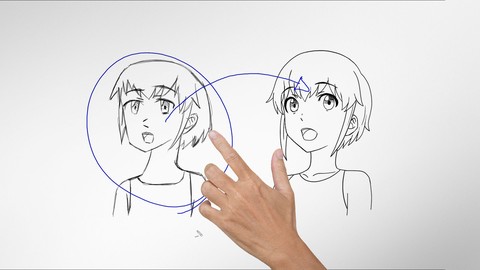
Improve Anime Drawings With Leonardo DaVinci Method (2018)
4.3 (1,217 Reviews)
- Provider: Udemy
- Time: 54 mins
Free

Adobe Illustrator Essentials for Character Design (2021)
4.6 (925 Reviews)
- Provider: Udemy
- Time: 2.1h
$11.99
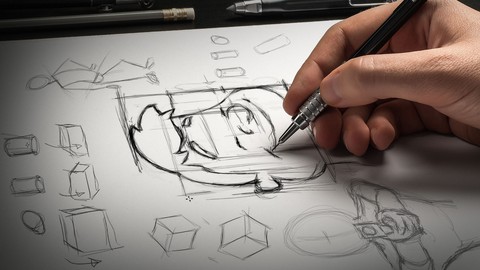

Character Design For Animation in Illustrator (2021)
4.6 (670 Reviews)
- Provider: Udemy
- Time: 2.2h
$54.99

2D Animation in Moho from Basic to Advanced (2018)
4.6 (625 Reviews)
- Provider: Udemy
- Time: 4h
$59.99
More Adobe After Effects courses

Motion Design & Animation Principles in Adobe After Effects (2025)
4.8 (1,594 Reviews)
- Provider: Udemy
- Time: 5.8h
$99.99


Futuristic HUD Motion Graphics in After Effects (2018)
4.7 (664 Reviews)
- Provider: Udemy
- Time: 1.5h
$69.99

Course Design - How to Create Impressive Text Animations (2017)
4.7 (207 Reviews)
- Provider: Udemy
- Time: 2.7h
$74.99

After Effects Masterclass: The Ultimate Guide for Beginners (2020)
4.7 (198 Reviews)
- Provider: Udemy
- Time: 9h
$74.99

 Reviews

By Ng Hong Thye on 10/12/2020
The pace is right when going through the steps to up the character. Definitely learn a lot from this lesson.
By Renita E Richardson on 9/14/2020
So far so good
By Karen Newsome on 7/10/2020
The instructors sense of humor. He makes the character come alive. And, he demonstrates different poses and how the character might be feeling with the change of positioning of the body. Also, he is very detailed oriented and he shows his creativeness in how he is teaching the class.
By park on 4/9/2020
Wow
By Hamza on 4/8/2020
drawing another anime
By Paul Storm on 2/24/2020
A very fun and informative course. Really enjoyed following along and the tutor has a great sense of humour, making it a blast to learn from him. Totally recommend this course for anybody interested in the subject.
By Fadly Wychowvski Hussin on 1/13/2020
Very informative. And the presenter is precise yet funny
By Mukund mantri on 11/3/2019
The most important thing, the expressions was not explained clearly.
By John El Khoueiry on 9/25/2019
It was a very good lesson, learned a lot of tricks, very helpful!
By Brandy Yuen on 9/1/2019
Easy to understand
By Kandi Huggins on 8/4/2019
I knew a little about animating using Adobe character animate but this course is starting to help me better understand how to make my vector drawings look more 3d ish.
By Chamara Fernando on 7/15/2019
nice as beginning...
 Quality Score
No CourseDuck member has rated this course yet. Taken it? Give each part a thumbs up or down.
Overall Score : 92 / 100

- Video Duration:
 4.6h
4.6h - Price: $64.99
- Provider: Udemy
- Updated:
 September 2018
 - Level:
 All Levels
 - Language:
 English
 - Certificate:
 Yes
Yes
30-day money-back guarantee on most paid courses
Udemy Coupon Price Tracker
