
 Web Development
 Data Science
 Python
 SQL
SQL JavaScript
 Artificial Intelligence
 IT & Software
 IT Certifications
 Hacking
 AWS
AWS Arduino
 DevOps
 3D Modeling
 Graphic Design
 Photoshop
 Drawing
 Digital Painting
 UX Design
 Business
 Data Analysis
 Communication Skills
 Project Management
 Leadership & Management
 Human Resources
 Digital Marketing
 Social Media Marketing
 Marketing
 SEO
SEO Google Analytics
 Branding
 Excel
Excel Office Productivity
 SAP
SAP PowerPoint
 Microsoft Access
 SharePoint
 Finance & Accounting
 Trading & Investing
 Accounting
 Bitcoin
 Personal Finance
 Video Editing & Animation
 Photography
 Adobe Premier Pro
 Adobe Lightroom
 Personal Development
 Productivity
 Career Development
 Life Coaching
 Health & Fitness
 Meditation & Mindfulness
 Yoga
Yoga Music
Music Music Production
 Guitar
 Piano
Piano Singing
 Language Learning
 Teaching & Academics
 Engineering
 Math
Math Lifestyle
SOLIDWORKS for Beginners and Intermediate Users (Udemy.com)
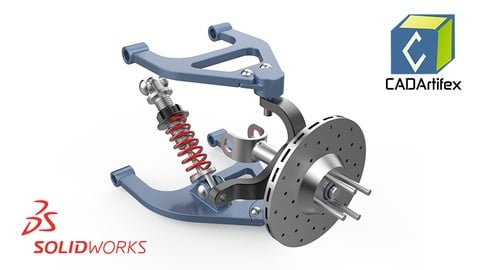
Master SolidWorks Part, Assembly, and Drawings from scratch with real-world examples including Suspension System Project
Created by: CADArtifex LLC
Last updated September 2026
 What you will learn
- Design and model parts from scratch in SOLIDWORKS.
- Build and manage assemblies by combining multiple components.
- Create detailed engineering drawings for parts and assemblies.
- Work on a hands-on project — Design the Suspension System Assembly with 20 individual parts.
How it compares
Against the other 335 rated Udemy courses in Engineering on CourseDuck:
- Rating4.6 out of 5higher than 74% of them
- Reviews127#266 of 336 by number of reviews
- Length11.8 hourslonger than 79% of them
- Last updatedSeptember 2026more recently than 97% of them
 Course Description
Dive into the world of 3D design with "SOLIDWORKS for Beginners and Intermediate Users", a comprehensive course tailored to help you master the fundamentals and intermediate features of SOLIDWORKS. Whether you're a complete novice or looking to enhance your existing skills, this course offers step-by-step guidance to take your design capabilities to the next level.
What You'll Learn:
Navigate the SOLIDWORKS interface and CommandManager with confidence.
Create and modify sketches, 3D parts, assemblies, and drawings.
Explore essential features like Extrudes, Revolves, Sweeps, Lofts, Fillets, Chamfers, Drafts, Ribs, and Shells.
Work with advanced tools, including Helical and Projected Curves, Face Splitting, and Trimming.
Understand assembly approaches and apply mates for accurate designs.
Assign materials, apply appearances, and calculate mass properties accurately and efficiently, among other essential skills.
Work on a hands-on project by designing a suspension system with 20 individual parts and assembling them.
Who Should Enroll in This Course:
This course is ideal for students, professionals, or hobbyists who want to learn SOLIDWORKS from scratch, with full instructor support throughout the journey.
After Completing the Course:
You will be able to create your own parts, assemblies, and manufacturing-ready engineering drawings for both individual components and assemblies, ensuring adherence to the correct specifications and drafting standards.
Why Enroll?
With real-world examples, clear explanations, and hands-on exercises, this course ensures you gain practical experience while building a portfolio-ready skill set. By the end, you’ll have the confidence to bring your ideas to life in SOLIDWORKS.
Join now and start designing your future!

 Udemy Discount
The discount is applied through our link. Open the course from here and Udemy's current promotional price is applied at checkout on most courses, no code to type.
Some courses are excluded from Udemy's promotions. If the price does not drop, clear your browser cookies and use the button again.
Instructor Details
- 4.6 Rating
 127 Reviews
CADArtifex LLC
CADArtifex is a leading innovator in the field of computer-aided design (CAD) education, dedicated to empowering individuals and organizations with advanced skills in 3D modeling and design. Founded by a team of experienced CAD professionals and educators, CADArtifex combines industry expertise with cutting-edge technology to deliver high-quality, practical training solutions.
 More courses by CADArtifex LLC
FreeCAD 1.1: Complete Beginner's Course – No Experience Need (2026)
4.4 (238 Reviews)
 Provider: Udemy
 Time: 6.6h
$19.99

Complete Fusion 360 All-in-One Course for Beginners (2025)
4.3 (157 Reviews)
- Provider: Udemy
- Time: 15.2h
$10.99
Fusion 360 Surface Design & T-Spline Sculpting (2025)
4.5 (66 Reviews)
- Provider: Udemy
- Time: 2.9h
$19.99

Learn Fusion 360 with Real-World Mechanical Projects (2025)
4.4 (48 Reviews)
- Provider: Udemy
- Time: 7.9h
$19.99
More Engineering courses


Do it Yourself - Automotive Electrical Diagnosis - Beginner (2026)
4.8 (1,897 Reviews)
- Provider: Udemy
- Time: 2.1h
$12.99

ROS 2 for Beginners Level 2 - TF | URDF | RViz | Gazebo (2025)
4.8 (1,869 Reviews)
- Provider: Udemy
- Time: 13.8h
$10.99

Advanced Kalman Filtering and Sensor Fusion (2021)
4.8 (1,033 Reviews)
- Provider: Udemy
- Time: 8.3h
$84.99

Digital Electronics: Robotics, learn by building module II (2020)
4.8 (942 Reviews)
- Provider: Udemy
- Time: 13.1h
$14.99

 Reviews

By James Warrick on 5/14/2026
Yes! good explanations and nice drawings to follow with.
By Moses Jetty on 4/14/2026
very good easy to understand explanations
By Phillip Vogel on 2/12/2026
So far, so good. It would be better, though, if there was a good human reading the dialog rather than a computer generated voice. Still, this is much easier to understand than some of the courses with Indian narrators. It's hard to understand them for those of us in North America.
By DJL . on 1/18/2026
I like to context of the course and the various tools discussed during the sessions. I have definitively learned some news ways of approaching designing with this material. I do have to say that the AI voice is a poor choice in my opinion as they just keep mispronouncing words during this training. That being said, the individual training sessions would benefit from having some more time spend on them rather then short minutes long video's. a lot more potential to this course but that might also be part of future courses with more in-depth explanations! Update: upon nearing the end of finishing the course, I noticed some dimensions missing ( I think) from the drive shaft (the extrusion depth of the teeth section and in the assembly it seems to bee missing the mate between the drive shaft teeth and the hub. The shaft can rotate freely from the hub. Just minor things I'v noticed :) in case you like to update Thanks
By Jason Hatfield on 1/17/2026
Good so far. The Bot narrator's mis-pronouncing of "Fillet" is slightly distracting.
By Chandana Joshi on 10/27/2025
It's a great course,it has each and every detail so a beginner could learn perfectly, it's a great course overall
By Justin Hundley on 10/24/2025
This course has done an excellent job of covering all the tools SolidWorks has to offer! I have used SolidWorks for years now, and this course is still teaching me new tricks and tools that I had no idea even existed. Extremely valuable course!
By Hasan Safadi on 8/23/2025
The speed during talkig but it is so neat and prepared in a very good way
By Ram Kumar C on 8/8/2025
Covered all the topic in keen way and easy way to understand
By Priyanka on 1/28/2025
Great course for beginners to learn SOLIDWORKS from scratch. I learned a lot and ready clear the Certified SolidWorks Associate (CSWA) exam. I highly recommend this course.
 Quality Score
No CourseDuck member has rated this course yet. Taken it? Give each part a thumbs up or down.
Overall Score : 92 / 100
- Video Duration:
 11.8h
11.8h - Price: $19.99
- Provider: Udemy
- Updated:
 September 2026
 - Level:
 All Levels
 - Language:
 English
 - Certificate:
 Yes
Yes
30-day money-back guarantee on most paid courses
Udemy Coupon Price Tracker
