
 Web Development
 Data Science
 Python
 SQL
SQL JavaScript
 Artificial Intelligence
 IT & Software
 IT Certifications
 Hacking
 AWS
AWS Arduino
 DevOps
 3D Modeling
 Graphic Design
 Photoshop
 Drawing
 Digital Painting
 UX Design
 Business
 Data Analysis
 Communication Skills
 Project Management
 Leadership & Management
 Human Resources
 Digital Marketing
 Social Media Marketing
 Marketing
 SEO
SEO Google Analytics
 Branding
 Excel
Excel Office Productivity
 SAP
SAP PowerPoint
 Microsoft Access
 SharePoint
 Finance & Accounting
 Trading & Investing
 Accounting
 Bitcoin
 Personal Finance
 Video Editing & Animation
 Photography
 Adobe Premier Pro
 Adobe Lightroom
 Personal Development
 Productivity
 Career Development
 Life Coaching
 Health & Fitness
 Meditation & Mindfulness
 Yoga
Yoga Music
Music Music Production
 Guitar
 Piano
Piano Singing
 Language Learning
 Teaching & Academics
 Engineering
 Math
Math Lifestyle
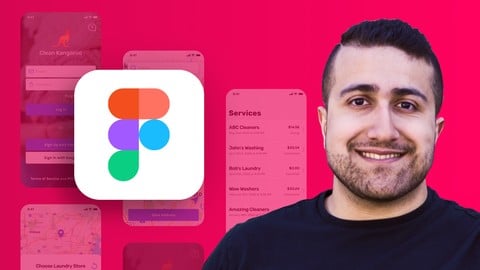
The Complete Figma Course – Designing Mobile & Web App UI/UX (Udemy.com)
Learn how to use Figma to design beautiful mobile & web apps that make users feel amazing
Created by: Nima Tahami
Last updated June 2026
 What you will learn
- How to use Figma on web & desktop
- Designing full mobile & web mockups (UI Design)
- Creating great experiences with applications of UX Design
- Building interactive prototypes to share with co-workers and clients
- Seeing your prototypes live on your own mobile phone
- Creating easy-to-tweak designs using re-usable components & styles
- How to pick colour schemes and unique typography for your designs
- Working with your clients/team right within Figma
How it compares
Against the other 32 rated Udemy courses in Figma on CourseDuck:
- Rating4.5 out of 5higher than 56% of them
- Reviews2,859#9 of 33 by number of reviews
- Length6.4 hourslonger than 53% of them
- Last updatedJune 2026more recently than 93% of them
 Course Description
You will learn how to create beautiful mobile & web user interfaces that you can then turn into live prototypes with the help of Figma.
Figma is a leading design software, helping teams and individuals create designs faster and more efficiently. Figma is free and you can use it right on your web browser, on Mac and Windows.
[NEW] This course has been updated for 2022 to include all the latest Figma Features for your convenience and to keep the course fully up to date with Figma.
Is this course for you?
You're in the right place if any of these apply to you:
You’re interested in user interface & user experience design (UI/UX) but not sure where to start.
You’re an entrepreneur with an app idea and want to turn your idea from a sketch to a realistic mockup and prototype.
You want to brush up your design skills to get the job that you want at companies like Airbnb, Google, Apple, etc.
You’re already designing and want to jump into Figma and take your designs to the next level.
You’re interested in earning income as a freelance designer.
You simply want to enter a new career path, and graphic design has interested you.
By the end of this course:
You will have learned the many great tools Figma has to offer and you will be able to design engaging mobile and web mockups, that you can turn into live interactive prototypes, for your own projects or for your clients.
What do I need?
This course is for both beginners & experienced designers looking to expand their skills.
All you need is a computer and a web browser.
About your instructor:
This course is taught by entrepreneur & designer Nima Tahami. Nima has more than 10 years of experience designing and developing dozens of mobile apps and web apps for both clients and startups of his own. Nima's current startup, ShiftRide, has been covered in many news outlets, including Forbes, where his app was highlighted for its ease of use.
Nima has created this course to help people become the best designer they can be. Design is part of the foundation of many things from great products & websites to great advertisements and everything in between. Nima has also designed and developed an open-source iPhone development library by the name of FCAlertView, helping 350,000+ app developers use beautiful customizable alert prompts within their applications.
Course Overview:
The course is broken down into 3 main parts: Learning all about Figma, Designing a Full Mobile Mockup, and Designing a Simple Web App Mockup.
Learning All About Figma:
Understanding why Figma is great
Signing Up for Figma
Going over the basics of the software
Importing Files from Sketch
Creating Frames, Shapes, and exploring with Drawing Tools
Designing a Full Mobile Mockup:
Designing the Mobile App UI for a laundry delivery service called Clean Kangaroo
Creating reusable design components
Using constraints to create responsive designs for any size mobile device
Applying easy-to-change styles for colours and typography
Turning our mockup into an interactive prototype
Testing our prototype on a real device
Adding animations, overlays, links, and more to our prototype to make them more usable
Sharing & Exporting our designs
Working live with a team inside Figma
Designing a Simple Web Mockup:
Designing a 3-Page Web App UI for Clean Kangaroo
Using Auto-Layout to create smart dynamic designs
Filling in our designs with sample data using Plugins
So what are you waiting for?
Let’s get started learning how to design real-world projects using Figma and take our design skills to a whole new level together.

 Udemy Discount
The discount is applied through our link. Open the course from here and Udemy's current promotional price is applied at checkout on most courses, no code to type.
Some courses are excluded from Udemy's promotions. If the price does not drop, clear your browser cookies and use the button again.
Instructor Details

- 4.5 Rating
 2,859 Reviews
Nima Tahami
Product Designer (15 years), Instructor (17K+ students), Founder of CueClip
Nima Tahami is an entrepreneur & product designer, creating beautiful products and seeing ideas come to life. Nima has been in the product space since 2010, designing & developing over 17 mobile games and apps.
In 2016, co-founded ShiftRide, a car subscription marketplace used by thousands of users, generating over $500K in revenue. Nima was in charge of the product, and his work was featured in Forbes, CBC, CNBC, and local news. He exited ShiftRide mid-2021 to pursue teaching & freelance design work. Since then, Nima has taught design to 18K+ students and has helped dozens of clients craft beautiful products.
 More courses by Nima Tahami
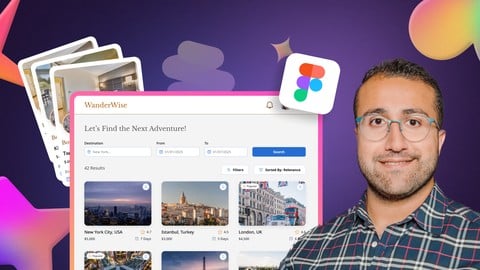
Master Figma in 2026: Web & Mobile App Design from Scratch
4.4 (207 Reviews)
 Provider: Udemy
 Time: 7.2h
$84.99

The Full Adobe XD UI/UX Course – Design & Prototype (2023)
4.6 (121 Reviews)
- Provider: Udemy
- Time: 8.3h
$74.99
More Figma courses


Complete Web Design: from Figma to Webflow to Freelancing (2026)
4.7 (22,616 Reviews)
- Provider: Udemy
- Time: 23.3h
$149.99

Master Figma: Getting started the Beginner to Pro Class (2025)
4.7 (2,402 Reviews)
- Provider: Udemy
- Time: 5h
$74.99
Responsive UX/UI Design in Figma 1.5h deep dive 2024 UPDATE!
4.6 (844 Reviews)
- Provider: Udemy
- Time: 2h
$69.99
 Reviews

By Martin Stanley on 5/31/2023
This course is well structured and has given me a very good grounding in both the basics of Figma as well as a good introduction to more intermediate and advanced techniques. Obviously, it doesn't cover everything, but what it does cover is very well explained. Nima Tahami is a very good tutor. This course is highly recommended for all those beginning their Sigma journey.
By Darko Zivkovic on 3/11/2023
It was a great course. I learned alot and Nima is a very good teacher that explains everything very well. The only thing that bothered me was that it is a bit outdated. New versions of Figma have been released and some functions have been added or changed. Overall I recommend it for everyone who wants to learn the basics of Figma!
By Nompumelelo Dube on 3/9/2023
This course so in detail and so worth well!! I learnt so many things, it was easy to follow and was able to apply most if not all instructions in my projects. Thank you Nima for being an EXCELLENT teacher and creating this course!! I now have the confidence to continue to create more UX design projects!!
By Kareem Knight on 2/11/2023
Overall, I felt like the course helped in learning Figma and I'm confident saying that I know the program. Granted you'll get better over time as you use it more and learn more tips, tricks and techniques as well. I will say that since I'm already a graphic designer it was easier for me to grasp the concepts in comparison to someone who isn't. Aside from that I'm happy to have taken the course and definitely have learned from it, which is the goal.
By Manjunath KC on 1/5/2023
The course is taught really well, but in some lessons I couldn't grasp the concept really well. I got stuck in installing apples products specific fonts but with my friend's help I got it resolved. But still San Francisco Pro fonts are not installed in my laptop. If there is any please let my know how to install the missing "SF Pro" fonts.
By Mohamed Aasim on 11/18/2021
i think components can be explained little much better with more Examples for better understanding , Other than this THE Course is Perfect and anyone can easily learn !!Highly recommended
By Zeynep Onat on 6/17/2021
This is a great course for anyone who is learning Figma for the first time. Nima is a very helpful instructor and easy to understand. As a Windows user, I appreciated the step-by-step text guides that explained how to install the necessary resources on a PC. The course also provides a list of many websites with design references and tools that are very useful for anyone who wants to get into design more seriously. The course is a bit fast paced, but that's not a huge problem considering you can always rewind the video 15s to see what you missed. That said, the course would benefit from a bit more organization, but I enjoyed it overall. Thank you!
By Jeevanandam M on 5/30/2021
Best course out there for learning Figma in quick time, instructor perfectly structured the course for easy understanding for beginners as well as for some experienced designers. Projects in the course are useful to apply the concepts taught by the instructor, looking forward to see the future updates on this course. I'll recommend this for anyone 5/5.
By Razieh Alizadeh on 2/1/2021
GREAT!Very comprehensive and useful, if one wants to learn Figma completely and practically in the shortest time, this is exactly the best course. For me, in addition to the interesting content related to Figma, the resources that were introduced were also very interesting and now I can run my project with confidence. I highly recommend this course.
By Ariel van Spronsen on 10/1/2020
What a great, thorough course. My brain is full! I feel much more confident using Figma and feel like I can get going on the protoyping I want to do. I do wish that there was some highlight around where the instructor's cursor was going so I could more easily see where he is going as he narrates, but overall I was able to keep up by rewinding a bunch. :)
 Quality Score
No CourseDuck member has rated this course yet. Taken it? Give each part a thumbs up or down.
Overall Score : 90 / 100
- Video Duration:
 6.4h
6.4h - Price: $84.99
- Provider: Udemy
- Updated:
 June 2026
 - Level:
 All Levels
 - Language:
 English
 - Certificate:
 Yes
Yes
30-day money-back guarantee on most paid courses
Udemy Coupon Price Tracker
